

InDriver
InDriver is a ride-hailing app that lets riders and drivers negotiate the fare in real time. Instead of relying on fixed prices, you can suggest your own price and choose from available drivers.
The service operates in many cities worldwide and focuses on flexible pricing, transparent driver details, and quick pickups. Riders see car model, license plate, rating, and ETA before accepting the ride.
You can download the official InDriver APK directly from our website, install it on your Android phone or tablet, and start requesting affordable rides or earning as a driver where the service is available.
Rate this app
App details
- App name
- InDriver
- Category
- Maps & Navigation
- Version
- v5.168.1
- Size
- 259.82 MB
- Requirements
- 4.0 and Above
- Package name
- sinet.startup.inDriver
- Publisher
- INDRIVERRU LTD
- Price
- Free
- Mod
- No
- Downloads
- 85,739
- Rating
- 4.8 / 5
- Rating count
- 24,193
- Play Store
- Yes
- Requires root
- No
- Offline support
- No
- Contains ads
- Yes
- In-app purchases
- Yes
- Updated
- May 29, 2026
- Age rating
- Rated for 3+
Table of contents
What is InDriver Android App
InDriver is a Maps and Navigation based ride-hailing application for Android that connects passengers and drivers through a real-time bidding system. Instead of a fixed algorithmic fare, the rider proposes a price, nearby drivers respond, and you pick the offer that suits you best.
The app is available in many countries and cities around the world. Riders can request standard cars, larger vehicles, or other options depending on local availability. The platform shows driver rating, car model, license plate, and estimated arrival time so you can make an informed choice.
Drivers can also use the same platform to receive ride requests, accept the offers they prefer, and manage their earnings. InDriver focuses on giving both sides more control over pricing, route choices, and overall trip experience.
We have more similar apps available on this website, which you can also try. So, if you want to get more apps, then get Go Partner and Radarbot Pro. Both of these are quite amazing apps, which offer amazing and unique services.
Why Download InDriver APK from Our Website
Installing InDriver via APK gives you direct access to the latest available Android version, even if the Play Store rollout is slow in your region or your device is not yet showing the update.
By downloading the InDriver APK from our website, you can:
Get the installation file directly, without waiting for staged releases.
Install it on compatible mobiles and tablets that support APK/XAPK files.
Reinstall or share the file across your own devices without downloading again.
The download package details such as version, package name, and basic information match the official app so you can use your existing account and access the same services where they are supported.
How InDriver is Useful for Riders and Drivers
InDriver aims to make urban transport more flexible. Riders can avoid peak-time price spikes by suggesting a reasonable fare and letting multiple drivers respond. This can help you find a ride that fits both your budget and timing.
For drivers, the app allows more control over which rides to accept, what price feels fair, and which routes work best. You see the passenger’s proposed fare and destination before accepting, which helps manage time and fuel more efficiently.
Both sides benefit from transparent profiles and trip histories. Ratings, reviews, and completed trip information build trust over time, while live location sharing and vehicle details improve awareness and safety during each ride.
How to Download and Install InDriver APK
You can get the official InDriver APK file directly from our website and install it on your Android device in a few simple steps.
Scroll to the download section on this page and tap the download button for InDriver.
Wait until the APK or XAPK file finishes downloading to your device.
Open your phone settings and enable installation from unknown sources for your browser or file manager if needed.
Locate the downloaded file in your Downloads folder and tap it to start installation.
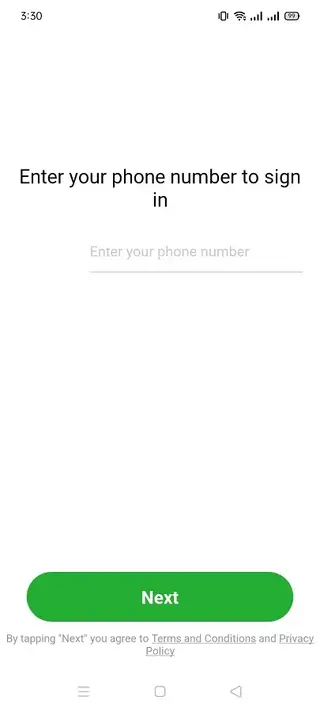
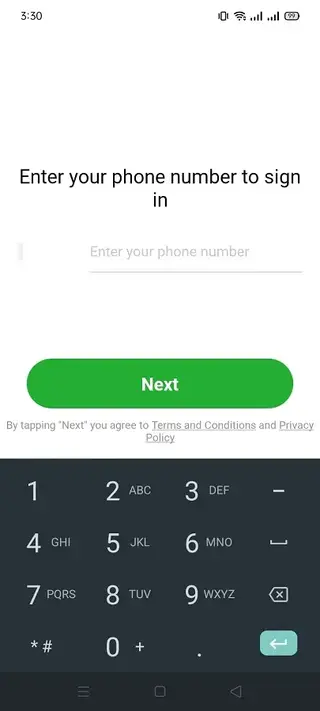
Follow the on-screen prompts to complete the setup, then open InDriver, sign in or create an account, and start requesting rides.
After installation, you can keep the file as a backup or delete it to free storage, since the app will remain installed on your device.
Features
Real-time fare negotiation
Passengers propose a price, drivers respond with accept or counter, and both sides agree before the trip starts.
Multiple driver options
Several nearby drivers can respond to a request so riders can choose based on rating, car type, price, and ETA.
Driver and vehicle details
View driver name, rating, car model, color, and license plate number before you confirm the ride.
Live trip and location sharing
Share ride information and real-time location with friends or family so they can follow your route.
Various ride types
Choose ride options such as standard cars, larger vehicles, or luggage-friendly rides where locally available.
Driver earning opportunities
Drivers can register, receive ride requests, set acceptable fares, and earn money using their own vehicle.
Trip history and records
Access details of completed trips including time, route, and fare information for reference.
In-app reviews and ratings
Rate your driver and read other user reviews to help select reliable partners for future trips.
Screenshots
Rider Experience and Booking Flow
Using InDriver as a rider is straightforward. After creating an account and enabling location access, you set your pickup point and destination on the map. The app suggests a price based on local conditions, but you can adjust it to what you are willing to pay.
Nearby drivers then receive your request and can accept if they agree with the fare. Several responses may arrive within seconds, showing driver rating, vehicle type, ETA, and the final cost. You choose the option that fits you best and wait for the driver to arrive at the indicated pickup spot.
During the trip, you can see the route on the map and share status with trusted contacts. Once the ride ends, you pay using the locally available payment methods and rate the driver so future passengers can benefit from your feedback.
Driver Mode and Earning Potential
For drivers, InDriver functions as a flexible booking tool. After registration and verification in supported cities, you can go online to start receiving ride requests. Each request shows the passenger’s proposed price, approximate route, and distance before you decide.
You can accept rides that match your expectations or ignore those that do not. This helps you manage work hours, fuel costs, and daily earning targets. Over time, positive ratings and a strong completion record can make you more attractive to passengers who prioritize reliability.
Availability, Coverage, and Requirements
InDriver operates in many countries, but coverage differs from city to city. Some regions have dense driver networks and short wait times, while others may have limited availability, especially outside major urban centers.
To use the app, you generally need an Android device that meets the minimum system requirements listed for the current version, GPS enabled for location detection, and stable mobile data or Wi-Fi. Drivers must also comply with local regulations, licensing, and vehicle standards specified in their region.
FAQs
Pros
- Lets riders set or negotiate fares instead of only using fixed prices
- Shows driver ratings, car details, and arrival time before you accept a ride
- Often offers competitive pricing in many cities
- Provides earning opportunities for drivers with flexible scheduling
- Simple interface that is easy to understand for new users
Cons
- Service availability and coverage vary widely by city and country
- Requires an active internet connection to request and manage rides
- Prices and quality of service can differ significantly between drivers
- May include in-app promotions or ads in some regions
Conclusion
InDriver gives both riders and drivers more control over ride prices and trip choices through real-time negotiation and transparent profiles. Download the APK from our website, set up your account, and use it in supported cities to request flexible rides or earn as a driver.




Comments
No approved comments yet.