

Insta X
Insta X is a modified Instagram client for Android that adds powerful download tools, extra privacy options, and advanced account insights on top of the official features. It is built for users who want more control over how they browse and manage their Instagram activity.
With Insta X you can save reels, stories, photos, and profile pictures directly to your device, manage autoplay behavior, and analyze followers and unfollowers from one place. The interface stays close to the original app, so you can switch without a learning curve.
You can download the latest Insta X APK version for Android phones and tablets directly from our website and install it manually to start using these extended Instagram options.
Rate this app
App details
- App name
- Insta X
- Category
- Tools
- Version
- v283
- Size
- 71.93 MB
- Requirements
- 5.0 and Above
- Package name
- ir.topcoders.instax
- Publisher
- TopCoders.ir
- Price
- Free
- Mod
- No
- Downloads
- 236,840
- Rating
- 4.5 / 5
- Rating count
- 8,547
- Play Store
- No
- Requires root
- No
- Offline support
- No
- Contains ads
- Yes
- In-app purchases
- No
- Updated
- Jun 3, 2026
- Age rating
- Rated for 7+
Table of contents
What is Insta X?
Insta X is an Android modded version of the official Instagram app that unlocks extra tools and controls not available in the stock client. It keeps the familiar Instagram layout but adds options to download media, manage privacy, and inspect account activity in more detail.
After installing Insta X, you can log in with your Instagram credentials and continue using the platform as usual. On top of the regular timeline, stories, reels, and messaging, you get shortcuts to save media to your gallery, view more account statistics, and control how and when content plays.
The app targets Android devices running version 5.0 and above and is distributed as a standalone APK. It is not available on Google Play, so users install it manually from the APK file provided on our website.
Users will get improved features and have unlimited fun. Get details related to the available unique features here. All available features are mentioned on this page. Get similar services with the Honista.
Why download Insta X for Android?
Many Instagram users want simple features like saving stories or profile photos, checking who does not follow back, or turning off autoplay, but the official app does not provide these options. Insta X focuses on filling these gaps while keeping the experience close to what users already know.
By downloading Insta X from our website, you get an all-in-one Instagram client with integrated download tools and account analytics instead of relying on multiple separate apps. This can make daily browsing, content saving, and audience management faster and more convenient.
Because Insta X is a modified client, you should use it responsibly and preferably with a secondary account if you want to reduce risk. For users who understand these limitations, it can be a practical tool to extend how they interact with Instagram.
How Insta X can be useful
Insta X is useful for users who frequently interact with visual content on Instagram and want more flexibility when saving or managing it. Instead of taking screenshots or using external downloaders, you can save media directly while scrolling your feed.
Creators and power users can benefit from the account analyzer capabilities, which help identify inactive followers or accounts that do not engage with your posts. This can support basic audience clean-up or simple tracking of profile changes.
The added privacy controls, such as hiding read receipts or viewing stories more discreetly, give users more control over how their activity appears to others. Combined with autoplay control and UI tweaks, Insta X turns the standard Instagram experience into a more customizable tool.
How to download and install Insta X APK
You can get the official Insta X APK file directly from our website and install it manually on your Android device. Follow these simple steps to start using the app.
Scroll to the download area on this page and tap the download button for the latest Insta X APK version.
Wait for the APK file to finish downloading to your Android phone or tablet.
Open your device settings and enable the option to install apps from unknown sources for your browser or file manager if needed.
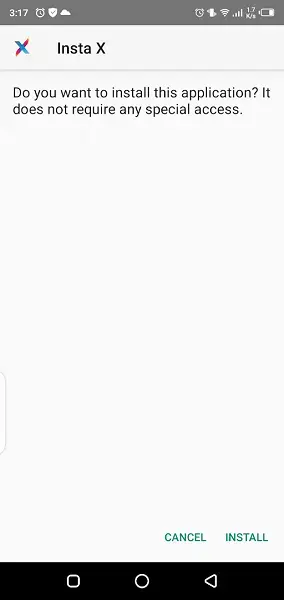
Locate the downloaded Insta X APK in your Downloads folder and tap it to start the installation process.
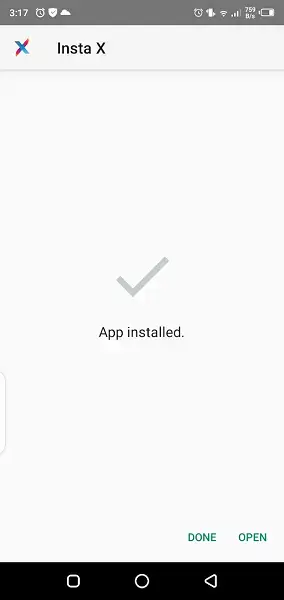
Confirm the installation prompts and wait until the app is installed on your device.
Open Insta X from your app drawer, sign in with your Instagram account, and configure the extra settings as you prefer.
If you later download an updated version from our website, install it over your existing app to keep your data while getting new features and fixes.
Features
Built-in Instagram media downloader
Save photos, videos, reels, and stories from your feed, profiles, and explore section directly to your device gallery using simple download options.
Profile picture and story saver
View and download full-size profile images and save stories or highlights that are normally temporary so you can access them later offline.
Additional access to locked content
The app is designed to offer broader viewing access, including content from restricted or private profiles, though results can vary and may not work in all cases.
Enhanced privacy controls
Adjust settings to hide seen status on stories, disable read receipts in messages, and reduce traces of your activity for a more private browsing experience.
Account analyzer tools
Review followers and following lists, find users who do not follow back, and track basic engagement patterns to better understand your audience.
Autoplay management
Turn off or limit autoplay for reels, videos, and stories so you decide when media starts playing, which can also help save data and battery.
Familiar Instagram-style interface
Use a layout that closely follows the official Instagram app, making navigation simple for existing users with added options in menus and buttons.
Free to download and use
Install and use Insta X without subscription fees; the APK is available to download at no cost from our website.
Screenshots

How Insta X works after installation
Once you install and open Insta X, you log in with your Instagram credentials just like the original app. The home feed, explore section, stories, and reels all behave in a similar way to the official client, so everyday navigation stays familiar.
The difference appears in the extra buttons and menu entries. You may see download icons near media, additional options when tapping the three-dot menus, and a dedicated section for analytics or follower management. These additions are where you can save content or review account data that normally requires separate tools.
Privacy and account safety considerations
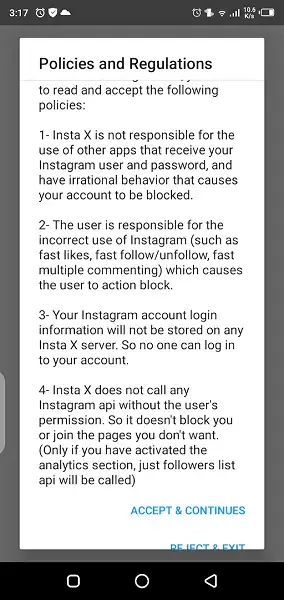
Because Insta X is not an official Instagram product, there are important safety considerations. Modified clients operate outside the normal app ecosystem, so they can conflict with platform rules or change behavior without notice.
To reduce risk, many users choose to experiment with a secondary account instead of their main profile. It is also wise to avoid sharing sensitive information beyond what is necessary to log in, and to keep an eye on app updates or changes in features over time.
Device compatibility and performance
Insta X targets Android devices running version 5.0 and above. On modern phones, it typically runs similarly to the standard Instagram app, since it is built around the same core experience with added functionality.
Features like autoplay control can help users on limited data plans or older devices by reducing unnecessary video playback. Saving media locally may increase storage usage, so it is helpful to manage your downloads and clear space regularly.
FAQs
Pros
- Adds built-in tools to download Instagram photos, videos, reels, and stories
- Provides extra privacy settings such as hiding story views and read receipts
- Includes account analyzer options to review followers and non-followers
- Lets users control autoplay behavior for reels, videos, and stories
- Keeps a familiar Instagram-style interface that is easy to use
- APK is free to download from our website for Android 5.0 and above
Cons
- Modified Instagram clients may conflict with the platform’s terms of use
- There is a potential risk of account restrictions when using unofficial apps
- Not available on Google Play and requires manual APK installation
- Feature reliability, especially around private or locked content, can vary
- Likely shows in-app ads to keep the app free
Conclusion
Insta X offers an extended Instagram experience on Android with media download tools, privacy tweaks, and basic analytics inside a familiar interface. It is aimed at users who understand the trade-offs of using a modded client and want more control than the official app provides. You can download the latest Insta X APK directly from our website and explore its extra features at your own pace.




Comments
No approved comments yet.