

ITIM VPN
ITIM VPN is a lightweight Android VPN app that helps you mask your IP address, change your virtual location, and browse the web with an extra layer of privacy. It focuses on simple one-tap connections and stable tunnels.
With multiple VPN servers, manual proxy support, and low battery usage, the app suits everyday browsing, streaming, and accessing blocked sites on mobile data or Wi-Fi. You can install the official ITIM VPN APK directly from our website.
As you know different people surf the internet. Usually, people don’t know about the risk of using it. All your data can easily be tracked and hacked, but people don’t know about it VPN tools such as Ha Tunnel Pro and Shoora VPN are quite popular. However, this page is about the new tool with more features.
Rate this app
App details
- App name
- ITIM VPN
- Category
- Tools
- Version
- v2.0
- Size
- 30.33 MB
- Requirements
- 4.6 and Above
- Package name
- com.mikoto.itimvpn
- Publisher
- BLACK VPN
- Price
- Free
- Mod
- No
- Downloads
- 63,220
- Rating
- 4.5 / 5
- Rating count
- 21,322
- Play Store
- No
- Requires root
- No
- Offline support
- No
- Contains ads
- Yes
- In-app purchases
- No
- Updated
- May 13, 2026
- Age rating
- Rated for 12+
Table of contents
What is ITIM VPN for Android
ITIM VPN is a virtual private network app designed for Android devices that routes your traffic through encrypted tunnels and remote proxy servers. By doing this, it hides your real IP address and replaces it with a virtual one from the server location you select.
The app aims to make private browsing accessible even for non-technical users. You can connect with a single tap, choose from available VPN servers, or configure your own manual proxy if you want more control. Once connected, websites and apps see the VPN server’s IP instead of your original network details.
ITIM VPN is built as a free tool, so you can use its core features without creating an account or paying a subscription. It targets Android 4.4 and above, making it compatible with many older phones and tablets as well as newer models.
Why download ITIM VPN APK from our website
Downloading the ITIM VPN APK from our website lets you get the version that matches the details listed here, including the package name and current release. You can keep a copy of the installer file and reinstall it whenever you need without returning to an app store.
Our download section provides the direct APK file for ITIM VPN so you can install it even if it is not available or visible in your local Play Store region. This is especially useful if you want to run the same build on multiple Android devices or keep a backup before updating.
By using the APK available on our site, you can quickly set up the app, connect to VPN servers, and start changing your apparent location for accessing region-locked content and improving your privacy on public networks.
How ITIM VPN can be useful
ITIM VPN is useful for anyone who wants a simple way to improve privacy and bypass local restrictions on Android. When you connect, the app hides your IP address and routes your traffic through a VPN tunnel, which can make it harder for third parties on the same network to monitor your browsing activity.
Many streaming sites, social platforms, and news pages apply regional filters. By switching to another server location inside ITIM VPN, you may be able to reach websites and apps that are otherwise limited in your country or on your local network. This can help when traveling, studying abroad, or dealing with strict office or campus networks.
The app is also helpful for users with older devices thanks to its low battery consumption approach. You can keep the VPN connection active for longer sessions without draining your battery as quickly as some heavy VPN tools might.
How to download and install ITIM VPN APK
You can download the official ITIM VPN APK file directly from our website and install it on any compatible Android device. Follow these steps to get started.
Scroll to the download section on this page and tap the available ITIM VPN APK button.
Wait for your browser to finish downloading the APK file to your device.
If this is your first manual install, open your phone settings and allow app installs from your browser or file manager.
Locate the downloaded APK in your Downloads folder and tap it to start the installation.
Confirm the prompts on screen and wait until the installation completes.
Open ITIM VPN from your app drawer, choose a server or configure a proxy, and tap connect.
After installation, you can keep the APK on your device or storage as a backup in case you need to reinstall the app later.
Features
Free-to-use VPN service
Use the main VPN functions without registration or subscription fees, so you can connect and browse right after installation.
One-tap connection
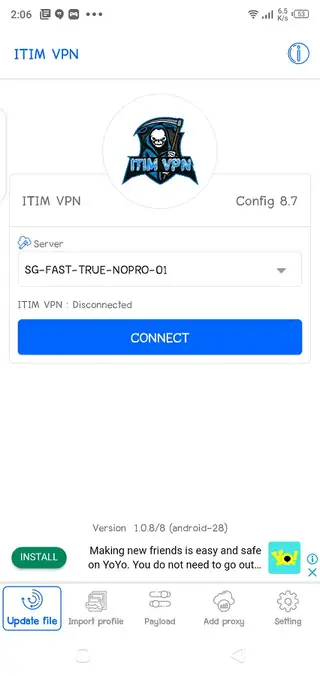
Connect and disconnect from VPN servers with a simple toggle, making it easy for beginners to use the app.
Multiple virtual servers
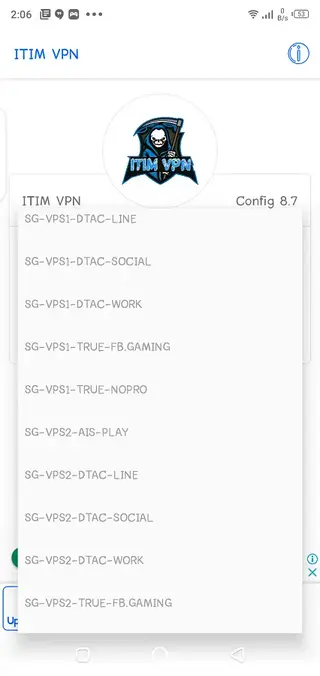
Choose from different server locations to change your apparent IP address and region for apps and websites.
Manual proxy configuration
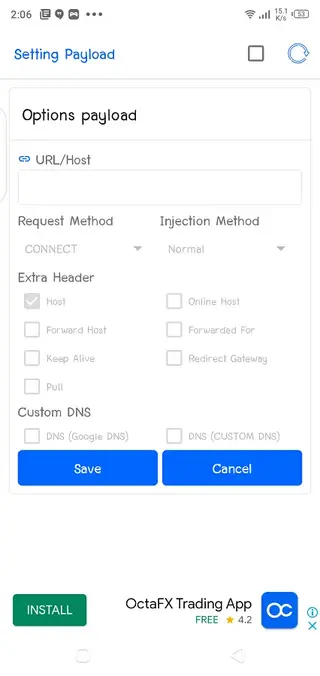
Add your own proxy or custom server settings if you want to connect through specific tunnels or networks.
Change IP address and location
Mask your real IP address and replace it with a virtual one from the server you select to improve anonymity.
Geo-unblocking support
Access many websites and apps that may be restricted or filtered in your region or on your local Wi-Fi.
Low battery impact
Designed to work with reduced battery usage compared to many heavy VPN apps, suitable for long sessions.
Simple, user-friendly interface
Clean layout and straightforward controls so both new and experienced users can manage VPN connections easily.
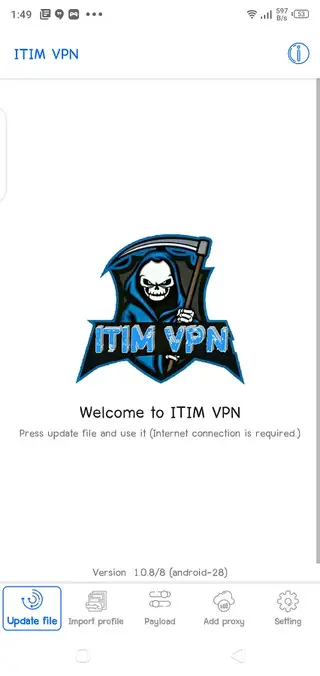
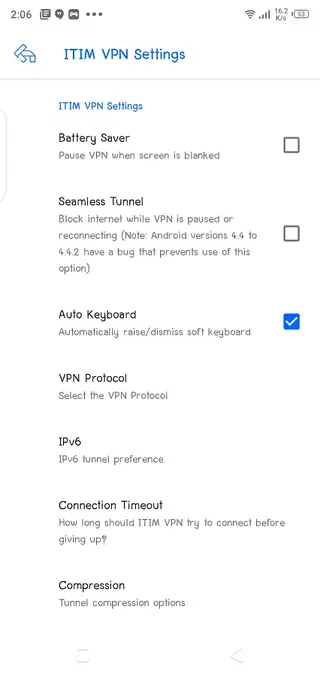
Screenshots
Compatibility and system requirements
ITIM VPN targets Android 4.4 and higher, so you can install it on a wide range of smartphones and tablets. It works over Wi-Fi, mobile data, and other network types as long as your device has a stable internet connection.
Because the app focuses on low resource usage, it can run on devices with modest RAM and older processors, which is helpful if you still use legacy Android phones or budget models.
Privacy and security considerations
A VPN like ITIM VPN can improve privacy by encrypting traffic between your device and the VPN server and by masking your IP address. This can reduce the exposure of your browsing data on public hotspots and shared networks.
However, no VPN can guarantee complete anonymity or security in every situation. Sensitive tasks such as banking, logins, or file sharing still require basic security hygiene, including strong passwords, updated apps, and caution when sharing personal information online.
FAQs
Pros
- Free to download and use without registration
- Simple interface with one-tap VPN connection
- Supports multiple servers and manual proxy setup
- Helps access region-restricted websites and apps
- Optimized to reduce battery consumption on Android
- Works on older Android versions starting from 4.4
Cons
- Server list and speed options may be limited compared to big commercial VPNs
- No clear information about independent security audits or logging policies
- Requires an active internet connection to function
- May show in-app advertising to support free usage
Conclusion
ITIM VPN is a straightforward Android VPN tool for users who want quick IP masking, simple server switching, and basic geo-unblocking without subscriptions. If you need a lightweight privacy layer for everyday browsing on mobile, you can download the official ITIM VPN APK from our website and start using it within minutes.




Comments
No approved comments yet.