

Kidsguard
Kidsguard is a parental control app for Android that helps you keep an eye on your child’s smartphone usage from your own device. It focuses on phone activity details like calls, messages, apps and location.
With the official Kidsguard APK available on our website, parents can set clear boundaries, manage screen time, and react quickly if something looks unsafe on a kid’s device.
The app combines monitoring tools such as real-time location tracking, call and SMS logs, and app usage controls to give guardians a clearer picture of how children use their phones every day.
So, there are bad people and content all over the world. So, saving your kids from bad people and bad content can be controlled by you. It is now possible to control your kid’s Android device, without touching it. It is now possible with this Android application similar to Call Log Monitor and Verified Call.
Rate this app
App details
- App name
- Kidsguard
- Category
- Tools
- Version
- v1.4.9
- Size
- 32.07 MB
- Requirements
- 4.2 and Above
- Package name
- pro.kidsguard
- Publisher
- KidsGuard
- Price
- Free
- Mod
- No
- Downloads
- 465,872
- Rating
- 4.6 / 5
- Rating count
- 4,012
- Play Store
- Yes
- Requires root
- No
- Offline support
- No
- Contains ads
- No
- In-app purchases
- Yes
- Updated
- May 21, 2026
- Age rating
- Rated for 3+
Table of contents
What is Kidsguard APK
Kidsguard APK is an Android parental control application that lets parents monitor and manage how children use their smartphones. After installing the app on a kid’s device and pairing it with a parent account, guardians can review key phone activities and apply rules from their own phone or a web panel, depending on the service plan.
The app focuses on transparency rather than stealth. It gives parents access to information such as call history, SMS details, contact list changes and installed apps. In many plans it also supports activity reports, web and app usage insights and location-related data.
Kidsguard is published by KidsGuard / ClevGuard and targets families who want more insight into digital habits, manage screen time, and reduce exposure to risky contacts or content. The APK file for Android is available directly from our website so you can download and install it without visiting another source.
Why download Kidsguard for Android
Modern kids spend a lot of time on smartphones, which makes it difficult for parents to understand what really happens on those screens. Kidsguard helps close that gap by collecting clear, structured information about how the phone is used.
With Kidsguard installed, you can:
See who your child calls and texts, with time, date and duration details.
Track contact list changes so you know when new numbers appear.
Check which apps are installed and decide which ones should be blocked.
View or track real-time location to know where the device is.
Lock the screen when it is time to study, sleep or take a break.
All of this reduces guesswork and helps you have better, more informed conversations with children about safe and balanced phone use.
How Kidsguard helps parents
Kidsguard is useful because it turns scattered phone activities into clear information that parents can act on. Instead of checking a device manually, you can review reports and alerts from your own phone and quickly see if anything looks unusual.
The app’s call and SMS tracking helps you notice unknown numbers, repeated late-night calls, or worrying message patterns. Contact monitoring shows when new people appear in your child’s life. App and screen time controls help you reduce distraction from games and social media during school hours or at night.
Location-related tools give extra peace of mind when kids are out of the house. Combined, these features support healthier digital habits, give you better visibility into your child’s online world, and make it easier to step in early if something seems unsafe.
How to download and install Kidsguard APK
You can download the official Kidsguard APK file directly from our website. Follow these steps to get it on your Android device:
Scroll to the download section on this page.
Tap the download button for the Kidsguard APK file.
Wait for the APK to finish downloading to your device.
Open your phone settings and enable installation from unknown sources if required.
Locate the downloaded APK in your downloads folder and tap it.
Confirm the installation prompts to install Kidsguard.
Open the app, follow the on-screen setup, and link it with your parent account.
Once the installation and pairing process is complete, you can start configuring monitoring options and screen time rules for your child’s device.
Features
Parental monitoring dashboard
Provides a central area where parents can review phone activity reports and manage control settings for each child’s device.
Call log tracking
Records incoming and outgoing calls with contact name, number, time, date, duration and direction of each call.
SMS and message details
Captures text message information including sender or receiver, timestamps and message records, even if some messages are deleted on the device.
Contacts monitoring
Shows the full contact list and notifies parents when new contacts are added or existing ones are removed from the phone.
App installation control
Lets parents review installed apps and require approval or block installation of new apps that are not appropriate.
App and screen time limits
Allows scheduling and usage limits for specific apps or general screen time to reduce distractions and late-night phone use.
Instant screen lock
Enables parents to lock the kid’s device remotely when it is time for study, sleep or offline activities.
Real-time location tracking
Tracks the device’s location in near real-time and can show historical location information, depending on plan.
Screenshots
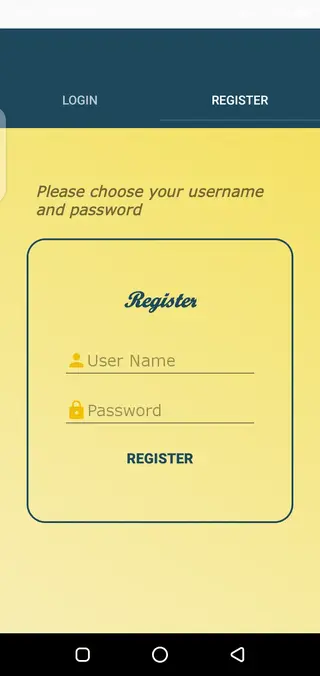
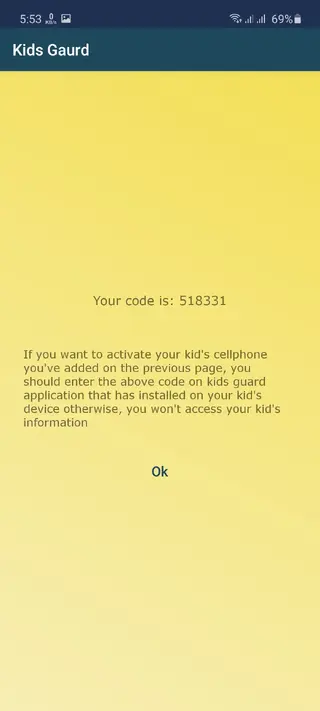

Device compatibility and requirements
Kidsguard supports most modern Android smartphones and tablets. According to the provided build information, this APK version targets Android 4.2 and above, which covers a wide range of older and newer devices.
For best performance, ensure:
The device runs Android 4.2 or higher.
There is enough free storage for the app and its data.
Location, phone, contacts and other relevant permissions are granted.
The device has a stable internet connection for syncing activity data.
Once these conditions are met, the app can collect and send activity information to the parent interface more reliably.
Privacy, ethics and responsible use
Parental control tools are powerful, so they should be used with care and transparency. In many regions, it is important to respect local laws and platform policies about monitoring and data usage.
Whenever possible, explain to your child why Kidsguard is installed, what you plan to monitor, and how it will help them stay safe. Clear rules and open conversations usually work better than secret tracking.
Use the collected information to guide and support your child rather than to punish every small mistake. Kidsguard is most effective when it supports trust, digital literacy and healthier technology habits in the long term.
FAQs
Pros
- Provides detailed call, SMS and contact monitoring in one place
- Supports screen time management and instant screen lock tools
- Offers real-time location tracking for additional safety awareness
- Lets parents review and control installed apps on the kid’s device
- APK is available directly from our website for quick installation
Cons
- Many advanced features require a paid subscription or premium plan
- Continuous tracking can increase battery usage on the child’s phone
- Requires careful setup and ongoing communication with children about privacy
- Needs an active internet connection on the child’s device for live updates
Conclusion
Kidsguard is a focused parental control app for Android that combines monitoring, location tracking and screen time tools in one place. If you want clearer insight into how your child uses a smartphone and prefer to manage it remotely, downloading the official Kidsguard APK from our website is a practical way to get started.




Comments
No approved comments yet.