

LMC
LMC is a Google Camera based app that brings popular Pixel-style photography features to many Android phones. It focuses on image quality, natural colors, and smart processing without bloated extras.
With support for HDR+, portrait shots, night photos, and high-frame-rate video, LMC helps you get more from your phone’s camera hardware. You can capture detailed photos and stable videos even on non-Pixel devices.
You can download the official LMC APK directly from our website and install it on compatible Android 10 or higher devices to start using these advanced camera tools.
Rate this app
App details
- App name
- LMC
- Category
- Photography
- Version
- v8.4_R13
- Size
- 131.91 MB
- Requirements
- 10 and Above
- Package name
- com.camera.lmc84
- Publisher
- Hasli
- Price
- Free
- Mod
- No
- Downloads
- 84,794
- Rating
- 4.9 / 5
- Rating count
- 25,928
- Play Store
- No
- Requires root
- No
- Offline support
- Yes
- Contains ads
- No
- In-app purchases
- No
- Updated
- May 16, 2026
- Age rating
- Rated for 3+
Table of contents
What is LMC APK
LMC APK is a customized Google Camera (GCam) build for Android that aims to replicate and extend the camera experience found on Google Pixel phones. It uses Google’s image processing pipeline and adds extra tuning so users on supported devices can capture clearer, sharper, and more detailed photos.
The app focuses on computational photography. It combines multiple frames, improves dynamic range, and reduces noise to deliver balanced images in a wide range of lighting conditions. Many users install LMC as an alternative to the stock camera app on their device when they want better low-light performance and more control over image processing.
This version, LMC 8.4, targets devices running Android 10 and above. Once installed, it works like a normal camera app with modes such as photo, video, portrait, and night shooting, while still staying simple enough for everyday use.
We also have some more suggestions available for you all. If you want to get more camera applications, then you guys can try Old Roll and Nudifier. These applications provide quite amazing services for the users, which you can easily access.
Why Download LMC for Android
LMC is popular among Android users who want Pixel-like camera performance without switching phones. It brings well-known GCam features such as HDR+, Night Sight style low-light shooting, and portrait mode to many devices that normally do not have them.
By downloading LMC APK from our website, you get a single camera app that can handle everyday snapshots, portraits, and low-light scenes with minimal configuration. Its interface remains simple, but under the hood it uses advanced processing for exposure, color, and sharpness.
Many users also prefer LMC because it is free, does not rely on ads, and focuses on image quality rather than filters or social features. If you mainly care about taking better photos and videos, LMC is a practical upgrade over many default camera apps.
How LMC is Useful on Your Phone
LMC is useful for anyone who wants more consistent camera results across different scenes. In bright daylight, HDR+ helps control highlights and shadows so skies keep their detail and faces are not underexposed. In low light, the night mode stacks frames to reduce noise and keep colors closer to real life.
Portrait mode is helpful for people shots and close-ups, where background blur and clean edge detection make subjects stand out. Content creators benefit from the higher-quality video options, including up to 4K at 60 FPS on supported hardware, which can improve motion smoothness and clarity.
Because the app keeps a straightforward layout, you do not need deep technical knowledge to use it. Most users can stay on automatic settings and still see better results compared to many stock camera apps, which makes LMC a practical everyday camera replacement.
How to Download and Install LMC APK
You can get the LMC APK file directly from our website without using any other source. Make sure your device runs Android 10 or higher before installing.
Follow these steps to download and install LMC on your Android phone:
Scroll to the download section on this page.
Tap the download button to start downloading the official LMC APK from our website.
Wait until the APK file is fully downloaded to your device.
Open your phone’s settings and enable installation from unknown sources if it is not already allowed.
Locate the downloaded APK file in your downloads folder and tap it.
Confirm the installation prompt and wait for the process to complete.
Open LMC from your app drawer and grant the required camera and storage permissions.
After installation, you can set LMC as your primary camera app if you prefer its results over your default camera.
Features
HDR+ imaging
Captures multiple frames and merges them to improve dynamic range, preserve highlight detail, and reduce noise in challenging lighting.
Portrait mode with background blur
Adds depth-based background blur and edge detection to create natural-looking portrait photos and subject-focused close-ups.
Night shooting mode
Improves low-light performance by stacking frames, brightening dark scenes, and reducing noise while trying to keep colors realistic.
High-quality video up to 4K 60 FPS
Supports high-resolution, high-frame-rate video recording on compatible devices for smoother motion and sharper footage.
Multiple shooting modes
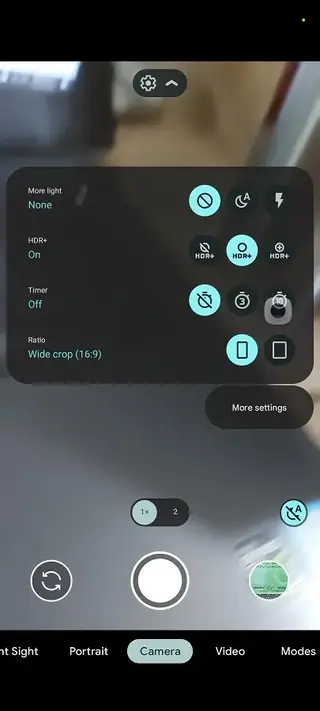
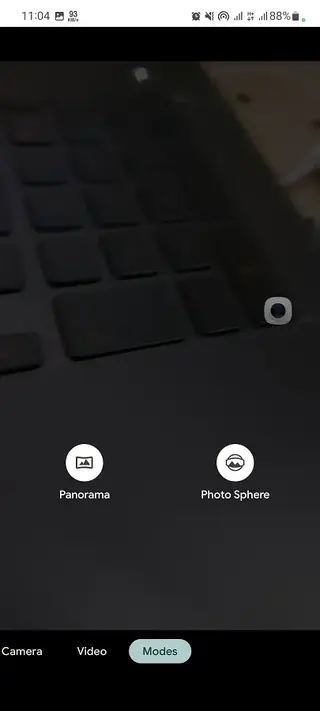
Offers standard photo, video, portrait, and night modes so you can quickly switch based on the scene you want to capture.
Smart processing tools
Includes tuning for exposure, white balance, and sharpening to help produce balanced, detailed photos without manual tweaking.
Clean, simple interface
Uses an uncluttered layout that is easy to navigate, so both new and experienced users can access key camera features quickly.
Free to download and use
Provides advanced camera capabilities at no cost, with the APK file available for direct download from our website.
Screenshots
Compatibility and Device Support
LMC is designed to work on a wide range of Android phones, but results can differ based on your device’s camera hardware and chipset. The APK targets Android 10 and above, so devices on older versions of Android are not supported.
Because it is a custom Google Camera based app, some settings or modes may behave differently across manufacturers. If a particular mode does not perform well on your phone, you can switch to another mode or adjust basic options within the app. Many users test a few presets to find the best balance for their device.
Tips for Getting Better Results with LMC
To get the most from LMC, allow the app a brief moment to process each shot, especially in HDR+ and night modes. Holding the phone steady while capturing makes it easier for the app to merge frames and reduce blur.
For portraits, ensure your subject is separated from the background and that there is adequate light on their face. When recording video, choose a frame rate and resolution that your device can handle smoothly to avoid dropped frames and focus issues.
If you prefer a more natural look, you can leave most settings on default. Users who enjoy fine-tuning can experiment with available options to see how they affect noise, sharpness, and color rendering.
FAQs
Pros
- Uses Google Camera style processing for improved photo quality on many devices
- Includes HDR+, portrait, and night modes in a single app
- Supports high-resolution and high-frame-rate video recording on compatible phones
- Clean interface that is easy to use for beginners and advanced users
- Free to download and use with no ads reported in this build
- Can serve as a capable replacement or companion to the stock camera app
Cons
- Compatibility and stability can vary between different phone models
- Some advanced options may require trial and error to get the best tuning
- Not an official Google application and not available on the Play Store
- May lack manufacturer-specific features found in some stock camera apps like special filters or proprietary modes
Conclusion
LMC APK is a practical choice for Android users who want better photos and videos without changing their phone. With HDR+, portrait, night shooting, and 4K video options, it delivers a Pixel-inspired camera experience on many devices. You can download the latest LMC APK directly from our website and start exploring its features on any compatible Android 10 or higher phone.




Comments
No approved comments yet.