

Magma TV
Live television and on-demand entertainment have become a major part of how Android users enjoy content on their Android devices. Magma TV offers a simple entertainment experience for viewers who want to explore live channels, movies, and TV series. The app provides organized and easy access of all available content. Whether you want to watch live channels or films, downloading this app provides access of all.
Rate this app
App details
- App name
- Magma TV
- Category
- Entertainment
- Version
- v1.0.9
- Size
- 33.83 MB
- Requirements
- 6.0 and Above
- Package name
- com.magmaplayer
- Publisher
- UltimateEntertainment
- Price
- Free
- Mod
- No
- Downloads
- 91,863
- Rating
- 4.9 / 5
- Rating count
- 21,960
- Play Store
- Yes
- Requires root
- No
- Offline support
- No
- Contains ads
- No
- In-app purchases
- No
- Updated
- Aug 26, 2026
- Age rating
- Rated for 3+
Table of contents
What is Magma TV APK?
Magma TV APK is an Android IPTV and media player specially developed for entertainment lovers. It allows users to add compatible streaming sources and access them with this app. The app supports M3U/M3U8 playlists compatibility that organizes available live television, movies, series, and other media available by the configured service.
The application is completely different from conventional streaming platforms with a fixed catalog. The content on this application depends on the playlists or service connected by the user. Once the source is added, the application handles navigation and playback. It makes browsing and watching available content smooth and easy. Enjoy the auto categorization of available content and have a fun experience.
The application allows high-end entertainment services. However, the app doesn't offer in-app services. Therefore, if you want to try apps with in-app content, then try CApp Smart and Dodo IPTV. Both of these are quite popular available entertainment apps offering IPTV services.
Why Download Magma TV Android?
Downloading this application is a must, especially for Android users who want more control over accessing and organizing channels and other entertainment services. Instead of been limited to the layout of a single streaming service, users can get their own compatible source and add it here. Experience the most flexible application to get entertained without limitations.
How is Magma TV Latest Version useful?
Managing of multiple source content is the most useful feature of this app. The app allows users to add as any sources as they can and access all available content easily. Similarly, the content available on these sources will also be well-categorized, which allows easy access. These features make it more convenient for the users who watch IPTV and movies regularly.
How to Download and Install Magma TV APK?
The downloading and installation process of this application is quite simple and easy. We are here with the latest updated version of the app, which anyone can easily download on their Android device. Therefore, no need to search on the internet for the APK file. You can get access to the app here.
Follow these steps to download and install the APK file:
Find the download section available at the top and bottom of this page.
Tap on the download APK button and wait for the downloading process to complete.
Access the Android Settings and navigate to the Security panel.
Enable Install from Unknown Sources if it is disabled.
Open the Android File Manager and access the download folder.
Find the downloaded APK file and tap on it.
Select the install option and wait for the process to complete.
Open the app, get the M3U/M3U8 Playlist, watch live TV channels or Films/Web series, and have fun.
Features
M3U and M3U8 Playlist Support
The support of M3U and M3U8 playlists allows users to connect compatible IPTV and media sources. Once the playlist is added, the app loads the channels and other available content using the configured playlist.
Live TV Channels
Watch live television channels with the available IPTV source. The application offers a simple and smooth way to access all types of live TV channels easily using the source.
Movies and TV Series
With compatible sources, users can also get movies and TV shows completely free. The application offers sub-sections providing additional defined sections for the users.
Built-in Player
The application supports both IPTV player and Media Player. So, watching live TV channels and movies/series is possible with smart controllers. The control system of both players is slightly different.
Smooth Server System
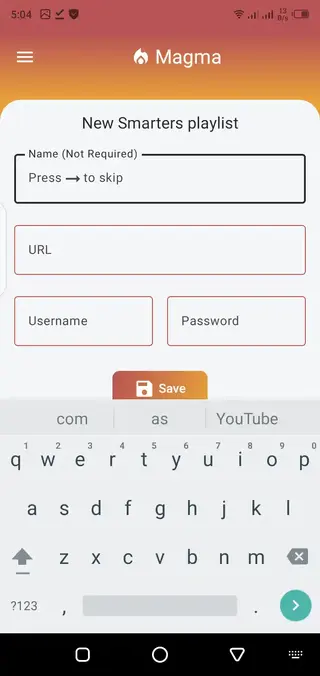
Adding any server is quite simple and easy for everyone. Add a list a Name, URL, and additional information to add the server/source on this app.
Playlist Management
Manual management is also possible, which allows users to remove any existing TV channel or other available content. Users can add, edit, and organize compatible playlists to have a smooth streaming experience.
TV and Multi-Device Viewing
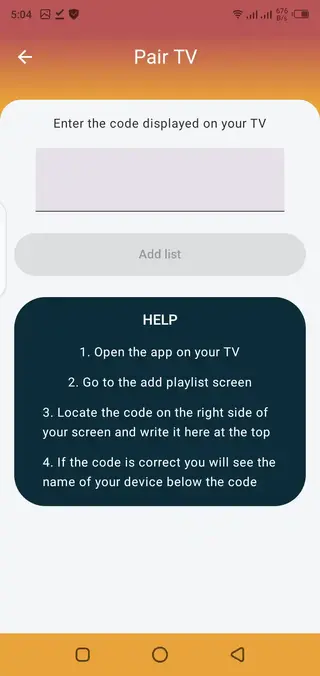
The application offers users to view the content on multiple screens. Users can easily connect the app with Android smart TVs and watch the content on a large screen.
Simple IPTV Navigation
The application provides a simple and dark interface to keep IPTV navigation straightforward. Get built-in search system to find any specific content easily.
Screenshots
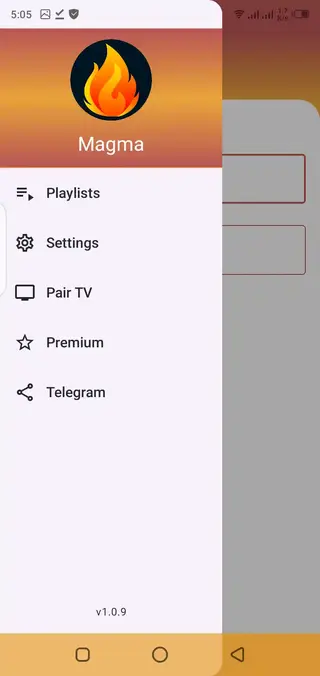
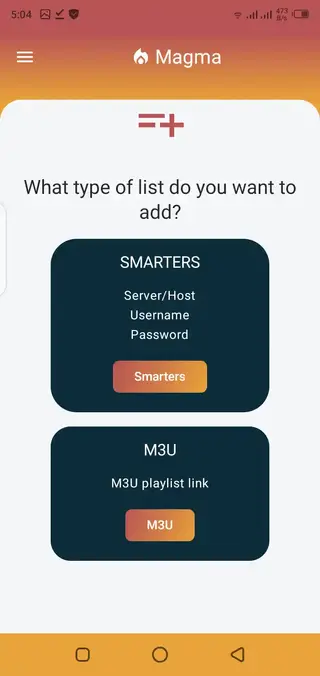
How to Add an M3U Playlist to Magma TV?
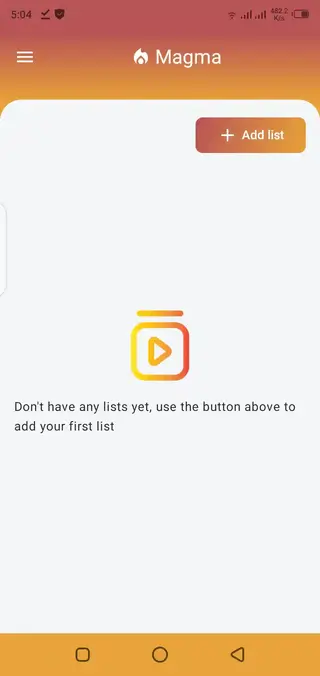
Open the application and select the option to add a new playlist. Enter the URL of your compatible M3U source. Save the playlist and allow the app to load the files. Once processed, the available live channels, movies, series, and other available media.
How to Get M3U Playlist for Magma TV?
The application doesn’t offer any in-app sources for the playlists. However, users can find various online communities and get free sources to connect and enjoy. We will share one of the sources here with you, which will help users getting started.
URL: tv.m3uts.xyz
Username: m
Password: m
FAQs
Pros
- Supported M3U and M3U8 playlists
- Works with compatible IPTV services
- Live TV channels for free.
- Watch movies and TV series.
- Built-in Media and IPTV Player.
- Manage multiple playlists.
- Manually customize playlists.
- Supports both Live and VOD content.
- Simple and easy to use.
- Categorized content in sections and sub-sections.
- Cast screen system supported.
- Friendly interface of the app.
- In-app search system.
Cons
- Doesn’t provide its own fixed channels catalog.
- Content depends on the source.
- Broken or expired playlists stop working.
- An unstable server can cause streaming problems.
Conclusion
Magma TV APK Download on your Android device to run M3U playlists easily. The application delivers high-end media players and categorization systems. Therefore, users will have a smooth entertainment experience on their Android device. If you want to learn more, then the best way is to download and use the app.




Comments
No approved comments yet.