
Meow Talk
Meow Talk is an entertainment app that uses machine learning to help you interpret and log your cat’s meows on your Android phone. It aims to map common vocalizations to simple intents such as hunger, affection, or a desire to go outside.
By recording and labeling your cat’s sounds, the app gradually builds a custom profile and offers translations tailored to your pet. You can track moods, save clips, and explore how your cat communicates in different situations.
You can download the official Meow Talk APK directly from our website and install it on compatible Android mobiles and tablets without needing any root access.
Rate this app
App details
- App name
- Meow Talk
- Category
- Entertainment
- Version
- v4.1.0
- Size
- 108.68 MB
- Requirements
- 7.0 and Above
- Package name
- com.akvelon.meowtalk
- Publisher
- Akvelon Inc.
- Price
- Free
- Mod
- No
- Downloads
- 69,207
- Rating
- 4.8 / 5
- Rating count
- 22,770
- Play Store
- Yes
- Requires root
- No
- Offline support
- No
- Contains ads
- Yes
- In-app purchases
- Yes
- Updated
- May 21, 2026
- Age rating
- Rated for 7+
Table of contents
What is Meow Talk Android App
Meow Talk is a cat sound interpretation app developed by Akvelon Inc. for Android devices. It uses a machine learning model trained on thousands of feline vocalizations to classify individual meows into simple intent labels such as “I am hungry”, “I want to play”, or “I am in pain”.
The app records the audio from your cat, analyzes the sound pattern, and returns a probable meaning on-screen. Over time you can confirm or correct these suggestions, which helps the model adapt to your cat’s unique voice and build a personalized vocabulary.
Meow Talk is positioned as an entertainment and companion tool rather than a scientific translator. It does not claim to perfectly decode animal language, but it offers a playful way to pay closer attention to your cat’s behavior and emotional signals using your Android phone or tablet.
Why Download Meow Talk APK from Our Site
Downloading the Meow Talk APK from our website lets you install the official Android package directly on your device, even if the Play Store is slow or unavailable for you. You get the same core experience with cat sound logging, translation attempts, and account-based learning, but with the flexibility of manual installation.
The app can be especially interesting if you live with one or more indoor cats and want to experiment with how their meows change depending on time of day, feeding schedule, or mood. Because Meow Talk stores a history of detected sounds, it becomes easier to notice patterns in your pet’s routine.
Our website keeps the APK download in one place, so you do not have to jump between multiple pages to get the file. Once downloaded, you can update or reinstall the app whenever you need by repeating the same simple steps.
How Meow Talk Can Be Useful for Cat Owners
Meow Talk can be useful for cat owners who want to pay more systematic attention to their pet’s vocal behavior. By capturing each meow and associating it with a basic meaning, the app encourages you to look at context, body language, and timing, rather than ignoring background noise.
For new cat guardians, the app can act as a gentle guide to common signals such as food requests, greetings, or distress calls. When the model mislabels a sound, you can manually correct it, which not only refines the app but also reinforces your own understanding of what your cat might be asking for.
The app can also be helpful in multi-cat homes. You can create separate profiles, record each cat individually, and compare how their meows differ. Over weeks or months, the accumulated history of recordings and translations can highlight changes in vocalization that may reflect stress, aging, or shifting social dynamics.
How to Download and Install Meow Talk APK
You can get the Meow Talk APK directly from our website and install it on any compatible Android device. Follow these steps to complete the process smoothly:
Scroll to the download section on this page and tap the Meow Talk APK download button.
Wait for the APK file to finish downloading to your Android phone or tablet.
Open your device settings and allow installation from your browser or file manager if asked.
Locate the downloaded APK in your Downloads folder and tap it to start installation.
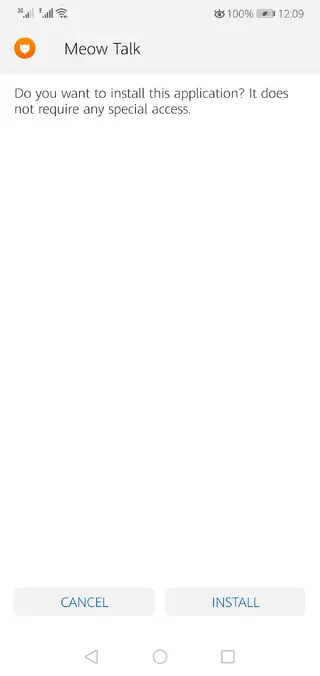
Review the permissions and tap Install to add Meow Talk to your app list.
Launch Meow Talk, create or sign in to your account, and start recording your cat’s meows.
Once installed, you can update the app in the future by returning to our website, downloading the newer APK, and installing it over the existing version.
Features
AI powered cat meow classification
Uses machine learning models to categorize your cat’s meows into simple intent labels such as hunger, greeting, or discomfort.
Personalized cat profiles
Create individual profiles for each cat so the app can adapt to their specific voice and build a custom sound vocabulary over time.
Real time translation attempts
Record a meow and see an immediate on screen interpretation alongside confidence information and context hints.
Meow history and logs
Stores previous recordings and detected meanings so you can review patterns, timestamps, and frequent requests later.
User feedback training
Confirm or correct each translation to help the model gradually improve its accuracy for your particular pet.
Multiple language interface
Offers app menus and on screen text in several human languages so you can use it comfortably in your preferred language.
Smart collar and device integrations
Supports companion hardware and device modes in supported regions, such as smart collar connections or dedicated listening modes.
Simple and friendly interface
Clean layout with large buttons and clear labels designed so anyone in the household can quickly start recording meows.
Screenshots

Getting Started with Your First Cat Profile
When you open Meow Talk for the first time, the app guides you to create a profile for your cat. You enter basic details such as name, age range, and possibly breed. This information helps organize recordings and can influence how you interpret behavior later.
After setting up the profile, you can start capturing meows during normal daily activities. It is usually best to record when your cat is naturally vocal, such as before meals, at doorways, or during playtime. Over the first day or two, the app gathers enough examples to start offering more tailored suggestions.
Tips for Better Meow Recordings
For clearer results, try to record in a relatively quiet room and hold the phone a short distance from your cat, without startling them. Avoid overlapping sounds from television, loud music, or conversations, as mixed audio can confuse the classifier.
When a translation appears, consider what your cat is doing in that moment. If the interpretation does not fit the situation, correct it in the app. Consistently providing feedback is one of the most effective ways to help Meow Talk adapt to your pet.
Privacy and Data Considerations
Meow Talk processes audio clips of your cat’s meows and may store data on remote servers to train and improve the model. You can review the current privacy policy and terms within the app or on the official listing to understand how recordings, account data, and analytics are handled.
If you are concerned about data usage, you can manage permissions in your Android settings, control notification preferences, and decide how much information to share within your account profile.
FAQs
Pros
- Uses machine learning to classify and learn your cat’s meows over time
- Offers personalized profiles so each cat’s unique voice is handled separately
- Includes a history of recordings to track patterns and changes in behavior
- Simple interface makes it easy to record and review meows
- Available as an APK download for manual installation on compatible devices
Cons
- Translations are approximate and may not always feel accurate
- Requires internet connectivity for some AI features and syncing
- Contains ads in the free version
- Some features and upgrades require in app purchases or subscriptions
Conclusion
Meow Talk is a playful Android app for cat lovers who want to explore what their pet might be trying to say. While it cannot perfectly decode animal language, its machine learning approach, personal profiles, and meow history make it an engaging way to pay closer attention to your cat’s sounds. You can download the official Meow Talk APK directly from our website and start experimenting with translations on your Android device.




Comments
Nnn
سلام حیف گوشی من این برنامه رو پشتیبانی نکرد ?