

Mivita Face
Mivita Face is a short video and status maker that focuses on quick face swap effects and stylish templates. You can turn selfies into creative clips in a few taps and share them on social platforms.
The app brings pre-designed themes, music, and transitions together, so you do not need advanced editing skills. Simply pick a template, add your photos, and export a ready-made video story directly on your Android device.
You can download the official Mivita Face APK directly from our website and install it on compatible Android phones and tablets without any complicated steps.
Rate this app
App details
- App name
- Mivita Face
- Category
- Video Players & Editors
- Version
- v1.2.5
- Size
- 85.68 MB
- Requirements
- 5.0 and Above
- Package name
- com.mivita.video.status.maker
- Publisher
- vakie
- Price
- Free
- Mod
- No
- Downloads
- 79,101
- Rating
- 4.4 / 5
- Rating count
- 29,840
- Play Store
- No
- Requires root
- No
- Offline support
- Yes
- Contains ads
- Yes
- In-app purchases
- Yes
- Updated
- May 13, 2026
- Age rating
- Rated for 7+
Table of contents
What is Mivita Face App
Mivita Face is an Android video editor and status maker that specializes in face swap and template-based video creation. It lets you place your face into different scenes, effects, and stories using simple guided steps, so even beginners can produce attractive videos.
The app offers a large collection of short video templates. You only need to select a style, import selfies or portraits, and Mivita Face automatically syncs transitions, filters, and music. This makes it useful for creating birthday wishes, love status, glow and magic effects, and other social media stories.
Mivita Face is designed for casual editing on mobile. It focuses on fast results instead of complex timelines, which makes it a practical option for users who want stylish clips without learning advanced editing tools.
If you want to try more similar apps, then we have some of the best options available here for you. So, you guys can try Face Play and Montage Pro, both of these are quite popular and amazing tools, which offer unique services for the users.
Why Download Mivita Face APK from Our Website
Downloading the Mivita Face APK from our website gives you direct access to the official installation file for your Android device. You do not need to search multiple pages or deal with confusing download managers.
Our download page lists the current version name, package ID, basic requirements, and other key details so you know what you are installing. Once the file is saved to your phone, you can use it right away without depending on any extra store app.
This is especially helpful if the app is not visible or fully available in your local Play Store region, or if you prefer managing APK files manually. You stay in control of when to install, update, or keep a specific version on your device.
How Mivita Face is Useful for Users
Mivita Face is useful for anyone who wants to create social media content quickly without learning complex video editing. Its template-driven system handles effects, timing, and music automatically, so you only focus on selecting photos and styles.
The built-in face swap feature lets you put your face into different scenarios, including glow, love, and magic themes. This helps you produce eye-catching stories for platforms like WhatsApp Status, Instagram Reels, TikTok, and Facebook in a few minutes.
Because most editing happens through presets, the app suits users with mid-range phones and limited time. It can be used for daily status updates, personal greetings, fan edits, and fun clips to share with friends and followers.
How to Download and Install Mivita Face APK
You can download the official Mivita Face APK file for Android directly from our website. Follow these simple steps to get started.
Scroll to the download section on this page.
Tap the available download button for the Mivita Face APK.
Wait until the APK file is fully downloaded to your device.
Open your phone settings and enable installation from unknown sources for your browser or file manager if needed.
Locate the downloaded APK in your downloads folder and tap it.
Confirm the installation prompts and wait for the process to finish.
Launch Mivita Face from your app drawer and start creating face swap videos.
After installation, you can keep the APK file as a backup or delete it to free storage space, as the app will remain installed on your device.
Features
Face swap templates
Swap your face into pre-built video scenes and styles using simple guided templates.
Ready-made video status themes
Choose from categories like glow, love, magic, and amazing to create short status videos quickly.
Automatic sync with music
The app aligns transitions and effects with background tracks automatically for smoother results.
Built-in music library
Access a collection of songs and sounds inside the app to enhance your video stories.
Simple editing workflow
Import photos, select a template, preview, and export without dealing with complex timelines.
One-tap sharing
Export videos in a social-friendly format and share them directly to your favorite apps.
User-friendly interface
Clean and guided interface designed for beginners and casual editors.
Regular template updates
New themes and effects are added over time to keep your content fresh and varied.
Screenshots
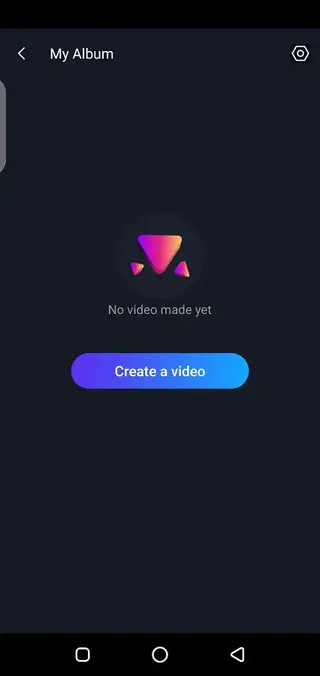

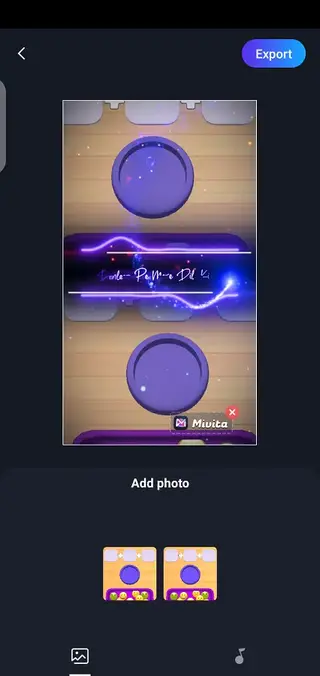

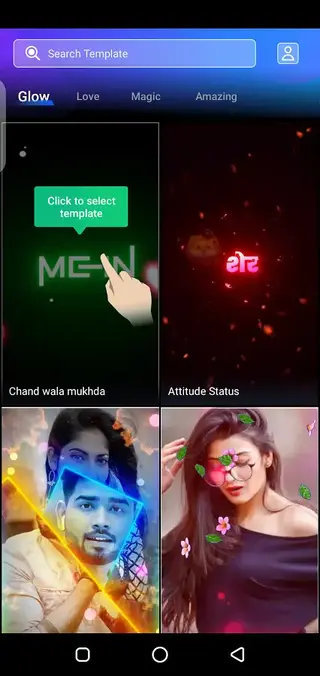
Template Categories and Styles
Mivita Face groups its templates into categories that match different moods and occasions. Popular sections include glow, love, magic, and amazing, each with its own visual treatment and pacing.
Glow templates emphasize bright overlays and light streaks, while love templates often use soft colors and romantic transitions. Magic and amazing styles focus on more dynamic movements, particles, and dramatic cuts. You can preview each template before exporting and switch between them until you find the look that matches your idea.
Editing Workflow on Mobile
The app follows a guided editing workflow. First you choose a template and allow the app to download it if necessary. Then you select photos or selfies to place into the scenes. Mivita Face automatically crops faces, applies the relevant effects, and syncs them with the music in the template.
After generating a preview, you can make basic adjustments like changing photos, selecting another template, or updating music when options are available. Once satisfied, you export the video in a format suitable for social media and save it to your device or share it directly.
Device Compatibility and Requirements
Mivita Face is designed for Android devices running version 5.0 or higher, which covers most modern phones and tablets. For smoother performance, it is better to have enough free storage for templates and exports, as well as a stable connection when browsing or loading new assets.
Because the app relies heavily on visual effects and transitions, low-end devices may take longer to render videos. Closing other heavy apps and keeping sufficient storage available can help improve stability and export times.
FAQs
Pros
- Face swap and template-based editing are easy to learn
- Large selection of short video and status templates
- Built-in music library simplifies sound selection
- Quick export and sharing to social media apps
- Interface is beginner friendly and guided
Cons
- Shows in-app advertisements during use
- Some templates and effects may require in-app purchases
- Limited manual editing controls for advanced users
- Performance can depend on device hardware and internet for loading templates
Conclusion
Mivita Face offers a straightforward way to create face swap videos and stylish status clips on Android using ready-made templates. If you want fast, visually appealing results without complex editing, downloading the APK from our website is a practical option for your social content needs.




Comments
No approved comments yet.