
Movifly
Movifly is an Android entertainment app that focuses on streaming movies, series and animated titles in Spanish. It brings a large catalog of content together in one place so you can relax and watch directly on your phone or tablet.
The app groups films, TV shows and animations into simple sections and offers high-quality playback with fast servers. You can install the Movifly APK on compatible Android devices and start streaming in just a few steps.
You can download the Movifly APK latest version directly from our website, then install it manually on your device to access the full library without any subscription fees.
Rate this app
App details
- App name
- Movifly
- Category
- Entertainment
- Version
- v13
- Size
- 9.21 MB
- Requirements
- 5.0 and Above
- Package name
- com.vh.movifly
- Publisher
- MOVIFLY
- Price
- Free
- Mod
- No
- Downloads
- 490,324
- Rating
- 4.2 / 5
- Rating count
- 5,520
- Play Store
- No
- Requires root
- No
- Offline support
- No
- Contains ads
- No
- In-app purchases
- No
- Updated
- May 14, 2026
- Age rating
- Rated for 16+
Table of contents
What is Movifly APK?
Movifly APK is an Android entertainment application designed to stream on-demand movies, web series, TV shows and animated content, mainly in Spanish. It targets users who want quick access to a large media catalog without the typical subscription barriers found in many official streaming platforms.
The app organizes content into clear sections like movies, series and animation. You can browse recent releases as well as older titles, open any item and start watching instantly as long as you have an active internet connection.
Movifly focuses on simplicity. The interface is straightforward, with minimal clutter, allowing you to search, scroll by category and play a title with a single tap. Playback aims to deliver a high-quality picture and stable streaming experience through fast and responsive servers.
According to available information, Movifly is not listed on Google Play, so users rely on the APK file to install it on their devices. The build referenced here supports Android 5.0 and above, which covers most modern phones and tablets.
Why download Movifly for Android?
Many users install Movifly because it concentrates a wide variety of Spanish-language entertainment in one free app. Instead of juggling several services, you can open Movifly and explore movies, web series and animated shows from a single interface.
The application highlights recent and popular titles so you can quickly find something new to watch. At the same time, it keeps older movies and episodes available, which helps if you enjoy rewatching classics or finishing long-running series.
Another reason to download Movifly is the streaming quality. The app aims to deliver clear video and smooth playback, even on average internet connections, by using optimized and active servers. Combined with a simple layout and no in-app paywalls, it offers a straightforward way to turn your phone into a mini streaming hub.
You can get the Movifly APK directly from our website, install it, and start exploring the catalog without creating complex accounts or purchasing plans.
How Movifly can be useful
Movifly can be useful if you want a central place to watch Spanish-language entertainment on Android. It brings movies, series and animation together so you spend less time searching across different platforms.
For casual viewing, you can open the movies section and pick from recent releases or trending titles. If you prefer episodic content, the series area presents seasons and episodes in order, making it easier to continue where you left off.
Fans of animation also benefit from a dedicated category with animated films and shows. This is handy for both adults who enjoy anime or animated movies and younger viewers who like cartoons.
Because the app focuses on one language, menus and content are generally easier to navigate for Spanish speakers. Combined with a lightweight interface and fast streaming, Movifly can turn an ordinary Android phone into a practical entertainment companion.
We have more similar applications available here, which also provide entertainment services. So, if you are willing to get access to more similar apps, then get Hokyo and Bagy.
How to download and install Movifly APK
You can download the official Movifly APK file directly from our website and install it manually on your Android device. Follow the steps below to complete the process safely.
Scroll to the download area on this page and tap the Movifly APK download button.
Wait for the APK file to finish downloading to your device.
Open your phone settings and enable installation from unknown sources for your browser or file manager, if it is not already allowed.
Locate the downloaded APK in your downloads folder using a file manager app.
Tap the Movifly APK file and confirm the installation prompt.
Wait until the installation completes, then open Movifly from your app drawer and start exploring the content.
Whenever a newer version becomes available, you can return to our website, download the updated APK and install it over the existing app to keep your features and catalog up to date.
Features
Free to download and use
You can install and use Movifly without paying subscription fees or unlocking content with payments.
Large entertainment catalog
The app offers access to a wide range of movies, web series, TV shows and animated titles.
Dedicated movies section
Browse and stream full-length films, including many recent and popular releases.
Series and TV shows
Watch complete seasons of TV shows with episodes ordered for easier binge-watching.
Animation library
Enjoy animated movies and shows in a separate section aimed at animation fans.
High-quality video playback
The player supports clear picture quality for a better viewing experience on mobile screens.
Fast and responsive servers
Optimized servers aim to reduce buffering and provide smoother streaming on typical connections.
Simple user interface
The layout is straightforward, with clean menus that make it easy to find and play content.
Screenshots
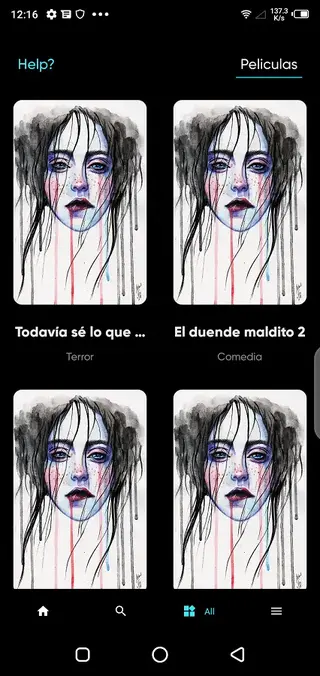
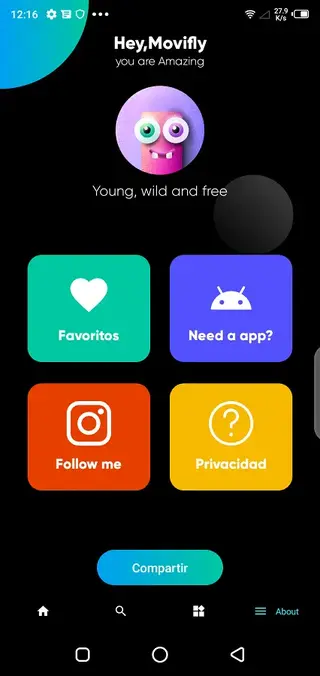
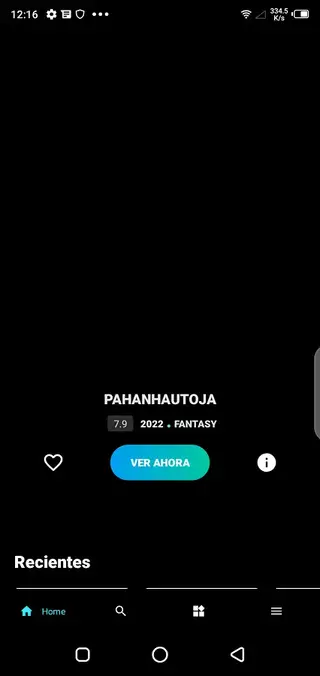
Content categories inside Movifly
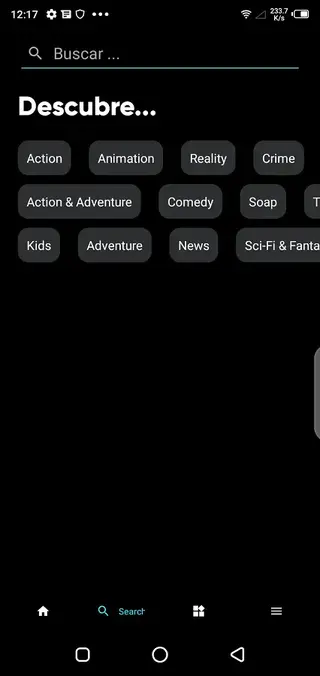
Movifly structures its catalog into several main areas so you can quickly jump to the type of content you prefer. The movies section focuses on feature-length films, ranging from older classics to recent releases. You can scroll by category, explore suggestions and open any title to start streaming in a couple of taps.
The series or TV shows area organizes content into seasons and episodes. This makes it easier to follow long-form stories and continue where you last stopped, especially when you like binge-watching dramas, comedies or thrillers.
For viewers who enjoy animated content, Movifly adds a dedicated animation section. Here you will typically find animated films and shows aimed at both adults and younger audiences, which is useful when you want to keep kids entertained.
Language and audience focus
Movifly is oriented around Spanish-language content and uses Spanish as its primary interface language. Menus, descriptions and most available titles target Spanish-speaking audiences, which can be an advantage if you prefer browsing and searching in Spanish.
This focus makes the app especially attractive for users in Spanish-speaking regions who want an easy way to access entertainment on mobile devices. However, it also means that users who do not understand Spanish may find navigation and content selection challenging.
Streaming quality and performance
The app is built to provide a clear viewing experience on Android screens. It aims for high-quality video playback so that movies and series look sharp on both phones and tablets. Depending on your internet speed and device capabilities, quality may adjust to maintain smooth playback.
Movifly relies on active and optimized servers, which helps reduce buffering and long loading times. This can be particularly useful for users with moderate internet connections, where stability is more important than the highest possible resolution.
Compatibility and technical details
The Movifly APK version referenced here is designed for Android 5.0 and above. This ensures compatibility with many modern smartphones and tablets, including older devices that still run Android Lollipop or later.
To install the app, you need enough free storage space for the APK and cached streaming data. Because installation happens through an APK file instead of Google Play, you must enable the option to install apps from unknown sources in your device settings before running the installer.
FAQs
Pros
- Free access to a large catalog of movies, series and animations
- Simple interface that is easy to navigate on phones and tablets
- High-quality video playback with relatively smooth streaming
- Fast and active servers that help reduce buffering issues
- Content and menus focused on Spanish-speaking users
- No in-app purchases or subscription plans required
Cons
- App is not available on the official Google Play Store
- Requires a stable internet connection for streaming
- Content availability and catalog may change over time
- App supports only the Spanish language, limiting accessibility for other users
- Legality and safety may be an issue in some countries
Conclusion
Movifly offers a straightforward way to watch Spanish-language movies, series and animations on Android without subscriptions. If you are comfortable installing APK files and streaming content through unofficial apps, downloading Movifly from our website can provide a quick, all-in-one entertainment option on your phone or tablet.




Comments
No approved comments yet.