

Mr Zip TV
Mr Zip TV is an IPTV streaming app for Android that lets you watch live TV channels, movies, and more from different countries in one place. It focuses on free access to a large selection of channels and video content.
You can explore live news, sports, entertainment, and regional channels, along with Hollywood and Bollywood movies in different genres. The app uses an IPTV protocol and a simple interface so you can quickly find and play the content you want.
You can download the original Mr Zip TV APK file directly from our website and install it on Android phones, tablets, and compatible TV devices that meet the minimum requirements.
More TV And Movies Streaming Apps to consider. Don’t forget to download additional apps like elMubashir IPTV and Bongngo TV.
Rate this app
App details
- App name
- Mr Zip TV
- Category
- Entertainment
- Version
- v1.0
- Size
- 7.95 MB
- Requirements
- 4.0 and above
- Package name
- com.mrz1607mrz.mrziptv161607
- Publisher
- Mr Zip TV
- Price
- Free
- Mod
- No
- Downloads
- 814,330
- Rating
- 4.1 / 5
- Rating count
- 26,151
- Play Store
- No
- Requires root
- No
- Offline support
- No
- Contains ads
- Yes
- In-app purchases
- No
- Updated
- May 22, 2026
- Age rating
- Rated for 3+
Table of contents
What is Mr Zip TV APK?
Mr Zip TV APK is an Android IPTV application that provides access to a wide range of live TV channels and on-demand movies. It focuses on international broadcasting, letting users browse channels by country and category, including news, sports, entertainment, and regional stations.
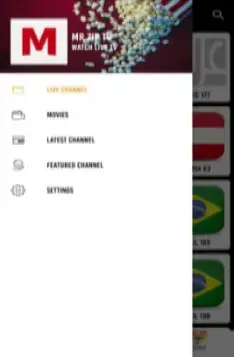
The app organizes content into sections such as live channels, movies, latest channels, state broadcasts, and featured channels. Users can explore Hollywood and Bollywood films across genres like comedy, thriller, romance, horror, and sci-fi, usually in decent video quality for streaming.
Mr Zip TV works together with an external video player called Ludio Player. After installing the APK, users typically need to install the Ludio Player APK so the streams can open correctly. The interface is designed to be straightforward with a clean home screen and a built-in search option to help users quickly find specific channels or films.
Mr Zip TV is not available on Google Play and is considered a third-party streaming app. Users who choose to install it usually do so to centralize many different IPTV channels and movies inside a single Android app.
Why download Mr Zip TV for Android?
Many people download Mr Zip TV because it combines live TV channels and movie streaming inside one lightweight Android application. Instead of switching between different apps, you can browse news, sports, entertainment, and films from a unified interface.
The app focuses on worldwide IPTV channels with minimal geo-restrictions, so users who want access to foreign channels often find it useful. It also includes a large collection of movies, including recent titles from Hollywood and Bollywood, which makes it appealing for users who want a simple app for casual viewing.
Since the APK is available directly on our website, you can download the installation file and sideload it on phones, tablets, or Android TV boxes that support third-party apps. For users comfortable with IPTV-style apps, Mr Zip TV can be a convenient option to test.
How is Mr Zip TV useful?
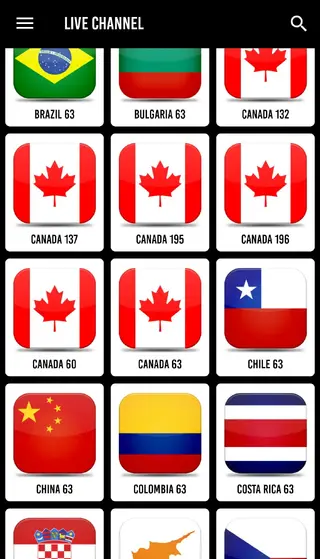
Mr Zip TV can be useful for viewers who want an easy way to stream international TV channels without needing separate subscriptions for every service. The country-based channel lists and manual search let you quickly look for specific stations or content types.
The app also groups movies by genres and regions, which helps you discover new titles without complex menus. For Android Smart TV and TV box users, Mr Zip TV can work as a basic IPTV hub, turning a standard device into a streaming screen focused on live channels and films.
For parents, the password-protected adult section adds a simple control layer to restrict access to 18+ channels. Combined with a familiar Android-style layout and notification control, the app can feel accessible even for less technical users.
How to download and install Mr Zip TV APK?
You can download the official Mr Zip TV APK file directly from our website and then install it manually on your Android device. Follow these steps to complete the process safely on supported phones, tablets, or TV boxes.
Step 1: Download the APK from our website
Visit this app page on our website using your Android device or a desktop browser.
Tap the download button to get the Mr Zip TV APK file from our server.
Wait until the download finishes before you try to open the file.
Step 2: Enable unknown sources on Android
Open your device settings and go to security or privacy options.
Find the option that allows installation from unknown sources or install unknown apps.
Allow your browser or file manager permission to install APK files.
Step 3: Install the APK file
Open your file manager and go to the Downloads folder.
Tap the Mr Zip TV APK file to launch the installer.
Review the permissions and tap Install to begin the process.
Wait until installation completes and then tap Open or find the app icon in your app drawer.
Step 4: Install Ludio Player (if required)
When you first open Mr Zip TV, it may ask for Ludio Player to handle streaming.
Follow the on-screen instructions inside the app to add the required player so channels and movies can play properly.
Features
Worldwide IPTV channel access
Browse and stream live TV channels from multiple countries with fewer regional restrictions compared to many traditional services.
Live news and sports coverage
Watch various news networks and sports channels in real time, suitable for staying updated and following live events.
Hollywood and Bollywood movies
Access a library of films from Hollywood, Bollywood, and other regions across genres like comedy, thriller, romance, horror, and sci-fi.
Simple category-based interface
Use separate sections for live channels, movies, latest channels, state broadcasts, and featured content for quick navigation.
Country-wise channel selection
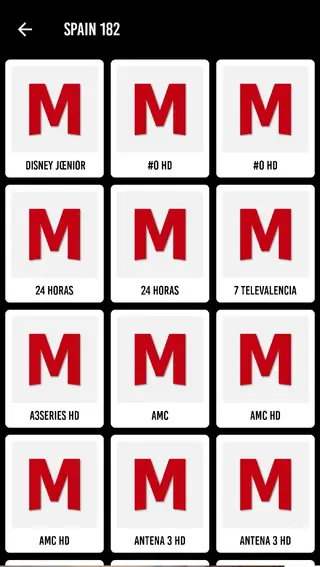
Filter channels by country and use the built-in search to find specific stations or content quickly.
Support for Android Smart TV
Use the app on many Android-based Smart TVs and TV boxes to watch channels and movies on a larger screen, where compatible.
External Ludio Player support
Integrates with Ludio Player APK as an external player to handle streaming links and improve playback compatibility.
Password-protected adult content
Adult channels are placed in a protected section that requires a password, helping keep explicit content away from children.
Screenshots
App compatibility and system requirements
Mr Zip TV is designed for Android-based devices, including smartphones, tablets, and many Android TV boxes. The version referenced in earlier releases typically requires Android 4.0 or higher, which means it can run on many older devices as well as newer models.
For the best experience, it is recommended to use a device with sufficient RAM, a modern processor, and a stable internet connection. Streaming IPTV channels and movies can consume significant data, so using Wi-Fi or an appropriate data plan is important.
Tips for better streaming performance
To improve playback quality, try to connect your device to a reliable Wi-Fi network and avoid running many background apps. If you experience buffering, reduce other online activity on your network and, if available, test lower quality streams inside Mr Zip TV.
Keeping both Mr Zip TV and Ludio Player updated to their latest versions can also help with link compatibility and reduce playback errors. Clearing the app cache from Android settings periodically may improve responsiveness for some users.
Legal and privacy considerations
Because Mr Zip TV is a third-party IPTV app, the legal status of using it can vary by country and by the specific channels it provides. Users should review applicable copyright and broadcasting laws in their region before streaming content.
As with any unofficial streaming app, be mindful of the information you share and the permissions you grant. Installing APK files from our website should always be done intentionally, and you may want to review app permissions in your Android settings after installation.
FAQs
Pros
- Large collection of international IPTV channels in one app
- Includes both live TV and on-demand movies across multiple genres
- Simple interface with country filters and manual search
- Password-protected adult section adds a basic parental control option
- Supports many Android phones, tablets, and compatible TV devices
- External player support often improves playback compatibility
Cons
- Not available on Google Play and classified as a third-party app
- Content availability and link stability can change over time
- Requires a stable internet connection for smooth streaming
- May show in-app advertisements during use
- May not be legal to use in all regions depending on local laws
Conclusion
Mr Zip TV offers a straightforward IPTV experience for Android users who want to explore live channels and movies from different countries inside one app. If your device meets the requirements and you are comfortable with third-party streaming tools, you can download the Mr Zip TV APK from our website and test how well it fits your viewing needs.




Comments
No approved comments yet.