

MXL TV
MXL TV is an IPTV player for Android that lets you load M3U lists and stream live TV, movies, and series on your phone, tablet, or TV box. It focuses mainly on Spanish-language content but also supports other languages through compatible playlists.
You can use the app as a free client by adding your own IPTV lists instead of paying for traditional TV packages. The interface is simple, works well with remote controls, and includes a built-in video player for smooth playback.
You can download the official MXL TV APK file directly from our website, install it on any compatible Android device, and start streaming using your preferred M3U or IPTV sources.
Rate this app
App details
- App name
- MXL TV
- Category
- Entertainment
- Version
- v3.1.1
- Size
- 41.44 MB
- Requirements
- 4.4 and Above
- Package name
- tv.mxliptv.app
- Publisher
- MXLIPTV
- Price
- Free
- Mod
- No
- Downloads
- 729,189
- Rating
- 4.2 / 5
- Rating count
- 6,192
- Play Store
- No
- Requires root
- No
- Offline support
- No
- Contains ads
- Yes
- In-app purchases
- No
- Updated
- May 12, 2026
- Age rating
- Rated for 3+
Table of contents
What is MXL TV App?
MXL TV is an Android entertainment and IPTV application that works as a playlist-based player. Instead of hosting its own channels, it lets you load external M3U and IPTV lists to watch live TV, movies, and web series on your device.
The app is very popular among Spanish-speaking users because many public IPTV lists focus on Spanish channels, sports, and movies. However, you can also add lists in other languages, which makes it flexible for different audiences.
MXL TV includes a built-in media player, support for remote controls, and a simple layout that works on smartphones, tablets, and Android TV boxes. The core app is free to use, and you only need valid playlist URLs or files to start streaming.
If you encounter a problem with adding the URL, then don’t worry about it. We have some similar IPTV Apps, which provide in-app networks for the users. So, you can try zBox MM2 and Mucho Play, in which you don’t need to add any kind of list.
Why download MXL TV APK from our website?
Downloading the MXL TV APK from our website gives you direct access to the official installation file for Android. You do not need to search multiple sites or rely on other platforms, because the latest available version is provided here in one place.
Once installed, you can connect your favorite IPTV or M3U lists and instantly turn your Android device into a personal TV and movie hub. The app is lightweight, easy to configure, and suitable for both beginners and experienced IPTV users.
Our download page focuses on the Android APK, so you can quickly get the file, move it to any supported device, and complete the installation with a few taps.
How MXL TV is useful for Android users?
MXL TV is useful if you already have or plan to use IPTV playlists and want a straightforward way to watch them on Android. Instead of using a browser or complex media center, you can manage all your lists inside one clean interface.
The app lets you organize multiple playlists, separate live TV and on-demand content, and access them quickly through categories and groups. This is handy for users who follow sports, news, or specific movie channels.
Because MXL TV works on different Android form factors, you can use the same app on your phone while traveling, on a tablet at home, or on an Android TV box connected to a larger screen. That flexibility makes it a practical IPTV companion.
How to download and install MXL TV APK?
You can download the official MXL TV APK file directly from our website and install it on any compatible Android device that meets the minimum system requirements (Android 4.4 or higher).
Follow these steps to get started:
Scroll to the download section on this page and tap the available MXL TV APK version you want to install.
Confirm the download in your browser and wait until the APK file is fully saved on your device.
Open your device settings and enable installation from unknown sources for your browser or file manager if it is not already allowed.
Locate the downloaded APK in your Downloads folder and tap it to start the installation wizard.
Review the permissions and tap Install, then wait for the process to complete.
Open MXL TV from your app drawer, add your M3U or IPTV lists, and start watching content.
If you update from an older version, you can usually install the new APK over the existing app while keeping your data, as long as the package name remains the same.
Features
Playlist-based IPTV player
Works as an IPTV and M3U list player so you can load your own channel and VOD playlists.
Support for M3U and URL lists
Lets you add remote URLs or imported M3U lists to access live TV and on-demand content.
Built-in video player
Includes a native media player for most common streaming formats so you do not need extra apps.
Live TV and VOD sections
Separates live channels and movies or series into clear sections for easier navigation.
Spanish-focused interface
Offers a Spanish-first interface while still supporting English and other languages in playlists.
Remote control friendly UI
Designed to work with Android TV boxes and remotes, not only touch screens.
Customizable channel lists
Allows you to manage different lists and organize channels based on your preferences.
Free to use
The core application is free to download and use without mandatory subscriptions.
Screenshots

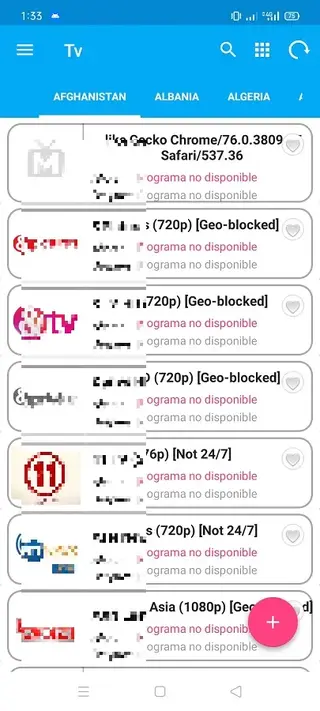
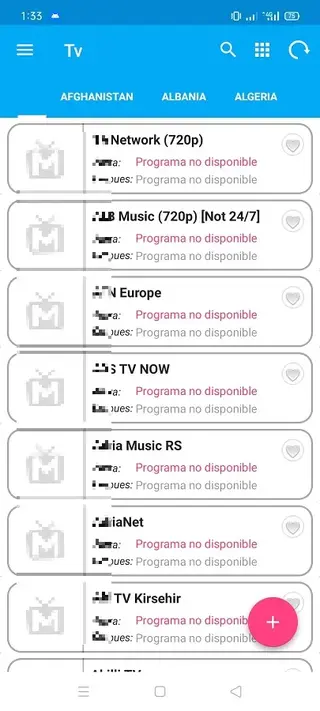
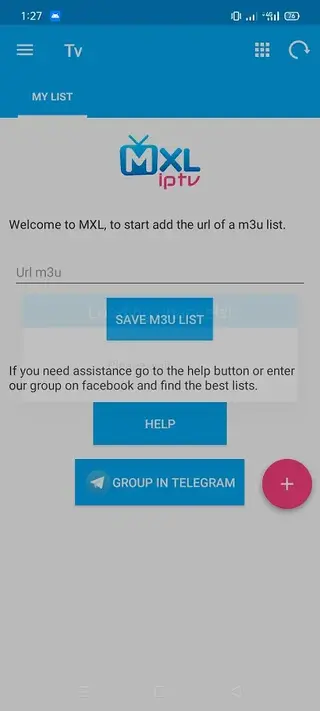
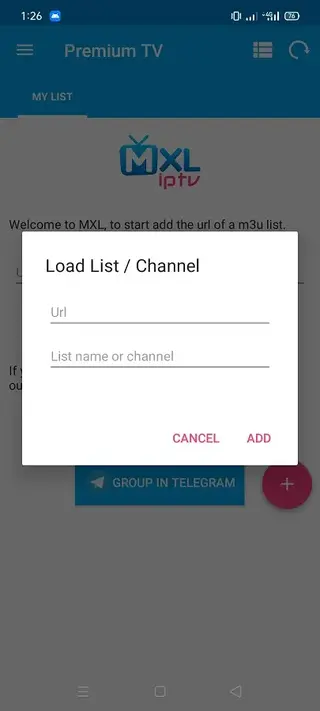
How to add M3U and IPTV lists in MXL TV?
Once you install MXL TV, you need to add at least one playlist before you can watch anything. The app accepts M3U playlists and similar IPTV list formats.
In general, you can follow these steps inside the app:
Open MXL TV and go to the section for managing lists or playlists.
Choose the option to add a new list or playlist.
Enter the playlist name and paste the M3U or IPTV URL, or select a local M3U file if the app supports file import.
Save the settings and wait for the app to load channels and categories.
Browse through live TV, movies, and series sections created from your playlist.
If a playlist stops working, you can remove it and add a new one without reinstalling the app.
Device compatibility and performance tips
MXL TV is designed for Android 4.4 and above, and it runs on phones, tablets, and many Android TV boxes. For the best experience, you should use a stable internet connection and, where possible, connect your TV box or device via Ethernet or a strong Wi-Fi network.
If you experience buffering, try lowering stream quality in the player if options are available in the playlist, closing background apps, or switching to a different playlist. Keeping the app and your Android system up to date also helps maintain smoother performance.
Safety and legal considerations
MXL TV is an IPTV player and does not control the content offered by external playlists. How you use the app depends on the lists you add. Always respect local laws and copyright rules when choosing IPTV sources.
Only use playlists and media that you have the right to access. If you are unsure about the legality of a particular list, it is safer to avoid it and choose another source that clearly respects content rights.
FAQs
Pros
- Free IPTV player that supports M3U and URL playlists
- Simple interface that works on phones, tablets, and TV boxes
- Built-in video player reduces the need for extra apps
- Focus on Spanish content while still supporting other languages
- No account registration required to start using the app
Cons
- Does not provide its own channels or playlists by default
- Requires users to find and manage their own IPTV lists
- Streams depend on the reliability of external playlist sources
- May show ads while browsing or watching content
Conclusion
MXL TV is a practical IPTV player for Android that lets you turn any compatible device into a streaming hub using your own M3U and IPTV lists. You can download the APK directly from our website, install it in a few steps, and start watching live TV, movies, and series with a clean, remote-friendly interface.




Comments
No approved comments yet.