

Neo+
Neo+ is a digital banking app from Bank Neo Commerce (BNC) that lets Indonesian users open and manage savings accounts directly from their Android phones. It focuses on simple online banking with attractive interest rates on deposits.
With Neo+ you can transfer money, top up balances, and manage savings without visiting a branch. The app combines virtual account management, rewards, and promos in one secure mobile banking experience.
You can download the official Neo+ APK directly from our website and install it on compatible Android mobiles and tablets to start using its online banking and saving features.
Rate this app
App details
- App name
- Neo+
- Category
- Finance
- Version
- v3.6.71
- Size
- 82.83 MB
- Requirements
- 4.4 and Above
- Package name
- com.bnc.finance
- Publisher
- PT. BANK NEO COMMERCE TBK
- Price
- Free
- Mod
- No
- Downloads
- 1,928,750
- Rating
- 4.3 / 5
- Rating count
- 340,873
- Play Store
- Yes
- Requires root
- No
- Offline support
- No
- Contains ads
- No
- In-app purchases
- Yes
- Updated
- May 8, 2026
- Age rating
- Rated for 3+
Table of contents
What is Neo+ APK?
Neo+ APK is the Android application package for the Neo+ digital banking service operated by Bank Neo Commerce in Indonesia. It turns your smartphone into a mobile banking hub where you can open an account, manage balances, and perform daily financial transactions.
Once you register with an active Indonesian mobile number and complete verification, you can connect your bank account and start using features such as money transfers, bill payments, savings products, and special promos. The app is designed for users who want to handle their banking activities fully online with a simple interface and low transfer costs.
Neo+ is primarily aimed at Indonesian residents, and many of its services, rates, and promotions are tailored to local banking rules and customer needs.
If you want to get more similar apps, then you should try the Mxc Exchange App. These are also similar applications, which offer the same features with different benefits.
Why download Neo+ for Android?
Installing Neo+ on your Android device gives you quick access to digital banking without visiting a physical branch. You can open and manage accounts, move money between banks, and track transactions in real time.
The app offers competitive interest rates on time deposits and savings, so users who keep money in Neo+ can potentially earn higher returns than with many traditional accounts. Flexible terms allow you to choose how long to lock your funds based on your goals.
Neo+ also provides coupons, rewards, and periodic promos that can increase your effective earnings or reduce costs on certain transactions. For people in Indonesia looking for a modern mobile-first banking experience, having the APK on hand makes it easy to reinstall or use it on devices where the Play Store is limited.
How is Neo+ useful for everyday banking?
Neo+ focuses on making daily money management more convenient. You can check balances, review transaction history, and transfer funds at any time, which is especially helpful if you want to avoid queues and paperwork at traditional branches.
Its savings and deposit options provide clear interest percentages for different terms, so you can plan short, medium, or long-term savings. This makes Neo+ suitable for building emergency funds or parking extra cash for better returns.
The app’s simple layout and guided onboarding process help new users set up their first online banking account with minimal friction. Integration with local payment channels and Indonesian phone numbers keeps the experience aligned with how people in Indonesia already use mobile services.
How to download and install Neo+ APK?
You can get the official Neo+ APK file directly from our website and install it manually on your Android device. Make sure your phone meets the minimum Android version requirement before you start.
Follow these steps to download and install:
Scroll to the download section on this page and tap the Neo+ APK download button.
Wait until the APK file finishes downloading to your device.
Open your phone settings and allow installation from unknown sources for your browser or file manager if needed.
Locate the downloaded APK in your Downloads folder and tap it.
Review the permissions and confirm the installation.
Once installed, open Neo+, register with your Indonesian mobile number, and complete the verification steps.
After setup, you can sign in on your device and start using Neo+ for online banking, transfers, and savings.
Features
Digital banking for Indonesian users
Provides a full mobile banking experience for users with Indonesian phone numbers and accounts.
Account opening and onboarding
Lets new customers register, verify their identity, and open a Neo+ account directly from the app.
Money transfers and payments
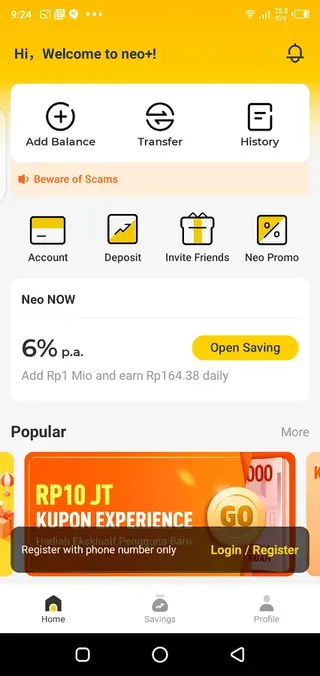
Supports fast online transfers and common payment operations with low or no transfer fees depending on the service.
High-yield savings and deposits
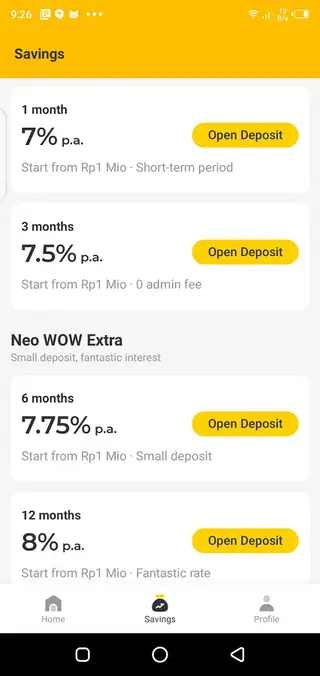
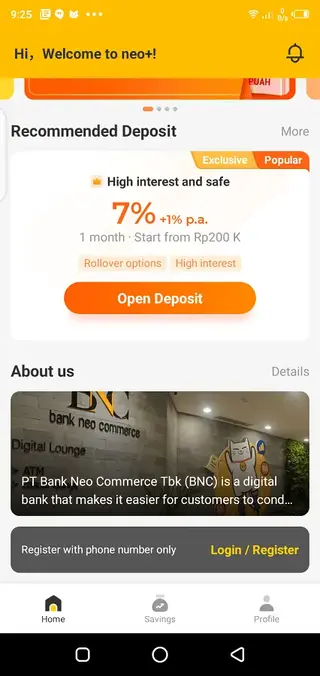
Offers savings and time-deposit products with competitive interest rates based on the selected term.
Flexible saving terms
Allows users to choose different saving durations, such as monthly or longer-term options, with varying profit levels.
Coupons, rewards, and promos
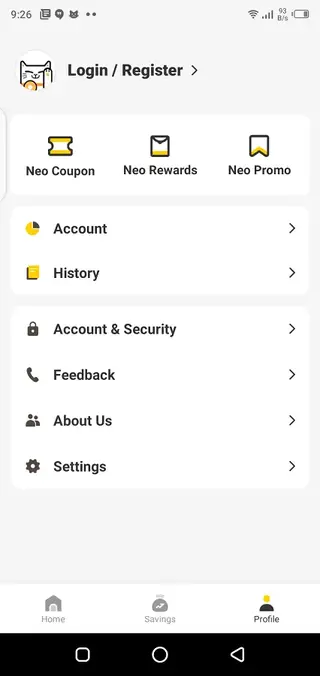
Includes Neo coupons, rewards programs, and promotional offers that can increase benefits or reduce costs.
Multiple account management
Enables users to connect and manage multiple accounts within one simple interface.
Secure access and verification
Uses phone number verification and banking-grade security measures to protect account access and transactions.
Screenshots
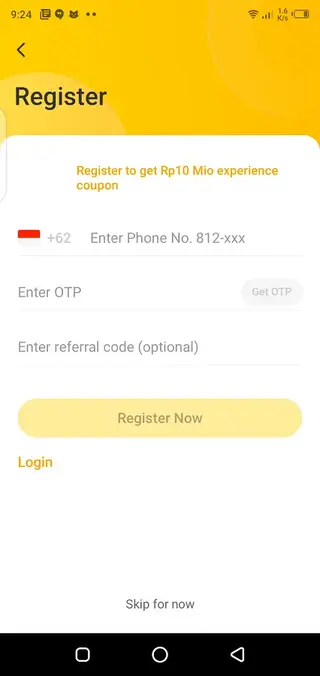
Account setup and verification
To start using Neo+ you first need to register with an active Indonesian mobile number. The app sends a one-time code to verify your phone and then guides you through identity checks and profile creation.
During onboarding you may be asked for personal details and supporting information according to local regulations. Once your account is approved, you can link bank accounts, set a PIN, and begin using transfers and savings products.
Savings terms and interest rates
Neo+ promotes saving by offering interest rates that vary with the term of your deposit. Short-term options give you flexibility if you need quicker access to cash, while longer-term deposits can unlock higher rates.
The exact percentages and available products can change over time, so it is important to check the latest offers and conditions inside the app before placing funds. Always review lock-in periods, early withdrawal rules, and any related fees.
Security and privacy considerations
Neo+ uses secure login methods and encrypted connections to protect your banking data. You can add a PIN, password, or biometric authentication depending on your device to keep your account safe.
For additional security, avoid sharing your login details, keep your phone’s operating system updated, and review transaction alerts regularly. If you notice suspicious activity, contact the bank through the official support channels provided in the app.
FAQs
Pros
- Complete digital banking solution for Indonesian users
- Attractive interest rates on savings and deposits
- Fast account opening and verification through the app
- User-friendly interface suitable for beginners
- Coupons and promos that can enhance overall returns
- Low or no transfer fees on selected transactions
Cons
- Services are limited to users in Indonesia
- Requires stable internet connection for most functions
- In-app terms and promos may change over time
- Users must be comfortable managing money fully online
Conclusion
Neo+ is a focused digital banking app for Indonesian users who want to manage savings and daily transactions directly from their Android devices. With competitive interest options, rewards, and a simple interface, it can be a strong choice if you prefer mobile-first banking. Always review the latest terms, fees, and conditions in the app before committing your funds.




Comments
No approved comments yet.