

NeoBank
NeoBank is an Android finance app that provides digital banking services, online money transfers, savings options, account history, and secure financial tools.
With this APK, users can register an account, manage money, transfer funds, check transaction history, access financial statements, and explore online banking features from their Android device.
You can download NeoBank APK directly from our website and install it on compatible Android phones and tablets to access its available digital banking services.
Rate this app
App details
- App name
- NeoBank
- Category
- Finance
- Version
- v3.6.72
- Size
- 19.14 MB
- Requirements
- 5.0 and Above
- Package name
- com.bnc.finance
- Publisher
- PT. BANK NEO COMMERCE TBK
- Price
- Free
- Mod
- No
- Downloads
- 1,856,486
- Rating
- 4.7 / 5
- Rating count
- 118,452
- Play Store
- Yes
- Requires root
- No
- Offline support
- No
- Contains ads
- No
- In-app purchases
- No
- Updated
- Jun 10, 2026
- Age rating
- Rated for 3+
Table of contents
What is NeoBank APK
NeoBank APK is an Android finance application designed to provide digital banking services through a mobile device. It allows users to manage money, transfer funds, check account details, save money, and access financial tools without visiting a physical bank branch.
The app is linked with Bank Neo Commerce and is mainly developed for Indonesian users. It provides online banking features that help users handle their financial activities more easily from a smartphone or tablet.
NeoBank includes services such as account registration, OTP verification, savings options, free transfers, transaction history, financial statements, and security-focused account access. These tools make it useful for users who want a simple mobile banking experience.
Because NeoBank uses the package name com.bnc.finance, it installs as a finance and digital banking app on Android devices. Most available services may require Indonesian eligibility, a valid mobile number, and account verification.
Why download NeoBank
Users usually look for NeoBank when they want a simple way to access banking services from an Android phone. The app provides digital account management, transfers, savings tools, and finance features in one place.
By installing the APK from our website, users can register with a mobile number, verify their account through OTP, check transaction history, manage savings, and transfer money without using traditional banking methods.
The app can also be useful for users who want to save money and track their financial activity. A clear dashboard and account history make it easier to monitor payments, transfers, and account movement.
However, NeoBank is a finance app, so users should only install it from trusted sources, protect their login details, and use it carefully. Banking services may depend on region, identity verification, and official account approval.
How NeoBank can be useful
NeoBank can be useful for Android users who want easier access to online banking. Instead of visiting a branch for basic tasks, users can manage many financial activities directly from their mobile device.
The money transfer feature is useful for users who regularly send or receive funds. NeoBank also claims to provide free transfer options, which can help users save extra transaction charges where supported.
The savings feature can be helpful for people who want to keep money in a digital account and track their balance from the app. Users can also review transaction history if they need details about previous payments or transfers.
The app also provides financial statements and account details in one place. This makes it easier to understand money movement and manage personal finance more clearly.
If you are not satisfied with the services, then we have some more options for you all. So, you can access the Neo+ and iFectivo, which also provide similar features. However, these listed Apps are compatible with different regions. Therefore, we recommend to check out compatible regions first.
How to download and install NeoBank APK
You can get the NeoBank APK file directly from our website. Follow these steps to download and install it on your Android device:
Scroll to the download area on this page and tap the APK download button for NeoBank.
Wait until the APK file is fully downloaded to your Android phone or tablet.
Open your phone settings, go to the security or app installation section, and allow installation from unknown sources if it is not already enabled.
Use your browser download list or file manager to locate the downloaded APK file.
Tap the APK file and select Install.
Wait until Android completes the installation process.
Once installed, open NeoBank from your home screen or app drawer.
Register using an active mobile number and verify the OTP code if required.
Complete the required account information and start exploring available digital banking features.
If the app does not install, check your Android version, storage space, internet connection, and unknown source permission.
Features
Digital banking services
Provides online banking tools that allow users to manage financial activities from an Android device.
Account registration
Lets eligible users create an account using a mobile number and OTP verification process.
Money transfer support
Allows users to send money through available online banking transfer options.
Savings options
Offers digital savings features for users who want to keep and manage money inside the app.
Transaction history
Shows previous payments, transfers, and account activity for easier financial tracking.
Financial statements
Provides account-related financial records so users can review money movement clearly.
Secure account access
Includes security-focused login and verification features to help protect user accounts.
User-friendly dashboard
Offers a simple app layout that makes banking features easier to find and use.
Screenshots
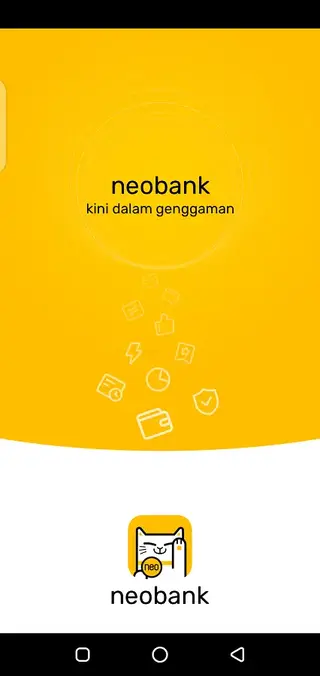
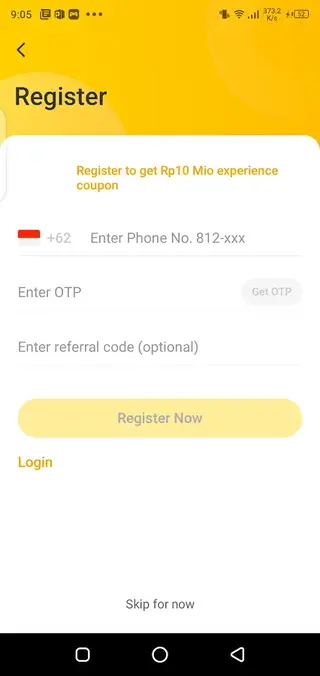

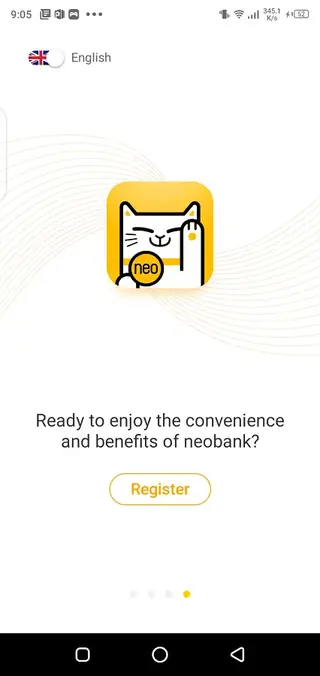

Digital banking experience with NeoBank
After installation, NeoBank gives eligible users access to digital banking services from one Android app. The dashboard is designed to help users check account details, manage savings, transfer money, and review transaction activity.
The registration process uses a mobile number and OTP verification. Once the account is active, users can explore available services such as transfers, savings, financial statements, and account history.
The transaction history feature is useful for tracking previous activity. If users forget a payment or transfer, they can open the app and review the available records from their account.
Compatibility and device requirements
NeoBank APK is designed for Android 4.4 and above, which makes it compatible with many Android phones and tablets. The APK size is around 42.04 MB, so users should keep enough storage space available before downloading.
A stable internet connection is required for registration, OTP verification, account login, transfers, savings, transaction history, and financial statement access. Some services may also require identity verification and official account approval.
Because NeoBank is mainly designed for Indonesian users, availability of features may depend on region, banking rules, account eligibility, and supported services. Users should protect their login details and avoid sharing OTP codes with anyone.
FAQs
Pros
- Provides digital banking services from an Android device
- Supports money transfers and savings options
- Includes transaction history and financial statement access
- Uses OTP verification for account registration
- Simple dashboard makes finance management easier
Cons
- Main services may be limited to eligible Indonesian users
- Requires mobile number verification and account registration
- Needs internet access for most banking features
- Financial services depend on account approval and platform rules
- Users must protect login details, OTP codes, and banking information carefully
Conclusion
NeoBank is an Android finance APK that provides digital banking, money transfers, savings options, transaction history, financial statements, and secure account access for eligible users. It is useful for people who want to manage banking activities directly from their mobile device. You can download NeoBank APK from our website and explore its available online banking services on your Android phone or tablet.




Comments
No approved comments yet.