

Nicegram
Nicegram is a powerful Telegram client for Android that unlocks extra control over your chats, channels, and media. It builds on the official Telegram API and adds a cleaner interface, advanced tools, and flexible privacy controls.
With Nicegram you can manage multiple Telegram accounts, organize busy chats with custom tabs, and share large files while keeping conversations protected. The app focuses on speed, usability, and privacy-friendly options that regular Telegram clients do not always expose clearly.
You can download the official Nicegram APK file directly from our website and install it on compatible Android phones and tablets to start using these extended Telegram features right away.
There are different Android Apps available for users to share information, media, and other files like Zaky App and SP WhatsApp. Usually, platforms allow users to share limited and small-sized files, which provide users to share limited content at a time.
Rate this app
App details
- App name
- Nicegram
- Category
- Communication
- Version
- v1.54.2
- Size
- 138.49 MB
- Requirements
- 4.1 and Above
- Package name
- app.nicegram
- Publisher
- RIMNICAPGRT
- Price
- Free
- Mod
- No
- Downloads
- 4,916,136
- Rating
- 4.3 / 5
- Rating count
- 621,971
- Play Store
- Yes
- Requires root
- No
- Offline support
- No
- Contains ads
- Yes
- In-app purchases
- Yes
- Updated
- May 18, 2026
- Age rating
- Rated for 3+
Table of contents
What is Nicegram for Android?
Nicegram is an unofficial Telegram client for Android that connects to your existing Telegram account and cloud data. It uses the official Telegram API but presents everything through a redesigned interface with extra productivity and privacy tools.
Once you sign in with your Telegram number, all your chats, channels, and groups load as usual. On top of this, Nicegram adds options such as custom tab layouts, quick account switching, flexible forwarding controls, and extra content-management features.
The app is free to download and use. It targets users who already rely on Telegram but want more fine-grained control over how chats are displayed, how messages are forwarded, and how multiple accounts are handled on a single device.
Why download Nicegram APK from our website?
Installing Nicegram via APK gives you direct access to the latest Android build even if it is not yet available or visible in your local Play Store. You can keep the standard Telegram app installed or use Nicegram as your primary client.
By downloading the Nicegram APK from our website, you get the official file in a single package that is ready to install. This makes it easy to try the enhanced interface, advanced forwarding controls, and multi-account support without changing anything on your Telegram account itself.
The APK version is especially useful for users whose devices do not have Google Play services, or who prefer managing app updates manually instead of waiting for staged rollouts.
How Nicegram is useful for Telegram users?
Nicegram helps heavy Telegram users handle crowded chats and channels more efficiently. The tab customization system lets you group conversations by type, such as personal chats, groups, work channels, or saved messages, so you can jump to what matters most in a few taps.
Privacy-focused options such as hiding the forwarded tag on shared content, using a unique passcode lock, and managing who can message or call you give you more control over how you appear to others. For multilingual users, integrated translation tools make foreign-language groups easier to follow.
Content creators, group admins, and power users benefit from convenient cloud backup access, large file sharing support up to Telegram’s limits, and the ability to manage several Telegram accounts from one app without constantly logging in and out.
How to download and install Nicegram APK?
You can get the Nicegram APK directly from our website and install it on any compatible Android device. Follow these steps to complete the process smoothly.
Scroll to the download section on this page and tap the Nicegram APK download button.
Confirm the download in your browser and wait until the APK or XAPK file is fully saved on your device.
On Android, open Settings and enable installation from unknown sources for your browser or file manager if it is not already allowed.
Open your file manager, navigate to the Downloads folder, and tap the Nicegram file you just downloaded.
Review the installation prompt and tap Install, then wait for the setup to finish.
Launch Nicegram from your app drawer, sign in with your Telegram account, and start using the client.
Features
Multi-account support
Use several Telegram accounts at the same time and switch between them quickly from one interface.
Custom tab layout
Create and organize tabs for chats, groups, channels, and unread messages to keep conversations structured.
Enhanced privacy options
Protect chats with a passcode and adjust privacy-related settings more flexibly than in the stock client.
Remove forwarded tags
Forward messages and media without showing the original sender tag when you choose to hide it.
Large file sharing
Send and receive large files up to Telegram’s server-side size limits, suitable for media and documents.
Cloud-based storage
Access all Telegram cloud messages and media without using local storage for every file.
Built-in translation
Translate messages from foreign-language groups or channels directly inside the chat view.
Message and group management
Easily manage participants, pinned messages, and content as a group admin with clear controls.
Screenshots
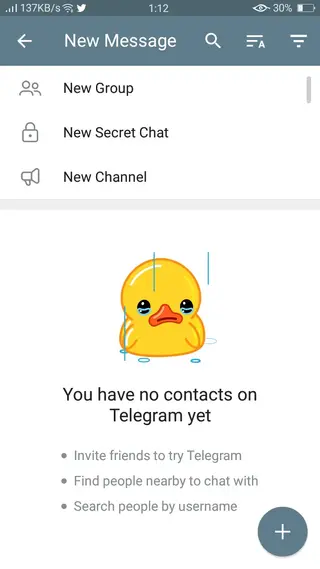
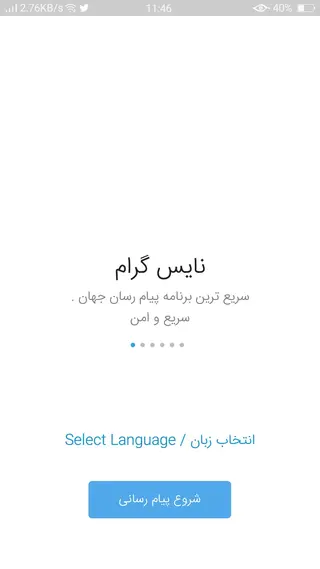
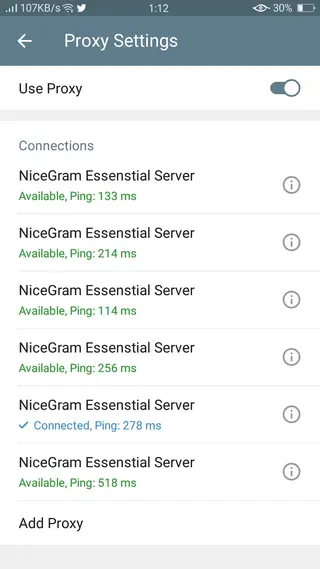
Is Nicegram safe to use with my Telegram account
Nicegram connects to your existing Telegram account using the official API, so your messages and media still live on Telegram’s servers rather than being stored separately. As with any third-party client, you should only use versions from sources you trust and keep the app updated.
It is also wise to review your Telegram security settings, enable two-step verification, and periodically check active sessions to ensure only devices you recognize have access to your account.
Tips for getting started with Nicegram
After you sign in, spend a few minutes customizing the interface so it matches how you use Telegram daily. You can group chats into tabs, mute noisy channels, and pin your most important conversations for quick access.
If you manage large groups or channels, explore the admin tools and forwarding options. Hiding the forwarded tag where appropriate, organizing content with saved messages, and using translation in international groups can help streamline your daily communication.
FAQs
Pros
- Free Telegram client with extended features
- Supports multiple Telegram accounts on one device
- Customizable tabs to organize chats and channels
- Option to hide forwarded tags on shared content
- Built-in translation for messages in other languages
- Large file sharing supported according to Telegram limits
Cons
- Requires linking an existing Telegram account
- Unofficial client so features can change with API updates
- Some advanced options may feel complex for casual users
Conclusion
Nicegram is a practical alternative Telegram client for Android that focuses on better organization, flexible privacy, and multi-account workflows. If you rely on Telegram every day and want more control over how chats are displayed and managed, downloading the Nicegram APK from our website is a straightforward way to upgrade your messaging experience.




Comments
No approved comments yet.