

Oneplus Dialer
Oneplus Dialer is the classic OnePlus phone app that brings a clean interface, fast calling, and built-in call recording back to supported Android devices.
If you prefer the original OnePlus calling experience over the newer Google Phone app, this APK helps you restore the old dialer layout, recording options, and organized call history.
You can download the latest Oneplus Dialer APK directly from our website and install it on compatible Android phones running Android 9.0 or higher.
But if you are not a user of Oneplus, then you cannot access any of the available services. We have some similar apps for you, which are compatible with any device. Indycall and VPhoneGaGa, both are quite amazing applications, which you can also access and enjoy.
Rate this app
App details
- App name
- Oneplus Dialer
- Category
- Tools
- Version
- v5.0.1
- Size
- 23.95 MB
- Requirements
- 9.0 and Up
- Package name
- com.android.dialer
- Publisher
- OnePlus Ltd.
- Price
- Free
- Mod
- No
- Downloads
- 100,015
- Rating
- 4.8 / 5
- Rating count
- 39,000
- Play Store
- No
- Requires root
- No
- Offline support
- Yes
- Contains ads
- No
- In-app purchases
- No
- Updated
- May 29, 2026
- Age rating
- Rated for 3+
Table of contents
What is Oneplus Dialer APK
Oneplus Dialer is the stock phone and contacts app that shipped on many earlier OnePlus smartphones. It combines the dial pad, call history, contacts, and call recording in a single lightweight communication tool designed for OxygenOS.
Later OnePlus models switched to the Google Phone app, which removed some familiar options such as the original recording interface and the classic in-call screen. By installing the Oneplus Dialer APK, many users try to bring those earlier features back to their devices, especially on Android 12-based systems.
The app focuses on a simple, fast layout rather than heavy visual effects. You can search contacts quickly, manage recent calls, see messages linked with numbers, and in supported regions enable automatic or manual call recording with files stored on your device.
Because this is a system-style dialer, full compatibility can vary between devices and Android versions. It is mainly intended for OnePlus phones, but some users install it on other brands at their own discretion.
Why download Oneplus Dialer APK from our website
Many OnePlus users miss the original dialer experience that offered a straightforward interface and practical call tools. Installing the Oneplus Dialer APK lets you try to restore those options on supported devices, especially if your phone shipped with the Google Phone app.
On our website you can download the current Oneplus Dialer APK version directly, without searching through multiple pages or sources. The file details such as version, package name, and Android requirement are clearly listed so you know exactly what you are installing.
If you want a minimal dialer that keeps contacts, call logs, and recording controls in one place, this APK can be a useful option to test on your device.
How Oneplus Dialer can be useful
Oneplus Dialer focuses on everyday calling tasks and keeps them easy to manage. The app brings back an interface that many OxygenOS users already know, which reduces the learning curve and keeps calling simple.
Its built-in recording options, where available, help you store important conversations locally on your phone for later reference, such as business calls or support discussions. The dialer also syncs your contacts and call history so you can quickly redial, send a message, or check previous communication with any number.
Because it works largely offline and does not rely heavily on extra services, many users find it fast and responsive even on older hardware, making it a practical daily driver for calling and contact management.
How to download and install Oneplus Dialer APK
You can get the Oneplus Dialer APK file directly from our website and then install it manually on your Android phone.
Follow these steps to download and install:
Scroll to the download section on this page.
Tap the APK download button for Oneplus Dialer.
Wait until the APK file finishes downloading to your device.
Open your phone settings and enable installation from unknown sources for your browser or file manager.
Locate the downloaded APK in your Downloads folder and tap it.
Confirm the installation prompts and wait for the process to complete.
Set Oneplus Dialer as your default phone app if your system asks for it.
After installation, open the app, check call settings, and configure recording options according to your local laws and device support.
Features
Clean phone dialer interface
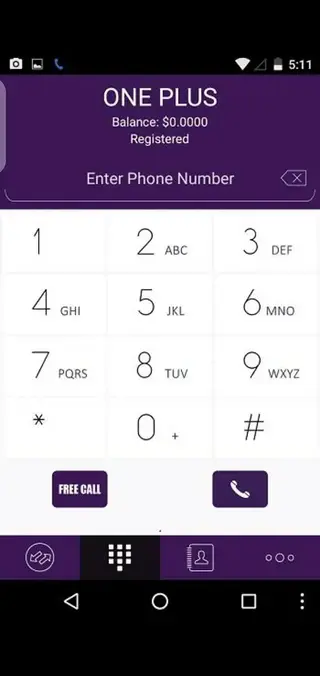
Provides a simple and familiar OnePlus style dial pad and in-call screen for quick calling.
Integrated contacts and call history
Shows contacts, recent calls, and favorites in one place so you can reach people faster.
Automatic call recording
Supports automatic or manual call recording on compatible devices and in supported regions.
Local recording storage
Saves call recordings directly on the phone so you can play them back or manage them later.
Recording playlists and management
Lets you browse, sort, and play stored recordings from a dedicated recordings section.
Sync with system contacts
Uses your existing Android and OnePlus contacts so you do not need to re-import numbers.
Call history and message links
Shows previous calls and related SMS threads for each number for quick context.
No third party ads
Does not display third party advertising inside the dialer interface according to the original app behavior.
Screenshots
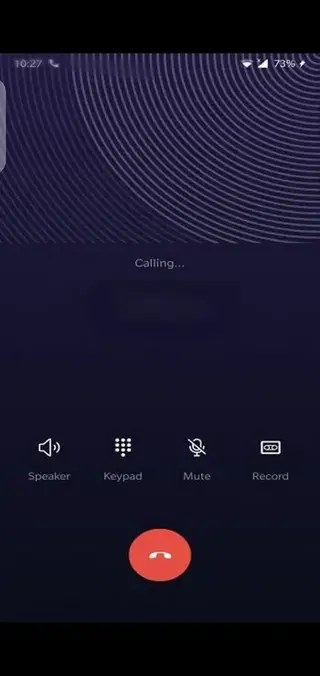
Compatibility and limitations
Oneplus Dialer was originally built for OxygenOS on OnePlus phones, so its behavior depends heavily on your device firmware and Android version. On some models it can fully replace the default phone app, while on others certain functions like caller ID or recording may not work as expected.
Before using it as your primary dialer, test basic actions such as placing calls, receiving calls, accessing contacts, and checking recordings. If you notice issues such as missed calls or system conflicts, switch back to your original dialer in system settings.
Privacy and legal considerations
Call recording laws differ between countries and even between regions within the same country. In many places you must inform the other party that the call is being recorded, or obtain their consent before recording.
Always review the regulations in your area and follow them carefully. Use the recording feature in Oneplus Dialer only for legitimate purposes, and protect your stored recordings with proper device security such as a lock screen or encryption.
FAQs
Pros
- Simple and familiar OnePlus style dialer interface
- Built in automatic and manual call recording on supported devices
- Contacts and call history tightly integrated for quick access
- Works largely offline once installed
- No third party advertising inside the dialer
Cons
- Designed mainly for OnePlus phones so compatibility may vary on other brands
- May not work correctly on all Android versions or custom ROMs
- Call recording features are restricted or limited in some regions
- Requires manual APK installation and unknown sources permission
- Might conflict with existing default phone app on some devices
Conclusion
Oneplus Dialer brings back the classic OnePlus calling experience with integrated contacts and call recording in a clean interface. If your device supports it and you prefer the old OxygenOS style phone app, you can download the latest Oneplus Dialer APK directly from our website and test it as your main dialer.




Comments
No approved comments yet.