

PandaFlix
PandaFlix is an Android streaming app that brings movies, web series and live TV channels together in one place. It focuses mainly on Hollywood content and popular international titles.
With simple navigation and well-organized sections, users can quickly jump between movies, series and IPTV channels. The app aims to provide a smooth streaming experience without sign-up barriers.
You can download the official PandaFlix APK directly from our website and install it on compatible Android phones and tablets to start watching instantly.
Rate this app
App details
- App name
- PandaFlix
- Category
- Entertainment
- Version
- v10.14.79
- Size
- 64.13 MB
- Requirements
- 7.0 and Above
- Package name
- com.panda.tubi.flixshow
- Publisher
- Dianehalpin6699
- Price
- Free
- Mod
- No
- Downloads
- 75,299
- Rating
- 4.7 / 5
- Rating count
- 23,195
- Play Store
- No
- Requires root
- No
- Offline support
- No
- Contains ads
- No
- In-app purchases
- No
- Updated
- May 15, 2026
- Age rating
- Rated for 3+
Table of contents
What is PandaFlix APK
PandaFlix APK is an Android entertainment app that aggregates a large catalog of on-demand and live video content. Once installed, it lets you stream the latest Hollywood movies, trending web series and a selection of IPTV channels on your mobile device.
The app removes common entry barriers such as mandatory registration or paid subscriptions. You can open it, browse the catalog and start watching without creating an account. Content is grouped into clear sections so you can move easily between movies, shows and live TV.
PandaFlix is designed for users who prefer a simple interface over complex menus. Playback controls are basic and straightforward, making it suitable even for people who are not very tech-savvy.
Try Dopebox and eVOD, both of these are quite popular available applications. So, if you want to have more similar apps, then you should try both of these applications on your Android device and have unlimited fun.
Why Download PandaFlix for Android
Android users often juggle multiple apps to watch movies, series and live TV. PandaFlix tries to reduce this fragmentation by putting different entertainment formats into one app. That convenience is a key reason many users look for PandaFlix.
The app highlights newly released Hollywood titles, so you do not have to spend time searching through outdated catalogs. In addition, the IPTV section offers live channels across sports, documentaries, news and other categories, which makes the app useful for both on-demand and live viewing.
Another reason to download PandaFlix is its low-friction setup. There is no sign-up process, and the interface is clean and minimal. You can download the APK from our website, install it and start browsing content within minutes.
How PandaFlix is Useful
PandaFlix is useful for anyone who wants quick access to different types of video content without installing several separate apps. The app focuses on:
Movies: A library centered on new and popular Hollywood films.
Web series: Multi-episode shows with the latest episodes added regularly.
IPTV channels: Live TV channels covering sports, documentaries, news and more.
Because everything is organized into categories and sections, you can quickly find something to watch based on mood or genre. High-quality video and audio options help make the viewing experience more enjoyable on both phones and larger tablets.
The absence of mandatory registration also makes PandaFlix a practical choice for users who value privacy and do not want to share personal details just to watch video content.
How to Download and Install PandaFlix APK
You can get the official PandaFlix APK directly from our website. Follow these steps on your Android phone or tablet to download and install it safely.
Scroll to the download area on this page and tap the PandaFlix APK download button.
Confirm the download in your browser and wait for the APK file to finish downloading.
Open your phone settings and enable installation from unknown sources if it is not already enabled.
Locate the downloaded APK file in your Downloads folder or notification panel.
Tap the file, review the installation prompt, and select Install.
After installation completes, open PandaFlix from your app drawer and start exploring the content sections.
If you ever want to update the app, return to our website and download the newer version of the PandaFlix APK, then install it over the existing one.
Features
Free to download and use
The app can be downloaded and used without any purchase or subscription fees.
All-in-one entertainment hub
Combines movies, web series and IPTV channels in a single Android app.
Latest Hollywood releases
Focuses on recently released Hollywood movies and trending international titles.
Web series catalog
Includes popular series with multiple seasons and the latest episodes.
Live IPTV channels
Offers live TV channels across sports, documentaries, news and other genres.
High-quality playback
Provides support for high-quality video and audio for a better viewing experience when your connection allows it.
Well-categorized sections
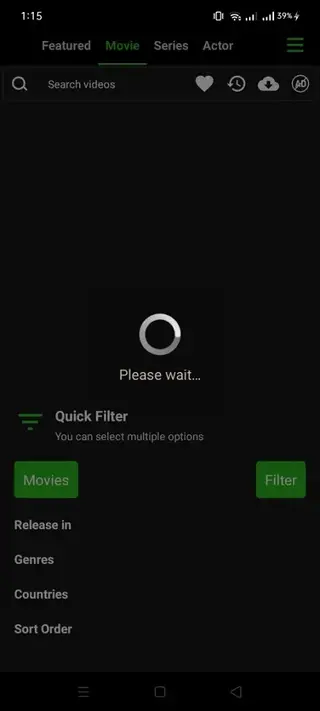
Content is organized into clear sections and categories for easier browsing.
Simple user interface
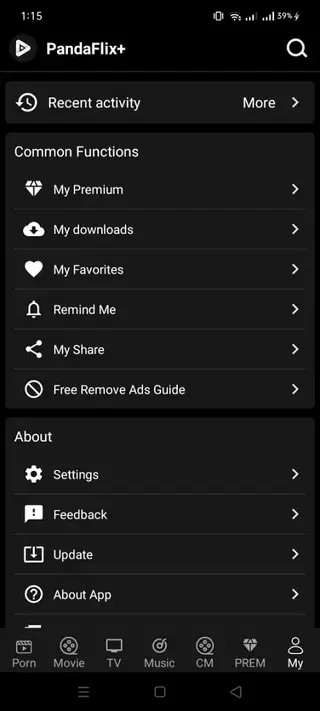
Features a clean, straightforward interface that is easy to navigate for most users.
Screenshots



Streaming Quality and Performance
PandaFlix aims to provide a high-quality viewing experience as long as your internet connection is stable. Video quality usually adjusts based on available bandwidth, which can help reduce buffering on slower networks. For the best results, a fast Wi-Fi or strong mobile data connection is recommended.
Because the app interface is lightweight and focused on content lists and basic playback controls, it generally runs smoothly on mid-range and newer Android devices that meet the minimum system requirements.
Device Compatibility and Requirements
PandaFlix is built for Android devices running Android 7.0 or above. It should work on most modern smartphones and tablets that meet this requirement and have enough storage space for the APK and app data.
The app does not require root access, so you can install it on standard consumer devices without any system-level modifications. Make sure to keep some free internal storage available to avoid installation or performance issues.
Tips for Better Use of PandaFlix
To get more out of PandaFlix, it helps to organize how you use the app:
Check the movies and series sections regularly for newly added titles.
Use categories and search tools, if available, to quickly find genres you enjoy.
When watching IPTV channels, allow a few seconds for streams to stabilize before changing channels.
Close other bandwidth-heavy apps when streaming to reduce buffering.
These small adjustments can make the overall experience smoother, especially on slower networks or older devices.
FAQs
Pros
- Free to download and use on Android devices
- Combines movies, series and live TV in one app
- No registration or account creation required
- Simple interface suitable for most users
- Content organized into clear sections and categories
- Focus on the latest Hollywood and popular titles
Cons
- Not available on the official Google Play Store
- Requires a stable internet connection for smooth streaming
- Content availability and links may change over time
- Offline download and viewing options are not clearly documented
Conclusion
PandaFlix offers a straightforward way to watch movies, web series and live IPTV channels on Android without registration or subscription steps. If you want a simple streaming app that brings multiple content types together, you can download the latest PandaFlix APK directly from our website and start watching within minutes.




Comments
No approved comments yet.