

PayMaya
PayMaya is a popular digital wallet and cashless payment app designed mainly for users in the Philippines. It helps you send and receive money, pay bills, and shop online using only your mobile phone.
With a verified PayMaya account, you can link funding sources, generate virtual cards, and pay in stores that accept QR or card payments. It is built to replace the need to carry cash for everyday spending.
On this page, you can download the PayMaya APK latest available version for Android directly from our website and install it on compatible phones and tablets.
As you know using hard cash isn’t very safe these days. People usually lose their use of money and cannot remember it. Therefore, getting a digital application, which provides all the features is the best way. DITO and GCash also provide online payment services for Philliphinese users.
Rate this app
App details
- App name
- PayMaya
- Category
- Finance
- Version
- v2.160.1
- Size
- 185.64 MB
- Requirements
- 6.0 and Above
- Package name
- com.paymaya
- Publisher
- Maya Philippines, Inc.
- Price
- Free
- Mod
- No
- Downloads
- 800,020
- Rating
- 4.5 / 5
- Rating count
- 78,502
- Play Store
- Yes
- Requires root
- No
- Offline support
- No
- Contains ads
- No
- In-app purchases
- Yes
- Updated
- May 7, 2026
- Age rating
- Rated for 3+
Table of contents
What is PayMaya APK
PayMaya is an Android finance app that works as a full digital wallet for everyday payments. It is tailored for users in the Philippines and lets you load money into your wallet, transfer funds, pay bills, and shop online or in-store using your phone.
After installing the APK and registering with your mobile number, you create a wallet account that you can fund through supported channels such as bank transfers, partner outlets, or other PayMaya users. Once funded, the balance can be used for payments, mobile load, subscriptions, and more.
The app supports QR-based payments at partner merchants, virtual Visa or Mastercard details for online shopping, and a transaction history so you can track where your money goes. You also receive alerts for every successful transaction, which helps you monitor your account activity in real time.
PayMaya focuses on making the registration and usage experience simple. Most tasks, such as sending money or cashing in, can be done in a few taps on a clean, user-friendly interface.
Why download the PayMaya APK for Android
Downloading the PayMaya APK on your Android device gives you quick access to a complete digital wallet that replaces many cash-based tasks. Instead of carrying bills and coins, you can pay directly from your phone at supported merchants, on websites, and inside partner apps.
The APK available on our website is intended for users who want to install or update PayMaya manually on compatible Android phones and tablets. Once installed, you can log in or register, verify your number, and start using wallet features such as sending money, buying mobile load, or paying bills.
For people in the Philippines who frequently shop online, order food delivery, or use ride-hailing services, PayMaya can serve as a central payment method. It also helps users who prefer not to use a traditional credit card, since the wallet can generate payment details and support QR payments without swiping a physical card.
How PayMaya is useful in daily life
PayMaya is useful because it brings most common financial transactions into a single mobile app. You can send money to family or friends, split bills, and pay for utilities or subscriptions from one wallet instead of visiting payment centers.
The app supports mobile load purchases and data packages for major Philippine networks, which is convenient if you regularly top up prepaid numbers. You can also use the wallet for game credits and digital content, reducing the need to share bank card details with many different services.
Its transaction history and real-time notifications make it easier to track spending and spot unusual activity quickly. For users who apply for a physical card, PayMaya can extend the wallet to ATM withdrawals and card-present transactions, making it a more flexible tool for both online and offline payments.
How to download and install PayMaya APK
You can download the latest available PayMaya APK for Android directly from our website. Follow these steps to get the app on your device.
Scroll to the download section on this page.
Tap the download button to start downloading the official APK file from our server.
On your Android phone, open Settings and allow installation from unknown sources if required.
Locate the downloaded APK file in your Downloads folder and tap it.
Follow the on-screen prompts to complete the installation.
Open PayMaya, register or log in with your mobile number, and complete verification to start using the wallet.
After installation, keep the app updated whenever a newer version becomes available on our website to enjoy the latest improvements and features.
Features
Digital wallet for the Philippines
Create a wallet account linked to your mobile number, primarily designed for users in the Philippines.
Fast registration and verification
Sign up using your phone number and basic details, then verify the account to unlock more features and higher limits.
Send and receive money
Transfer funds to other PayMaya users and receive money into your wallet quickly and easily.
QR code payments
Pay at partner merchants by scanning their QR code, removing the need to handle cash or cards.
Online shopping support
Use wallet-powered payment details and partner integrations to pay on supported websites and apps.
Bill payments and utilities
Pay selected bills such as electricity, water, and telecom services directly from your PayMaya balance where available.
Mobile load and packages
Buy prepaid load and data promos for supported mobile networks directly from the app.
Game and digital top-ups
Top up selected games and digital services using your wallet balance without sharing bank card details.
Screenshots
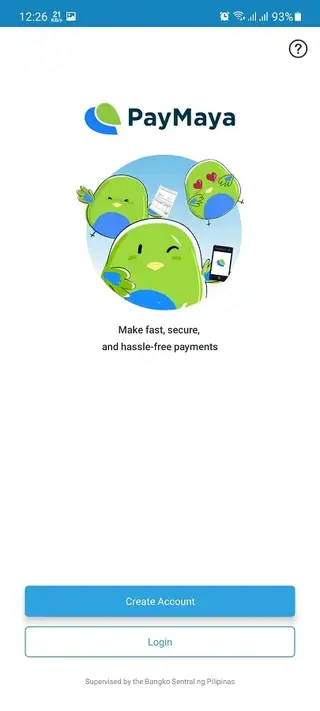
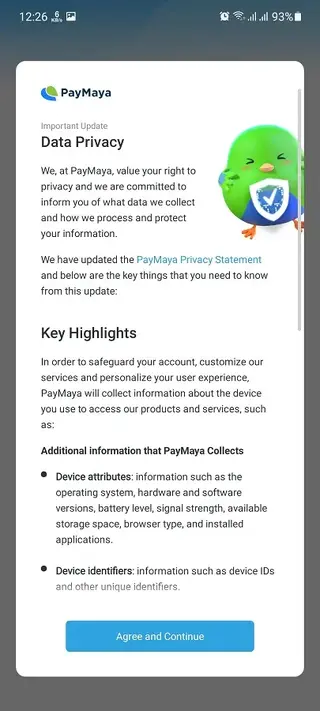
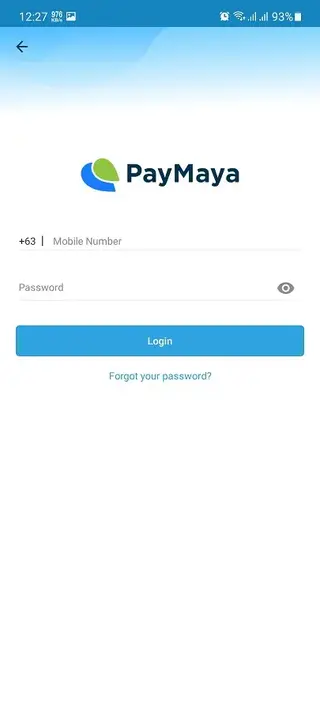
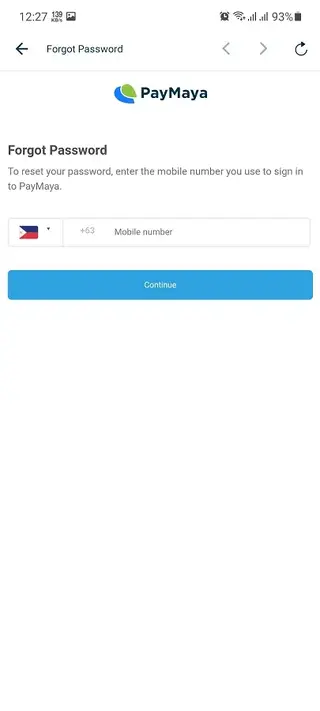

Account registration and verification
To start using PayMaya, you first register with your mobile number and basic personal details. The app sends a verification code to confirm that you control the number. After you enter the code, you can access your wallet and begin using core functions.
For higher limits, more services, or access to advanced features, you may need to complete additional verification steps such as providing identification documents. This process helps increase account security and comply with financial regulations.
Security and privacy considerations
PayMaya includes features such as password or PIN protection and optional biometric login on supported devices to help secure your account. Each transaction triggers a notification, making it easier to spot unfamiliar activity.
As with any finance app, users should keep their login details private, enable screen lock on their phone, and avoid sharing one-time codes with anyone. Regularly reviewing the transaction history within the app can also help maintain control over your wallet.
Supported devices and compatibility
The APK version referenced here is designed for Android devices running version 4.1 and above, based on the original release information. For the best performance and latest security fixes, using a more recent Android version is recommended.
Make sure your device has enough storage space and a stable internet connection before installing and using PayMaya. If you experience issues, updating both the app and the Android system often improves stability.
FAQs
Pros
- All-in-one digital wallet for common payments
- Simple and fast registration using a mobile number
- Supports sending and receiving money between users
- QR payment support at participating merchants
- Useful for online shopping and digital services
- Built-in transaction history and alerts for every payment
Cons
- Primarily limited to users in the Philippines
- Requires stable internet to process most actions
- Some advanced features need identity verification
- Service availability can vary by partner and region
Conclusion
PayMaya is a practical digital wallet app for users in the Philippines who want to handle daily payments, transfers, and online shopping from their Android device. You can download the APK directly from our website, install it on a compatible phone, and start managing cashless transactions in one place.




Comments
No approved comments yet.