

GCash
GCash is a popular e-wallet app in the Philippines that lets you pay bills, send money, buy load, and shop online using your Android phone. Everything runs through one secure digital wallet linked to your mobile number.
With GCash APK, you can install the official Android app directly on your device and manage your daily payments without visiting physical branches or handling cash. It focuses on fast transactions, simple navigation, and convenient access to financial services.
You can download the latest GCash APK version straight from our website and start using it after a quick registration and verification process with your Philippine mobile number.
Rate this app
App details
- App name
- GCash
- Category
- Finance
- Version
- v5.98.0
- Size
- 92.21 MB
- Requirements
- 4.4 and Above
- Package name
- com.globe.gcash.android
- Publisher
- Mynt - Globe Fintech Innovations
- Price
- Free
- Mod
- No
- Downloads
- 3,347,636
- Rating
- 4.1 / 5
- Rating count
- 546,712
- Play Store
- Yes
- Requires root
- No
- Offline support
- No
- Contains ads
- Yes
- In-app purchases
- Yes
- Updated
- May 15, 2026
- Age rating
- Rated for 3+
Table of contents
What is GCash Android App?
GCash is an Android-based mobile wallet and financial services app operated by Mynt – Globe Fintech Innovations in the Philippines. It converts your smartphone into a secure e-wallet that you use to send and receive money, pay bills, buy load, and shop at partner merchants.
The app links to your Philippine mobile number and lets you cash in from banks, over-the-counter partners, remittance centers, or linked accounts. Once your wallet is funded, you can complete most everyday transactions directly from your phone without handling physical cash.
GCash focuses on users in the Philippines, so you generally need a local mobile number and valid identification for full verification. After registration, you can access a wide range of services like person-to-person transfers, QR payments, online checkout, and various savings and finance products built into the app.
If you are not from the Philippines, then don’t worry about it. We have more suggestions for you all, which offer similar services for the users. So, try Wave Money and PayMaya, both of these are quite popular available wallets. Further, these wallets are fully compatible with all Android smartphones.
Why Download GCash APK from Our Website?
Downloading the GCash APK from our website lets you install the official Android app quickly without searching through multiple pages. We provide the latest version information, package name, and basic details so you know exactly which file you are getting.
Once installed, GCash gives you a convenient way to manage your money using only your phone. You can cash in, pay for services, and send money to friends or family in just a few taps. This is especially useful if you prefer a digital wallet over carrying cash or cards.
Our website keeps the download process straightforward. You can get the APK file directly, move it to your Android device if needed, and install it after enabling unknown sources. After that, you only need to register with your mobile number to start using its features.
How GCash Is Useful in Everyday Life?
GCash is useful because it gathers multiple financial tasks into a single app. Instead of using separate services for bank transfers, bill payments, mobile load, and online purchases, you can manage them all from one wallet.
For regular users, it simplifies common tasks like paying utility bills, government fees, and subscriptions without visiting payment centers. You can also buy prepaid load for yourself or others, top up gaming and entertainment accounts, and easily split expenses with friends using money transfers.
GCash also offers features such as QR-based payments at physical stores, savings products, and other finance tools that help you organize your money better. This combination of convenience and flexibility makes it a practical app for daily cashless living in the Philippines.
How to Download and Install GCash APK?
You can download the official GCash APK file directly from our website and install it on your Android device. Follow the steps below to get started.
Scroll to the download section on this page and tap the GCash APK download button.
Wait for the APK file to finish downloading on your device.
If this is your first manual install, go to your phone settings and allow installation from unknown sources for your browser or file manager.
Open your file manager, find the downloaded GCash APK, and tap it to start installation.
Follow the on screen prompts to complete the setup.
Open GCash, register using your Philippine mobile number, and finish the verification steps to start using the wallet.
After the first setup, future updates can be installed either from Google Play or by returning to our website when a newer APK version is available.
Features
Digital wallet for Philippine users
Use your Android phone as an e-wallet to store funds, send money, and pay for services across the Philippines.
Mobile number based registration
Create an account using your Philippine mobile number and complete verification to unlock full features.
Person to person money transfers
Send and receive money between GCash users quickly, making it easier to support family or split bills.
Bill payment support
Pay utility bills, government fees, and other services from one place without lining up at payment centers.
Buy load and data packages
Purchase prepaid mobile load and data promos for multiple networks directly from the app using your wallet balance.
Online and in store payments
Pay at online shops and partner merchants using GCash, often via QR codes or integrated checkout options.
Top up gaming and digital services
Load gaming accounts and various digital platforms using your GCash balance for a smoother purchase process.
Savings and finance products
Access in app savings options and similar financial tools to help you set aside and manage money more effectively.
Screenshots
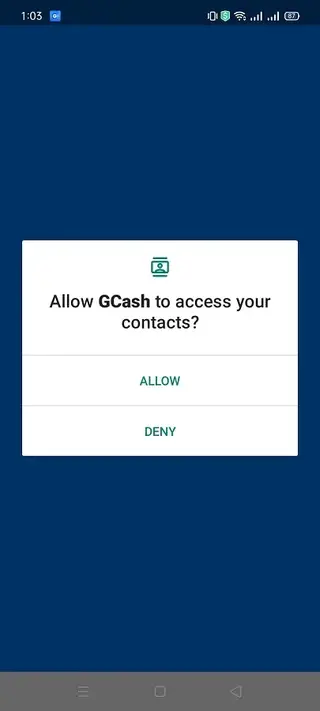
Account Registration and Verification
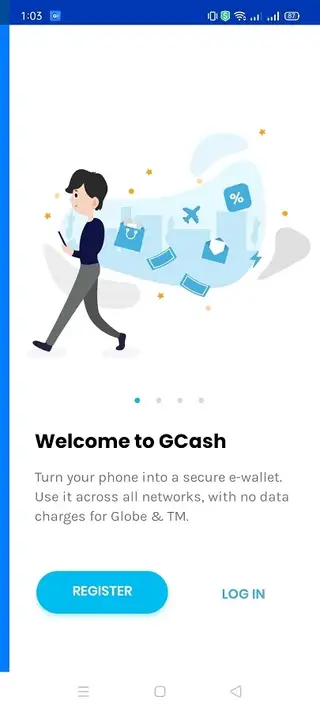
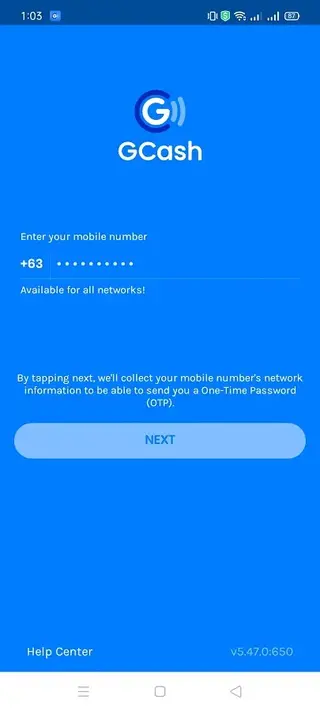
To start using GCash, you first register with your Philippine mobile number. The app sends a one time code by SMS for basic verification. After that, you can provide additional information and valid identification documents to upgrade your account and unlock higher limits and more services.
Account verification not only expands your transaction limits but also helps secure your wallet. Keeping your personal details updated and enabling PIN or biometric login inside the app adds another layer of protection to your funds.
Security and Privacy Overview
GCash uses standard security practices such as PIN codes, biometric login options on supported devices, and encrypted connections for transactions. Your account is tied to your mobile number, and the app will usually ask you to confirm changes to critical settings.
For better safety, you should keep your PIN private, enable screen lock on your phone, and avoid sharing one time passwords or codes with anyone. If your device is lost or stolen, you can contact official GCash support channels to help secure or recover access to your account.
Common Use Cases for GCash
Many users rely on GCash for routine tasks like paying electricity and water bills, topping up mobile load, and sending money to family members. Others use it to pay at physical stores that accept QR payments or to check out faster when shopping from supported online platforms.
Because these services are combined into one e-wallet, it can reduce the need to visit payment centers or carry large amounts of cash. This makes it especially handy for busy users who prefer handling their finances from their Android phone whenever they have internet access.
FAQs
Pros
- Convenient all in one digital wallet for Philippine users
- Fast money transfers and bill payments from a single app
- Supports mobile load, online shopping, and QR payments
- User interface is simple and easy to learn
- Offers savings and finance features inside the app
Cons
- Primarily limited to users in the Philippines
- Requires stable internet connection for most features
- Full access depends on identity verification and mobile number
- Some services may include fees or limits based on account status
Conclusion
GCash is a strong choice if you live in the Philippines and want a reliable e-wallet for daily payments, transfers, and bills. You can download the official GCash APK from our website, install it on your Android device, and manage most of your routine financial tasks in one place.




Comments
No approved comments yet.