

Pinki Tunnel
Pinki Tunnel is a VPN app for Android that helps you browse the internet through secure virtual servers across different regions. It focuses on simple one-tap connections and fast server switching.
With this app, you can route all device traffic through an encrypted tunnel, hide your real IP address, and reach region-locked content. The interface stays beginner-friendly, so you can connect in seconds without complex setup.
You can download the official Pinki Tunnel APK latest version directly from our website and install it on compatible Android phones and tablets in a few easy steps.
Rate this app
App details
- App name
- Pinki Tunnel
- Category
- Tools
- Version
- v7.5
- Size
- 4.88 MB
- Requirements
- 4.1 and Up
- Package name
- com.tunnelguru.toofan.all
- Publisher
- Sunmoon Technologies
- Price
- Free
- Mod
- No
- Downloads
- 90,000
- Rating
- 4.6 / 5
- Rating count
- 27,000
- Play Store
- No
- Requires root
- No
- Offline support
- No
- Contains ads
- Yes
- In-app purchases
- Yes
- Updated
- May 15, 2026
- Age rating
- Rated for 3+
Table of contents
What is Pinki Tunnel VPN App
Pinki Tunnel is an Android VPN application that routes your internet traffic through remote servers to give you a virtual IP address. By connecting to one of its available locations, you can mask your real IP, adjust your apparent region, and add a privacy layer to your browsing.
The app is built as a full-device VPN, not just a browser proxy. Once connected, most apps that use the internet on your phone can pass their traffic through the VPN tunnel. You do not need root access or complex configuration, which makes it suitable for everyday users.
Pinki Tunnel offers multiple servers in different countries, quick connection times, and optimisation that aims to reduce the impact on battery life. The developer combines free access with optional premium-style features, which you can unlock for a limited time by viewing in-app ads or by using paid options where available.
Because availability may differ by region, many users prefer installing the APK manually. The official Pinki Tunnel APK file is provided on our website so you can download and install it directly on supported Android devices.
The application is not available globally, which is why you might face problems with the services. So, we are going to share more options. You guys can try Wire Tun and iTop VPN Mod, both of these are quite amazing tools, that offer similar services.
Why download Pinki Tunnel APK for Android
Installing the Pinki Tunnel APK on your Android device gives you direct access to the app without waiting for regional store availability. You can keep a local copy of the installer, update on your own schedule, and use it on phones or tablets that may not have full Play Store support.
The app itself is focused on everyday privacy and convenient access. With one-tap connections, multiple server options, and a lightweight interface, it is suitable for users who want straightforward VPN protection without complex menus.
Downloading the APK from our website also helps you quickly reinstall the app after a factory reset or when you switch devices. You simply save the file once and install it whenever you need it.
How Pinki Tunnel is useful
Pinki Tunnel is useful if you want an easy way to add a privacy layer while browsing, streaming, or using social apps on Android. By changing your virtual location and IP address, it can help reduce simple tracking and give you more control over how your traffic appears online.
The VPN tunnel can also help you reach apps or websites that are restricted to certain regions, as long as you connect to a compatible server. For users with unstable or censored connections, switching servers can sometimes provide a more stable route to specific services.
The app’s lightweight design, user-friendly interface, and optimisation aimed at battery efficiency make it appropriate for daily use on budget and mid-range devices. Combined with ad-based access to some premium-style features, Pinki Tunnel offers a flexible option for users who need VPN functionality without a complicated setup.
How to download and install Pinki Tunnel APK
You can download the official Pinki Tunnel APK file directly from our website and install it manually on your Android device. Follow these steps to get started:
Scroll to the download area on this page and tap the Pinki Tunnel APK download button.
Confirm the download in your browser and wait for the APK file to finish downloading.
Open your phone settings and enable installation from unknown or allowed sources for your browser or file manager if needed.
Locate the downloaded APK file in your Downloads folder using a file manager app.
Tap the APK file, review the permissions, and choose Install to begin the setup process.
Once installation is complete, open Pinki Tunnel from your app drawer, select a server, and tap Connect to start using the VPN.
After the first setup, you can reconnect with a single tap whenever you need VPN protection, without repeating the installation steps.
Features
Full-device VPN tunneling
Routes most Android network traffic through an encrypted VPN tunnel instead of only protecting a single browser or app.
Multiple global servers
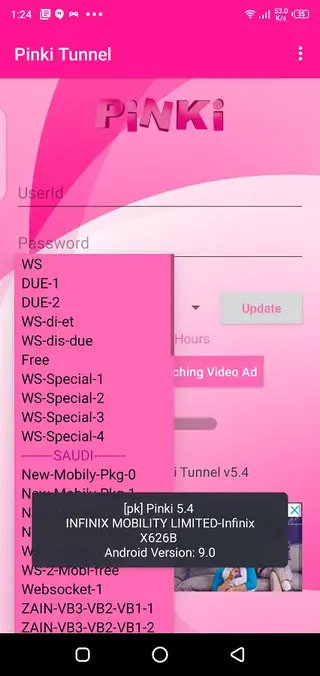
Offers a range of servers in different countries so you can switch locations and choose the route that works best at a given time.
Fast and responsive connections
Focuses on quick connection times and low ping where possible to keep browsing and streaming more comfortable.
No root required
Works on standard Android devices without root access, making it easy to install and use on most phones and tablets.
Simple one-tap interface
Provides a user-friendly layout with clear connect and disconnect controls suitable for beginners.
Ad-supported premium access
Lets you watch ads to temporarily unlock or upgrade certain VPN features instead of paying immediately.
Battery-friendly optimisation
Includes optimisation aimed at reducing battery impact while the VPN is active compared to heavier tools.
Support for restricted content
Helps you reach some region-locked apps and websites by connecting through a server in another supported country.
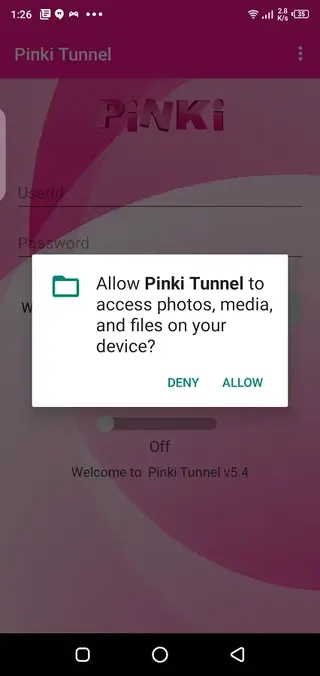
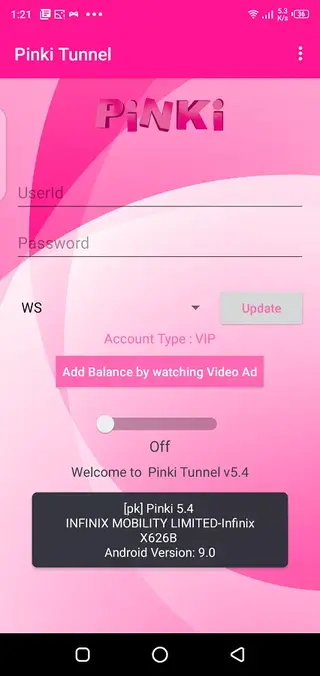
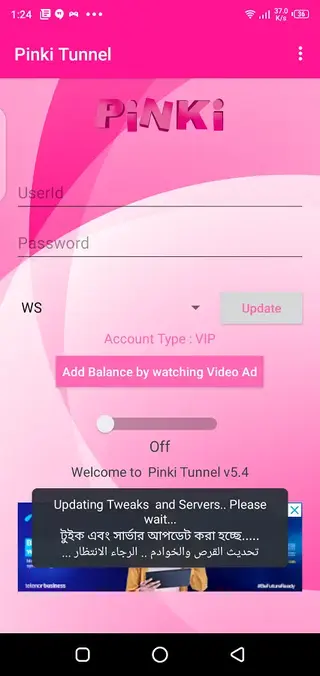
Screenshots
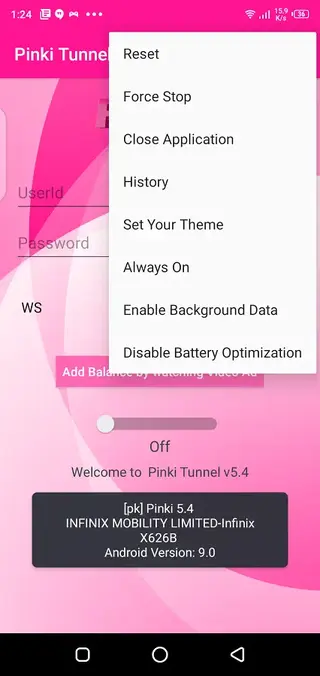
Compatibility and system requirements
Pinki Tunnel is designed for Android smartphones and tablets. The version referenced here targets devices running Android 4.1 and above, which covers many older and newer phones. For the best performance, using it on a more recent Android version with stable network connectivity is recommended.
The app functions over both mobile data and Wi-Fi connections. Performance will depend on your network quality, distance to the selected server, and any regional limits applied by your provider.
Tips for better VPN performance
To get more consistent results from Pinki Tunnel, it helps to follow a few simple practices:
Choose a server that is geographically closer to your real location when speed matters more than region changes.
Switch servers if you experience high latency or frequent disconnections.
Use a stable Wi-Fi connection for streaming or large downloads when possible.
Close unused background apps that consume bandwidth to keep more capacity for the VPN connection.
These steps can make everyday browsing, messaging, and streaming more stable while the VPN is active.
FAQs
Pros
- Simple interface suitable for beginners
- Multiple VPN servers across different regions
- No root access required for installation or use
- Ad-based access to some premium-style features
- Relatively lightweight and designed to be battery friendly
- Can route device-wide traffic through the VPN tunnel
Cons
- Contains ads that may interrupt the experience
- Quality and speed of servers can vary by time and region
- Advanced configuration options are limited compared to enterprise VPN tools
- Requires an active internet connection to function
Conclusion
Pinki Tunnel offers a straightforward VPN experience for Android users who want easy, device-wide tunneling with multiple servers and a simple interface. By downloading the official APK directly from our website, you can install it on compatible devices, switch servers with a tap, and add a practical privacy layer to your everyday internet use.




Comments
No approved comments yet.