

Wire Tun
Wire Tun is a VPN app for Android that helps you protect your online activity and hide your IP address with a simple one-tap connection. It focuses on fast servers and straightforward controls so anyone can start using it in seconds.
With Wire Tun, you can route your traffic through secure tunnels, reduce tracking, and access apps and sites that may be blocked in your region. The app offers multiple global server options and aims to keep connections stable for everyday browsing and streaming.
You can download the official Wire Tun APK directly from our website and install it on compatible Android phones and tablets without any complicated setup. There are more tools available on our website, which offer similar services. So, if you want to try more of these tools, then get iTop VPN Mod and DS Tunnel.
Rate this app
App details
- App name
- Wire Tun
- Category
- Tools
- Version
- v1.7.9
- Size
- 25.33 MB
- Requirements
- 5.0 and Above
- Package name
- com.wiretun
- Publisher
- WIRE TUN NETWORK
- Price
- Free
- Mod
- No
- Downloads
- 91,456
- Rating
- 4.6 / 5
- Rating count
- 31,980
- Play Store
- Yes
- Requires root
- No
- Offline support
- No
- Contains ads
- Yes
- In-app purchases
- No
- Updated
- May 18, 2026
- Age rating
- Rated for 7+
Table of contents
What is Wire Tun APK
Wire Tun APK is an Android VPN application developed by WIRE TUN NETWORK that creates an encrypted tunnel between your device and remote servers. By routing your internet traffic through these servers, the app helps you mask your real IP address and appear online as if you are browsing from another country.
The app is built for users who want a simple way to improve their privacy on public Wi-Fi, avoid basic tracking, or reach content that is not normally available in their location. You can choose from different server locations such as the United States, United Kingdom, Canada, Germany, and others, then connect with a single tap.
Wire Tun runs on Android 5.0 and above and is designed as a lightweight tool. It focuses on clear controls, quick server switching, and basic VPN options rather than complex configuration that might confuse casual users.
Why download Wire Tun for Android
People download Wire Tun because it offers a quick way to add an extra layer of privacy and flexibility to their everyday internet use. If you often connect to public hotspots in cafes, airports, or hotels, a VPN like Wire Tun can help reduce the risk of your traffic being monitored on unsecured networks.
The app can also be useful if some websites, social platforms, or streaming services are not reachable from your country or are limited by local rules. By connecting through a different region, you may be able to load content that was previously blocked, subject to the policies of those services.
Another reason to try Wire Tun is convenience. The interface keeps things simple, so you do not need advanced technical knowledge to start using a VPN. You can download the official APK from our website, install it, choose a server, and connect within a few moments.
How Wire Tun can be useful
Wire Tun can be helpful in several everyday situations where a standard connection feels limited or exposed. When you browse over open Wi-Fi, the app encrypts your traffic between your device and its servers, which can make casual interception more difficult.
For users living in regions with strict site filtering, the tunneling feature can sometimes bypass basic network blocks and firewalls. By sending your traffic through another country, some domain or app restrictions may no longer apply at the local network level.
The app can also support more private browsing habits. While no VPN can make you completely anonymous, changing your visible IP address and routing traffic through remote servers can reduce simple IP-based tracking and help separate different activities under different virtual locations.
Because Wire Tun is lightweight and focused on core VPN functions, it can fit well on devices with limited storage and be used alongside your regular browser, messaging tools, and streaming apps.
How to download and install Wire Tun APK
You can get the official Wire Tun APK file directly from our website and install it on your Android device in a few simple steps. Make sure your device runs Android 5.0 or higher.
Follow these steps to download and install:
Scroll to the download area on this page and tap the Wire Tun APK download button.
Wait for the APK file to finish downloading to your Android device.
Open your device settings and enable installation from unknown sources for your browser or file manager if it is not already allowed.
Locate the downloaded APK in your Downloads folder or file manager and tap it.
Review the permissions requested, then tap Install and wait for the process to complete.
Open Wire Tun from your app drawer, choose a server location, and tap Connect to start using the VPN.
If you later download an updated version from our website, you can install it over the existing app while keeping your basic settings, as long as the package name remains the same.
Features
Simple one-tap VPN connection
Connect and disconnect from VPN servers with a single tap, without complex configuration menus.
Multiple global server locations
Choose from servers in regions like the USA, UK, Canada, Germany and others for different routing options.
IP masking and virtual location
Hide your real IP address and appear online as if you are browsing from another country.
Traffic tunneling for restricted sites
Use tunneling to try to reach websites and apps that may be blocked on local networks or by simple firewalls.
Encryption for public Wi-Fi use
Encrypt traffic between your device and Wire Tun servers to help protect data on open Wi-Fi hotspots.
Fast and responsive connectivity
Servers are optimized for quick connection times to keep switching and reconnection smooth.
No registration required to start
Start using core VPN functions without going through long sign-up or account creation steps.
Lightweight Android tool
The app is relatively small in size and designed to run on a wide range of Android 5.0+ devices.
Screenshots
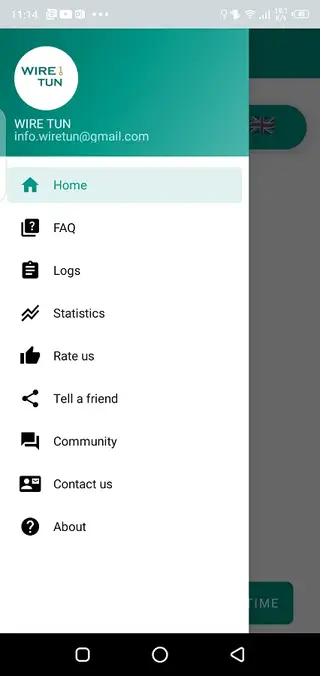
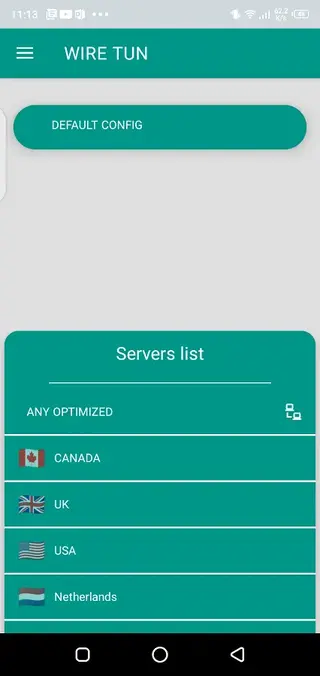

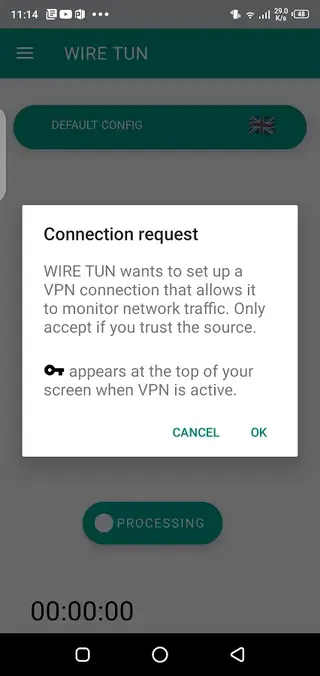
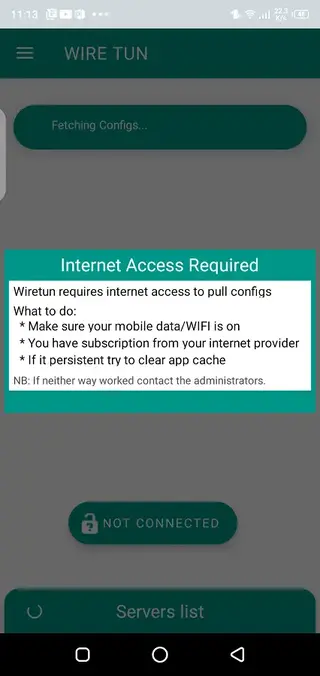
Server locations and performance
Wire Tun includes several server locations spread across different countries, including popular choices such as the United States, United Kingdom, Canada, and Germany, along with other regions. These locations allow you to experiment with different routes for browsing, messaging, or streaming.
Performance will depend on factors such as your distance from the chosen server, network congestion, and your local connection quality. In general, closer servers may offer better speeds and lower latency, so it is often best to test a few options and keep the one that gives you the most stable experience.
Using Wire Tun on public Wi-Fi
Public Wi-Fi networks are often less secure than private home connections. When you connect to an open hotspot, other users on the same network might be able to observe unencrypted traffic. Wire Tun adds a layer of protection by encrypting data between your device and its VPN servers.
To use Wire Tun on public Wi-Fi, open the app before you start sensitive tasks such as logging in to accounts or entering payment details. Connect to a server, wait until the VPN status shows as connected, and then open your browser or apps as usual.
Limitations and responsible use
While Wire Tun can help you bypass basic blocks and improve privacy, it has limitations. Some streaming platforms, banks, and online services actively detect and restrict VPN traffic. In those cases, certain features or content may still remain unavailable.
It is also important to use VPN tools responsibly. Always follow the laws and regulations in your country and respect the terms of service of the websites and apps you access. A VPN does not replace strong passwords, two-factor authentication, or careful handling of personal data.
FAQs
Pros
- Easy one-tap connection that suits beginners
- Multiple global servers give flexible virtual locations
- Helps bypass basic geo-restrictions and network blocks
- Useful for adding protection on public Wi-Fi networks
- Lightweight app that works on Android 5.0 and above
- No complicated registration process to start using the VPN
Cons
- Free servers may be slower during peak times
- VPN connections can be unstable on weak networks
- May not work against advanced censorship or deep inspection
- Contains in-app advertising which can distract some users
- VPN use does not replace strong account security practices
Conclusion
Wire Tun is a straightforward VPN app for Android users who want an easier way to encrypt traffic, hide their IP, and try accessing restricted sites. It combines simple controls, several server locations, and lightweight performance, making it a practical option for everyday privacy-focused browsing. You can download the official Wire Tun APK from our website and start using it within minutes on a compatible device.




Comments
No approved comments yet.