

Pinoy Animedia
Pinoy Animedia is an Android app focused on anime, cartoons, and kids entertainment channels. It brings popular shows, movies, and live cartoon networks together in one simple interface.
With this app you can browse anime titles, discover animated films, and access IPTV channels without complex setup. The APK file is available on our website, so you can download and install it directly on your Android phone or tablet.
The app targets users who want a dedicated animation hub instead of jumping between multiple streaming platforms. Everything is organized into clear sections so you can start watching in just a few taps.
If you are not satisfied with the available services, then we have more suggestions for you. Try AnimeFrenzy and Anime Fanz Tube, both of these are quite popular Movie apps, which you can also use for free.
Rate this app
App details
- App name
- Pinoy Animedia
- Category
- Entertainment
- Version
- v2.0
- Size
- 41.66 MB
- Requirements
- 5.0 and Above
- Package name
- com.pinoy.media
- Publisher
- PINOY
- Price
- Free
- Mod
- No
- Downloads
- 568,767
- Rating
- 4.5 / 5
- Rating count
- 12,584
- Play Store
- No
- Requires root
- No
- Offline support
- No
- Contains ads
- Yes
- In-app purchases
- No
- Updated
- May 8, 2026
- Age rating
- Rated for 3+
Table of contents
What is Pinoy Animedia App
Pinoy Animedia is an Android entertainment application designed for anime and cartoon fans. It focuses on animated movies, TV shows, and cartoon IPTV channels, giving users a single place to explore this type of content.
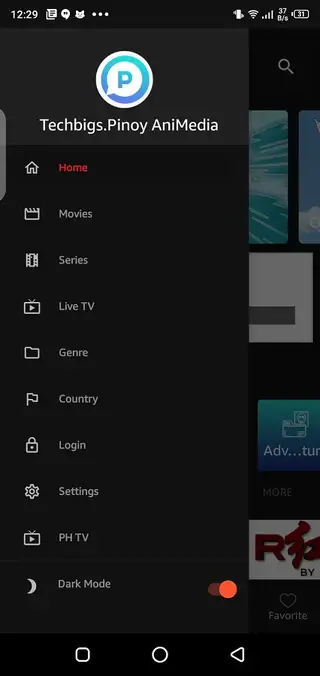
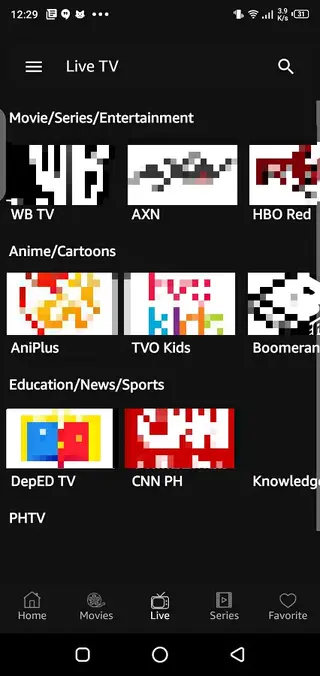
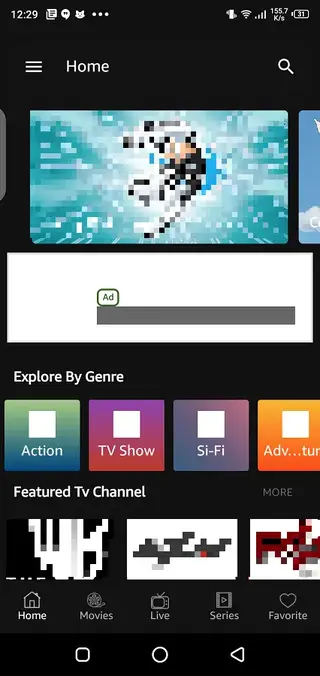
The app organizes content into three main areas: Movies, TV Shows, and IPTV. In the Movies and TV Shows sections you can find animated films and series, while the IPTV section focuses on live cartoon and kids channels.
Pinoy Animedia works through online streaming, so you need an active internet connection to watch content. The app includes an internal video player with basic playback controls and multiple quality options so you can adjust the stream according to your connection speed.
The interface keeps everything straightforward, making it easier for kids and adults to navigate. You open the app, pick a category, search or browse titles, and start streaming without going through complex settings or account creation.
Why Download Pinoy Animedia APK from Our Website
Downloading the Pinoy Animedia APK from our website lets you get the current available version directly, without searching around different sources. The official file provided here matches the details listed on this page, including version name and package ID.
Because the app is not listed on Google Play, the APK file is the main way to install it on Android devices. By using the download link on our website, you avoid confusing mirrors and can focus on installing and using the app.
Another benefit is convenience. All key information such as Android version requirement, app size, and basic feature overview appears alongside the download section. You can quickly confirm whether the app fits your device and usage needs before installing.
How Pinoy Animedia Can Be Useful
Pinoy Animedia is useful for users who mainly watch animated content and want everything grouped in one app. Instead of mixing anime with other genres, this app keeps the focus on cartoons, anime series, and kids channels.
Parents can use the IPTV cartoon networks as a quick way to put on kids programming without browsing large general-purpose streaming platforms. Anime fans can explore movies and series from the same interface and switch between on-demand titles and live channels easily.
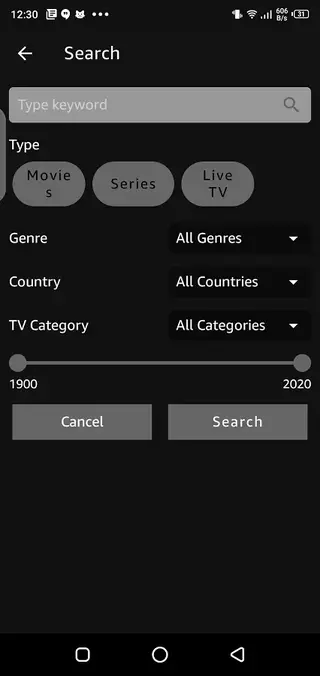
The adjustable video quality helps when your connection is unstable, so you can lower the resolution to maintain smoother playback. The built-in search and filtering tools also save time by helping you locate a specific show, character, or title without scrolling endlessly.
How to Download and Install Pinoy Animedia APK
You can download the official Pinoy Animedia APK file directly from our website. Follow these steps to get the app on your Android phone or tablet:
Scroll to the download section on this page and tap the APK download button for Pinoy Animedia.
Wait until the APK file finishes downloading to your device.
Open your device settings and enable installation from unknown sources or allow your browser to install apps.
Locate the downloaded APK file in your Downloads folder or notification panel.
Tap the file, review the installation prompt, and confirm to install.
Once installation is complete, open Pinoy Animedia from your app drawer and start exploring the content.
If the installation fails, check that your device meets the minimum Android version requirement listed on this page and that you have enough free storage space.
Features
Focused on anime and cartoons
The app concentrates on animated content including anime series, movies, and kids cartoons instead of mixing many unrelated genres.
Separate sections for movies TV and IPTV
Content is organized into Movies, TV Shows, and IPTV so users can quickly jump to on-demand titles or live channels.
Free streaming access
The app offers access to its libraries without subscription payments, keeping usage simple for casual viewers.
Built in video player
Pinoy Animedia includes its own player with basic playback controls to watch content directly inside the app.
Adjustable video quality
Users can change the streaming quality to match their internet connection and reduce buffering when needed.
Filter based search
A search function with filters helps users find specific titles or types of content more efficiently.
User friendly layout
The interface is kept straightforward so adults and younger viewers can navigate categories and start playback easily.
No registration requirement
You can start streaming without creating an account, although optional sign in may unlock extra conveniences like saving favorites.
Screenshots

Streaming Quality and Performance
Pinoy Animedia focuses on providing flexible streaming quality so users on different networks can still watch content. Inside the player you can usually switch between quality levels, which can help prevent buffering when using mobile data or slower Wi Fi connections.
Performance can vary depending on your device, Android version, and network speed. For the best experience, keep enough free storage and close other heavy background apps while streaming.
Safety and Legal Considerations
Streaming apps that aggregate movies, anime, and IPTV channels can sometimes include links to content whose licensing status may vary by region. Users should always respect local laws and the rights of content owners when deciding how to use such apps.
Before installing any APK, it is good practice to review the permissions requested during installation and keep your device security settings up to date.
Device Compatibility and Requirements
Pinoy Animedia is built for Android devices that meet the minimum version requirement listed in the technical details on this page. Phones and tablets running a newer Android version generally provide better stability and playback performance.
The app does not require root access, so most standard consumer devices can install it through the APK file once installation from unknown sources is enabled.
FAQs
Pros
- Specialized app for anime and cartoon content
- Simple interface suitable for both adults and kids
- Includes movies, TV shows, and IPTV cartoon channels
- Built in video player with quality adjustment options
- No mandatory registration to start streaming
Cons
- Requires a stable internet connection for streaming
- Not available on Google Play so updates must be installed via APK
- Content catalog and link stability may change over time
- No clear offline download mode for watching without internet
Conclusion
Pinoy Animedia offers a focused way to watch anime, animated movies, and cartoon IPTV channels on Android. If you want a simple, animation centered streaming app, you can download the official APK from our website and start watching in a few minutes.




Comments
No approved comments yet.