

Reproductor MP3
Reproductor MP3 is a lightweight music player for Android that combines a clean interface with practical tools like an audio cutter and equalizer-style sound controls. It scans your device and organizes local songs automatically.
With support for common audio formats and simple navigation, you can manage playlists, trim tracks into ringtones, and fine tune bass, virtualizer, and balance in one place. Everything runs locally, so you can keep listening even when you are offline.
You can download the official Reproductor MP3 APK latest version directly from our website and start enjoying a focused, ad-supported music experience on your phone or tablet.
Rate this app
App details
- App name
- Reproductor MP3
- Category
- Video Players & Editors
- Version
- v3.6.4
- Size
- 6.56 MB
- Requirements
- 5.0 and Above
- Package name
- mp3songs.mp3player.mp3cutter.ringtonemaker
- Publisher
- Accountstudio
- Price
- Free
- Mod
- No
- Downloads
- 99,204
- Rating
- 4.4 / 5
- Rating count
- 3,845
- Play Store
- Yes
- Requires root
- No
- Offline support
- Yes
- Contains ads
- Yes
- In-app purchases
- Yes
- Updated
- May 11, 2026
- Age rating
- Rated for 3+
Table of contents
What is Reproductor MP3 App?
Reproductor MP3 is an Android music player app developed by Accountstudio. It focuses on playing local audio files stored on your device and gives you extra tools to control sound quality and cut tracks into shorter clips.
The app automatically scans your internal storage and SD card for supported audio files and lists them in a simple library view. From there, you can play tracks, mark favorites, create ringtones, or adjust the listening profile using built in audio controllers.
Unlike streaming platforms, Reproductor MP3 works mainly with your existing music collection. Once your songs are on the device, you can listen without an internet connection and manage everything from one compact media player.
Why download Reproductor MP3 for Android?
Reproductor MP3 is useful for anyone who prefers to keep music stored locally and wants more than a basic player. It offers smart playback controls, playlist management, and an integrated audio cutter without turning into a heavy, complex app.
Because the player fetches music files automatically, you do not have to import folders manually every time. You can quickly search by song title, artist, or file name, jump between tracks with next and previous buttons, and shuffle or repeat playlists with a single tap.
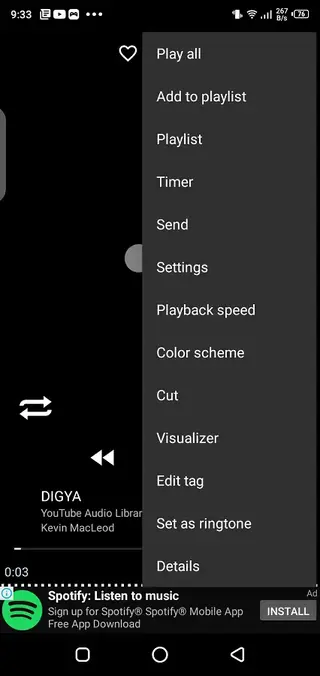
The audio cutter is another strong reason to download it. You can trim any section of a track and save it as a ringtone, notification tone, or short clip for creative use, all from inside the same app.
How is Reproductor MP3 useful?
Reproductor MP3 is designed to make everyday listening and basic audio editing easier on Android devices. Instead of installing separate tools for playback and cutting, you get both in one interface.
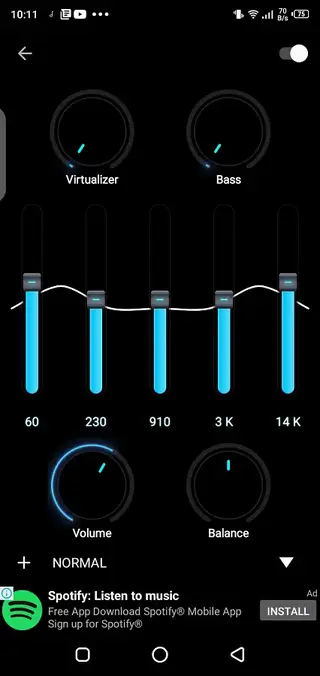
Its sound controllers let you tweak bass, virtualizer effects, volume, and left-right balance, so you can adapt audio to headphones, speakers, or car systems. Favorites and library filters help organize large collections, while quick search shortens the time you spend hunting for a specific song.
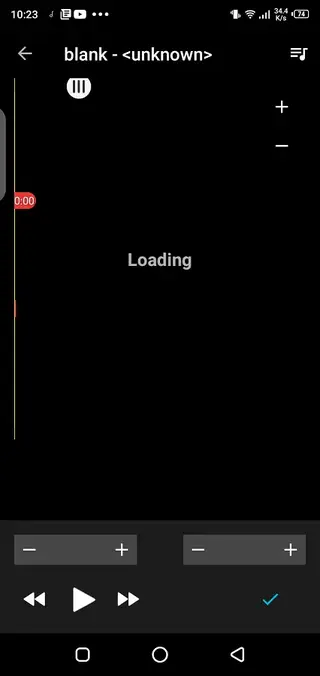
For users who frequently set custom ringtones or need short clips for videos and memes, the built in cutter removes the need for desktop software. You can mark the start and end points on the timeline, preview the result, and save the trimmed file directly on your phone.
If you want to get another MP3 Player, then we have some more suggestions for you. Tyr Muzio Player Pro and SPlayer, both of these are quite popular applications, that offer amazing features.
How to download and install Reproductor MP3 APK
You can get the official Reproductor MP3 APK file directly from our website and install it on your Android phone or tablet in a few simple steps.
Scroll to the download section on this page and tap the APK download button for Reproductor MP3.
Wait for the APK or XAPK file to finish downloading to your device.
Open your device settings and enable installation from unknown sources if it is not already allowed.
Locate the downloaded file in your Downloads folder or file manager and tap it to start installation.
Follow the on screen prompts to complete the setup, then open Reproductor MP3 from your app drawer.
Grant storage permission so the app can scan your audio files and build your music library.
After installation, your local tracks will appear inside the app, and you can start playing music or using the audio cutter right away.
Features
Automatic music library scan
The app scans your device storage for compatible audio files and adds them to the library so you can start listening without manual importing.
Simple playback interface
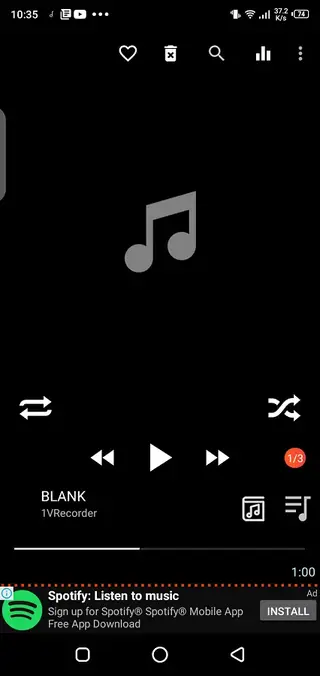
A clean player screen shows cover art, a progress bar, and essential controls such as play, pause, next, previous, shuffle, and repeat.
Smart playback controls
Use next, previous, shuffle, repeat, and library buttons to navigate tracks and playlists quickly while listening.
Favorites and file actions
Mark songs as favorites, delete unwanted files from your library, or manage tracks directly from the player screen.
Powerful audio controllers
Adjust bass, virtualizer, volume level, and stereo balance to match your headphones or speakers and refine your listening profile.
Integrated audio cutter
Trim specific parts of any track to create custom ringtones, notification sounds, or short clips for memes and social media.
Search and filtering
Find songs quickly by searching titles, artist names, or file names, making it easier to manage larger offline music collections.
User friendly design
The interface focuses on large buttons and clear menus so users of all levels can handle playback, editing, and library tasks easily.
Screenshots
Audio cutter and ringtone maker
The audio cutter is one of the most practical parts of Reproductor MP3. After choosing a song, you can open the cutter view, move the start and end markers along the waveform or progress bar, and preview the selected section before saving.
This makes it easy to cut out intros, keep only a chorus, or extract a short sound effect. Saved clips can then be used as ringtones, alarms, notification sounds, or imported into other apps for creative projects.
Sound customization options
To adapt audio to different listening environments, Reproductor MP3 provides several sound controllers. You can increase or reduce bass, enable virtualizer effects for a more spacious feel, control overall volume within the app, and adjust left-right balance.
These tools help improve clarity on budget headphones, fine tune sound for external speakers, or correct imbalanced audio when using a single earbud. Settings are simple enough that you can experiment without audio engineering knowledge.
Permissions and compatibility
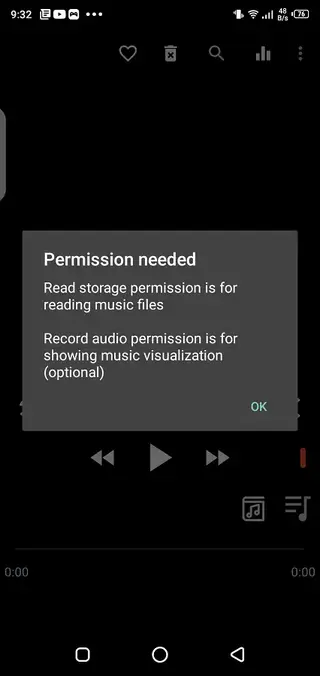
Reproductor MP3 targets Android 5.0 and above, which covers most modern phones and tablets. When you first launch the app, it typically asks for storage permission so it can scan your internal memory and SD card for audio files.
The app does not require root access and runs on standard, non modified Android devices. For the best experience, keep your system updated and ensure you have enough free storage for both the app and your music library.
FAQs
Pros
- Lightweight offline music player for local audio files
- Automatic scanning and organization of songs on the device
- Built in audio cutter for creating ringtones and short clips
- Bass, virtualizer, and balance controls to tune sound output
- Simple interface with clear playback and library controls
- Supports common MP3 and similar audio formats on Android
Cons
- Contains ads during usage which may distract some users
- Focuses on local files and does not provide music streaming
- In app purchases may be required to unlock some options or remove ads
- Limited advanced tag editing compared to dedicated music managers
Conclusion
Reproductor MP3 is a compact Android music player that focuses on offline listening and quick audio trimming. If you keep your songs stored locally and want straightforward playback, sound controls, and a ringtone cutter in one place, downloading the official APK from our website is a practical option.




Comments
No approved comments yet.