

Samsung Assistant
Samsung Assistant is a smart productivity app for Samsung phones that helps you manage reminders, schedules, and everyday tasks from one place. It is built to work deeply with Samsung’s own software and ecosystem.
With this APK, you can use advanced reminders, location-based alerts, and quick access to useful services directly from your Samsung device. You can download the official installation file directly from our website for fast and easy setup.
The app focuses on simple controls, voice support, and automation so you spend less time managing tasks and more time getting things done on your phone or tablet.
Rate this app
App details
- App name
- Samsung Assistant
- Category
- Tools
- Version
- v9.2.12.4
- Size
- 80.60 MB
- Requirements
- 5.0 and Above
- Package name
- com.samsung.android.app.sreminder
- Publisher
- Samsung Electronics Co. Ltd.
- Price
- Free
- Mod
- No
- Downloads
- 104,489
- Rating
- 4.3 / 5
- Rating count
- 23,171
- Play Store
- No
- Requires root
- No
- Offline support
- Yes
- Contains ads
- No
- In-app purchases
- No
- Updated
- May 8, 2026
- Age rating
- Rated for 3+
Table of contents
What is Samsung Assistant?
Samsung Assistant package name com.samsung.android.app.sreminder is a virtual assistant style reminder and productivity app designed for Samsung Android devices. It combines reminders, schedules, alerts, payments shortcuts, and quick information access to help you manage your daily routine.
The app focuses on smart reminders. You can create time-based and event-based tasks, set alerts for calls or messages, and let the app notify you exactly when you need to act. Voice input is supported, so you can add or manage tasks without typing.
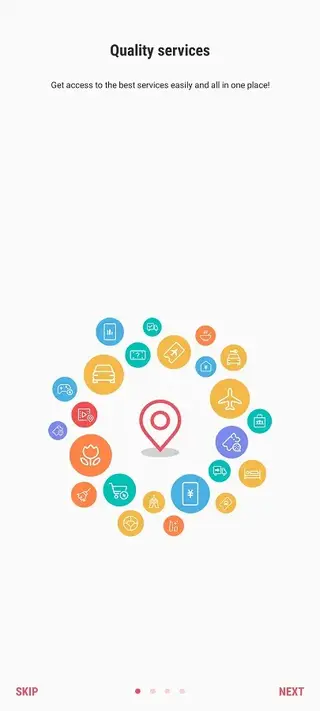
Samsung Assistant also connects with online services. It offers shortcuts for web search, online shopping, ticket booking, and other digital actions, so you move from planning to doing in fewer steps.
Because it is optimized for Samsung phones and tablets, the interface follows One UI design principles. That makes it easy to navigate, even if you are using it for the first time.
For users who like comparing Android utility tools, Seagull Assistant and MT Manager can also be useful references for understanding app management, assistant-style features, file handling, and mobile customization options on Android devices.
Why Download Samsung Assistant APK from Our Website?
Downloading the Samsung Assistant APK directly from our website gives you quick access to the current release without waiting for staged rollouts or device-specific delays. You can save the installer file, keep it for later use, or share it across your compatible Samsung devices.
Our download section provides the version name, Android requirement, and basic file details so you know exactly what you are installing. Once you download the APK, you can install it manually, update an existing version, or roll it out on multiple supported phones and tablets in your household.
If your local Play Store listing is limited or does not show the update, installing from the APK available on our website can be a practical option for getting the latest features sooner on your Samsung device.
How Samsung Assistant Is Useful?
Samsung Assistant is useful for anyone who wants their phone to help manage daily life instead of acting as a distraction. It works as a central place for reminders, schedules, and quick actions.
You can set reminders for calls, payments, shopping lists, or travel plans and let the assistant send timely notifications. Location and direction features help when you are on the move, while weather and traffic updates support better planning.
The app also offers shortcuts for web search, online payments, and ticket purchases, so you move from a reminder to completing the task in just a few taps. With voice control support and a clear interface, it reduces friction and keeps your focus on the task at hand.
How to Download and Install Samsung Assistant APK?
You can download the Samsung Assistant APK file directly from our website and install it manually on your compatible Samsung device. Follow these steps to complete the process safely and smoothly.
Scroll to the download section on this page and tap the available Samsung Assistant APK download button.
Wait for the APK file to finish downloading to your phone or tablet.
Open your device settings and go to security or privacy settings.
Enable the option that allows app installs from unknown or external sources for your browser or file manager.
Open your downloads folder and tap the Samsung Assistant APK file.
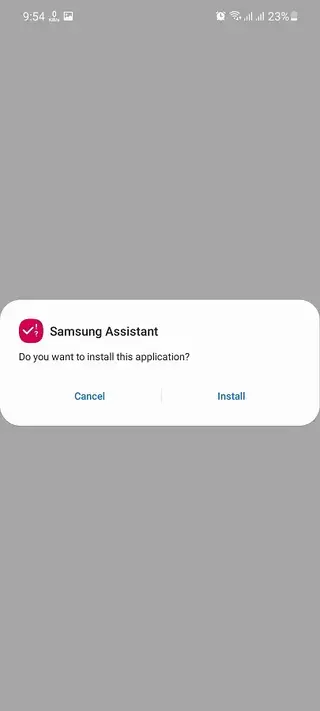
Review the on screen prompts and tap Install to start the installation.
Once the installation is complete, open Samsung Assistant, sign in with your Samsung account if needed, and configure your reminders and preferences.
After the first manual install, future updates can also be applied by downloading newer APK versions from our website and installing them over the existing app.
Features
Smart reminders and scheduling
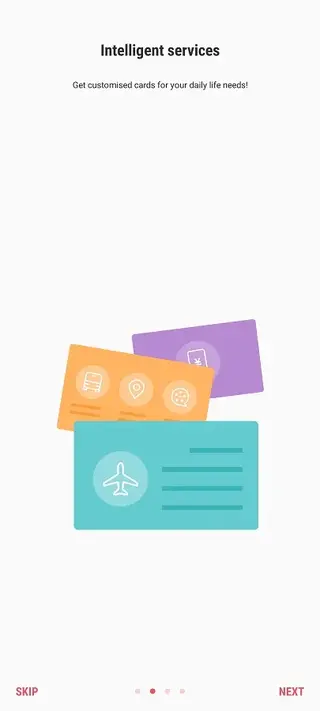
Create time-based and event-based reminders for calls, messages, tasks, and daily activities with clear notifications.
Voice control support
Add, edit, and manage reminders and tasks using your voice so you can stay hands free when needed.
Instant web search
Run quick web searches from within the assistant and see relevant results without extra steps.
Location and navigation help
Access directions, routes, and basic traffic information so you can plan your travel more efficiently.
Weather alerts and forecasts
Check current conditions and short-term forecasts to plan your day and outdoor activities.
Online payment and purchase shortcuts
Use shortcuts to pay for online products, services, and tickets directly from your device.
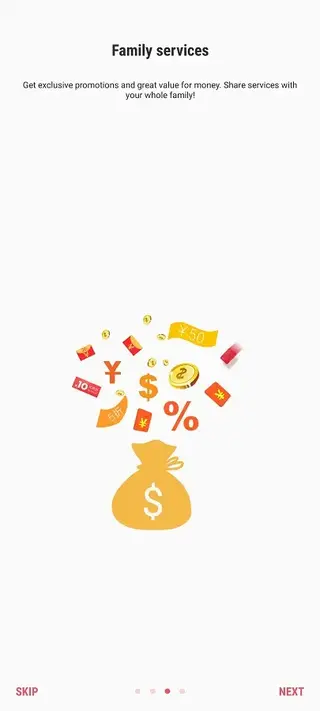
Account sharing with family
Use the same Samsung account across family devices so everyone can access shared assistant features.
User friendly interface
Enjoy a clean, simple layout that follows Samsung design standards and is easy to understand.
Screenshots
System Requirements and Compatibility
Samsung Assistant is built for Android 5.0 and above, with a focus on Samsung devices running One UI or earlier Samsung interfaces. To get the best experience, use it on a relatively recent Samsung smartphone or tablet with enough storage and memory for daily background operation.
Because it ties into Samsung services and account features, you may need a valid Samsung account and up to date system apps. Some capabilities, such as payments or ticket booking, can vary by country, operator, and local service support.
Tips for Getting Started
After installing Samsung Assistant, spend a few minutes configuring it so it matches your routine. Start by enabling notifications and giving the app the permissions it needs for reminders, calls, location, and calendar access.
Create a few simple reminders, like daily tasks or bill payment alerts, and test how the notifications appear. Then add location based or time specific reminders for commuting, shopping, or regular meetings. If you prefer voice input, enable voice controls and practice creating reminders using short, clear commands.
Privacy and Permissions Overview
Like most assistant and reminder apps, Samsung Assistant may request access to contacts, calendar, phone, location, and network connectivity. These permissions allow it to schedule calls, show location based information, and sync reminders.
You can review and adjust permissions at any time in your device settings. If you are concerned about specific data access, disable the related permission and use only the features you are comfortable with. Always review the app permissions carefully when installing or updating the APK.
FAQs
Pros
- Optimized for Samsung Android phones and tablets
- Offers smart reminders and powerful scheduling tools
- Supports voice input for hands free operation
- Provides quick access to web search and online services
- Includes location, direction, and weather related information
- Clean and familiar interface aligned with Samsung design
Cons
- Designed specifically for Samsung devices and may not work properly on other brands
- Requires internet access for many online payment, shopping, and search features
- Manual APK installation may feel complex for complete beginners
- Features and availability can vary by device model and region
Conclusion
Samsung Assistant is a focused productivity and reminder tool for Samsung users who want smarter scheduling and quick access to everyday digital services. By downloading the APK from our website, you can install or update the app on supported devices, set up powerful reminders, and let your phone handle more of your routine tasks for you.




Comments
No approved comments yet.