

Sax Video Player All Format
Sax Video Player All Format is a lightweight Android media player that focuses on smooth playback for a wide range of video formats, including HD and 4K content. It is designed for users who store movies, series, clips, and status videos directly on their devices.
The app automatically scans your phone storage, organizes local video files, and offers gesture-based controls for volume, brightness, and playback position. It aims to make offline video watching simple and comfortable on phones and tablets.
You can download the official Sax Video Player All Format APK directly from our website and install it on any compatible Android device running Android 5.0 or above.
https://apkoll.com/sax-video-player-all-format-apk/
Rate this app
App details
- App name
- Sax Video Player All Format
- Category
- Video Players & Editors
- Version
- v8.2
- Size
- 9.22 MB
- Requirements
- 5.0 and Up
- Package name
- com.simplemobiletools.gallery.dcube
- Publisher
- D-Cube Mobile
- Price
- Free
- Mod
- No
- Downloads
- 90,006
- Rating
- 4.5 / 5
- Rating count
- 30,001
- Play Store
- No
- Requires root
- No
- Offline support
- Yes
- Contains ads
- Yes
- In-app purchases
- No
- Updated
- May 29, 2026
- Age rating
- Rated for 3+
Table of contents
What is Sax Video Player All Format?
Sax Video Player All Format is an Android video player app developed by D-Cube Mobile. It focuses on playing a wide range of local video formats with stable performance and a simple interface. The player supports HD and many high-resolution files, so users can enjoy sharper picture quality on mobile screens.
After installation, the app scans your internal storage and SD card for media files and lists them in a clean library view. You can open movies, short clips, social media downloads, and other saved videos without worrying much about format support errors.
The player offers essential playback tools, such as speed control, gesture-based adjustments, subtitle support, and floating play mode on supported devices. It is mainly designed for offline playback, so you can watch stored content even when you have no internet connection.
We have more similar players, which you can also try on your Android device. So, if you want to get more similar apps, then try Xplayer Pro and YTV Player. Both of these are quite popular available apps, which also provide similar services.
Why download Sax Video Player All Format APK from our site
Downloading Sax Video Player All Format APK from our website gives you direct access to the official installation file for Android devices. You do not need to search multiple places or rely on other sources, because the current version is already available here.
With the APK file from our site, you can install the player on phones and tablets that may not have access to app stores or where store updates are delayed. This is helpful if you prefer manual installation, want to keep a backup of the APK, or use the app on secondary devices.
You can simply save the APK from our download page, move it to any compatible Android device, and install it without extra tools.
How Sax Video Player All Format is useful
Sax Video Player All Format is useful for Android users who keep a personal video library on their devices. Many built-in players fail to open certain file types or struggle with higher resolutions, which can interrupt entertainment. This app aims to reduce such issues by supporting a wide collection of formats and resolutions.
The automatic scanning system helps you find clips scattered across folders, so you do not need to browse each directory manually. Gesture controls make it easy to adjust brightness, volume, and playback progress while watching videos in full screen.
Subtitle support is valuable if you watch movies and series in different languages, and the ability to handle large files helps when you store full HD or 4K movies locally. Together, these features make the app practical for daily offline viewing on Android.
How to download and install Sax Video Player All Format APK
You can get Sax Video Player All Format directly from our website as an APK file. Follow these steps on your Android phone or tablet:
Scroll to the download section on this page.
Tap the download button for Sax Video Player All Format APK.
Wait until the APK file finishes downloading to your device.
Open your device Settings and enable installation from unknown sources if it is not already allowed.
Locate the downloaded APK in your Downloads folder using a file manager.
Tap the APK file and follow the on-screen prompts to complete installation.
Once installed, open Sax Video Player All Format and allow storage permissions so it can scan your videos.
After these steps, the player will list your local videos and you can start watching them immediately.
Features
All format local video playback
Plays many common video formats stored on your device so you can open most downloaded or transferred files without conversion.
Automatic media scanning
Scans internal storage and SD card to detect available video files and organize them inside the app library for quick access.
HD and 4K support
Supports high definition and many high-resolution videos so you can enjoy clearer picture quality on supported devices.
Gesture-based controls
Lets you control volume, brightness, and seek position with simple screen gestures while watching in full screen mode.
Simple, clean interface
Provides a straightforward layout with clearly labeled options designed to be easy to use for beginners and regular users.
Subtitle support
Supports multiple subtitle formats so you can load external subtitle files or use embedded subtitles when available.
Playlist and multi-select
Allows selecting multiple video files and organizing them for continuous playback without returning to the library every time.
Floating video playback
On supported devices, you can keep a small floating player on top of other apps to continue watching while multitasking.
Screenshots
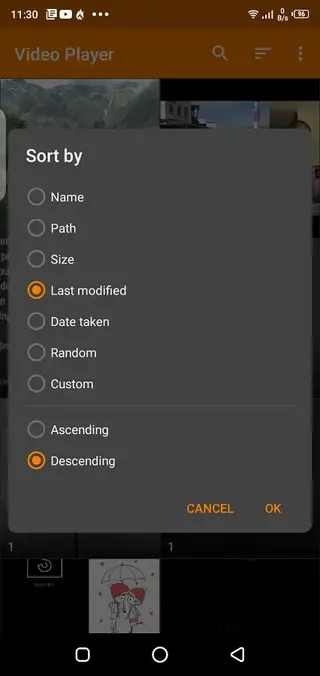
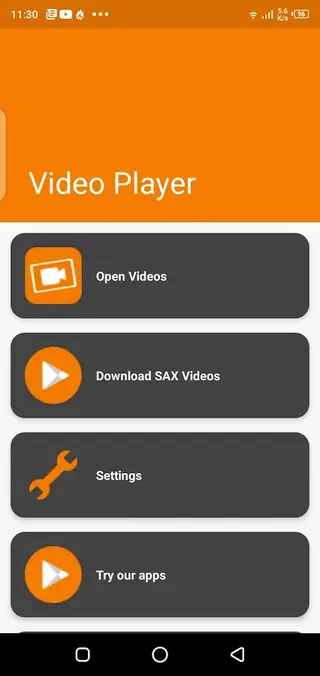


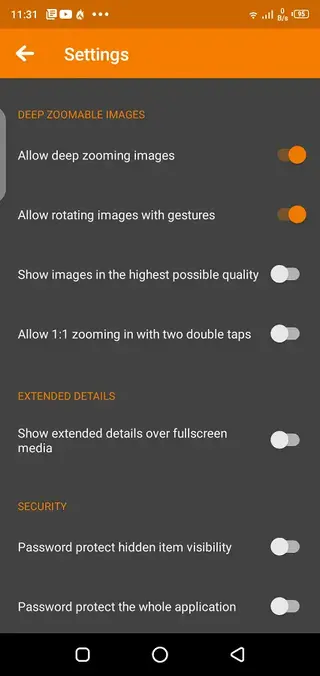
Playback controls and user experience
Sax Video Player All Format focuses on straightforward playback controls to keep the viewing experience smooth. You can pause, resume, and seek through videos with a simple slider, and the gesture controls along screen edges help you adjust brightness or volume without leaving full screen.
On compatible devices, the app can remember your last playback position, which is helpful for long movies. The layout shows file names, durations, and thumbnails where available, so you can quickly identify the clip you want to open.
Subtitle handling and audio options
Subtitle support is important for users who watch movies and series in different languages. Sax Video Player All Format allows you to load external subtitle files in common formats when they are stored in your device along with the video.
You can adjust subtitle visibility and sync in many cases, making dialogues easier to follow. Along with that, basic audio controls help you manage volume and select different audio tracks if the video contains more than one.
Device compatibility and requirements
The APK available on our website is built for Android 5.0 and above, which includes a wide range of phones and tablets. Because the player handles local files, it does not require a constant internet connection after installation.
For smooth playback of HD or 4K videos, you should use a device with sufficient processing power and available storage. Granting storage permissions is necessary so the app can scan, list, and open your media files correctly.
FAQs
Pros
- Supports many local video formats including HD and high-resolution files
- Automatic scanning quickly finds video files across device storage
- Gesture-based controls make playback adjustments fast and convenient
- Subtitle support improves experience when watching movies and series
- Interface is simple enough for new Android users
Cons
- May show ads during use depending on version
- Focuses on local playback and does not provide streaming services
- Advanced editing tools are limited compared to dedicated video editors
Conclusion
Sax Video Player All Format is a straightforward Android video player built for offline viewing of local media files. If you want a simple tool that opens many formats, supports HD playback, and offers useful controls without a complicated interface, you can download the official APK from our website and start using it on any compatible Android device.




Comments
No approved comments yet.