

YTV Player
YTV Player is a lightweight Android media player that lets you open video links and IPTV streams directly on your phone or tablet. You can turn almost any compatible video URL into a playable stream inside one simple interface.
Instead of relying only on local files, this player focuses on URL-based playback. Add links from websites, IPTV lists, or social platforms and watch them in a clean, ad-free viewing environment.
On this page you can download the official YTV Player APK latest version for Android directly from our website and start building your own custom playlist of channels and videos.
Rate this app
App details
- App name
- YTV Player
- Category
- Video Players & Editors
- Version
- v14.0
- Size
- 13.93 MB
- Requirements
- 6.0 and Above
- Package name
- com.ytv.player
- Publisher
- Prod ADP
- Price
- Free
- Mod
- No
- Downloads
- 79,297
- Rating
- 4.7 / 5
- Rating count
- 24,828
- Play Store
- Yes
- Requires root
- No
- Offline support
- Yes
- Contains ads
- No
- In-app purchases
- No
- Updated
- May 21, 2026
- Age rating
- Rated for 3+
Table of contents
What is YTV Player for Android
YTV Player is an Android media and IPTV player that works primarily with video URLs. Instead of bundling its own content library, it gives you a flexible player where you add your own links and streams.
With this app you can paste a video or IPTV URL, save it in your library, and play it whenever you want. It supports common streaming formats, offers basic playback controls, and focuses on a simple, clutter-free viewing experience.
The app does not require registration or subscriptions. All available tools are open once you install the APK, so you can start adding and organizing links right away.
We have similar applications here on our website for you, which also provide similar services. So, if you are willing to get more apps, then try ADV Player and ForkPlayer. These are quite popular platforms, which offer unique and amazing services.
Why download YTV Player APK from our website
Downloading the YTV Player APK directly from our website lets you get the current released version without searching through multiple pages. You can keep the installer on your device, share it with other Android phones, and reinstall it whenever needed.
The APK format is useful if the Play Store version is not available on your device, or if you prefer manual installation. By saving the file locally, you control when to update and can quickly restore the app after a reset.
Our download page focuses on a straightforward process: tap the download button, wait for the file to finish downloading, then install it on your Android device following the usual APK installation steps.
How YTV Player can be useful
YTV Player is useful if you often watch online videos or IPTV streams through direct links. Instead of juggling multiple apps or browsers, you can paste URLs into one player and keep them organized.
Users who manage IPTV playlists can store channel URLs and quickly open them inside the player. Others can save favorite clips from video-sharing or social platforms and build personal playlists without downloading every file.
The app’s minimal interface, aspect ratio controls, screen rotation, and zoom options make it comfortable to watch content in both portrait and landscape. Because it does not depend on heavy online catalogs, it usually feels light and responsive even on older devices.
How to download and install YTV Player APK
You can get the latest YTV Player APK file directly from our website and install it manually on your Android device. Follow these basic steps to start using the app.
Scroll to the download section on this page and tap the download button for YTV Player APK.
Wait until the APK file finishes downloading to your Android phone or tablet.
Open your device settings and enable app installs from unknown sources or allow your browser/file manager to install APKs.
Locate the downloaded APK in your notifications or file manager and tap it.
Review the installation prompts and tap Install.
Once the install completes, open YTV Player, start adding video or IPTV links, and begin playback.
If you update from an older version, installing the new APK over the existing app usually keeps your saved links, but backing up important URLs is always a good idea.
Features
Link-based media playback
Play online videos and streams by pasting their URLs directly into the player instead of relying only on local files.
IPTV channel support
Add IPTV channel links and watch live TV streams inside the app using your own playlists and URLs.
Personal video library
Save your favorite video and stream links in a built-in library so you can reopen them quickly later.
Editable video links
Edit, rename, or update saved URLs without needing to delete and re-add them from scratch.
Aspect ratio control
Adjust aspect ratio to fit, crop, or stretch videos so they match your device screen more comfortably.
Screen rotation and zoom
Force rotation and zoom videos in or out for better viewing in both portrait and landscape modes.
Simple user interface
Navigate a clean, user-friendly layout that focuses on playback controls and your saved links.
No registration required
Use all main features without creating an account, logging in, or entering personal details.
Screenshots
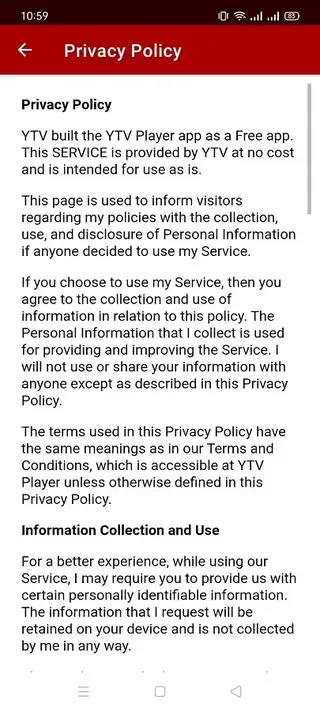
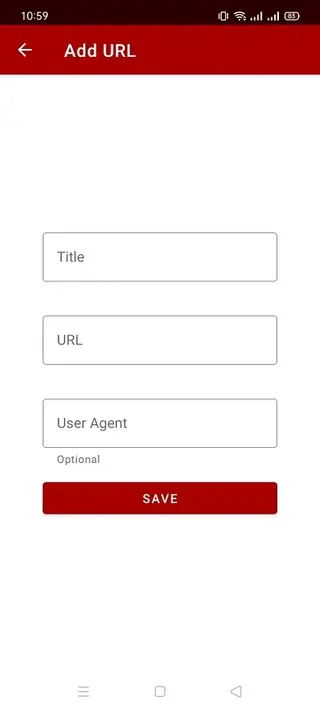
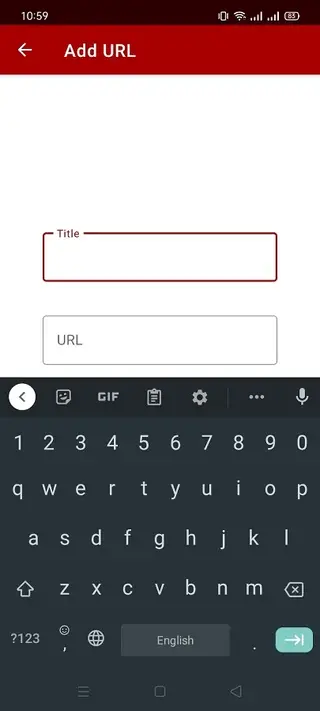

IPTV playback and channel management
One of the key use cases for YTV Player is IPTV playback. If you have an IPTV playlist or individual channel links, you can add them to the app and keep them organized in one list. Each link behaves like a channel entry that you can open whenever you want to watch live TV.
This approach gives you control over which channels appear in your player. You can remove broken streams, rename entries to match your preferences, and build your own mini line-up without depending on a fixed provider interface.
Playback controls and viewing comfort
The app includes basic playback functions along with tools to improve viewing comfort. You can toggle full-screen mode, control rotation, and adjust the aspect ratio to avoid black bars or unwanted cropping on different devices.
Screen zoom options help you fine-tune the frame when streams are not perfectly formatted for your screen, which is common with links from various sources. These small controls make long viewing sessions more comfortable.
FAQs
Pros
- Lightweight video and IPTV player focused on URL-based playback
- No registration or subscription required to use main features
- Supports IPTV channel links and regular video URLs
- Simple interface that is easy to learn for most users
- Includes aspect ratio, rotation, and zoom options for flexible viewing
- Lets you save and edit video and stream links inside the app
Cons
- Does not provide its own built-in content library or channels
- Requires users to find and manage their own video and IPTV URLs
- Streaming quality can depend heavily on the source link and connection
- Interface and features are more basic compared to some advanced players
Conclusion
YTV Player is a straightforward Android media player for people who prefer working with direct video and IPTV links. If you want a light app to open and organize streaming URLs with simple controls, downloading the YTV Player APK from our website is an easy way to get started.




Comments
No approved comments yet.