

Sec Booster
Sec Booster is a lightweight Android tool designed to optimize network routing for Garena Free Fire. It focuses on lowering ping and stabilizing your connection so online matches feel smoother.
The app uses in-app VPN style tunneling and smart server selection. With a few taps, you can connect to a suitable route and reduce lag spikes, packet loss, and random disconnections during gameplay.
You can download the official Sec Booster APK directly from our website and install it on any compatible Android phone or tablet without needing root access.
As you know there are multiple types of tools available for the users, through which players can get additional benefits in any game. FF Tools such as Game Booster VIP GFX Lag Fix and Speed Booster Proxy are quite popular. Therefore, try the available unique tools and enjoy gameplay.
Rate this app
App details
- App name
- Sec Booster
- Category
- Tools
- Version
- v1.1.1
- Size
- 9.75 MB
- Requirements
- 5.0 and Above
- Package name
- com.secbooster.app
- Publisher
- Frontedge Tech Private Limited
- Price
- Free
- Mod
- No
- Downloads
- 562,148
- Rating
- 4.4 / 5
- Rating count
- 9,541
- Play Store
- No
- Requires root
- No
- Offline support
- No
- Contains ads
- No
- In-app purchases
- No
- Updated
- May 13, 2026
- Age rating
- Rated for 3+
Table of contents
What is Sec Booster App
Sec Booster is a network optimization and game booster app for Android, created mainly for Garena Free Fire players. Instead of tweaking complex settings manually, you can use this tool to automatically improve your connection stability before or during a match.
The app acts like a dedicated gaming VPN for Free Fire. It changes your route through optimized servers so that your device reaches the game servers more efficiently. This can help reduce in-game ping and make movement, shooting, and looting feel more responsive.
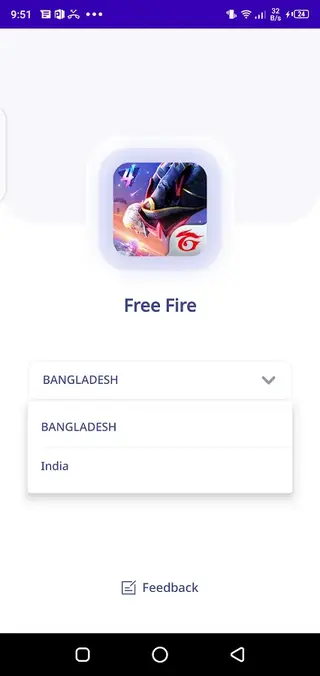
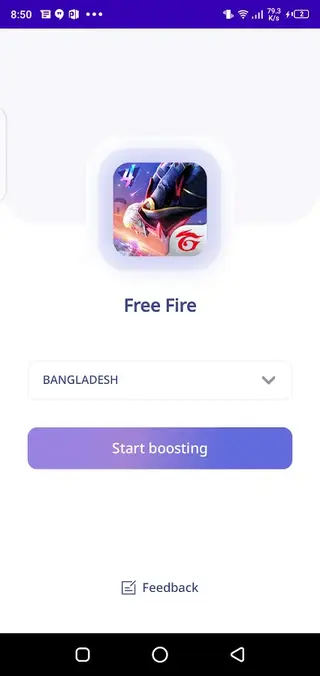
The interface is simple. You open the app, select the optimization option, and let Sec Booster handle background adjustments. It runs alongside your game, so you can keep playing while the app focuses on keeping your connection stable.
According to its Play Store listing, Sec Booster targets users in regions like India and Bangladesh, but the APK can be installed on any supported Android device where the app functions correctly.
Why download Sec Booster APK from our website
Downloading the Sec Booster APK from our website gives you quick access to the official installation file without region limitations. If the app is not visible or available on Google Play for your account, you can still install the same version by using the APK provided here.
Our download page offers the current release details such as version name, package name, and basic requirements, so you know exactly what you are installing. You can keep a backup of the APK on your device or PC and reinstall it whenever needed without repeating the Play Store download each time.
By getting the file directly from our website, you also gain more control over manual installation, app backups, and side-by-side testing on multiple Android devices.
How Sec Booster is useful for Free Fire players
Online battle royale games like Garena Free Fire rely on a stable and low-latency internet connection. Even a short spike in ping can cause delayed shots, rubber-banding, or sudden disconnections from the server. Sec Booster aims to minimize these issues for everyday players.
By routing traffic through optimized servers, the app can help:
Lower average ping to Free Fire servers in supported regions
Reduce random lag spikes and jitter that make aiming difficult
Improve overall responsiveness during close-range fights
Provide a more consistent experience on unstable or congested networks
For players who do not want to dive into complex network tools or manual VPN configuration, Sec Booster provides a simpler way to attempt connection improvements with one or two taps.
How to download and install Sec Booster APK
You can get the Sec Booster APK file directly from our website and install it manually on your Android device. Follow these steps:
Scroll to the download section on this page and tap the APK download button.
Wait for your browser to finish downloading the file to your device.
Open your phone’s file manager and locate the downloaded Sec Booster APK.
If this is your first manual install, enable installation from unknown sources when Android prompts you.
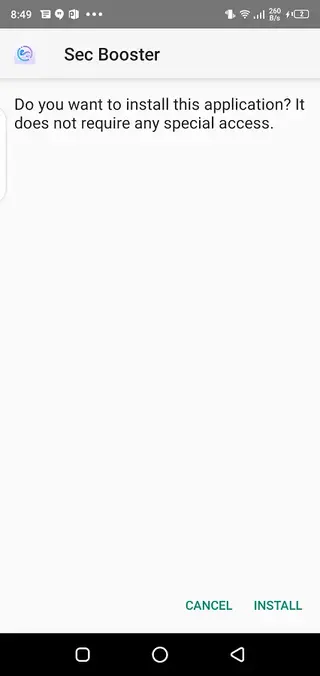
Tap Install and wait until the process completes successfully.
Launch Sec Booster from your app drawer and follow the on screen options to start optimizing your network for Free Fire.
Once installed, you can keep the APK on your device as a backup or return to our website whenever you want to download the latest available version.
Features
Focused on Garena Free Fire
The app is designed specifically with Free Fire players in mind, targeting typical lag and ping problems in that game.
In-app VPN style routing
Sec Booster uses VPN-like tunneling and custom routes to connect you to optimized servers for better network stability.
Automatic optimization
You do not need to edit advanced settings. The app automatically applies network optimizations when you enable it.
Ping reduction support
By using alternate routes, the app attempts to reduce in-game ping and packet loss where possible.
Fast and stable servers
The service uses active servers intended to keep your game connection stable and responsive during matches.
Simple user interface
The layout is minimal and beginner friendly, making it easy to connect and disconnect with a single tap.
No third party ads claimed
The original description notes that the app does not support third party ads, keeping the experience clean.
No premium subscription
The tool is offered as a free download with no separate premium tier mentioned in the original listing.
Screenshots
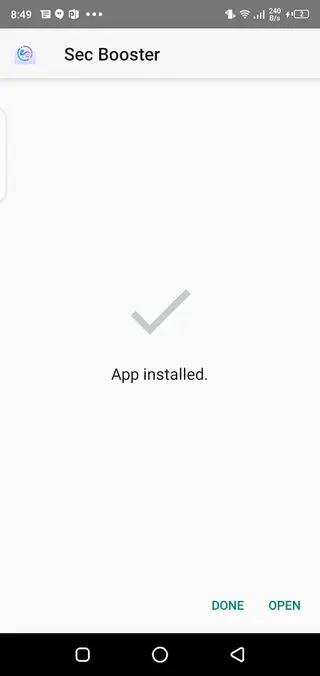
Device compatibility and requirements
Sec Booster supports a wide range of Android smartphones and tablets. The package name is com.secbooster.app, and the listed minimum Android version is 5.0 or higher. Most modern budget, mid-range, and flagship devices meet this requirement.
For best results, make sure:
Your device runs a stable Android build without heavy background restrictions.
Battery saver modes are disabled for Sec Booster and your game.
You have a reasonably stable mobile data or Wi-Fi connection.
The app does not need special hardware or root permissions, so you can install and use it on typical consumer devices.
Tips for better ping with Sec Booster
To get the most from Sec Booster, combine the app with a few simple network habits:
Play on a reliable Wi-Fi network when possible instead of congested mobile data.
Close heavy background apps that use bandwidth, such as streaming services or large downloads.
Keep your device close to the router or in an area with good mobile signal strength.
Connect Sec Booster before launching Free Fire so the route is active when the game starts.
These steps, alongside Sec Booster’s optimization, can help you reach a more stable and consistent gameplay experience.
Privacy and permissions overview
Because Sec Booster acts like a VPN style optimizer, it may request permission to set up a VPN connection on your device. This is needed for the app to route your traffic through its optimized servers.
Always review permissions during installation and within Android settings. If you are not comfortable with a particular permission, you can disable it or uninstall the app at any time.
FAQs
Pros
- Simple interface that is easy for beginners to use
- Designed specifically to help with Free Fire ping and lag issues
- Uses VPN style routing to attempt better network paths
- Does not require root access on Android devices
- Free to download and use with no premium tier mentioned
- Claims to avoid third party advertisements inside the app
Cons
- Actual ping improvement can vary depending on ISP and location
- Relies on an active internet connection and cannot help with very weak networks
- Optimizations are focused on Free Fire rather than all games
- Limited official availability on Google Play in some regions
Conclusion
Sec Booster is a small Android utility that aims to smooth out your Garena Free Fire experience by improving network routing and reducing ping where possible. If you often face lag, high latency, or unstable connections, downloading the Sec Booster APK from our website and trying it alongside your usual setup can be a practical way to attempt a more stable gameplay session.




Comments
No approved comments yet.