

Shizuku
Shizuku is a powerful Android tool that lets apps use system-level APIs through ADB or wireless debugging instead of traditional rooting. It helps advanced users and developers grant elevated permissions in a more controlled and transparent way.
With Shizuku, many root-style utilities, automation tools, and customization apps can work on devices that are not fully rooted. You manage which apps connect to Shizuku, so you stay in control of permissions while still unlocking advanced features.
You can download the official Shizuku APK latest version directly from our website and install it on supported Android phones and tablets running Android 7.0 or higher.
Rate this app
App details
- App name
- Shizuku
- Category
- Tools
- Version
- v13.6.0.r1091.b844bc49
- Size
- 2.48 MB
- Requirements
- 7.0 and Above
- Package name
- moe.shizuku.privileged.api
- Publisher
- Xingchen & Rikka
- Price
- Free
- Mod
- No
- Downloads
- 2,658,764
- Rating
- 4.5 / 5
- Rating count
- 28,547
- Play Store
- Yes
- Requires root
- No
- Offline support
- Yes
- Contains ads
- No
- In-app purchases
- No
- Updated
- Jun 3, 2026
- Age rating
- Rated for 3+
Table of contents
What is Shizuku App?
Shizuku is an Android tool that exposes system APIs to apps through ADB or wireless debugging, allowing them to perform tasks that usually require root access. Instead of permanently modifying the system, Shizuku creates a service that client apps can connect to when you allow it.
The app supports several startup methods, including wireless debugging on newer Android versions and ADB on a computer for older devices. Once the Shizuku service is running, compatible apps can request access and use advanced features such as modifying secure settings, managing permissions, or automating system actions.
Shizuku does not itself modify your system UI or add features. It works as a bridge between Android system APIs and other apps that integrate with it. This design gives power users more flexibility while keeping control over which apps gain elevated capabilities.
The best available way to access root services without any risk is to use the Shizuku Android. Get complete information related to the available unique features of this app. Get similar services with the Asisten Klik & Root Play.
Why download Shizuku APK from our website?
Downloading Shizuku APK from our website gives you direct access to the official package name and latest version listed here, without needing to search around. The APK is available for Android 7.0 and above, so you can quickly get started on most modern devices.
By installing the app via the APK, you can experiment with Shizuku-compatible tools, automation apps, and utilities even if the Play Store version is not yet updated for your device. Our download page provides the current version information, basic requirements, and a clear overview of how Shizuku works, so you know what you are installing.
If you frequently test advanced utilities or develop your own apps that require elevated access, keeping the Shizuku APK on hand makes it easy to reinstall, update, or move it between devices whenever needed.
How is Shizuku useful on Android?
Shizuku is useful for anyone who wants more control over Android without committing to full device root. It enables compatible apps to perform advanced operations such as editing secure settings, managing permissions, or applying deep customization while leaving the core system intact.
Power users can pair Shizuku with automation tools, debloat utilities, and configuration apps to fine-tune their devices. Developers can use the service to build and test apps that rely on privileged APIs, reducing friction during development.
Because Shizuku runs as a service that you can start or stop and explicitly approve per-app access, it offers a more manageable way to experiment with powerful tools and reduce long-term risk compared to permanent system modifications.
How to download and install Shizuku APK
You can get the latest Shizuku APK directly from our website and set it up on any compatible Android device. Follow these steps to download and install it safely.
Step 1: Download the APK from our site
Scroll to the download section on this page.
Tap the main download button for the Shizuku APK.
Wait until the file finishes downloading on your device.
Step 2: Allow installs from unknown sources
Open your phone settings.
Go to Security or Apps and notifications (label may vary).
Enable the option that allows installation from your browser or file manager.
Step 3: Install Shizuku
Open your file manager and find the downloaded Shizuku APK.
Tap the file and confirm Install.
Wait for the installation to complete, then tap Open.
After installation, launch Shizuku and follow the on-screen instructions to start the service using wireless debugging or ADB, depending on your Android version.
Features
ADB and wireless debugging support
Use Shizuku via ADB on a computer or wireless debugging on supported Android versions to start the service without full root.
Bridge to system-level APIs
Exposes selected Android system APIs to client apps so they can perform operations that usually need root access.
Per-app access control
Lets you review and manage which installed apps are allowed to connect to the Shizuku service.
No full root required
Works on many non-rooted devices by relying on ADB or wireless debugging, avoiding permanent system changes.
Modern and simple interface
Provides a clean dashboard to start the service, check status, and view connection information quickly.
Open source ecosystem
Shizuku is known in the Android modding and developer community and integrates with many third-party tools.
Support for multiple Android versions
Designed for Android 7.0 and above, with different startup methods to suit older and newer releases.
Lightweight utility
Focused on a single purpose, so it remains small and straightforward without unnecessary extras.
Screenshots
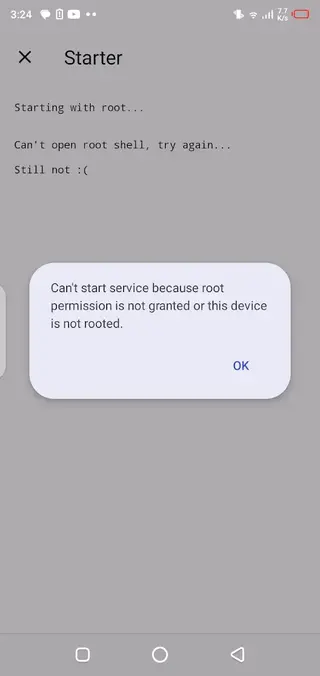
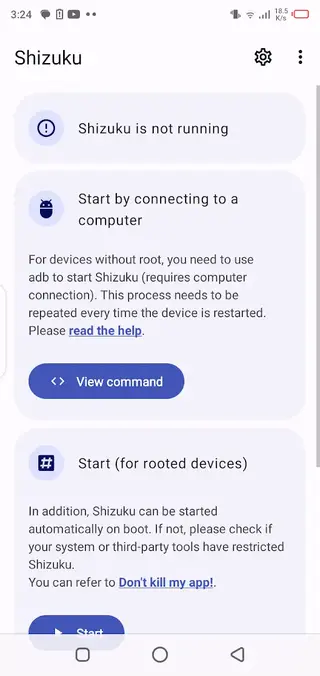
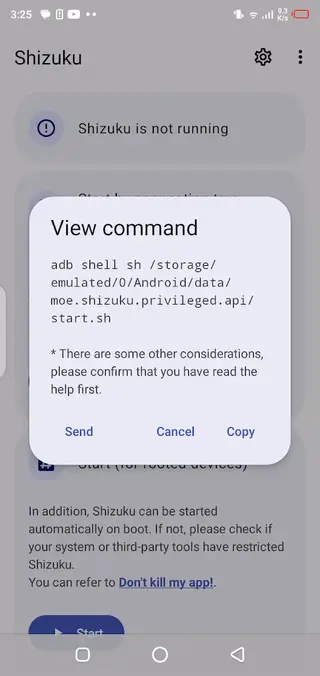
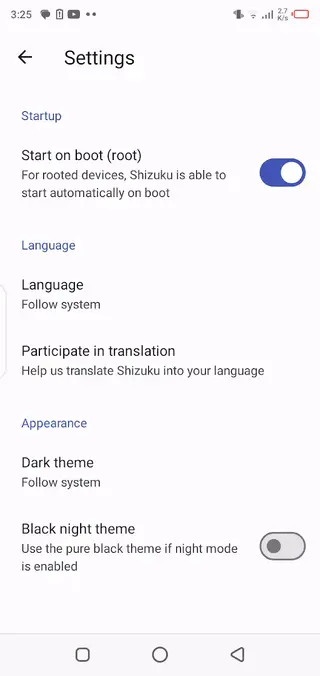
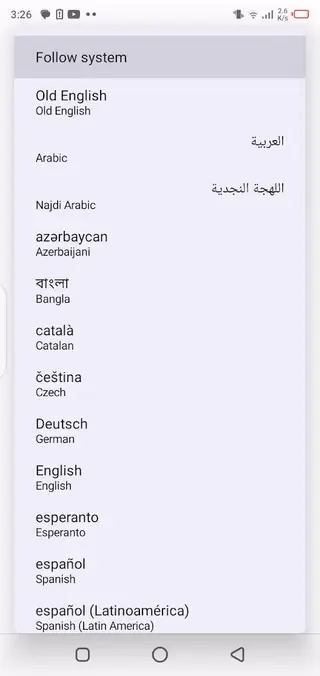
How Shizuku works with client apps
Shizuku by itself does not change settings or modify your device. Instead, other apps integrate with Shizuku and request a connection when you open them. If you approve, those apps can call specific system APIs through the Shizuku service.
Common use cases include permission managers, debloat tools, advanced automation, and customization utilities. These apps list Shizuku as one of the available backends. When the service is running, they can run operations that usually require deeper system access.
You can revoke access at any time inside Shizuku, which helps you keep control over which tools remain connected.
Best practices and precautions
Because Shizuku unlocks powerful capabilities for other apps, you should treat client apps carefully. Only grant access to tools you understand and trust, and review their settings before running major changes.
When you are done using elevated functions, you can stop the Shizuku service from within the app. This reduces the window of time when advanced operations are possible and helps limit potential misuse if another app behaves unexpectedly.
Keeping your Android system updated, reviewing app permissions, and periodically checking which apps are connected to Shizuku are simple habits that can make advanced usage more controlled and responsible.
FAQs
Pros
- Enables many root-style features without requiring full device root
- Gives per-app control over which tools can access elevated APIs
- Works with Android 7.0 and above, including many modern devices
- Lightweight app with a clean and simple interface
- Well known in the Android power-user and developer community
Cons
- Setup can be confusing for beginners, especially ADB commands
- Requires wireless debugging or ADB, which some users may find technical
- Not every app supports Shizuku, so compatibility varies
- Improper use of privileged apps can still risk privacy or data
- Service needs to be restarted after some reboots or changes
Conclusion
Shizuku is a focused Android utility for users who need advanced control without full root. By installing the APK from our website and pairing it with compatible tools, you can unlock powerful capabilities while keeping clear visibility over which apps gain elevated access.




Comments
No approved comments yet.