

Soccer Manager 2022
Soccer Manager 2022 APK is a 3D football management game where you build and coach your own club, handle transfers, and compete in realistic leagues and cups.
From scouting players to upgrading your stadium, you control every detail of your team’s progress. The game combines in-depth strategy with clear visuals and live match simulations.
There are tons of games available on the internet, which offer different types of gameplay for the users. Football games such as Mini Football Apk and Vive Le Football are quite popular Android games. Try the new game and these unique editions to enjoy free time.
You can download the official Soccer Manager 2022 APK file directly from our website and start managing your squad on compatible Android phones and tablets.
Rate this app
App details
- App name
- Soccer Manager 2022
- Category
- Sports
- Version
- v1.5.0
- Size
- 180.26 MB
- Requirements
- 5.1 and Up
- Package name
- com.soccermanager.soccermanager2022
- Publisher
- Soccer Manager Ltd
- Price
- Free
- Mod
- No
- Downloads
- 71,989
- Rating
- 4.3 / 5
- Rating count
- 23,000
- Play Store
- Yes
- Requires root
- No
- Offline support
- No
- Contains ads
- Yes
- In-app purchases
- Yes
- Updated
- May 12, 2026
- Age rating
- Rated for 3+
Table of contents
What is Soccer Manager 2022 APK
Soccer Manager 2022 is an Android football management game developed by Soccer Manager Ltd. Instead of directly controlling players during matches, you act as the head coach and club manager. You build a squad, pick tactics, manage finances, and follow games through detailed 3D match simulations.
The game features licensed clubs and leagues from different countries, a large database of professional footballers, and a full season structure with league, cup, and international competitions. You handle transfers, contracts, training, and facilities while trying to lead your club to long-term success.
On Android, Soccer Manager 2022 focuses on a clean interface, accessible menus, and quick navigation between scouting, training, matches, and club upgrades. Whether you want a long career save with your favorite team or a challenge with a smaller club, the app gives you the tools to shape your own football story.
Why download Soccer Manager 2022 for Android
Soccer Manager 2022 on Android offers a complete club management experience in your pocket. You can take over a team from one of many leagues, customize your tactics, and follow every match with 3D highlights and detailed statistics.
For fans who enjoy strategy and long-term planning, the game offers deep squad building and youth development systems. You can discover young talents, improve your training routines, and gradually transform your club into a top contender.
Because the official APK is available directly on our website, you can quickly install the game on compatible Android phones and tablets and keep playing your saves wherever you go.
How Soccer Manager 2022 is useful for football fans
Soccer Manager 2022 is useful for football fans who enjoy understanding tactics, transfers, and club management beyond what happens on the pitch. It turns complex football decisions into interactive choices that you can test and refine over multiple seasons.
The game helps you learn how formations, player roles, and team instructions affect results. You also see how budget control, wage structures, and infrastructure upgrades influence long-term performance. This makes it a practical way to explore the strategic side of football in a simple, visual format.
For casual players, it offers short sessions where you can adjust lineups, play a match, and check your league table. For more dedicated fans, it supports long careers with detailed squad building and competition planning.
How to download and install Soccer Manager 2022 APK
You can get the official Soccer Manager 2022 APK file directly from our website. Follow these steps to download and install it on your Android device:
Scroll to the download section on this page.
Tap the download button for Soccer Manager 2022 APK.
Wait for the APK file to finish downloading to your device.
Open your device settings and allow installation from unknown sources if needed.
Locate the downloaded APK file in your downloads folder.
Tap the file and follow the on-screen prompts to complete installation.
Launch Soccer Manager 2022, sign in or create an account, and start your first career.
Once installed, you can return to our website whenever you need to download the APK file again for the same or another compatible Android device.
Features
Full football management simulation
Run every part of a professional club, including tactics, transfers, training, and long-term planning.
Large player and club database
Choose from thousands of real-world players and many clubs from different countries and divisions.
3D match engine and animations
Watch key moments and highlights in 3D with live commentary and match statistics.
Tactical depth and formations
Set formations, player roles, and team instructions to match your strategy and opponent.
Career mode across seasons
Play multiple seasons, chase trophies, fight relegation battles, or rebuild struggling clubs.
Club facilities and stadium upgrades
Improve your stadium, training ground, and other facilities to grow revenue and develop players.
Scouting and youth development
Scout new players, sign promising talents, and build a strong pipeline for the future.
Squad management tools
Handle contracts, morale, fitness, and rotation to keep your team balanced during busy schedules.
Screenshots
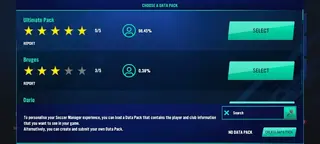
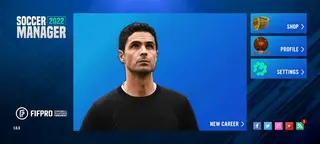
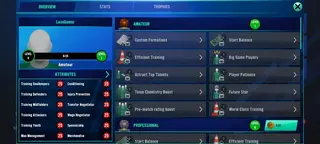
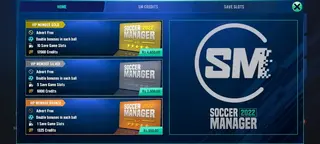
Gameplay and match-day experience
On match days, Soccer Manager 2022 lets you follow games through a 3D match engine with commentary and live statistics. You can make tactical changes during the match, such as substitutions, formation tweaks, and role adjustments, and see how these decisions impact performance.
Detailed post-match reports highlight key chances, possession, shots, and individual ratings, helping you refine your strategy for the next fixture. This loop of planning, watching, and adjusting gives each match a clear sense of progression.
Tactics, training, and player development
The tactics system lets you set team mentality, passing style, pressing intensity, and more. You can assign specific roles to each player so that your midfielders, defenders, and forwards behave according to your preferred system.
Training schedules and individual development plans help you improve attributes over time. By focusing on strengths or addressing weaknesses, you can gradually mold players to fit your tactical vision and build a squad that plays the way you want.
Device compatibility and performance tips
Soccer Manager 2022 is designed for Android 5.1 and above and runs on many modern phones and tablets. For the best experience, keep enough free storage, close unused background apps, and ensure a stable internet connection while playing.
Lowering certain visual options or reducing background activity on your device can help the game run more smoothly during 3D matches, especially on lower-end hardware.
FAQs
Pros
- Deep club and squad management with tactical flexibility
- Large database of real players and clubs from multiple leagues
- 3D match engine with visual highlights and statistics
- Clear interface that makes navigation and management tasks simple
- Long-term career mode that rewards planning and youth development
Cons
- Requires a stable internet connection for most features
- Includes ads during gameplay or menus
- Uses in-app purchases for faster progress or extras
- Can feel complex for players who prefer simple arcade football games
Conclusion
Soccer Manager 2022 delivers a detailed football management experience on Android, combining 3D match action with deep tactical and club-building tools. You can download the official APK directly from our website and start guiding your favorite club through full seasons, transfers, and trophies at your own pace.




Comments
No approved comments yet.