

Social Maker
Social Maker is a social media post maker and photo editor that helps you design eye-catching content directly on your Android phone. You can start with ready-made templates or build unique designs from scratch in a few taps.
The app combines backgrounds, fonts, stickers, and effects in one simple editor so you can create posts, promos, and stories for different social platforms. Everything is handled inside the app, so you can focus on design instead of complex tools.
You can download the official Social Maker APK directly from our website and install it on compatible Android devices without needing any extra tools or accounts.
Rate this app
App details
- App name
- Social Maker
- Category
- Art & Design
- Version
- v1.1.8
- Size
- 31.08 MB
- Requirements
- 4.4 and Above
- Package name
- com.socialmedia.socialmediapostmaker
- Publisher
- Atylish App World
- Price
- Free
- Mod
- No
- Downloads
- 76,597
- Rating
- 4.7 / 5
- Rating count
- 23,918
- Play Store
- Yes
- Requires root
- No
- Offline support
- Yes
- Contains ads
- Yes
- In-app purchases
- No
- Updated
- May 18, 2026
- Age rating
- Rated for 3+
Table of contents
Features
Template-based post creation
Start with ready-made designs for social media posts and customize them with your own photos and text.
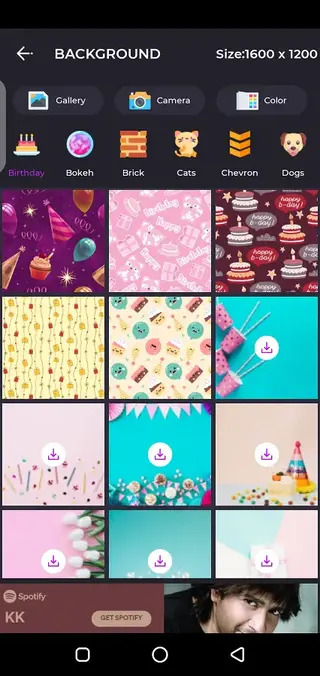
Background collections
Choose from multiple themed backgrounds to give your posts a polished and consistent look.
Flexible text tools
Add captions, titles, and quotes using different fonts, sizes, colors, and alignment options.
Photo effects and filters
Apply visual effects and filters to photos to make them more attractive and attention-grabbing.
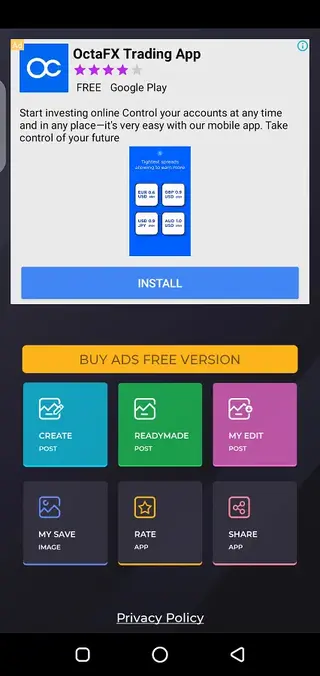
Readymade layouts
Use predesigned layouts where you only need to replace images and text to create posts quickly.
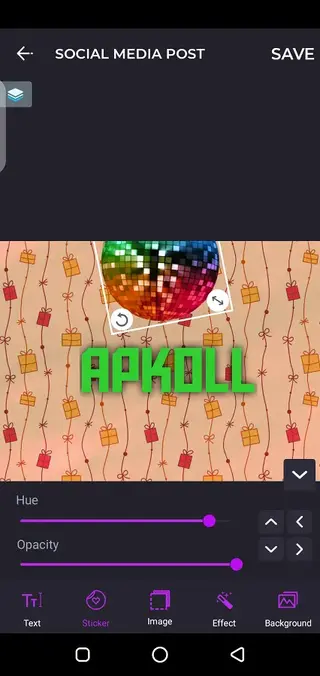
Simple drag-and-drop editing
Move, resize, and arrange elements on the canvas with an easy touch interface suitable for beginners.
Export-ready images
Save finished designs in image format that can be uploaded directly to your favorite social platforms.
Works on older Android versions
Supports Android 4.4 and above, so it runs on many older phones and tablets.
Screenshots

Editing tools and workflow
Social Maker follows a straightforward editing workflow. You usually start by choosing a canvas or template, then add a background, image, and text. From there you can adjust layout, colors, and effects before exporting the final design.
The app groups its tools into clear sections such as backgrounds, text, effects, and readymade designs. This structure helps you quickly find what you need without going through complex menus. You can preview changes in real time and undo steps if something does not look right.
Design ideas and common use cases
Many users rely on Social Maker to create different types of content such as quote images, sale banners, product highlights, event announcements, and profile updates. The mix of backgrounds and text styles makes it suitable for both personal and small business use.
If you manage a small brand or personal page, you can keep a consistent visual style by reusing similar layouts and color schemes inside the app. Saving designs and editing duplicates is often faster than starting from scratch each time.
Device compatibility and performance
Because Social Maker supports Android 4.4 and above, it can run on a wide range of devices. On newer phones, editing and exporting usually feels smooth. On older devices with limited memory, working with very large images may be slower, so it is helpful to keep file sizes reasonable.
Closing other heavy apps in the background can improve performance while editing, especially when using multiple layers, effects, or high-resolution photos in a single design.
FAQs
Pros
- Easy-to-use interface suitable for beginners
- Includes ready-made templates and layouts
- Provides backgrounds, fonts, and effects in one app
- Works on older Android versions from 4.4 and above
- APK can be downloaded and installed directly from our website
Cons
- Contains ads during usage
- No clear information about in-app purchase options
- Features are more basic compared to full desktop design tools
- Requires manual updates when using the APK file
Conclusion
Social Maker is a practical Android app for designing quick, attractive social media posts using templates, backgrounds, and text tools. If you want a simple way to improve your images before sharing them online, you can download the official Social Maker APK from our website and start creating content in minutes.




Comments
No approved comments yet.