

Sonolus
Sonolus is a highly customizable rhythm game engine for Android that lets you play and create music levels from community servers. It focuses on timing-based gameplay with simple touch controls.
Instead of a fixed song list, Sonolus connects to fan-made servers that host different rhythm game experiences, including Japanese music charts and original creations. You can browse, download, and play these levels directly inside the app.
You can download the official Sonolus APK latest version directly from our website, install it on your Android phone or tablet, and start exploring a growing library of rhythm-based content.
This gaming Apk offers endless entertainment for music gaming lovers. Therefore, get the Sonolus Download link and install this exciting game. However, information related to available gaming features is provided. But, there is much more unexplored available. Hence, play this gaming app and explore it all. Additionally, Muse Dash and Project Sekai are also a music game. Thus, you can also try this.
Rate this app
App details
- App name
- Sonolus
- Category
- Music
- Version
- v1.1.1
- Size
- 64.36
- Requirements
- 5.0 and Above
- Package name
- com.FosFenes.Sonolus
- Publisher
- Sonolus
- Price
- Free
- Mod
- No
- Downloads
- 72,955
- Rating
- 4.8 / 5
- Rating count
- 29,174
- Play Store
- Yes
- Requires root
- No
- Offline support
- Yes
- Contains ads
- No
- In-app purchases
- No
- Updated
- Jun 1, 2026
- Age rating
- Rated for 3+
Table of contents
What is Sonolus APK?
Sonolus APK is an Android rhythm game engine that acts as a flexible platform for playing and building music-based levels. It does not ship with a large built-in song list. Instead, it connects to external servers that host different games, charts, skins, and effects created by the community.
The app focuses on precise timing gameplay. You tap, swipe, hold, and flick notes in sync with the music while visual elements and skins change depending on the server you use. Many servers focus on Japanese music and rhythm game styles, which makes Sonolus popular among anime and J‑music fans.
Because Sonolus works as an engine, creators can design completely different gameplay experiences using the same app. Players simply add server addresses, download levels, and play them with responsive touch controls and customizable settings.
Why download Sonolus for Android?
Sonolus is ideal for players who enjoy rhythm games but want more control over what they play. Instead of being limited to one official song list, you can connect to different servers and access various game modes, difficulty levels, and visual styles.
The app supports online multiplayer, so you can challenge friends or compare scores when servers support those features. At the same time, many levels can be cached and played offline after downloading, which is useful if you have limited connectivity.
Another reason to download Sonolus is the level of customization. You can adjust audio, graphics, input timing, language, and themes to match your device and play style. All of this comes without in-app ads and with a clean, focused interface.
How is Sonolus useful for rhythm game fans?
Sonolus is useful because it works as a central hub for many different rhythm game experiences on Android. Instead of installing multiple separate games, you can access a wide variety of charts and styles from within one engine.
Community servers often feature fan-made charts for Japanese songs, anime openings, game soundtracks, and more. This helps players discover new music while improving their timing and hand‑eye coordination.
For advanced users and creators, Sonolus also provides tools and a documented engine that allow building custom levels and gameplay systems. Players benefit from this creativity by getting a constant flow of new content, skins, and quality-of-life tweaks.
How to download and install Sonolus APK
You can get the official Sonolus APK directly from our website. Follow these steps to download and install it on your Android device.
Scroll to the download section on this page and tap the Sonolus APK download button.
Wait for the APK file to finish downloading to your device.
Open your device settings and enable installation from unknown apps for your browser or file manager if needed.
Locate the downloaded APK in your Downloads folder and tap it.
Confirm the installation prompt and wait until the process completes.
Launch Sonolus from your app drawer, add a server address, and start playing rhythm levels.
Once installed, you can return to our website whenever a newer version is released and update the app by downloading the latest APK file.
Features
Rhythm game engine with server support
Acts as a flexible engine that connects to different community servers hosting rhythm game content and charts.
Rich Japanese and anime music support
Many servers focus on Japanese songs, anime tracks, and game soundtracks that suit J‑music fans.
Account and guest play options
Supports sign‑in via services like email or social accounts on supported servers while still allowing guest play in many cases.
Online multiplayer modes
Some servers offer multiplayer or competitive score modes where you can add friends using game IDs and compare results.
Custom server list management
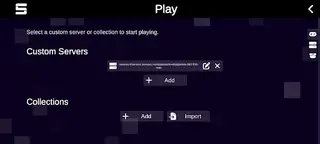
Lets you add, edit, and manage multiple server addresses so you can switch between different rhythm game experiences.
Responsive touch controls
Uses taps, swipes, holds, drags, and flicks for timing‑based gameplay with adjustable input settings.
Deep customization settings
Offers options for sound levels, latency, visual effects, note speed, themes, and other preferences.
Multi-language interface
Includes support for multiple interface languages so more players can navigate menus comfortably.
Screenshots

Gameplay and control experience
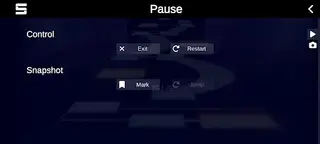
Sonolus focuses on precise, timing-based gameplay that rewards accuracy and rhythm sense. Notes appear on the screen in various patterns, and you respond with taps, slides, holds, and flicks. Depending on the server and level, note styles, lanes, and visual effects can change significantly.
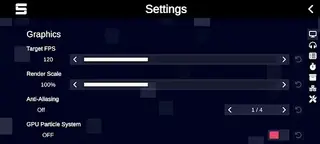
To improve consistency, you can adjust input offset, note speed, and visual clarity in the settings menu. This helps match the game timing to your device’s latency and your personal preference, which is especially important at higher difficulties.
Server types and content variety
Different Sonolus servers specialize in different kinds of content. Some focus on recreations of popular arcade rhythm games, while others host original charts or themed packs based on anime, vocaloid, or game music. This variety keeps the experience fresh.
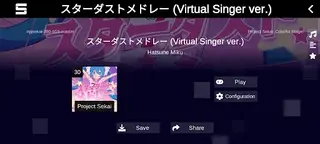
After adding a server, you can browse its categories, preview tracks, view difficulty ratings, and download charts. Many servers also include special effects, skins, and UI layouts that change how the game looks and feels without installing a separate app.
Settings, performance, and compatibility
Sonolus is designed for Android 5.0 and above, and it can run on a wide range of devices. For smoother performance, you can reduce visual effects, limit background elements, or lower resolution-related options inside the settings menu.
The language menu helps you switch to a preferred interface language if available, which makes it easier to navigate options and understand chart information. Together with per-level settings such as speed and visual density, this allows you to fine-tune performance and readability for both phones and tablets.
FAQs
Pros
- Highly customizable rhythm game engine with server support
- Access to a wide variety of community-created charts and skins
- Strong focus on Japanese and anime-style music content
- Offline play possible for downloaded levels
- No in-app advertisements in the core experience
- Detailed audio, visual, and input customization options
Cons
- Requires adding and managing external servers before you can play
- Interface and server setup can be confusing for new users
- Quality and stability of content depend on individual community servers
Conclusion
Sonolus offers a powerful and flexible rhythm game experience for Android users who want more than a fixed song list. With community servers, Japanese music support, and deep customization, it suits both casual players and dedicated rhythm fans. You can download the latest official Sonolus APK directly from our website and start exploring its servers and charts on your phone or tablet.




Comments
No approved comments yet.