

Thief Guard
Thief Guard is an Android anti-theft and device security app designed to help you locate a lost phone, lock it remotely, and protect your personal data if it gets stolen. It combines tracking, alarms, and SIM security in a single tool.
With GPS tracking, silent camera capture, SIM change alerts, and PC-connection monitoring, the app focuses on both recovery and privacy protection. You can control many actions from a web panel using your registered email and phone number.
You can download the latest Thief Guard APK directly from our website and install it on compatible Android phones and tablets running Android 6.0 or higher.
Rate this app
App details
- App name
- Thief Guard
- Category
- Tools
- Version
- v1.3.2
- Size
- 21.46 MB
- Requirements
- 6.0 and Above
- Package name
- com.punon.thiefguard
- Publisher
- PUNON
- Price
- Free
- Mod
- No
- Downloads
- 559,562
- Rating
- 3.9 / 5
- Rating count
- 46,241
- Play Store
- No
- Requires root
- No
- Offline support
- No
- Contains ads
- No
- In-app purchases
- No
- Updated
- May 20, 2026
- Age rating
- Rated for 3+
Table of contents
What is Thief Guard Android App
Thief Guard is a security and anti-theft application for Android devices with the package name com.punon.thiefguard. It aims to protect both your phone and the sensitive data stored on it by combining location tracking, remote control features, and smart alerts.
After a short registration process, you link your device with your email address, primary mobile number, and an extra backup number. This information is used to send alerts, GPS coordinates, and security notifications if something suspicious happens on your phone.
Thief Guard also offers a web-based dashboard where you can sign in with your registered email. From there, you can view your phone’s status, track its last known location, enable specific protection features, and trigger remote actions such as locking the device.
The app has been promoted mainly for users in Bangladesh and focuses on simple controls, clear alerts, and practical tools like SIM tracking, charger unplug alarms, and PC-connection protection.
This tool is just like HC Sniff Tool which means you don’t need to explore other platforms. Just find the download button on this page and tap on it, the downloading will start automatically in a few seconds. The button is available at the top and bottom of this page as it was on the Cerberus.
Why Download Thief Guard APK from Our Website
Downloading Thief Guard APK from our website gives you direct access to the current available version without searching multiple sources. You get the installer file for the official app in one place, ready to sideload on your Android device.
The app is not listed on Google Play, so getting the APK file is the only practical way to use it. Our website provides that APK so you can install it manually, complete the registration, and start using anti-theft protections like GPS tracking, SIM lock tools, and data access alerts.
If you are worried about phone theft, snatching, or unauthorized access to your photos, messages, and accounts, Thief Guard offers a set of focused features that can help you respond quickly when your device is at risk.
How Thief Guard Is Useful for Android Users
Thief Guard is useful for anyone who carries important personal or work data on their phone and wants better control if the device is lost or stolen. Instead of only relying on basic screen locks, you get extra layers of security.
The app can send GPS coordinates of your phone to your registered email or backup number, capture silent photos of someone who repeatedly enters the wrong password, and alert you when the device connects to a PC or laptop to copy data. These tools help you collect information about the person using your phone and improve your chances of recovery.
Restrictions on powering off the phone make it harder for someone to quickly shut it down and disappear with it. Combined with SIM security and charger unplug alerts, Thief Guard turns an ordinary Android phone into a more robust anti-theft device, especially useful in regions where street snatching and pickpocketing are common.
How to Download and Install Thief Guard APK
You can get the Thief Guard APK file directly from our website and install it manually on your Android device. Follow these simple steps to complete the process safely.
Scroll to the download section on this page and tap the Thief Guard APK download button.
Wait for the APK file to finish downloading to your phone or tablet.
Open your device settings and enable installation from unknown sources or allow your browser/file manager to install apps.
Locate the downloaded APK file in your downloads folder and tap it to start the installation.
Follow the on-screen instructions to complete installation and open Thief Guard.
Register with your email, primary number, and backup number, then configure GPS, SIM security, and other protection options.
After setup, keep the app updated by returning to our website whenever a newer APK version is released.
Features
Anti-theft registration system
Requires email, primary number and backup number to link the device and send alerts in case of theft or suspicious activity.
Web dashboard control
Lets you sign in from a browser to view device info, track location, and manage security settings remotely.
GPS phone tracking
Uses GPS to locate your phone and can send coordinates to your email or backup mobile number.
SIM security and alerts
Monitors SIM changes and can notify you when a different SIM card is inserted into your device.
Silent camera capture
Takes photos silently when someone enters the wrong unlock pattern or password multiple times.
Turn-off protection
Can restrict powering off the phone unless the correct password is entered, helping you keep tracking active.
Data access protection
Triggers alerts when the phone is connected to a PC or laptop via USB to help prevent unauthorized data copying.
Movement and unplug alerts
Provides alarms for events such as unplugging the charger or suspicious movement while the phone is supposed to stay in place.
Screenshots
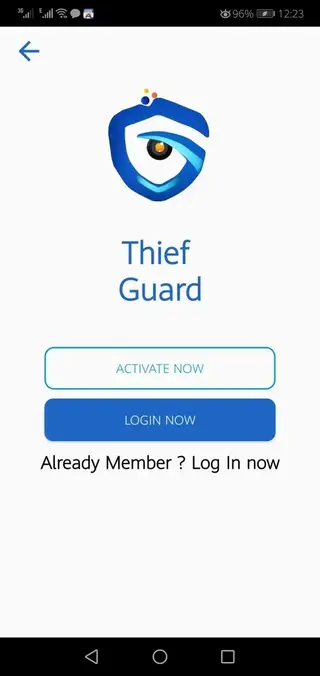
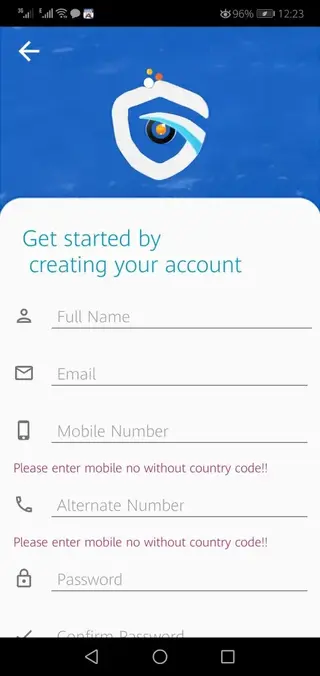
System Requirements and Compatibility
Thief Guard is designed for Android smartphones and tablets running Android 6.0 and above. For best performance, your device should have:
Stable internet connectivity for GPS and remote commands
Enabled location services for accurate tracking
Camera and storage permissions for silent photo capture
Permission to run in the background so security features stay active
Make sure you grant the requested permissions during setup so that all anti-theft functions can work correctly.
Initial Setup and Configuration Tips
After installing Thief Guard, take a few minutes to configure it properly. This step is important for effective protection.
Complete the registration with a valid email and two working phone numbers.
Enable GPS tracking and test the location feature once.
Turn on silent camera capture and define how many failed attempts trigger a photo.
Activate SIM security features and verify alert numbers.
Configure the power-off restriction and test the lock behavior.
Set charger unplug and movement alerts according to your daily usage pattern.
Once configured, keep the app running and avoid force-closing it so that all protective layers remain active in the background.
Privacy and Security Considerations
Because Thief Guard handles sensitive information such as location data, phone numbers, and captured photos, it is important to use it responsibly.
Only register email accounts and numbers that you personally control.
Protect your Thief Guard login credentials and do not share them with others.
Regularly review permissions and stored information inside the app.
Use a strong screen lock in combination with the app for better security.
By combining Thief Guard with good security habits, you can reduce the risks associated with phone loss, theft, and unauthorized access.
FAQs
Pros
- Provides GPS-based phone tracking and remote alerts
- Silent camera captures intruder photos after failed unlock attempts
- SIM security and change alerts improve chances of recovery
- Turn-off restrictions make it harder for thieves to power down the device
- Web dashboard allows remote monitoring and control
- Charger unplug and movement alerts add extra physical security
Cons
- Not available on Google Play and must be sideloaded
- Features depend on active internet and GPS connectivity
- Limited official focus to users in Bangladesh
- Device performance may be affected on low-end phones when all protections are enabled
Conclusion
Thief Guard is a focused anti-theft and device security app that combines GPS tracking, SIM protection, silent camera capture, and remote controls. If you want extra safeguards for your Android phone and data, you can download the Thief Guard APK from our website and configure it to match your security needs.




Comments
No approved comments yet.