

Top TV Pro
Top TV Pro is an Android IPTV and streaming app that focuses on live sports, movies, and TV channels. It brings multiple sports networks and entertainment channels into one simple interface on your phone.
With this app, cricket fans can follow tournaments like the Indian Premier League, while football fans can look for major international events. Alongside live TV, it also offers movies and web series so you can keep watching even when there are no live matches.
You can download the original Top TV Pro APK directly from our website, install it on compatible Android devices, and start exploring its live channels and on-demand content within minutes.
But if you want to try another application, that offers more advanced-level services, then try Cricfy TV and Revolt.TV. These are quite popular applications, which provide active services for the users.
Rate this app
App details
- App name
- Top TV Pro
- Category
- Entertainment
- Version
- v1.0.1
- Size
- 3.89 MB
- Requirements
- 4.2 and Above
- Package name
- com.isaapps.toptvdigital
- Publisher
- ISA APPS
- Price
- Free
- Mod
- No
- Downloads
- 75,419
- Rating
- 4.6 / 5
- Rating count
- 21,456
- Play Store
- No
- Requires root
- No
- Offline support
- No
- Contains ads
- Yes
- In-app purchases
- No
- Updated
- May 13, 2026
- Age rating
- Rated for 12+
Table of contents
What is Top TV Pro APK
Top TV Pro APK is an entertainment and IPTV application for Android that aggregates live TV channels, sports streams, movies, and web series in one place. It is designed mainly for users who want an easy way to watch cricket, football, and other sports on their phones without a traditional cable or satellite subscription.
The app organizes content into sections such as live TV, sports, films, and series, so you can quickly move from a live match to an on-demand show. Within the live TV area, you may find channels that typically require a paid subscription, alongside freely available stations, all accessible through a single interface.
This version of Top TV Pro targets Android devices running Android 4.2 and above and is distributed as a lightweight APK file. Once installed, you can create or sign in to an account via the official service and then access the streams and media library according to availability in your region.
Why download Top TV Pro for Android
People download Top TV Pro because it combines live sports, live TV, and on-demand entertainment inside one compact Android app. Instead of juggling multiple streaming services and TV apps, you can open a single interface to look for the match, movie, or series you want to watch.
Cricket followers can look for live coverage of major tournaments, while football fans may find streams related to European and international competitions. When there are no live matches, you can browse its catalog of movies and web series and keep yourself entertained without switching apps.
Another reason users choose Top TV Pro is the straightforward layout. Channels and categories are grouped clearly, streaming starts with a few taps, and the app is small in size, so it works well even on older Android phones and tablets that meet the minimum version requirement.
How Top TV Pro is useful
Top TV Pro can be useful if you enjoy watching live sports and TV but want to do it directly from your Android phone. Instead of relying on a TV connection, you can open the app over mobile data or Wi-Fi and look for live channels wherever you are.
The mix of live IPTV channels and a library of movies and series gives you options for both short and long viewing sessions. You can quickly jump into an ongoing match, or you can relax with a full season of a web series when you have more time.
The app also helps reduce friction by offering a single sign-in and a simple navigation flow: select a category, choose a channel or title, and start streaming. For users who prefer an all-in-one entertainment hub on Android, this structure can be more convenient than maintaining several separate streaming apps.
How to download and install Top TV Pro APK
You can get the official Top TV Pro APK file directly from our website. Follow these steps to download and install it on your Android device:
Scroll to the download section on this page and tap the APK download button for Top TV Pro.
Wait for the APK file to finish downloading to your phone or tablet.
Open your device settings, go to the security or apps section, and allow installation from unknown sources if it is not already enabled.
Locate the downloaded APK file in your downloads folder and tap it to start the installation.
Follow the on-screen prompts to complete the installation process.
Open Top TV Pro, follow any registration or sign-in steps required by the service, and then start browsing live channels and on-demand content.
Whenever a newer version becomes available, you can return to our website and download the updated APK using the same process.
Features
Live sports channels
Access a range of sports-focused IPTV channels that may cover cricket, football, and other live events depending on availability.
Movies and web series library
Browse a collection of films and multi-episode series so you can watch full seasons and new releases when there are no live matches.
Multiple IPTV categories
Explore channels grouped by genre such as sports, news, entertainment, and more, making it easier to find what you want to watch.
Premium-style channels access
Some channels that usually require a pay-TV subscription may be available within the app interface, depending on your region and service status.
User-friendly interface
Simple menus and clear categories help new users find live channels and on-demand content quickly without a long learning curve.
Lightweight APK
Small installation size helps the app run on devices with limited storage and works on Android 4.2 and higher.
Account-based access
Users can register or sign in through the official service, keeping their access and preferences tied to one account.
Limited in-app advertising
The app includes ads, but they are described as limited compared to many fully ad-supported streaming apps.
Screenshots
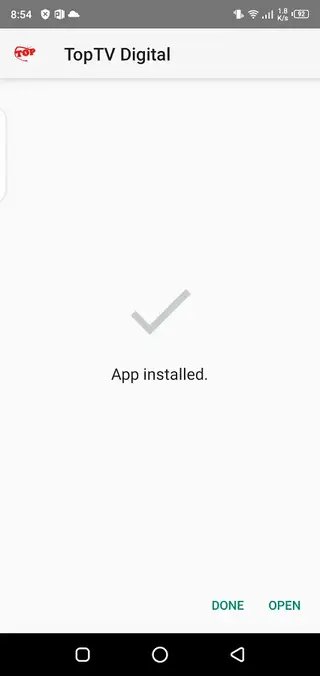
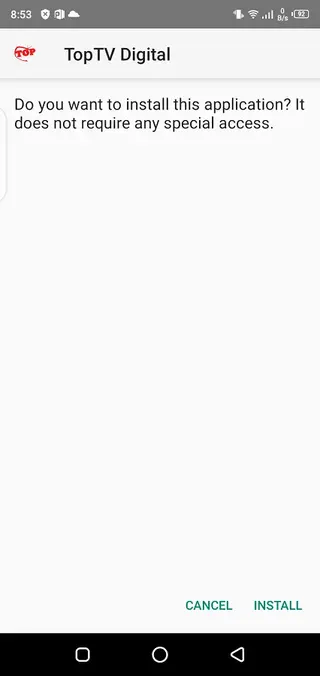
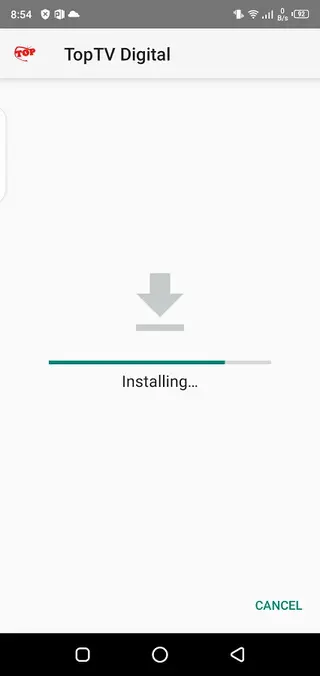
Streaming quality and performance
Top TV Pro aims to provide relatively smooth playback for live channels and on-demand content, but overall quality depends on your connection speed and device performance. For the best experience, it is recommended to use a stable Wi-Fi or high-speed mobile data connection.
If you experience buffering or lag, lowering other network usage on your connection, closing background apps, or moving closer to your router can help stabilize the stream. Because IPTV sources can vary, specific channels may load faster or slower than others.
Device compatibility and requirements
The app is designed for Android phones and tablets running Android 4.2 or higher. Its small installation size makes it suitable for devices with limited storage space. However, performance can still vary depending on your processor, RAM, and network quality.
To get started, ensure that your device meets the minimum Android version requirement, has enough free storage for the APK and app data, and has permission to install apps from unknown sources. Once these conditions are met, you can install Top TV Pro from the APK available on our website.
Account registration and access
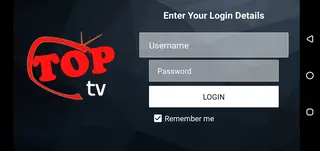
After installing Top TV Pro, you may be prompted to register or sign in to an account through the official service before using all features. This step links your access to a specific account, which can help maintain your preferences and history across sessions.
If you prefer to explore the app quickly, complete the required registration process once and keep your login details safe. In case of issues, checking your internet connection and retrying the sign-in process usually resolves common access problems.
FAQs
Pros
- Combines live sports, live TV, movies, and series in one app
- Lightweight APK that works on many older Android devices
- Interface is simple and easy to navigate
- Offers access to multiple IPTV channels in different categories
- Supports account-based access for a more personalized experience
- Direct APK download available from our website
Cons
- Requires a stable internet connection for smooth streaming
- Availability of specific channels or events can change over time
- Includes ads within the app experience
- Not available on the official Google Play Store at the time of writing
Conclusion
Top TV Pro is a compact IPTV and streaming app for Android users who want live sports, TV channels, movies, and web series in one place. If your device meets the minimum requirements and you have a reliable internet connection, you can download the APK from our website and explore its channels and media library as a flexible alternative to traditional TV viewing.




Comments
No approved comments yet.