

V Sat
V Sat is an IPTV and live TV app for Android that brings TV channels, movies and series together in one place. It focuses on simple navigation and quick access to streaming content.
With categories for sports, news, kids, entertainment and more, users can switch between live channels and on-demand titles in a few taps. The app uses its own built-in player, so you can start watching as soon as you open a stream.
You can download the official V Sat APK file directly from our website and install it on compatible Android phones and tablets without registration or subscription inside the app.
Rate this app
App details
- App name
- V Sat
- Category
- Entertainment
- Version
- v3.0.0
- Size
- 10.31 MB
- Requirements
- 4.4 and Above
- Package name
- com.newsat.blackbox
- Publisher
- NEWSAT
- Price
- Free
- Mod
- No
- Downloads
- 663,629
- Rating
- 4.6 / 5
- Rating count
- 5,654
- Play Store
- No
- Requires root
- No
- Offline support
- No
- Contains ads
- No
- In-app purchases
- No
- Updated
- May 30, 2026
- Age rating
- Rated for 12+
Table of contents
What is V Sat APK?
V Sat APK is an Android entertainment application that offers IPTV channels and on-demand video content in one lightweight package. It focuses on live TV streaming, with additional sections for movies, TV shows and web series.
The app organizes channels into familiar categories such as entertainment, movies, sports, news, kids, documentary and premium networks. Users can open any supported stream in the built-in player without logging in or creating an account.
Alongside live TV, V Sat also hosts a catalog of films and series, including Hollywood and Bollywood titles and complete seasons of web series where available. This makes it suitable for users who want both linear channels and on-demand viewing from a single interface.
V Sat runs on Android 4.4 and above and is distributed as a standalone APK. The file is available on our website so you can download and install it manually on compatible devices.
Why download V Sat for Android?
People look for IPTV and live TV apps that are easy to use, light on configuration and do not force complex sign-up flows. V Sat tries to meet these expectations with direct access to channels and videos as soon as you open the app.
The content is grouped by genre, so you can quickly move from sports to movies or kids channels without scrolling through a long mixed list. This is helpful if you mainly watch a few types of content and want to reach them in one or two taps.
Another reason to download V Sat is its integrated IPTV and media player. You do not need to rely on an external video player to watch streams. The internal player provides basic playback controls, quality options (when available) and a straightforward viewing layout.
If you prefer to sideload streaming apps rather than rely only on store listings, V Sat can be installed directly from the APK file that we provide on our website for the latest available version.
How is V Sat useful?
V Sat can be useful for users who want a compact, all-in-one streaming interface focused on live channels and simple playback. Instead of switching between separate apps for different genres, you can browse multiple sections within one layout.
Because the app does not require in-app registration, it is quick to set up on secondary devices such as Android TV boxes, budget phones or tablets used mainly for media consumption. You can open the app and start testing the available channels without going through a lengthy onboarding process.
The built-in player also reduces the need to install and configure additional media players. For non-technical users or for devices given to kids or older family members, having a single player inside the app can make day-to-day use more straightforward.
Finally, V Sat supports a broad range of Android versions from 4.4 upwards, which can make it a practical option for older hardware that no longer receives frequent app updates from major platforms.
If you want to get more similar services, then we have some suggestions available here for you all. You guys can try TVMob and Tortuga Play. These are quite popular available IPTV applications, which also offer similar services for the users.
How to download and install V Sat APK
You can get the official V Sat APK file directly from our website and install it manually on your Android device. Follow these steps to complete the process safely on your phone or tablet.
Scroll to the download section on this page and tap the V Sat APK download button to save the file to your device.
Wait for the APK file to finish downloading. Check your notifications or Downloads folder to confirm it is saved.
On your Android device, open Settings, then go to Security or Privacy and enable the option to allow installation from unknown or other sources for your browser or file manager.
Open your file manager app, navigate to the Downloads folder and tap the V Sat APK file you downloaded from our website.
Review the installation prompt and tap Install to begin installing V Sat on your device.
When the installation completes, tap Open from the installer or find the V Sat icon in your app drawer to start using the app.
Whenever a newer version becomes available, you can return to this page and download the updated V Sat APK from our website, then install it over the existing version.
Features
IPTV live TV channels
Access a large list of IPTV channels across multiple genres including entertainment, sports, news, kids and documentaries inside one app.
On-demand movies and series
Browse a separate section for movies, TV shows and web series, including a mix of Hollywood, Bollywood and regional content where available.
Category-based navigation
Content is organized into clear sections like Movies, Sports, News, Kids and Premium Channels to help you find streams faster.
Built-in IPTV and media player
Watch live channels and videos using the integrated player without installing external playback apps, with basic playback controls available.
No mandatory registration
Use the app without creating an account or signing in, which simplifies installation on shared or secondary devices.
Free access model
The app promotes free access to its available channels and video library, without in-app subscription screens for core functions.
Simple user interface
A straightforward, tap-based layout designed to make it easy for new users to move between categories and start playback quickly.
Works on older Android versions
Supports Android 4.4 and above, so it can run on many older phones, tablets and TV boxes that still use legacy Android builds.
Screenshots
IPTV channels and categories in V Sat
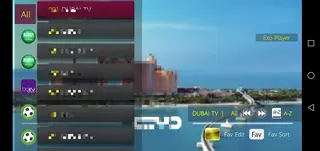
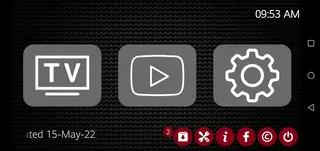
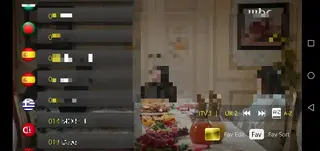
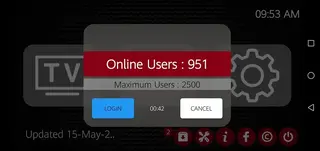
V Sat organizes its IPTV channels into several clear sections so users can quickly find the type of content they want. Common categories include entertainment, movies, sports, news, kids, documentaries and premium channels.
This structure helps reduce scrolling and guesswork. For example, sports fans can jump straight into the Sports section, while families might spend more time in Kids or General Entertainment. The design focuses on minimizing the steps between opening the app and starting playback.
Movies, TV shows and web series
Beyond live TV, V Sat also includes a library of on-demand titles. The Movies section surfaces a mix of Hollywood, Bollywood and other regional films where available. Separate lists for series and web shows allow you to follow episodes in order.
Many series are presented with all available episodes and seasons in a single place, so you can continue watching from where you left off without searching again. Playback uses the same built-in player as live channels.
Built-in IPTV and media player experience
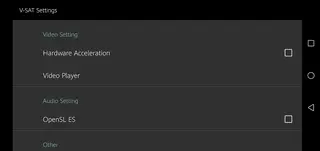
The integrated IPTV and media player is a core part of V Sat. When you tap a channel or movie, the app opens playback directly without asking you to choose another player. This is useful for users who prefer a self-contained streaming experience.
The player provides basic functions such as play and pause controls, seek options and adjustments that vary based on the stream. For many users, this level of control is sufficient for everyday viewing and reduces the need to manage extra apps.
Device compatibility and performance tips
V Sat supports Android 4.4 and higher, which includes many legacy smartphones, tablets and Android TV boxes. On older devices with limited RAM or storage, closing background apps before starting a stream can help improve stability.
For smoother playback, use a stable Wi-Fi connection where possible and avoid heavy downloads running in the background. Since the app focuses on streaming, network quality often has more impact on performance than raw device power.
FAQs
Pros
- Offers multiple IPTV categories including sports, news, kids and entertainment in one app
- Includes sections for movies, TV shows and web series alongside live TV
- Built-in IPTV and media player removes the need for an external player
- No in-app registration required to access core features
- Simple interface that is easy for new users to understand
- Supports Android 4.4 and above, including many older devices
Cons
- Requires a stable internet connection for streaming and does not support offline viewing
- Not available on major app stores, so updates must be installed manually via APK
- Channel availability and working links can change over time
- Content catalog and stream quality may vary by region and network conditions
Conclusion
V Sat is a straightforward IPTV and live TV app that combines channels, movies and series within a single Android interface. If you want a simple streaming layout without registration and with an integrated player, you can download the official V Sat APK directly from our website and try it on your compatible phone, tablet or TV box.




Comments
No approved comments yet.