

VDK PAY
VDK PAY is a digital wallet and mobile recharge app designed for Indian users who want a single place to manage prepaid top-ups and payments. It focuses on fast transactions and simple navigation so you can complete a recharge in just a few taps.
With support for popular mobile operators like Jio and Airtel, VDK PAY lets you browse packs, pay bills, and send balance to friends or family directly from your Android phone. The app combines wallet features with recharge tools to reduce your dependence on physical cards or local retailers.
You can download the official VDK PAY APK directly from our website and start using its wallet and recharge services on compatible Android devices.
Rate this app
App details
- App name
- VDK PAY
- Category
- Business
- Version
- v7.9.0
- Size
- 54.34 MB
- Requirements
- 4.0.3 and Up
- Package name
- com.solution.vvdkpay
- Publisher
- Sunrise Mitra
- Price
- Free
- Mod
- No
- Downloads
- 56,001
- Rating
- 4.8 / 5
- Rating count
- 27,000
- Play Store
- No
- Requires root
- No
- Offline support
- No
- Contains ads
- No
- In-app purchases
- Yes
- Updated
- May 11, 2026
- Age rating
- Rated for 16+
Table of contents
What is VDK PAY App
VDK PAY is an Android digital wallet and recharge application created for users in India. It provides an online platform where you can add money to your VDK wallet and use it to recharge prepaid numbers across multiple telecom networks, including major operators such as Jio and Airtel.
It offers to perform both functions of My Airtel and My Jio Apps. So using this application similar to the WhatsApp Pay and Dak Pay App, users can easily access all the features of these applications. Users can also make an easy charge on these networks and all the other available networks in India.
The app brings together features you usually find in carrier apps like My Airtel or My Jio and combines them with wallet-style balance management. Once you add funds using your debit card, credit card, bank account, or supported wallet transfer, you can quickly select a plan, confirm the payment, and complete the recharge.
VDK PAY also supports recharging numbers that are not registered in your account. You simply enter the mobile number, pick the pack, pay from your VDK wallet, and the amount reaches the recipient. This makes it useful for helping friends, family, or customers who need an urgent top-up.
The service highlights daily changing offers and promotional packs so users can pick from updated recharge options. After you register with your mobile number and verify it with the one-time code, you can access your wallet, transaction history, and recharge tools inside the app.
Why Download VDK PAY APK from Our Website
Downloading the VDK PAY APK from our website gives you direct access to the official installation file for your Android device. You can keep a local copy of the app, install it manually, and update it whenever a new version becomes available on our site.
Many users prefer having the APK so they can reinstall the app without searching again or so they can set it up on multiple Android devices. With the APK file, you stay in control of the installation process and can start using the wallet and recharge features as soon as setup is complete.
Our VDK PAY download page focuses on clear information: version details, Android compatibility, and basic usage guidance. This helps you decide quickly if the app fits your needs before you install it on your phone or tablet.
How VDK PAY is Useful for Everyday Mobile Users
VDK PAY is useful for anyone who regularly recharges prepaid numbers in India or sends small balance amounts to others. Instead of visiting a retailer or scratching physical top-up cards, you can complete most tasks from your phone.
Because the app supports multiple operators, it is convenient for families or small businesses that manage different SIMs. You can maintain a single wallet balance and use it to recharge various networks, which simplifies budgeting and record keeping.
The ability to send balance to other numbers helps in emergencies, such as when a family member runs out of talk time or data while traveling. At the same time, the app keeps a clear transaction history so you can review what you spent on each recharge or pack.
Daily offers and changing packages can also save money for users who regularly buy data or voice packs. By checking available plans inside the app before paying, you can choose the option that best matches your usage pattern.
How to Download and Install VDK PAY APK
You can get the official VDK PAY APK directly from our website and install it manually on your Android device. Follow these basic steps to complete the process smoothly.
Scroll to the download area on this page and tap the VDK PAY APK download button.
Confirm the download in your browser and wait until the APK file is saved on your device.
Open your phone settings and, if required, allow installation from unknown sources for your browser or file manager app.
Locate the downloaded APK file in your Downloads folder using a file manager.
Tap the APK file, review the app permissions, and press Install to start the setup.
Once installation finishes, open VDK PAY, register with your mobile number, verify the OTP, and start recharging.
Whenever a newer version becomes available, you can return to our website, download the latest APK, and install it over the existing app to update it.
Features
Multiple network recharge support
Recharge prepaid numbers from major Indian telecom operators, including Jio, Airtel, and other supported networks, through a single app interface.
Built-in digital wallet
Add money to your VDK PAY wallet using supported payment methods and use the stored balance to pay for recharges and other services.
Quick recharge for any number
Enter any valid mobile number, choose a pack, and complete the recharge instantly, even if the number is not saved in your account.
Flexible top-up options
Top up your VDK PAY wallet using debit cards, credit cards, supported banking options, or compatible e-wallet transfers.
Daily offers and special packs
View updated deals and promotional recharge packs that change regularly, helping you find suitable plans for data, calls, or SMS.
Simple registration with OTP
Create an account using your mobile number and confirm it with a one-time password sent by SMS to start using the app.
Balance and transaction tracking
Check your wallet balance and review previous recharges and payments so you can monitor your spending activity.
User-friendly interface
Navigate through clear menus, operator lists, and recharge categories that are organized for quick access on Android phones.
Screenshots
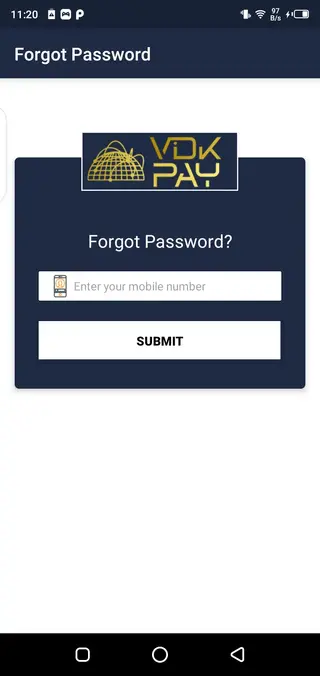
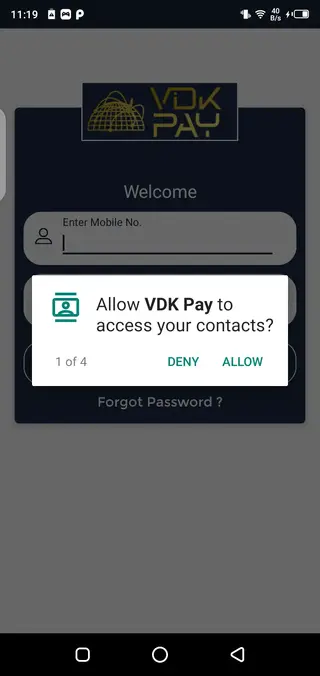
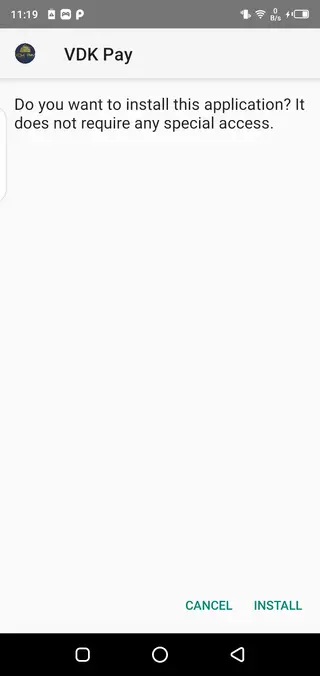
Getting Started With Registration and Wallet Top-Up
After installing VDK PAY and launching it for the first time, you are prompted to register using your mobile number. The app sends a one-time password by SMS, which you must enter to complete verification. This connects your number with the wallet and recharge tools inside the app.
Once your account is active, the next step is to add money to your wallet. You can choose from supported payment options such as debit or credit cards and compatible banking or wallet transfer methods. When the transaction succeeds, the amount appears in your VDK balance and becomes available for recharges.
From there, you can pick your operator, select a pack, and pay using the stored balance. If you manage several numbers, you can save them or enter them manually each time, depending on how often you recharge them.
Safety, Permissions, and Responsible Use
VDK PAY needs certain Android permissions to function properly, such as access to the internet and basic phone details for verification and communication. You should review these permissions carefully during installation and allow only what is required for the app’s core features.
As with any payment-related app, you should keep your phone locked with a PIN, pattern, or biometric security to reduce the risk of unauthorized access. Avoid sharing one-time passwords or account details with anyone, and always review recharge details before you confirm a payment.
Transaction records within the app can help you monitor your payments. Check your history regularly so you can identify any unusual activity and contact the service provider’s support channels if you notice anything unexpected.
FAQs
Pros
- Supports prepaid recharge for multiple Indian mobile networks from one app
- Built-in wallet makes it easy to manage and reuse added balance
- Simple registration with mobile number and OTP verification
- Can recharge numbers of friends and family quickly in urgent situations
- Shows updated plans and offers, helping users find suitable packs
- Clean and user-friendly interface suitable for most Android users
Cons
- Service appears focused on India and may not support international operators
- Requires an active internet connection for wallet and recharge operations
- Availability and features can change over time depending on the provider
- May not cover every regional carrier or all types of utility payments
Conclusion
VDK PAY offers a practical way to manage prepaid mobile recharges and wallet payments for Indian users from a single Android app. By downloading the official APK from our website, you can install it quickly, create an account with your phone number, and start handling everyday top-ups and balance transfers in a more organized way.




Comments
No approved comments yet.