

VN Video Editor
VN Video Editor is a mobile video editing app that helps you cut, merge, and enhance clips directly on your Android phone or tablet. It combines a simple timeline with powerful tools that suit both beginners and experienced creators.
With features like multi-track editing, keyframe animation, audio controls, and flexible export settings, you can create reels, shorts, vlogs, or full-length videos ready for social media. You can download the official VN Video Editor APK directly from our website and start editing without complicated setup.
The app focuses on fast, practical editing, so you can adjust speed, apply filters, add music, and overlay text or stickers in just a few steps. Whether you shoot on your phone or import footage, VN Video Editor gives you a complete toolkit for producing polished content on the go.
Rate this app
App details
- App name
- VN Video Editor
- Category
- Video Players & Editors
- Version
- v2.14.2
- Size
- 270.56 MB
- Requirements
- 5.0 and Above
- Package name
- com.frontrow.vlog
- Publisher
- Ubiquiti Labs, LLC
- Price
- Free
- Mod
- No
- Downloads
- 97,152
- Rating
- 4.8 / 5
- Rating count
- 37,003
- Play Store
- No
- Requires root
- No
- Offline support
- Yes
- Contains ads
- Yes
- In-app purchases
- Yes
- Updated
- Jun 3, 2026
- Age rating
- Rated for 7+
Table of contents
What is VN Video Editor APK
VN Video Editor is a free video editing application for Android that turns your device into a compact editing studio. Developed by Ubiquiti Labs, LLC, it provides a multi-track timeline, precise trimming tools, and creative effects so you can build high-quality videos for platforms like TikTok, Instagram, YouTube, and other social networks.
The app supports common video formats, lets you import multiple clips, and offers frame-accurate control over your edits. You can combine videos, photos, music, and text layers on separate tracks, then export in various resolutions suitable for mobile viewing and sharing.
It is easy to use for beginners and a powerful tool for professional content creators. There are a variety of options to apply for users, like filters, trim options, FX effects, split ratios, and other useful tools to create polished video content for free, just like Node Video.
VN Video Editor is designed for users who want desktop-style control in a mobile interface. You do not need prior editing experience to start: the timeline, icons, and tools are laid out clearly, and you can preview every change in real time before exporting your final video.
Why Download VN Video Editor from Our Website
Downloading VN Video Editor APK from our website lets you install the official app version directly on your Android device without visiting any other source. The file information, version, and requirements are clearly listed so you know what you are installing.
Once installed, you get full access to VN's editing features without mandatory registration. You can instantly start trimming clips, adding transitions, applying filters, and exporting your projects for social channels. For users who prefer sideloading apps or need a specific version, having the APK available on our website is especially convenient.
Our download page is focused on simplicity: tap the download button, wait for the file to save, and then follow the on-screen steps to install. This helps you get from download to editing in just a few minutes.
How VN Video Editor Is Useful for Creators
VN Video Editor is useful because it brings a large set of editing tools into a mobile-friendly layout. You can build complete videos using only your phone, which makes it ideal for vloggers, influencers, small businesses, students, and anyone who needs quick content production.
The multi-track timeline lets you layer video, audio, text, and effects with precision, while keyframe animation gives you control over motion, zooms, and on-screen elements. Built-in audio tools allow you to extract sound from clips, add background music, insert voiceovers, or mute and reverse segments when needed.
VN is also practical for everyday tasks like cutting out unwanted sections, merging clips from different devices, adding subtitles, or adapting videos to vertical, square, or horizontal formats. This flexibility helps you reuse the same footage across multiple platforms without re-editing from scratch.
How to Download and Install VN Video Editor APK
You can download the VN Video Editor APK file directly from our website and install it on your Android phone or tablet. Follow these steps to get started:
Scroll to the download section on this page and tap the download button for VN Video Editor APK.
Wait until the APK file finishes downloading to your device.
Open your device settings and allow installation from unknown or external sources if it is not already enabled.
Locate the downloaded APK in your downloads folder and tap it to start the installation.
Follow the on-screen prompts to complete installation, then open VN Video Editor from your app drawer.
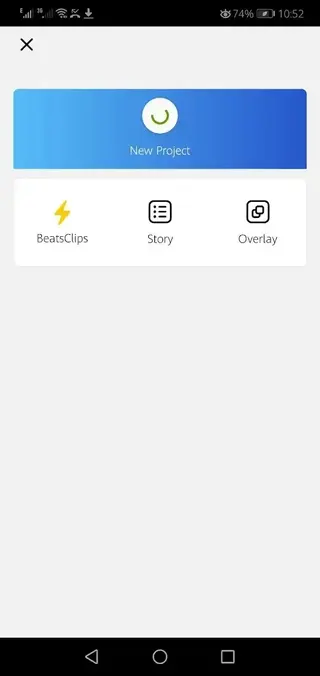
After installation, you can import your clips, set up a new project, and start editing without any additional configuration.
Features
Multi-track timeline editing
Create projects with separate tracks for video, audio, text, and effects so you can control each layer independently and fine-tune your edits.
Free to use core features
Access a wide range of editing tools without a paid subscription, including trimming, splitting, filters, basic transitions, and export options.
No watermark exports by default
Export videos without a forced watermark on most platforms, giving your content a clean, professional look suitable for publishing.
Keyframe animation controls
Animate text, stickers, images, and other elements using keyframes to create zooms, movement, and dynamic on-screen transitions.
Advanced audio tools
Extract audio from videos, add music tracks, record or import voiceovers, and adjust, mute, or reverse sound segments as needed.
Speed control and slow motion
Change playback speed of clips for slow-motion or time-lapse effects, and combine different speeds within the same project.
Filters, LUTs, and color adjustment
Apply filters and basic color corrections to achieve a consistent look, enhance exposure, or match the style of your social feed.
Support for various aspect ratios
Edit in aspect ratios like 9:16, 1:1, 16:9, and more so your videos fit platforms such as TikTok, Instagram Reels, Stories, and YouTube.
Screenshots
Editing Experience and Interface
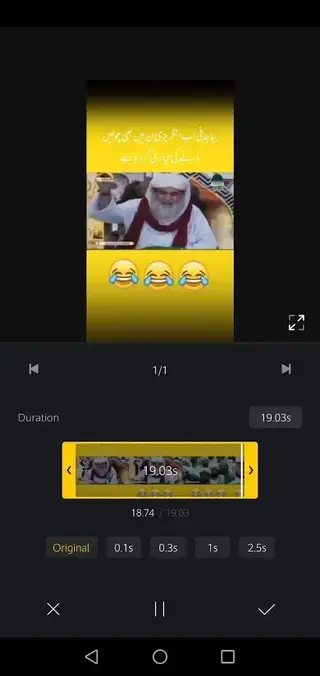
VN Video Editor uses a timeline-based interface similar to desktop software, which makes it easier to see exactly how your clips, audio, and overlays align. You can pinch to zoom on the timeline for frame-level accuracy, drag and drop clips to rearrange them, and use icons for common actions like split, delete, and duplicate.
Preview playback updates instantly, so you can check transitions, text placement, and audio timing without exporting. This workflow helps shorten the edit-review cycle and makes the app practical for daily content production.
Performance and Device Compatibility
VN Video Editor runs on modern Android phones and tablets with Android 5.0 or above, according to the version details provided. Simple edits work well on many mid-range devices, but for multi-layer projects or high-resolution exports, a device with stronger processing power and more RAM offers a smoother experience.
To keep performance stable, it is a good idea to close background apps, maintain free storage space, and periodically clear unused media from your projects. These small steps can help VN Video Editor handle larger timelines more comfortably.
FAQs
Pros
- Multi-track timeline offers desktop-style editing control on mobile
- No forced watermark on exports for a clean, professional result
- Free access to a wide set of core editing tools
- Keyframe animation enables advanced motion and visual effects
- Convenient audio tools for music, voiceovers, and sound adjustments
- Supports multiple aspect ratios for different social media platforms
Cons
- Requires a relatively powerful device for smoother performance on complex projects
- Large projects with many layers can be demanding on storage and RAM
- Interface may feel complex to complete beginners at first
Conclusion
VN Video Editor is a capable Android video editing app that combines multi-track control, audio tools, and animation options in a mobile interface. By downloading the official APK from our website, you can install it quickly and start producing polished videos for social media, vlogs, or personal projects without relying on a desktop editor.




Comments
No approved comments yet.