

VTube Studio
VTube Studio is a Live2D VTuber app that lets you stream and record as an animated 2D character directly from your Android phone or tablet. It connects your camera and motion data to a Live2D model so you can appear on screen as a virtual avatar.
Creators use VTube Studio to go live on platforms like YouTube, Twitch, and more while hiding their real face behind expressive anime-style characters. The app supports face tracking, simple controls, and model customization, making it easier for new and experienced VTubers to set up a virtual persona.
You can download the official VTube Studio APK latest version directly from our website and install it on any compatible Android device running Android 7.0 or higher.
Rate this app
App details
- App name
- VTube Studio
- Category
- Entertainment
- Version
- v1.32.71
- Size
- 187.34 MB
- Requirements
- 7.0 and Up
- Package name
- com.denchi.vtubestudio
- Publisher
- Denchi
- Price
- Free
- Mod
- No
- Downloads
- 145,008
- Rating
- 4.4 / 5
- Rating count
- 40,000
- Play Store
- Yes
- Requires root
- No
- Offline support
- No
- Contains ads
- No
- In-app purchases
- Yes
- Updated
- Jun 3, 2026
- Age rating
- Rated for 3+
Table of contents
What is VTube Studio for Android
VTube Studio is an official Live2D VTuber application by Denchi that turns your Android device into a full-featured virtual avatar studio. Instead of appearing on camera yourself, you control a 2D character model that mirrors your movements and expressions in real time.
The Android app is designed for streamers, YouTubers, and content creators who want a simple way to broadcast as a virtual character. It uses your device camera and supported face-tracking technologies (including ARCore when available) to drive Live2D models. These models can blink, move, talk, and react along with you during streams or recordings.
There are other Apps available for Android users to edit and compose different anime characters. Which you can also try on your device. So, if you are willing to enjoy your quality time, then get Toonme Pro and Toon App Pro. Both of these are quite amazing Apps, which also provide similar services.
VTube Studio for Android can be used on its own for mobile streaming, or together with the desktop versions on Windows and macOS via network connection. On mobile, it focuses on quick setup, model management, and reliable tracking, making it a practical option for VTubers who want to stream without a complex PC rig.
Why download VTube Studio APK from our site
Downloading the VTube Studio APK from our website lets you get the latest Android build directly, even if it is not yet visible or updated in every regional store. You receive the official package name and version information exactly as released by the developer.
With the APK on your device, you can install, update, or roll back without waiting for staged store rollouts. This is especially helpful for VTubers who rely on consistent tools for their streaming setup and want quick access to new features or fixes.
Our download page provides the current version number, Android requirement, and other technical details so you can confirm compatibility before installing. Once installed, you can sign in, import models, and start using VTube Studio with your preferred streaming apps.
How VTube Studio is useful for creators
VTube Studio is useful because it lowers the barrier to becoming a VTuber. You do not need an expensive tracking setup or a powerful PC to get started. A compatible Android phone with a camera is enough to control Live2D characters and appear on stream as a virtual persona.
The app supports custom Live2D models, allowing artists and creators to bring their own characters to life. It also offers ready-made models and layouts, so beginners can test VTubing quickly. Built-in tracking adjustments, hotkeys, and simple controls make it easier to manage expressions or scene changes without breaking immersion.
Because it works with popular streaming platforms and can also pair with desktop broadcasting tools, VTube Studio fits into many different workflows. Whether you are a hobby creator, a streamer building a VTuber brand, or an artist showcasing Live2D work, the app provides a flexible mobile solution.
How to download and install VTube Studio APK
You can get the official VTube Studio APK file directly from our website and install it on any supported Android device. Follow these steps to complete the process safely.
Scroll to the download section on this page and tap the VTube Studio APK download button.
Confirm the file download in your browser and wait until the APK finishes downloading to your device.
Open your device settings and enable app installation from unknown sources if it is not already allowed.
Locate the downloaded APK file in your Downloads folder or notification panel and tap it.
Review the permissions, then tap Install and wait for the installation to complete.
Launch VTube Studio from your app drawer, complete the initial setup, and load a Live2D model to start using your virtual avatar.
Once installed, you can update to newer versions by downloading the latest APK from our website and installing it over the existing app.
Features
Live2D avatar support
Load and control Live2D models to appear as a fully animated 2D character during streams or recordings.
Face and motion tracking
Use your Android device camera and supported tracking (including ARCore on compatible phones) to drive model movements and expressions.
Multiple character models
Manage several Live2D avatars, switch between them, and organize different looks and outfits for your channel.
Real-time streaming integration
Use the app together with streaming software or mobile broadcasting tools to go live on platforms like YouTube and Twitch.
Customizable expressions and hotkeys
Trigger expressions, animations, and props with buttons or hotkeys so your avatar reacts naturally during live content.
User-friendly interface
Navigate a clean layout with clear controls for loading models, adjusting tracking, and changing settings quickly.
Live2D Cubism SDK based
Built on the official Live2D Cubism SDK, providing accurate model rendering and animation behavior.
Model and scene customization
Adjust backgrounds, overlays, and layouts to fit your stream branding and visual style.
Screenshots
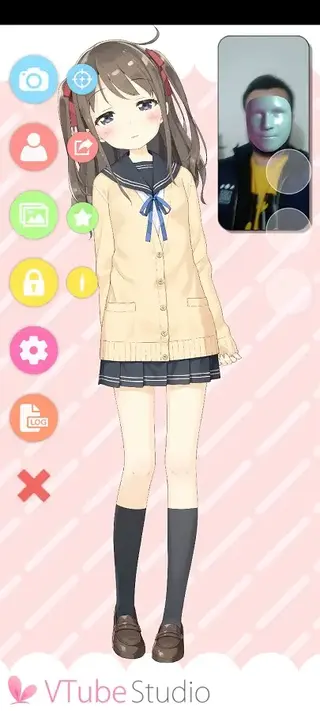
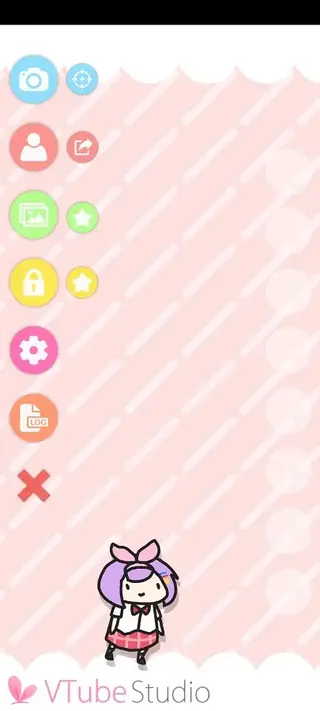
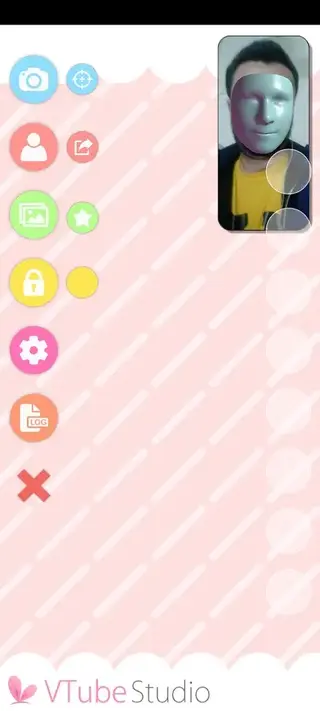
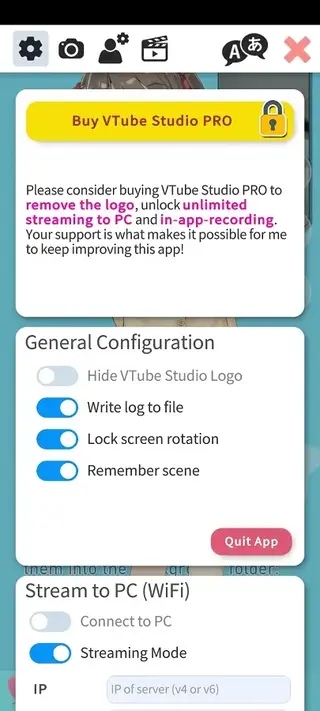
VTube Studio system requirements for Android
To use VTube Studio effectively on Android, your device should meet a few basic requirements. The app targets modern phones and tablets that can handle real-time tracking and Live2D rendering.
Operating system: Android 7.0 or higher
Camera: Rear or front camera required for face tracking
Hardware: Recent mid-range or higher chipset recommended for smooth performance
ARCore: Optional but recommended for improved face tracking on supported devices
While the app can run on a wide range of phones, users will generally see better tracking stability and responsiveness on newer hardware.
Using VTube Studio with streaming platforms
VTube Studio fits into different streaming setups depending on how you create content. On Android, you can either broadcast directly from your phone or pair the app with desktop tools.
Many users capture the avatar output using screen recording or mobile streaming apps and then send it to platforms like YouTube, Twitch, or other live services. Others connect the mobile app to the desktop versions of VTube Studio, using the phone primarily as a tracking device while the PC handles final compositing and broadcasting.
This flexibility allows you to start with a simple mobile-only setup and later move to a more advanced workflow without changing your avatar environment.
Tips for better tracking and avatar performance
Good tracking is essential for convincing VTuber content. With VTube Studio on Android, a few simple adjustments can significantly improve how your avatar responds.
Use a well-lit room so the camera can clearly see your face.
Avoid strong backlighting, which can create shadows and confuse tracking.
Keep the phone stable using a stand or tripod instead of holding it in your hand.
Position the camera at eye level for more natural head and eye movement.
Fine-tune sensitivity and smoothing settings inside VTube Studio until movements feel comfortable and responsive.
By optimizing lighting, camera position, and app settings, you help your Live2D model move more naturally on screen.
FAQs
Pros
- Official Live2D VTuber solution from a known developer
- Supports custom Live2D models and multiple avatars
- Face tracking and ARCore support on compatible devices
- Works with popular streaming and recording workflows
- User-friendly interface suitable for beginners and advanced users
Cons
- Requires a compatible camera and hardware for smooth tracking
- Learning curve for configuring Live2D models and expressions
- Performance may vary on low-end or older Android devices
Conclusion
VTube Studio for Android gives creators a practical way to become a VTuber using only a smartphone or tablet. By combining Live2D models with camera tracking and an accessible interface, it makes virtual streaming more approachable for new and established content creators alike. Download the APK from our website, install it on a compatible device, and start building your own virtual presence on your favorite platforms.




Comments
No approved comments yet.