Widget Share

Widget Share

Widget Share is a social widget app that lets you and your friends share live photos straight on each other’s home screens. Every time someone updates the widget, the new picture appears for everyone who is connected.

Instead of sending images in chat apps and forgetting them, you can keep special people visible on your home screen all day. Widget Share focuses on simple, visual communication that feels personal and lightweight.

As you know Widgets are used to get easy access to services, which includes time, weather, time, and many more. Also, you can explore more widgets in apps such as Widgetopia. But now there are also applications, through which Android users can have similar services.

You can download the official Widget Share APK directly from our website and install the latest Android version in just a few steps, then start sharing moments with your favorite people instantly.

v4.27.7 33.8 MB 1M Downloads
Download APK Play Store

https://apkoll.com/widget-share-apk/

Rate this app

Rate this app

App details

App name
Widget Share
Category
Social
Version
v4.27.7
Size
33.8 MB
Requirements
5.0 and Up
Package name
com.galew.widgetshare
Publisher
Galew
Price
Free
Mod
No
Downloads
1,000,000
Rating
4.3 / 5
Rating count
50,999
Play Store
Yes
Requires root
No
Offline support
No
Contains ads
No
In-app purchases
Yes
Updated
May 14, 2026
Age rating
Rated for 3+

What is Widget Share APK?

Widget Share is an Android social app by Galew that turns your home screen into a shared photo board with your friends, partner, or family. You create a widget, invite others with a code, and everyone in that widget can send photos that appear on each member’s home screen.

Instead of scrolling through feeds or long chats, you see a single photo that changes whenever someone updates it. This makes Widget Share feel more like a small, private space for a close group rather than a public social network.

The app works together with an Android home screen widget. After you set up a widget and connect it to a friend using a shared ID, any image you send from the app shows up directly in that widget. It is designed to be simple, visual, and focused on a few important relationships.

Why download Widget Share for Android?

Widget Share gives you a different way to stay close to people who matter without spending hours in messaging apps and timelines. A single photo on your home screen can say more than a long text, and it is always there when you unlock your phone.

Many couples, friends, and families use Widget Share to send quick updates, inside jokes, and everyday moments. Because the widget updates in real time, everyone in the group sees the latest photo almost instantly.

If you like minimal, private, and visual communication instead of noisy social feeds, downloading Widget Share on your Android device is a practical choice. You can get the APK directly from our website and start sharing widgets within minutes.

How is Widget Share useful?

Widget Share is useful for anyone who wants a low-effort way to feel connected. You do not need to open an app or check notifications to see what someone sent. The photo is already on your home screen, so every time you look at your phone, you see a fresh moment from your group.

It works well for:

  • Couples who want a private space for quick, daily photos.

  • Close friends sharing memes, selfies, and random life updates.

  • Families keeping up with kids, parents, or long-distance relatives.

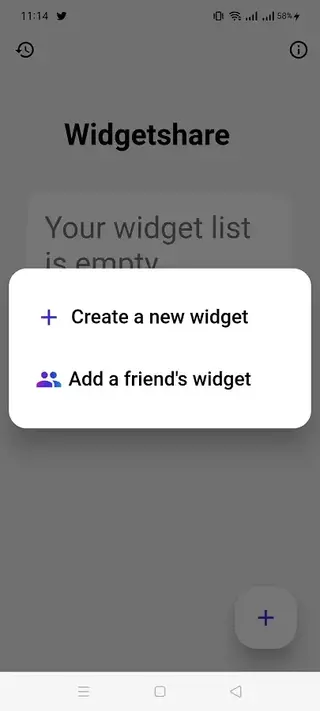
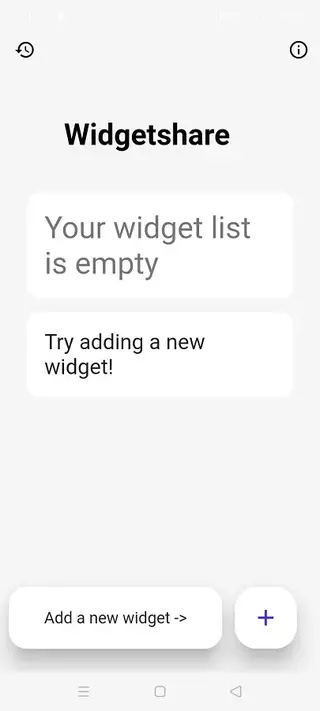
The app keeps the process simple. Create or join a widget, share the code, add it to your home screen, and start sending photos. There is no complex timeline, follower system, or public profile to manage, which makes it easy to use every day.

How to download and install Widget Share APK

You can download the official Widget Share APK file directly from our website and install it on any compatible Android device. Follow these steps to get started:

  • Scroll to the download section on this page.

  • Tap the download button to save the Widget Share APK file to your device.

  • If this is your first manual install, enable installation from unknown sources in your Android security settings.

  • Open your file manager and tap the downloaded APK file.

  • Confirm the installation prompt and wait until the process completes.

  • Launch Widget Share, create or join a widget, and then add the widget to your home screen.

Once installed, you can always return to our website to download the latest available version when you want to update manually.

Features

Shared photo widgets

Create shared widgets with friends so any photo you send appears on everyone’s home screen in that widget group.

Real time updates

When someone updates the widget with a new image, the change is reflected for all connected users almost instantly.

Multiple widgets and groups

Create different widgets for different people or groups such as partner, best friends, and family.

Simple widget setup

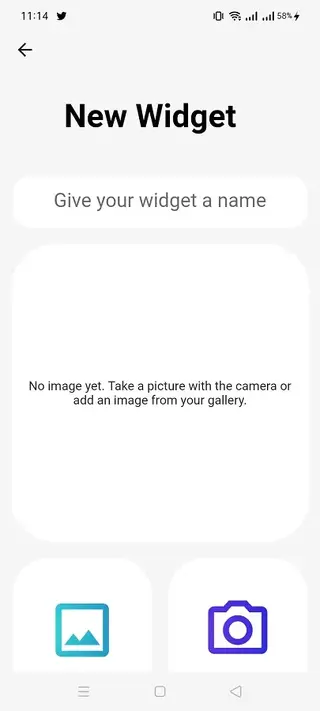
Add the widget to your Android home screen, link it with a code, and start sharing images in a few quick steps.

Private sharing

Share moments only with the people who have your widget ID, instead of posting to a public feed.

Easy photo tools

Select photos from your gallery, crop or adjust as supported, and send them directly to the widget.

Clean and minimal interface

The app uses a straightforward layout that keeps the focus on sending and viewing pictures, not on complex menus.

No built in ads in the widget experience

The core experience focuses on sharing widgets without interrupting banner or pop up ads in normal use.

Screenshots
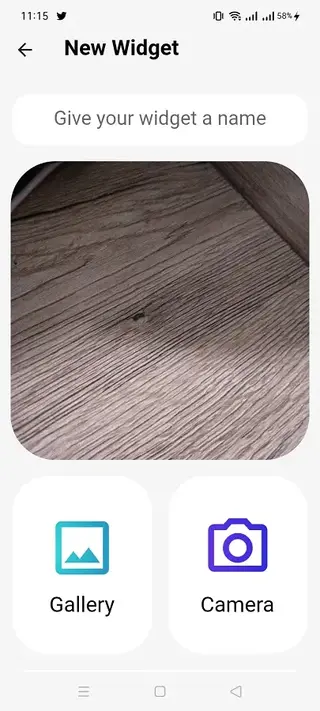
Screenshot of Widget Share Apk
Screenshot of Widget Share App
Screenshot of Widget Share Android
Screenshot of Widget Share Download
Screenshot of WidgetShare

How Widget Share works on your home screen

Widget Share combines a simple Android widget with a small social layer. After installing the app, you create or join a widget inside the app and receive a unique ID or invite that others can use. When everyone has joined the same widget group and added the widget to their home screens, the photo space is shared.

Whenever someone sends a new picture from the app, the widget requests the latest image from the service and refreshes itself. This gives everyone a synchronized view, so all members see the same photo no matter where they are.

Tips for getting the best experience

To get the most from Widget Share, keep your groups small and personal, such as one for your partner and another for your closest friends. This keeps the widget meaningful instead of cluttered.

  • Choose clear, bright photos so they look good on the home screen.

  • Update the widget regularly with everyday moments, not just special events.

  • Experiment with different widget sizes to find what fits your layout best.

  • Adjust notification settings so you only get alerts that are helpful for you.

By using the app in a focused way, Widget Share can become a quiet, constant reminder of the people you care about, without the noise of larger social platforms.

FAQs

Pros

  • Unique way to share live photos directly on the home screen
  • Simple interface that is easy for anyone to set up and use
  • Great for couples, friends, and families who want private visual communication
  • Supports multiple shared widgets for different groups
  • Real time widget updates keep everyone synced with the latest photo

Cons

  • Requires an internet connection for syncing photos
  • Both you and your friends need to install and set up the app to use widgets together
  • Limited offline use since photos and updates depend on the server

Conclusion

Widget Share offers a fresh, personal way to stay connected by turning your Android home screen into a shared photo space with the people you care about most. Download the APK directly from our website, set up your first widget, and start exchanging everyday moments in a simple, visual format that fits naturally into your daily phone use.


Comments

No approved comments yet.

Leave a comment

Comments are reviewed before they appear.

Widget Share

v4.27.7 · 33.8 MB

Download