
Widgetopia
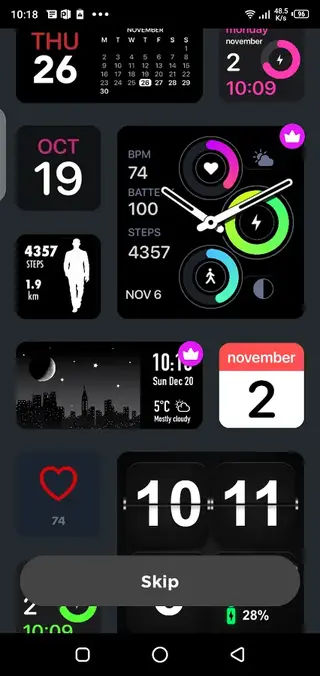
Widgetopia is a powerful widget customization app that brings an iOS-style home screen experience to Android. It offers thousands of prebuilt layouts and deep editing tools so you can design the exact look you want.
With support for clock, date, weather, calendar, fitness, battery and many other data sources, you can build a clean dashboard on your home screen instead of opening multiple apps.
You can download the official Widgetopia APK directly from our website and start transforming your Android home screen in just a few minutes.
Rate this app
App details
- App name
- Widgetopia
- Category
- Personalization
- Version
- v2.7.3
- Size
- 44.64 MB
- Requirements
- 6.0 and Above
- Package name
- slide.widgetFrenzy
- Publisher
- androidslife
- Price
- Free
- Mod
- No
- Downloads
- 1,372,455
- Rating
- 4.3 / 5
- Rating count
- 196,280
- Play Store
- Yes
- Requires root
- No
- Offline support
- Yes
- Contains ads
- Yes
- In-app purchases
- Yes
- Updated
- May 12, 2026
- Age rating
- Rated for 3+
Table of contents
What is Widgetopia APK?
Widgetopia is a personalization and productivity app for Android that focuses on custom home screen widgets. It lets you apply an iOS-style widget system, including designs inspired by iOS 14 and iOS 15, while still running on an Android device.
The app combines a large gallery of ready-made widgets with an advanced editor. You can either pick a template and apply it in seconds or fine-tune every detail such as fonts, colors, backgrounds, and data sources.
Widgetopia supports a wide range of information types, including:
Time and date
Weather and temperature
Battery level
Calendar and events
Steps, activity and health stats (where supported)
Notes, reminders and many more
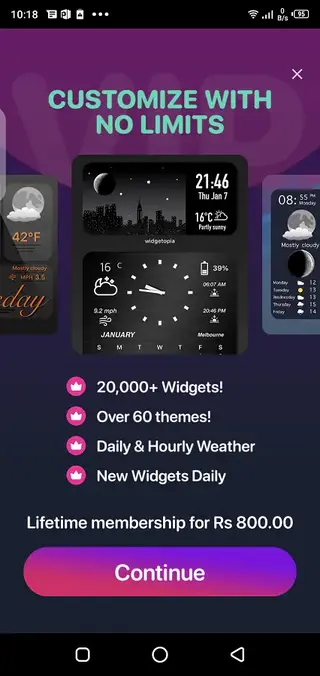
The base app is free to download and use, with optional premium upgrades that unlock extra themes, styles and advanced editing capabilities.
We have more similar applications for you all, which you can also download and enjoy your quality time. If you want to try more similar apps, then get a Widget Share And Box Box Widgets.
Why download Widgetopia for Android?
Widgetopia is ideal for users who are bored with the default Android launcher look and want a cleaner, more stylish home screen. Instead of switching to a completely different operating system, you can recreate key visual elements of iOS widgets directly on Android.
Downloading the APK from our website gives you quick access to the latest available version without searching through the store. Once installed, you can start applying beautiful widgets immediately and then customize them as deeply as you like.
The combination of aesthetic themes, live data widgets and a flexible editor makes Widgetopia a solid choice for both casual users who just want a new look and advanced users who enjoy designing unique layouts.
How is Widgetopia useful?
Widgetopia is useful because it combines style and function in a single tool. It not only changes how your home screen looks but also makes key information more accessible at a glance.
You can keep important info like time zones, upcoming events, reminders, battery status or weather visible without opening apps repeatedly. This can save time throughout the day and help you organize your device around your daily routine.
For users who frequently tweak their setup, the editor offers fine-grained control over fonts, icons, spacing and colors. For those who prefer speed, the large gallery of prebuilt widgets lets you apply a fresh design in seconds.
How to download and install Widgetopia APK?
You can get the official Widgetopia APK directly from our website without using any other source. Follow these steps to download and install it on your Android device:
Scroll to the download area on this page and tap the Widgetopia APK download button.
Confirm the download in your browser and wait for the file to finish downloading.
Open your device settings and enable installation from unknown or external sources if it is not already allowed.
Locate the downloaded APK file in your Downloads folder and tap it.
Follow the on-screen prompts to complete the installation.
Once installed, long-press your home screen, open the widgets panel, find Widgetopia and add your first widget.
After installation, you can explore free widgets first and then decide if you want to unlock any premium options inside the app.
Features
iOS-style widgets on Android
Apply widget designs inspired by iOS 14 and iOS 15 while staying on your Android device.
Large widget template library
Choose from thousands of predesigned widgets for clocks, calendars, weather, battery, health and more.
Advanced widget editor
Customize fonts, colors, backgrounds, layouts and data sources to match your exact style.
Multiple widget sizes
Use small, medium and large widgets to build flexible layouts across your home screens.
Live data integration
Display real-time information such as time, date, weather, battery and calendar events.
Theming and customization
Match widgets with wallpapers, icon packs and color schemes for a unified look.
Backup and restore layouts
Save your favorite widget setups so you can reuse or adjust them later.
Free and premium options
Get core features for free and unlock additional templates and tools with optional purchases.
Screenshots
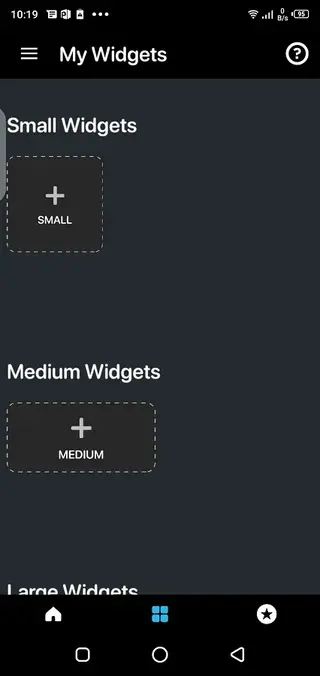
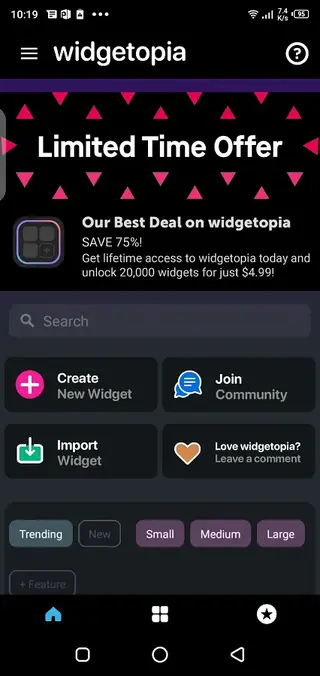
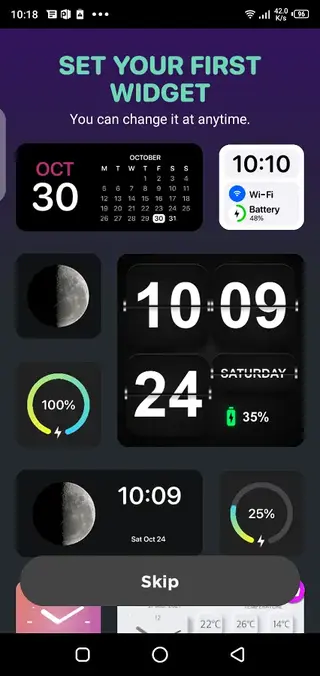
Customization options and editing tools
Widgetopia focuses heavily on giving you control over every part of the widget layout. You can select from different font families, change font weight and size, adjust letter spacing, and choose custom colors for text and backgrounds.
The editor also allows you to rearrange elements inside the widget, toggle lines and icons on or off, apply blur or transparency effects, and align content precisely. This level of control makes it possible to match widgets with any wallpaper or icon pack.
Performance and compatibility
Widgetopia supports most modern Android phones and tablets that run Android 6.0 or higher. As with any widget-heavy setup, performance can depend on the number of widgets you place and how often they refresh data.
To keep your device responsive, you can experiment with fewer live-updating widgets, reduce refresh intervals for certain data, or stick to mostly static designs. This way you can balance visual customization with battery life and performance.
Tips for getting started with Widgetopia
If you are new to custom widgets, start by selecting a few templates from the gallery rather than editing everything from scratch. Apply one clock widget, one date or calendar widget, and one weather widget to get a feel for the app.
Once you are comfortable, open the editor, duplicate a template and begin changing fonts, colors and positions. Saving your own variations helps you build a personal library of widgets you can reuse whenever you change wallpapers or themes.
FAQs
Pros
- Highly customizable widgets with deep editing options
- Large gallery of ready-made widget templates
- Lets Android users mimic iOS-style widget designs
- Supports many data types including time, date, weather and battery
- Free to download with optional premium upgrades
Cons
- Full experience requires in-app purchases for some content
- May use more battery than basic static widgets
- Large number of options can feel overwhelming for new users
Conclusion
Widgetopia is a feature-rich widget customization app that helps Android users redesign their home screens with stylish, iOS-inspired layouts. With a mix of free content and optional upgrades, it offers both quick themes and deep design tools, and you can download the official APK directly from our website whenever you want to refresh your device look.




Comments
No approved comments yet.