

WiFi AR
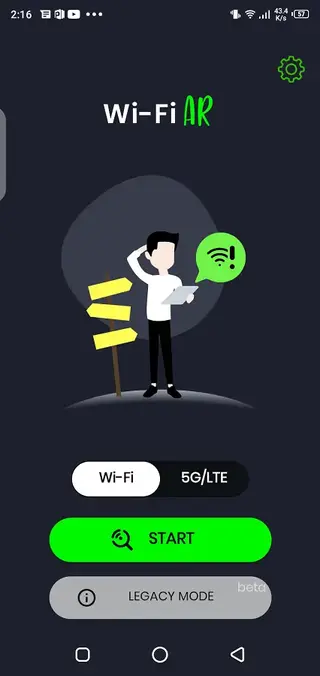
WiFi AR is an augmented reality WiFi analyzer that helps you see signal strength, coverage, and network quality directly through your phone’s camera. It turns complex wireless data into clear visual overlays so you can understand your environment at a glance.
With this app, you can walk around your home or office and instantly spot weak zones, interference areas, and the best locations for routers or access points. It is designed for everyday users, gamers, and tech enthusiasts who want a simple way to optimize their wireless connection.
You can download the official WiFi AR APK directly from our website and install the latest available version on compatible Android phones and tablets without any complicated setup.
Rate this app
App details
- App name
- WiFi AR
- Category
- Communication
- Version
- v5.17
- Size
- 7.13 MB
- Requirements
- 8.0 and Up
- Package name
- ua.com.wifisolutions.wifivr
- Publisher
- Wi-Fi Solutions
- Price
- Free
- Mod
- No
- Downloads
- 123,004
- Rating
- 4.8 / 5
- Rating count
- 33,000
- Play Store
- Yes
- Requires root
- No
- Offline support
- No
- Contains ads
- Yes
- In-app purchases
- Yes
- Updated
- Jun 1, 2026
- Age rating
- Rated for 3+
Table of contents
What is WiFi AR App?
WiFi AR is a WiFi analysis and visualization app that uses augmented reality to show network information in real time. Instead of reading static graphs, you can point your camera around the room and see colored overlays for signal strength, data rate, ping, and access point locations.
The app reads information from your current WiFi or cellular connection and presents it as easy-to-understand AR elements. This helps you quickly identify where your connection is strong or weak, how stable the link is for online gaming or streaming, and how nearby networks may interfere with your own.
WiFi AR supports modern Android devices running Android 8.0 and above and works with WiFi and LTE/5G connections where supported. You do not need root access, and the interface stays simple enough for non-technical users while still exposing helpful metrics for advanced users.
If you want to get more tools, which are related to the web surfing connection, then we have some options for you. You guys can try HC Sniff Tool and Remote 1, both of these provide active services for the users.
Why Download WiFi AR APK from Our Website
Downloading WiFi AR APK from our website gives you direct access to the official installation file for your Android device. You can save the package locally, share it between your devices, and reinstall it whenever you need without searching in multiple places.
Network problems such as slow WiFi, high ping, or unstable streaming often come from poor placement of routers and repeaters. With WiFi AR installed, you can walk around your space, see where the signal drops, and adjust your setup in minutes. This is particularly useful if you play online games, work from home, or stream high-resolution video.
If the app is not showing for your device region or you prefer installing with an APK file, you can rely on our website to provide the current version listed on this page along with basic details like version number, Android requirements, and change information where available.
How WiFi AR Helps You Improve Your Connection
WiFi AR is useful because it converts invisible wireless behavior into visual information that anyone can understand. Instead of guessing where to place your router, you can walk around and watch signal strength change in real time. This reduces trial-and-error and helps you get better coverage with the equipment you already have.
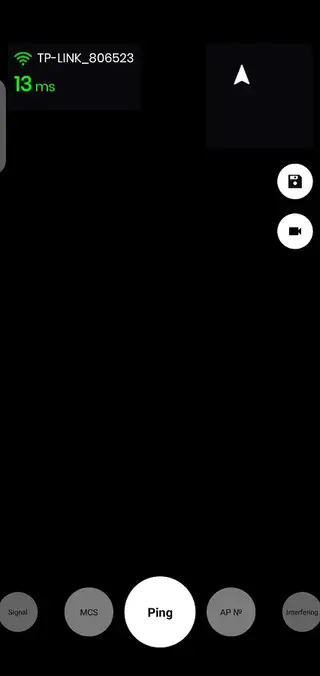
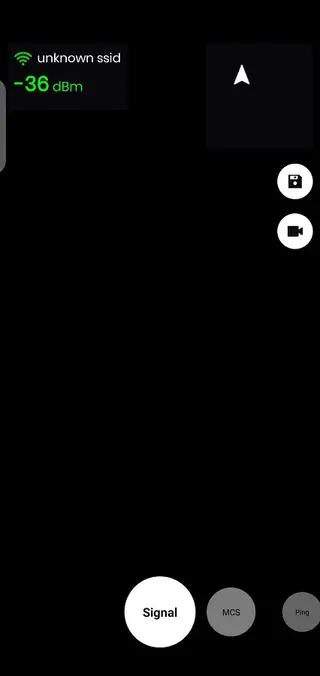
The app shows key metrics such as signal level in dBm, MCS (modulation and coding scheme), ping values, and approximate access point location. By comparing these indicators across different spots, you can choose the best place for gaming, video calls, or large downloads.
For users in crowded apartment buildings or offices, WiFi AR can highlight interfering networks so you see which channels are busy and when your connection quality drops. You can record AR sessions as video and share them with your internet provider or network admin to explain issues more clearly.
How to Download and Install WiFi AR APK
You can get the WiFi AR APK file directly from our website and install it on any compatible Android device. Follow these simple steps to complete the process safely and correctly.
Scroll to the download area on this page and tap the WiFi AR APK download button.
Wait for the APK (or XAPK) file to finish downloading to your device.
If this is your first manual install, open Android settings and enable installation from unknown sources for your browser or file manager.
Open your file manager, navigate to the Downloads folder, and tap the WiFi AR file.
Confirm the installation prompt and wait until Android completes the setup.
Launch WiFi AR from your app drawer, grant the required permissions, and start scanning your environment in AR mode.
Once installed, you can keep the APK on your device or backup drive, so you can reinstall it later without downloading again.
Features
Augmented reality WiFi visualization
View WiFi signal strength, quality, and coverage as colored overlays while you move your phone around the room.
Real time signal strength in dBm
Track live signal level in dBm to quickly find strong and weak spots for routers, repeaters, and client devices.
Access point and best spot guidance
See the estimated location of access points and identify the best place to stand, sit, or position your router for stable connectivity.
MCS and link quality details
Monitor modulation and coding scheme values and link quality indicators to understand how efficiently your WiFi link is working.
Ping and latency monitoring
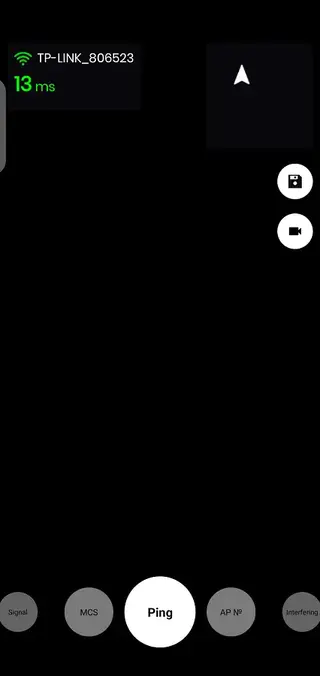
Check latency in real time so you can evaluate how suitable your connection is for online gaming, calls, and streaming.
Support for WiFi and cellular networks
Analyze both WiFi and mobile data connections on supported devices to compare performance and stability in different modes.
Interference and neighboring networks view
Scan nearby networks and see how overlapping channels and neighboring access points may affect your own WiFi performance.
Download and upload speed testing
Measure approximate download and upload speeds so you can find the best spots for large file transfers or cloud backups.
Screenshots

Device compatibility and requirements
WiFi AR targets modern Android phones and tablets that support augmented reality features and run Android 8.0 or higher. The app relies on your device camera, motion sensors, and network hardware to display stable AR overlays.
For the best experience, use a device with a reasonably bright screen, good WiFi chipset, and updated system software. While the app can run on many mid range phones, very old or underpowered devices may show frame drops or less accurate tracking in AR mode.
Best practices for using WiFi AR
To get accurate readings, connect to the WiFi network you want to analyze before starting WiFi AR. Walk slowly around your space with your camera facing forward, and give the app a few seconds in each area to stabilize readings. Try different rooms, floors, and distances from your router.
If you find dead zones or weak areas, adjust router location, antenna orientation, or add an additional access point or mesh node if needed. You can repeat the scan after every change to see whether the visual overlays improve in real time.
Privacy and permission considerations
WiFi AR needs access to your device location and camera to display AR overlays and scan nearby networks as allowed by Android. These permissions are standard for WiFi analyzers and AR apps. You can manage or revoke them at any time from the Android settings if you stop using the app.
The app focuses on technical WiFi parameters like signal strength and network identifiers. As with any network tool, you should use it only on networks you are authorized to analyze and respect local regulations and privacy rules.
FAQs
Pros
- Augmented reality interface makes WiFi coverage easy to understand visually
- Shows detailed metrics like dBm, ping, and MCS for deeper analysis
- Helps find the best router placement and strongest signal spots quickly
- Works without root access on modern Android versions
- Useful for gamers, remote workers, and streamers who need stable connections
Cons
- Requires moving around with the camera, which may not suit every environment
- Performance depends on device sensors and AR support, so older phones may struggle
- Free version may include ads and optional in app purchases
- Needs an active network connection to provide full functionality
Conclusion
WiFi AR offers a practical way to see and understand your wireless environment using augmented reality. By downloading the official APK from our website, you can install the latest listed version on your Android device, scan your surroundings, and quickly fine tune router placement and usage for better everyday connectivity.




Comments
No approved comments yet.