

WifiNanScan
WifiNanScan is a utility app from Google that demonstrates how Wi‑Fi Aware (also called Neighbor Awareness Networking or NAN) can measure distance between nearby Android devices without using GPS or the internet.
With this tool you can discover compatible devices around you and view precise ranging information in real time, making it useful for developers, testers, and anyone evaluating proximity-based experiences.
You can download the official WifiNanScan APK directly from our website and install it on any supported Android device that meets the Wi‑Fi Aware hardware and software requirements.
You will have the best sharing experience with it. If you want to get access to Public Wi-Fi, then you should try Pisowifi.
Rate this app
App details
- App name
- WifiNanScan
- Category
- Tools
- Version
- v221026-V1.7
- Size
- 9.91 MB
- Requirements
- 9.0 and Above
- Package name
- com.google.android.apps.location.rtt.wifinanscan
- Publisher
- Price
- Free
- Mod
- No
- Downloads
- 50,371
- Rating
- 4.7 / 5
- Rating count
- 17,491
- Play Store
- Yes
- Requires root
- No
- Offline support
- Yes
- Contains ads
- No
- In-app purchases
- No
- Updated
- May 12, 2026
- Age rating
- Rated for 3+
Table of contents
What is WifiNanScan Android App
WifiNanScan is an experimental Android app developed by Google to showcase the capabilities of Wi‑Fi Aware technology. Instead of focusing on consumer file sharing, it acts as a technical demo that lets users see how far away nearby devices are and how stable the connection is over time.
Wi‑Fi Aware allows compatible Android devices to discover and connect directly to each other without needing a traditional Wi‑Fi network, mobile data, or GPS. WifiNanScan uses this protocol to calculate the distance between devices and present that information in a clear on-screen view.
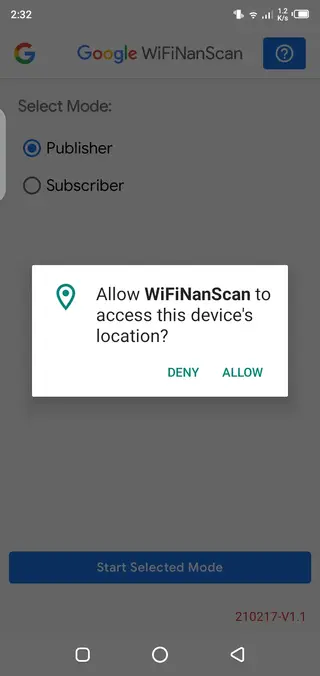
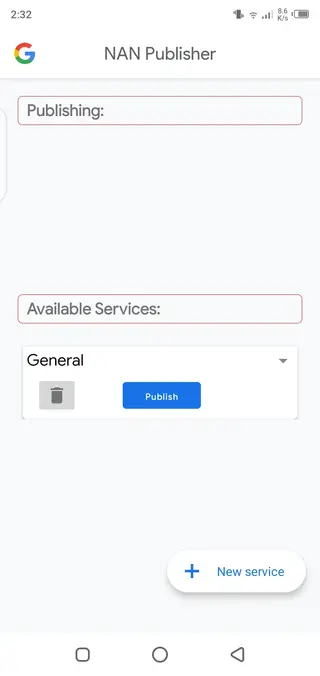
The app exposes two main roles on each device. One device can advertise itself so others can find it, while another device can subscribe and measure the distance to the advertiser. This setup helps developers, researchers, and advanced users understand how Wi‑Fi Aware behaves in real environments.
Because WifiNanScan is a demonstration and testing tool, it does not include social features, cloud accounts, or complex configuration screens. The interface stays simple so you can focus on the core ranging results.
Why download WifiNanScan APK from our site
WifiNanScan is not a typical everyday utility, but it is very helpful if you want to explore or validate Wi‑Fi Aware behavior on real hardware. Downloading the APK directly from our website allows you to install the current release even if it is not visible in your local Play Store region or on certain devices.
With the app installed you can quickly set up two compatible phones, assign them as publisher and subscriber, and start checking distance readings indoors or outdoors. This is useful when you are designing proximity-based apps, testing indoor positioning concepts, or simply learning how Wi‑Fi Aware works.
Our download section provides the official package name and version information so you can match it with your test plans, documentation, or automated testing workflows.
How WifiNanScan can be useful
WifiNanScan is especially useful for developers building applications that rely on device proximity, such as indoor navigation, context-aware notifications, or local content sharing. By running tests with this app, you can understand how distance accuracy changes with walls, obstacles, or different device models.
Educators and students can also use WifiNanScan to demonstrate modern wireless ranging concepts in labs or workshops. It provides a hands-on way to show how nearby devices can interact without GPS coordinates or internet connectivity.
For hardware and network engineers, WifiNanScan can serve as a lightweight field tool to check which devices support Wi‑Fi Aware, compare chipsets, and log distance measurements for further analysis.
How to download and install WifiNanScan APK
You can get the WifiNanScan APK directly from our website and install it on any supported Android device. Follow these steps to complete the process safely and smoothly.
Scroll to the download section on this page.
Tap the available WifiNanScan APK download button.
Wait for the APK file to finish downloading to your device.
If prompted, allow installation from your browser or file manager in Android settings.
Open the downloaded APK file and tap Install.
After installation, launch WifiNanScan from your app drawer on both test devices.
Once installed on two compatible phones, assign one as the publisher and the other as the subscriber, then start your Wi‑Fi Aware distance tests.
Features
Wi‑Fi Aware distance measurement
Measure the approximate distance between two compatible Android devices using Wi‑Fi Aware technology without GPS or mobile data.
Publisher and subscriber roles
Configure one device as the publisher and another as the subscriber so you can observe how device discovery and ranging behave in practice.
Real time ranging updates
View continuously updating distance values so you can move around and instantly see how obstacles and positioning affect readings.
Simple testing interface
Use a clean and minimal interface focused on discovery and distance, making it easier to run demos or collect testing screenshots.
Supports offline operation
Run discovery and ranging locally between devices without requiring an active internet connection or external Wi‑Fi network.
Official Google demo app
Rely on an app created by Google to showcase Wi‑Fi Aware capabilities and to help developers evaluate proximity based use cases.
Short range evaluation
Test behavior at typical Wi‑Fi Aware ranges, such as room or hallway distances, and observe stability over time.
Helps validate device support
Quickly check if a particular Android phone or tablet correctly supports Wi‑Fi Aware and ranging features.
Screenshots
Device and Android version requirements
WifiNanScan relies on Wi‑Fi Aware, which is available only on certain Android devices and versions. According to the current release details, the app targets Android 9.0 and above, and it also needs compatible Wi‑Fi hardware with Aware support enabled by the device manufacturer.
If one of your devices cannot discover or range another phone, it may not support Wi‑Fi Aware or the feature may be disabled at the system level. In such cases, trying different hardware models or updating to a newer Android version can help.
Typical use cases for WifiNanScan
WifiNanScan fits best into scenarios where you need to experiment with short range distance estimation and nearby device discovery:
Prototyping indoor navigation or wayfinding experiences in offices, campuses, or retail spaces.
Testing ideas for context aware notifications that trigger when users are near certain devices or locations.
Evaluating how walls, doors, and furniture affect Wi‑Fi Aware ranging accuracy.
Teaching wireless communication concepts in technical courses or workshops.
Comparing how different Android models perform under the same test conditions.
Tips for better ranging accuracy
To get the most stable and meaningful distance readings from WifiNanScan, you can follow a few practical tips:
Keep both devices at similar heights, such as at chest level or on the same table.
Avoid covering the Wi‑Fi antennas with your hands, cases, or metal objects.
Test in several environments, including open spaces and rooms with obstacles, to understand variability.
Repeat measurements at the same distances and note any differences across devices or positions.
Record screenshots or notes so you can compare results later during analysis.
While WifiNanScan is not a calibration grade tool, these practices can improve the quality and consistency of your experiments.
FAQs
Pros
- Official Wi‑Fi Aware demo app from Google
- Measures distance between nearby compatible devices without GPS
- Works offline using local Wi‑Fi Aware capabilities
- Simple interface that is easy to understand and operate
- Useful for developers, educators, and testers exploring proximity use cases
Cons
- Requires two compatible Android devices with Wi‑Fi Aware support
- Not designed as a full consumer file sharing or messaging app
- Features are focused on testing and may feel limited for regular users
- Availability can vary by device, region, and Android version
Conclusion
WifiNanScan is a focused test tool that helps you understand what is possible with Wi‑Fi Aware on Android. By installing the official APK from our website on two compatible devices, you can run real world distance and discovery experiments and use those insights in your own proximity based projects or research.




Comments
No approved comments yet.