

X8 Sandbox
X8 Sandbox is a virtual Android environment that lets you run games and apps inside an isolated space on your phone. It focuses on game performance tweaks, script tools, and advanced controls.
You might already be aware that hacks are quite popular these days, but finding a good tool such as Luluboxpro or X8 Speeder is quite hard. There are different types of hacks available in the market, through which users can get access to some features, but using them may not always be beneficial.
Inside this sandbox you can enable virtual root, use tap and speed helpers, and run different game instances without modifying your real system. Your main Android OS stays separate from the tools you test.
You can download the official X8 Sandbox APK latest version directly from our website and install it on compatible Android mobiles and tablets in a few simple steps.
Rate this app
App details
- App name
- X8 Sandbox
- Category
- Tools
- Version
- v0.7.7.6.19
- Size
- 480.15 MB
- Requirements
- 5.1 and Above
- Package name
- com.x8zs.sandbox
- Publisher
- X8 Developer
- Price
- Free
- Mod
- No
- Downloads
- 56,020
- Rating
- 4.7 / 5
- Rating count
- 25,729
- Play Store
- No
- Requires root
- No
- Offline support
- Yes
- Contains ads
- Yes
- In-app purchases
- No
- Updated
- May 6, 2026
- Age rating
- Rated for 12+
Table of contents
What is X8 Sandbox APK
X8 Sandbox APK is an Android virtualization tool that creates a separate space on your device where you can run apps and games with virtual root and extra controls. Instead of rooting your main phone, you start a virtual Android system and manage permissions, scripts, and plugins only inside that space.
The app is popular among mobile gamers who want finer control over tapping, speed, and multi-instance gaming. It acts like a lightweight parallel system where you can install selected games, experiment with tools, and close everything when you are done.
The sandbox supports virtual root, picture-in-picture windows, auto tap helpers, and floating controls. This design helps reduce risk to your primary data because most changes remain inside the virtual environment.
Why download X8 Sandbox for Android
Many Android users want root-level flexibility without fully rooting their physical device. X8 Sandbox offers a middle path by giving you a virtual system with root-style features while your main OS stays stock.
Within the sandbox you can:
Install games separately from your main system.
Use speed and tap helpers during repetitive gameplay.
Run dual accounts and parallel game sessions.
Test plugins, scripts, or tools in a contained environment.
You can get the official X8 Sandbox APK directly from our website, so you do not need to search different sources or risky mirrors.
How X8 Sandbox can be useful
X8 Sandbox can be useful if you often experiment with games or tools that usually require root. Instead of unlocking the bootloader or flashing your device, you enable virtual root only inside the sandbox and keep your daily profile separate.
Gamers benefit from auto tap and speed helpers when dealing with grinding, farming, or repeated actions. Multi-window and picture-in-picture modes let you watch videos or guides while your game runs in a separate frame. Dual-account support inside the sandbox helps keep social or game profiles isolated from your real system.
Because everything runs in a contained environment, you can install, test, or remove apps inside X8 Sandbox without heavily affecting the rest of your device storage and configuration.
How to download and install X8 Sandbox APK
You can get the latest X8 Sandbox APK directly from our website. Follow these steps to download and install it on your Android phone or tablet:
Scroll to the download section on this page.
Tap the APK download button for X8 Sandbox.
Wait until the APK file finishes downloading to your device.
Open your phone settings and enable installation from unknown sources if it is disabled.
Locate the downloaded APK in your downloads folder.
Tap the file and follow the on-screen prompts to complete installation.
Launch X8 Sandbox, allow the requested permissions, and set up the virtual environment.
After setup, you can add your favorite games to the sandbox and configure virtual root, auto tap, and speed options as needed.
Features
Virtual Android environment
Run apps and games inside an isolated sandbox without changing your main system settings.
Virtual root support
Enable root-style features only inside the sandbox to manage tools and permissions more freely.
Game speed control
Adjust in-game speed reaction inside the virtual space for faster or slower gameplay where supported.
Auto tap and macro style helpers
Set automatic taps for repetitive actions to reduce manual tapping during long game sessions.
Floating control panel
Access a floating icon to open tools, speed options, and tap settings while a game is running.
Picture in picture mode
Use PIP to keep a small game window on screen while watching videos or browsing in the background.
Dual account support
Run additional game or app accounts inside the sandbox without interfering with your main installs.
Parallel app space
Install separate copies of supported games and apps in the sandbox to keep data and cache isolated.
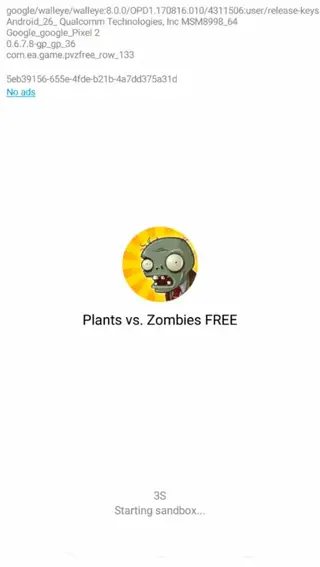
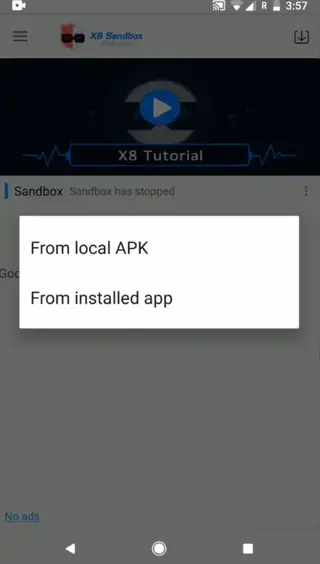
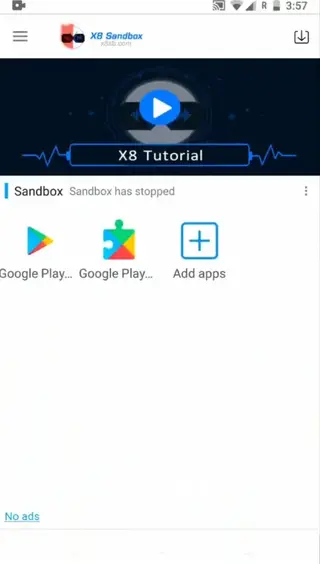
Screenshots
Safety and responsible use
X8 Sandbox focuses on providing a virtual environment with powerful tools, but how you use that environment matters. Many online games clearly prohibit cheating, automation, or unfair advantages, and developers can restrict or ban accounts that break their terms.
If you decide to experiment with scripts, speed control, or auto tap in competitive titles, you should understand the possible impact on fairness and account security. A safer approach is to test features with guest or secondary accounts and avoid using aggressive hacks in ranked or competitive modes.
The app itself cannot guarantee protection against game-side detection or penalties. Always review the policies of the games you play and use X8 Sandbox in a way that respects those rules.
Performance and device requirements
X8 Sandbox runs a full virtual Android layer on top of your existing system, so it naturally uses more RAM and CPU than a single app. For smoother performance, a device with at least 4 GB of RAM is recommended, especially if you plan to run high end games inside the sandbox.
You may notice longer load times and higher battery usage compared with launching a game directly on your device. Closing unused apps in the background, lowering graphic settings in games, and limiting the number of parallel instances can help keep the sandbox running more smoothly.
Because behavior can vary between brands and Android versions, some devices may perform better than others. If you experience crashes or lag, try adjusting in app settings or reducing the number of running apps inside the sandbox.
Basic setup guide inside the sandbox
After installing X8 Sandbox and completing the first launch, you need to configure your virtual space. The basic setup is straightforward:
Open X8 Sandbox and wait for the virtual system to initialize.
Use the add app option to import games or apps from your main device storage.
Launch the imported game from inside the sandbox instead of from your home screen.
Tap the floating icon to access auto tap, speed helpers, and configuration tools.
Save your preferred settings so the same layout loads the next time you open the game.
This workflow keeps your experimental apps and tools contained, while your original system and installed games remain unchanged.
FAQs
Pros
- Virtual root features without fully rooting the physical device
- Isolated environment for testing tools and games
- Auto tap and speed helpers for repetitive gameplay
- Supports dual accounts and parallel gaming sessions
- Picture in picture and floating controls improve multitasking
Cons
- Not available on Google Play Store
- Performance depends on device hardware and RAM
- May show in-app ads during use
- Improper use of hacking features can violate game terms of service
- Setup and configuration can be confusing for beginners
Conclusion
X8 Sandbox gives Android gamers a virtual space with root-style control, auto tap, and speed helpers without modifying the main system. If you understand the risks of using advanced tools and want an isolated environment to experiment in, you can download the official X8 Sandbox APK directly from our website and try it on a compatible device.




Comments
No approved comments yet.