

Yogioh Neuron
Yogioh Neuron is the official Yu-Gi-Oh! duel support app from Konami, built to make real-world trading card matches faster, smoother, and more organized on Android.
With life point tracking, card search, deck tools, and image recognition, it helps Duelists focus on strategy instead of paperwork and calculations during competitive or casual play.
You can download the official Yogioh Neuron APK directly from our website and start using tournament-ready utilities on your phone or tablet within minutes.
Rate this app
App details
- App name
- Yogioh Neuron
- Category
- Card
- Version
- v4.11.0
- Size
- 143.37 MB
- Requirements
- 8.0 and Up
- Package name
- jp.konami.YugiohOcgSupports
- Publisher
- KONAMI
- Price
- Free
- Mod
- No
- Downloads
- 150,000
- Rating
- 4.7 / 5
- Rating count
- 50,000
- Play Store
- Yes
- Requires root
- No
- Offline support
- No
- Contains ads
- No
- In-app purchases
- No
- Updated
- Jun 2, 2026
- Age rating
- Rated for 3+
Table of contents
What is Yogioh Neuron App?
Yogioh Neuron is an official companion app for the Yu-Gi-Oh! Trading Card Game, developed and published by Konami Digital Entertainment. It is not a standalone digital card game. Instead, it supports physical duels by providing tools that handle tracking, calculations, card lookup, and deck-related tasks.
The app connects to Konami services and uses a built-in Yu-Gi-Oh! card database. You can search cards by name, text, attributes, or filters, check rulings and details, and manage multiple decks on your device. Its camera-based image recognition lets you scan real cards to speed up deck building and registration.
Neuron is designed for both casual and competitive Duelists. It supports tournament functions such as life point tracking, dice rolls, coin tosses, and showing your Card Game ID at official events. After installing the APK on your Android phone or tablet, you can log in with your Konami ID and sync your data across devices.
Players can join other game versions using the same account. If you are interested in exploring other versions, you can find those easily here. Some instant suggestions to try are YuGiOh Master Duel and Yu Gi Oh Cross Duel.
Why Download Yogioh Neuron APK from Our Website
Downloading the Yogioh Neuron APK from our website gives you quick access to the official duel support tool without any extra steps. The current release available here matches the official package name and integrates with Konami services once you log in with your existing account.
By getting the file directly from our download page, you can store the installer locally, sideload it whenever you need, and keep a backup copy on your device or cloud storage. This is especially helpful if you manage multiple Android devices for tournaments or testing decks with friends.
After installation, Yogioh Neuron works as the same official support app, providing life point tracking, deck tools, card search, and card scanning to help you manage real-world Yu-Gi-Oh! duels more efficiently.
How Yogioh Neuron Is Useful for Duelists
Yogioh Neuron brings many tools into a single Android app so you do not need separate calculators, notes, or printed references during a duel. The life point tracker, dice, and coin functions help you resolve game mechanics accurately and consistently.
Deck management is another major benefit. You can store multiple decks, edit them on the go, and use card scanning to build lists faster from your physical collection. The integrated database and search filters make it easier to find tech choices, check latest card text, and explore combos.
For competitive players, Neuron supports Card Game ID integration, event-related records, and official tournament store location features in supported regions. This helps you stay aligned with official rulings, formats, and product updates while preparing for sanctioned events.
How to Download and Install Yogioh Neuron APK
You can download the Yogioh Neuron APK for Android directly from our website. Once the file is saved to your device, follow the steps below to complete the installation.
Tap the download button on this page to save the Yogioh Neuron APK file to your Android device.
Open the Settings app and go to the security or apps section on your device.
Enable installation from unknown sources or allow your browser or file manager to install apps.
Open your file manager and navigate to the Downloads folder.
Tap the Yogioh Neuron APK file and select Install when prompted.
Wait for the installation to finish, then launch the app from your home screen.
Sign in with your Konami ID or create a new account to start using all features.
Features
Official Yu-Gi-Oh! support tool
Provides official duel support functions for the Yu-Gi-Oh! Trading Card Game developed by Konami Digital Entertainment.
Life point tracker
Tracks both players life points with clear interface and supports quick adjustments during duels.
Dice roll and coin toss utilities
Includes built-in virtual dice and coin tools to handle random effects required by many cards.
Deck editor and manager
Lets you create, edit, duplicate, and organize multiple decks directly on your Android device.
Card image recognition
Uses camera-based image recognition to scan multiple real cards at once and add them to deck lists.
Integrated card database
Offers a comprehensive Yu-Gi-Oh! TCG card database with search by name, text, type, attribute, and other filters.
Barcode and Card Game ID support
Supports Card Game ID barcodes so you can display your official player ID within the app at events.
Tournament-oriented tools
Provides tools for sanctioned events such as life point tracking, record keeping, and Card Game ID display.
Screenshots

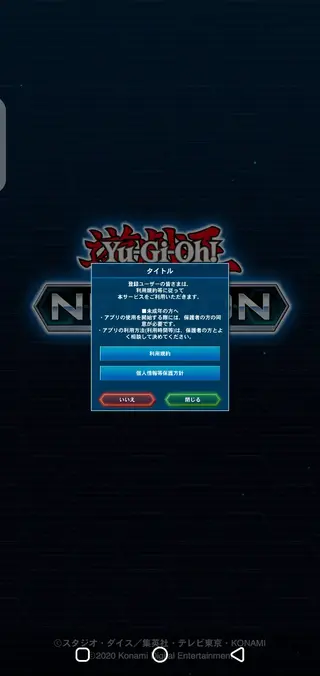
Supported Devices and Android Requirements
Yogioh Neuron is designed for modern Android smartphones and tablets. The version available on our website is built for Android 8.0 and above, which covers most recent devices from popular brands.
For the best experience, use Neuron on a device with a stable internet connection and a camera capable of clearly capturing card text and artwork. This improves image recognition accuracy and speeds up deck registration using real cards.
Tips for Using Card Scanning and Deck Tools
To get more reliable results from the card image recognition feature, use the app in a well-lit environment and place cards on a flat, non-reflective surface. Hold your device steady and allow the camera to focus before capturing.
After scanning, review the recognized cards inside the deck editor to confirm everything matches your physical deck. You can then adjust counts, side decks, and extra decks directly in the app to keep a clean and organized list for future duels and events.
FAQs
Pros
- Official companion app for the Yu-Gi-Oh! Trading Card Game
- Accurate life point, dice, and coin tools in one place
- Fast deck building with card image recognition
- Powerful search across the official Yu-Gi-Oh! card database
- Supports Card Game ID and event-focused features in supported regions
- No intrusive advertising inside the app
Cons
- Requires a stable internet connection for most features
- Account creation with Konami ID is needed for full use
- Some features and event tools are limited to specific regions
- Does not replace full digital games and is focused only on support functions
Conclusion
Yogioh Neuron is a focused, official duel support app that makes managing real-world Yu-Gi-Oh! matches more convenient. With tools for tracking, searching, and deck management, it is a solid companion for both casual and competitive Duelists, and you can download the APK directly from our website to start using it on Android.




Comments
No approved comments yet.