

YouTube Azul
YouTube Azul is a modified Android client for YouTube that unlocks popular premium-style features such as ad-free playback, background play, and extra customization options. It is built on the official YouTube base but adds tools that regular users normally do not get.
With YouTube Azul you can watch the same huge library of YouTube videos while removing most viewing distractions and gaining more control over how the player looks and behaves. The APK is available to download directly from our website for compatible Android phones and tablets.
This version targets users who want a cleaner watching experience, better multitasking with background playback, and small interface tweaks without paying for a subscription inside the official app.
Rate this app
App details
- App name
- YouTube Azul
- Category
- Music & Audio
- Version
- v21.18.164
- Size
- 121.3 MB
- Requirements
- 4.0 and Above
- Package name
- com.bvanced.android.youtube
- Publisher
- BVANCED
- Price
- Free
- Mod
- No
- Downloads
- 680,264
- Rating
- 4.6 / 5
- Rating count
- 25,604
- Play Store
- No
- Requires root
- No
- Offline support
- No
- Contains ads
- No
- In-app purchases
- No
- Updated
- May 11, 2026
- Age rating
- Rated for 3+
Table of contents
What is YouTube Azul APK
YouTube Azul APK is an unofficial, modified version of the standard YouTube app for Android. It uses the familiar YouTube interface but adds extra functionality such as ad-free playback, background audio, theming options, and additional playback controls that many users usually associate with paid tiers.
The app is based on the package name com.bvanced.android.youtube, which is widely known in the community as a modded YouTube build. Once installed, you sign in with your Google account in a similar way to the original client, then you can browse, search, and watch videos using the same content catalog that exists on YouTube.
YouTube Azul focuses on improving day-to-day viewing: it reduces interruptions, lets you continue listening with the screen off, and offers more control over how videos fit your display. It keeps the general layout close to the stock app so new users can adjust quickly.
Why Download YouTube Azul for Android
Many Android users feel limited by ads, background restrictions, and the lack of interface customization in the regular YouTube app. YouTube Azul tackles these pain points directly, which is why it attracts users who watch a lot of long-form content, music videos, or podcasts.
By downloading YouTube Azul APK from our website, you get a build that is already configured to remove most in-video ads and allow playback to continue when you switch apps or turn the screen off. This makes it much easier to use YouTube like a music or podcast player.
On top of that, Azul includes cosmetic improvements such as additional themes and better zoom and fit options, so you can tune the look of the app to your taste while still accessing the same channels, playlists, and recommendations that you know from standard YouTube.
How YouTube Azul Is Useful
YouTube Azul is particularly useful for users who treat YouTube as their main media hub. If you frequently listen to music mixes, live sets, podcasts, or educational content, background play and screen-off audio save battery and make multitasking far more convenient.
Ad removal helps keep long sessions smoother and more focused, which is helpful when you are following tutorials, lectures, or playlists. Additional themes allow you to choose darker or colored looks that feel more comfortable in low light or match your device style.
The improved zoom and playback controls give you more precise control over how videos fill your screen, which is valuable on modern tall or notch displays. Together these tweaks make everyday viewing and listening more flexible compared to the standard YouTube app.
We also have some similar apps for you guys, which you can also try. So, if you don’t forget to try YouTube Blue and Vidmax, both of these are quite popular platforms, which offer similar services.
How to Download and Install YouTube Azul APK
You can download the YouTube Azul APK file for Android directly from our website. Make sure your device meets the minimum requirement of Android 4.0 or higher before starting.
Follow these steps to download and install:
Scroll to the download section on this page and tap the YouTube Azul APK download button.
Wait for the APK file to finish downloading to your Android device.
Open your phone settings and enable app installation from unknown sources if it is not already allowed.
Locate the downloaded APK in your downloads folder and tap it to start the installer.
Read the on-screen prompts and tap Install to complete the setup.
Once installed, open YouTube Azul from your app drawer and sign in with your YouTube or Google account if needed.
After installation, you can start watching and listening using the extra features that come with this modded client.
Features
Ad-free video playback
Watch videos with most in-stream advertising removed for a more continuous viewing experience.
Background play support
Continue playing videos and audio when the screen is off or when you switch to other apps.
Screen-off audio listening
Use YouTube like a music or podcast app by turning the display off while audio keeps playing.
Multiple themes and colors
Choose from extra themes beyond the stock light and dark modes for a more personalized look.
Pinch-to-zoom and advanced fit
Zoom into videos quickly and adjust how content fits ultra-wide or tall screens.
Familiar YouTube interface
Browse subscriptions, recommendations, and playlists with a layout close to the official app.
Wide video catalog access
Access the same huge library of videos that is available through the standard YouTube platform.
User-friendly navigation
Simple menus and clear icons make it easy to move between Home, Shorts, Subscriptions, and Library.
Screenshots
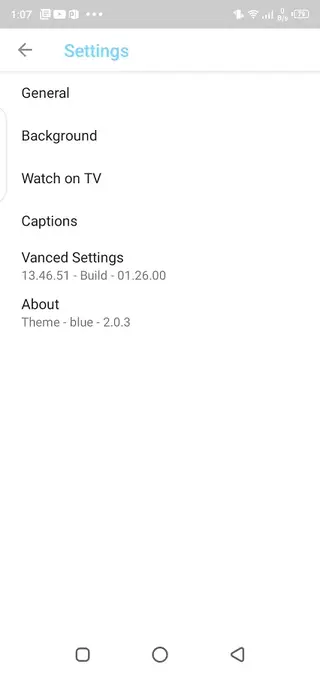

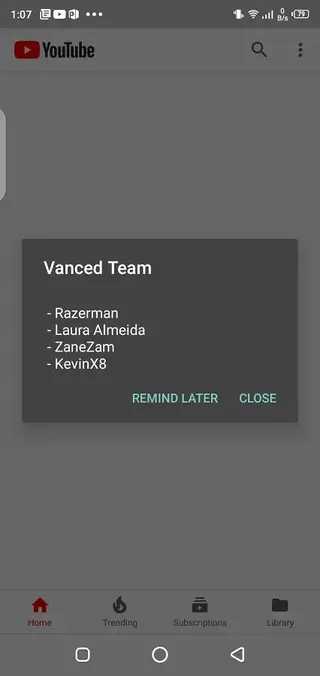
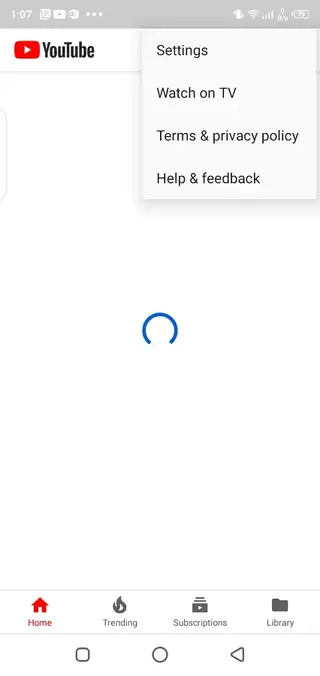
Device Compatibility and Requirements
YouTube Azul targets Android phones and tablets running Android 4.0 or higher. For the smoothest playback, a more recent Android version, stable internet connection, and enough free storage space are recommended.
Because this is a full YouTube client, it relies on an active network connection for searching, streaming, and loading recommendations. Performance will vary depending on your device hardware and connection speed, especially at higher resolutions such as 1080p or above.
Tips for Getting Started
After installing YouTube Azul, take a few minutes to explore the settings menu. Here you can switch themes, fine-tune background playback behavior, and adjust video quality preferences.
You may also want to:
Sign in to your Google account to sync subscriptions and watch history.
Create playlists for music or podcast-style content you listen to often.
Experiment with zoom and fit options to get the best experience on your screen.
Spending a short time configuring these options helps you get the most out of the modded client from the first day.
FAQs
Pros
- Ad-free playback creates an uninterrupted viewing experience
- Background and screen-off play make it ideal for music and podcasts
- Additional themes and customization improve visual comfort
- Interface is very similar to the official YouTube app, so it is easy to use
- Advanced zoom options help videos fit different screen sizes better
Cons
- It is an unofficial modded client and not supported by Google
- Future YouTube updates may occasionally break some features
- Users need to sideload the APK instead of installing from Google Play
- Some features can vary or change between versions
Conclusion
YouTube Azul offers an unofficial but powerful way to watch and listen to YouTube content with fewer interruptions and more control. If you want ad-free playback, background listening, and extra customization on Android, downloading the APK from our website gives you quick access to these enhancements in a familiar interface.




Comments
No approved comments yet.