

Aniyomi
Aniyomi is an open-source Android app that combines anime streaming and manga reading in one place. It uses extensions to connect with popular anime and manga sources so you can follow your favorite series in a single app.
With built-in support for downloads, custom readers, and external video players, Aniyomi helps you keep up with new episodes and chapters the way you like. You can get the official APK file directly from our website and install it on compatible Android devices.
The app focuses on privacy and convenience by avoiding registrations, subscriptions, and intrusive ads. Once installed, you can customize themes, organize your library, and enjoy anime and manga from multiple supported sources.
Many people dislike switching apps to watch and read anime. All they want is a single platform where they can get all the info and watch options. This is what this anime app offers to its users, and provides easy access without the need for any registrations or subscriptions.
Rate this app
App details
- App name
- Aniyomi
- Category
- Entertainment
- Version
- v0.18.1.2
- Size
- 53.37 MB
- Requirements
- 5.0 and Above
- Package name
- xyz.jmir.tachiyomi.mi
- Publisher
- Bytedance Pte. Ltd
- Price
- Free
- Mod
- No
- Downloads
- 121,871
- Rating
- 4.4 / 5
- Rating count
- 6,172
- Play Store
- No
- Requires root
- No
- Offline support
- Yes
- Contains ads
- No
- In-app purchases
- No
- Updated
- Jun 3, 2026
- Age rating
- Rated for 3+
Table of contents
What is Aniyomi APK?
Aniyomi APK is an unofficial, open-source Android application based on the Tachiyomi project that adds anime streaming alongside manga reading. Instead of hosting any videos or chapters itself, the app uses community-created extensions to connect to external anime and manga websites. You browse and consume content through a single interface while the extensions handle access to different sources.
The application focuses on being lightweight, flexible, and highly customizable. You can organize anime and manga into your personal library, track what you are watching or reading, and switch between subbed and dubbed options where the source provides them. It also supports different readers and players, making it suitable for users who want total control over their viewing and reading setup.
Aniyomi is not listed on Google Play, so you install it using the APK file. Our website provides the official APK package for the listed version, which you can download and install on Android 5.0 and above.
Why download Aniyomi for Android?
Aniyomi appeals to anime and manga fans who want everything in one app instead of juggling multiple sites and services. By installing the APK on your Android phone or tablet, you can follow ongoing series, discover new titles, and manage both anime and manga from a single library.
The extension system is a major reason to download Aniyomi. You can enable only the sources you care about, browse by genre, and quickly switch between services without leaving the app. Built-in download support also helps you save episodes or chapters for offline viewing and reading when you do not have a stable internet connection.
Another advantage is the clean, ad-free interface. The app itself does not inject ads into the reader or player, which makes long reading sessions and binge-watching more comfortable. For users who value customization and privacy over official storefront apps, Aniyomi offers a flexible alternative.
How Aniyomi is useful for anime and manga fans?
Aniyomi streamlines how you consume anime and manga by centralizing your content in one dashboard. Instead of keeping separate bookmarks for each website, you install the relevant extensions and then browse, search, and track everything from a unified library. This saves time and helps you avoid missing new episodes or chapters.
The app is also useful for offline viewing. You can download multiple episodes or manga chapters in advance and watch or read them later without an active connection. This is especially handy during travel or in areas with limited data coverage.
Customization further increases its usefulness. You can choose reading directions, viewer layouts, themes, and playback options, as well as use external video players such as VLC or MX Player when supported. Combined with history tracking, bookmarks, and categories, Aniyomi becomes a personalized hub for most of your anime and manga habits.
How to download and install Aniyomi APK?
You can download the Aniyomi APK file directly from our website and then install it manually on your Android device. Make sure your phone or tablet runs Android 5.0 or higher.
Follow these basic steps to get started:
Scroll to the download area on this page and tap the Aniyomi APK download button.
Wait for the download page to open and the countdown to finish, then the APK file will begin downloading.
When the download completes, open your device notifications or file manager and tap the APK file.
If prompted, enable installation from unknown apps for your browser or file manager.
Confirm the installation and wait a few moments for the process to finish.
Launch Aniyomi from your app drawer, add your preferred extensions, and start exploring anime and manga.
After installation, consider updating extensions regularly inside the app so you keep access to the latest working sources.
Features
All-in-one anime and manga hub
Watch anime and read manga together in one application instead of switching between separate apps or browsers.
Extension-based content access
Use a large library of community extensions to connect to various anime and manga websites without the app hosting any content itself.
Download for offline use
Save episodes and chapters to your device so you can watch and read even when you are not connected to the internet.
Customizable reader settings
Adjust reading direction, page layout, scaling, and viewer controls to match your preferred manga reading style.
Flexible video playback
Watch anime with the built-in player or choose supported external players to get advanced playback controls and codec support.
Theme and UI customization
Switch between different themes, adjust colors, and tweak interface elements to create a comfortable viewing and reading environment.
Library organization tools
Categorize, filter, and sort your anime and manga library, as well as bookmark titles and track progress across series.
No account required
Use the core app features without creating an account or subscribing, which helps protect your privacy.
Screenshots
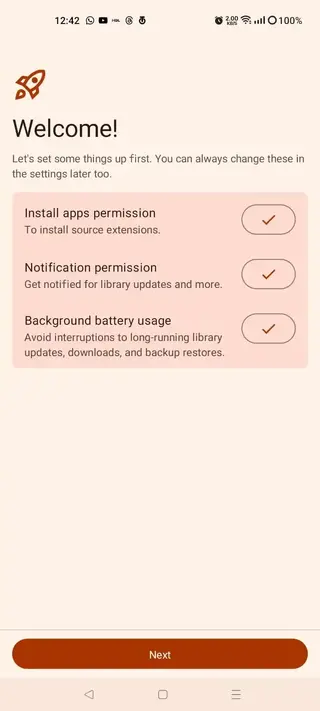
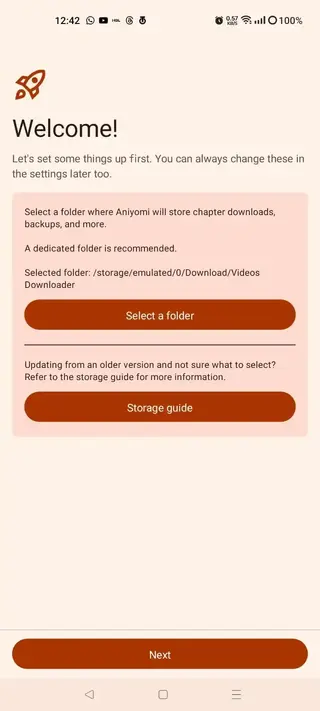
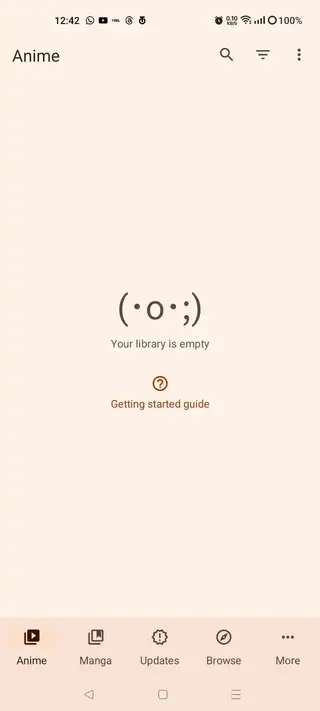
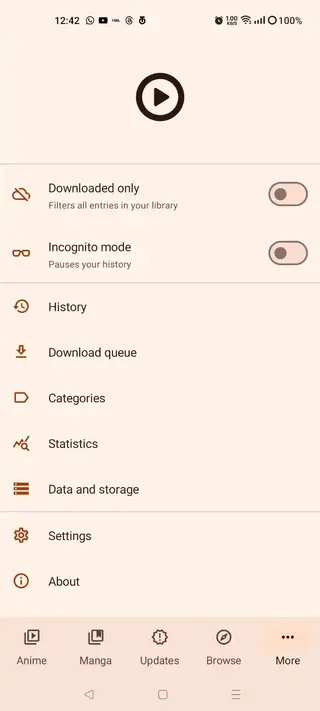
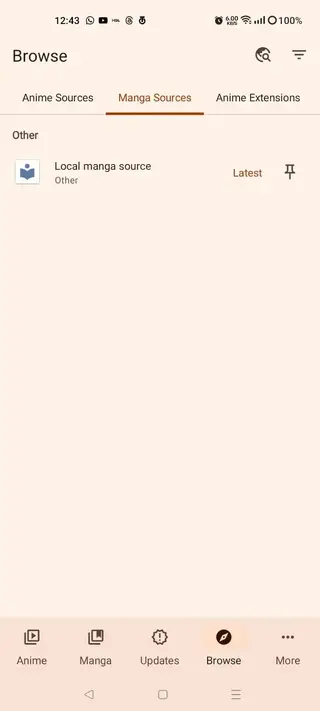
Is Aniyomi legal to use
Aniyomi functions as a content aggregator through extensions and does not host any anime or manga files on its own servers. Legal status can vary by country and by the specific sources you choose to enable. Some extensions may point to websites that do not have distribution rights for certain series.
Users are responsible for how they use the app and which sources they access. If you want to stay on the safe side, prioritize extensions that clearly state they use licensed or official catalogues and always respect local copyright laws.
Tips for getting started with Aniyomi
After installing Aniyomi APK from our website, spend a few minutes configuring the app for smoother long-term use. First, open the extensions section and install only the sources that match your language and region. Then, explore the settings menu to adjust reader and player preferences, such as reading direction, background color, and default video player.
Once your extensions are active, add a few titles to your library from each source. Use categories and filters to separate ongoing series from completed ones and manga from anime. Finally, enable automatic updates for your library so new chapters and episodes appear in your updates section without manual checking.
Device compatibility and performance
Aniyomi is designed to run on Android 5.0 and above, which covers most modern phones and tablets. On mid-range and higher-end devices, navigation and playback are typically smooth, especially when using hardware-accelerated external players for video.
If you notice performance issues, you can reduce animation effects, limit simultaneous downloads, or clear old cached chapters and episodes. Keeping your extensions updated and removing unused ones can also help the app remain responsive over time.
FAQs
Pros
- Combines anime streaming and manga reading in a single app
- Open-source and highly customizable interface and behavior
- Supports offline downloads for episodes and chapters
- No built-in ads inside the app interface
- Rich extension ecosystem covering many anime and manga sources
- Flexible playback with support for external video players
Cons
- Not available on the Google Play Store and must be sideloaded
- Some extensions may lose support or break over time
- Content availability depends on third-party websites and regions
- New users may find the setup and extension management slightly complex
Conclusion
Aniyomi offers a powerful, customizable way to manage anime and manga on Android, combining streaming, reading, and offline downloads in one clean, ad-free app. If you prefer flexibility and control over a traditional store app, downloading the official Aniyomi APK from our website can be a practical choice.




Comments
No approved comments yet.