

Benime
Benime is a whiteboard animation and video editor app for Android that helps you turn ideas, lessons, and stories into simple animated videos. You can combine drawings, text, images, and music in a few minutes on your phone or tablet.
With ready-made templates, animated hands, and smooth transitions, the app makes explainer videos and educational clips much easier to produce. You can start with basic tools for free and upgrade later if you need advanced export quality and extra features.
You can download the official Benime APK latest version directly from our website and install it on compatible Android devices without any complicated setup.
Rate this app
App details
- App name
- Benime
- Category
- Art & Design
- Version
- v7.1.2
- Size
- 137 MB
- Requirements
- 7.0 and Above
- Package name
- com.benzveen.doodlify
- Publisher
- Unknown
- Price
- Free
- Mod
- No
- Downloads
- 100,013
- Rating
- 4.7 / 5
- Rating count
- 52,099
- Play Store
- Yes
- Requires root
- No
- Offline support
- Yes
- Contains ads
- Yes
- In-app purchases
- Yes
- Updated
- May 12, 2026
- Age rating
- Rated for 7+
Table of contents
What is Benime App?
Benime is an Android whiteboard animation and video editing app developed by Benzveen. It focuses on helping users create hand-drawn style explainer videos, educational content, social media clips, and presentation-style videos directly on mobile devices.
Benime Apk is an Android video editor like Soloop and Premoment, which offers the best and most powerful video editor. It provides some of the most advanced-level digital editing tools for the users, through which anyone can be the best video creator and make creative clips.
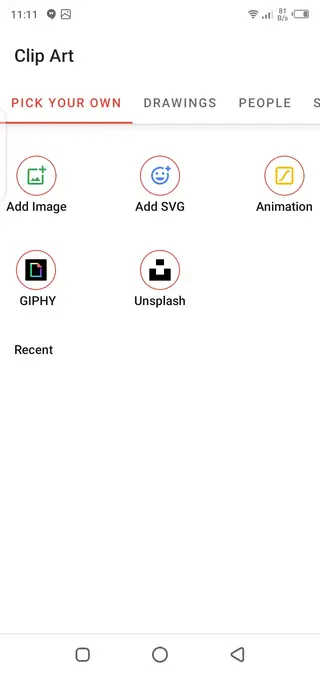
The app lets you import pictures, short clips, SVG graphics, and other media from your device, then arrange them on a timeline. A virtual hand animation can draw or move elements on the screen, which gives your video a classic whiteboard explainer look.
Benime includes an editor for text, images, and simple shapes, plus a library of fonts and backgrounds. You can add background music from your storage or record narration and sync it with the video. The free version covers most basic needs, while the paid upgrade unlocks extra limits and higher export quality.
Why download Benime APK for Android?
If you want to create explainer or teaching videos without learning complex desktop software, Benime offers a practical mobile-first workflow. You can write your script, add scenes with images and text, and let the animated hand draw them in order.
Downloading the Benime APK from our website gives you direct access to the current Android version, even if it is not appearing or updating properly on your device through other channels. Once installed, you can work on videos anywhere, save projects locally, and export them when you are ready to share.
Students, teachers, marketers, content creators, and small business owners often use Benime to build quick demos, tutorials, product explainers, and social media content with minimal learning curve.
How is Benime useful?
Benime is useful for anyone who needs to communicate ideas clearly in a visual way. Whiteboard-style videos work well for explaining concepts step by step, so the app fits well in online teaching, coaching, marketing, and onboarding material.
You can start from a blank project or simple layout, add your own media, then adjust duration, order, and transitions. The animated hand feature helps guide viewer attention to specific elements, which is especially handy for tutorials and concept breakdowns.
Because Benime runs on Android, you can draft, edit, and revise videos while traveling or away from your computer. Projects are saved locally, so you can keep editing without a constant internet connection and only go online when you need to export or share.
How to download and install Benime APK
You can get the official Benime APK file directly from our website and install it on your Android device. Follow these general steps:
Download the Benime APK latest version from the download button provided on this page.
On your Android phone or tablet, open Settings and enable installation from unknown sources if it is disabled.
Open your file manager and tap the downloaded Benime APK file.
Confirm the installation prompt and wait until the process finishes.
Launch Benime from your app drawer and grant the required storage and audio permissions to start creating videos.
Make sure your device meets the minimum Android version requirement before installing the app.
Features
Whiteboard animation editor
Create whiteboard-style videos where a virtual hand draws or moves elements across the screen.
Media import support
Add images, short clips, SVG files, and other media from your device storage directly into your projects.
Text and font options
Insert titles, captions, and annotations with a range of fonts, sizes, and formatting choices.
Stickers and graphic elements
Use stickers, simple shapes, and graphic elements, including integrations like Unsplash and GIF libraries in supported versions.
Backgrounds and color control
Change slide backgrounds, adjust colors, and set solid or image-based backdrops for each scene.
Hand and pen styles
Choose from different hand and pen styles to customize how the animation draws or highlights your content.
Audio and music tracks
Import music from local storage or record voice-overs inside the app to sync with your video timeline.
Project-based workflow
Save and edit projects, reorder scenes, change durations, and refine animations before export.
Screenshots
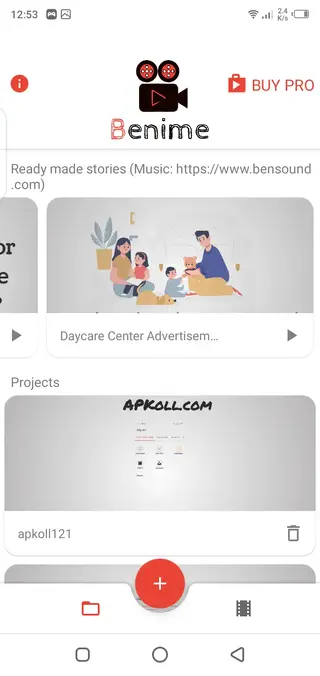
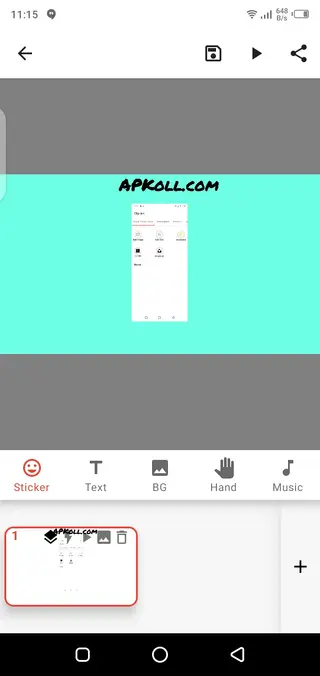
Benime free vs pro features
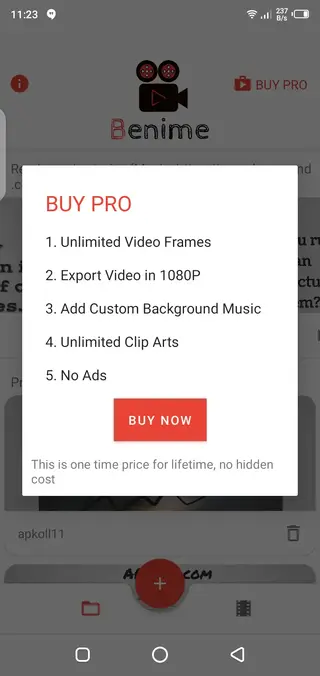
Benime offers a basic free version and paid upgrades that unlock additional capabilities. In the free tier, you can create projects, add media, use hand animations, and export videos with standard settings. This is usually enough for simple educational clips or quick social posts.
The pro upgrade, available as a one-time purchase or in-app purchase depending on version, typically unlocks higher export resolutions such as 1080p, removes some usage limits, and may provide access to extra assets and transitions. If you plan to publish videos frequently for clients or public channels, the upgraded features can make your workflow more flexible.
Best use cases for Benime
Benime fits well into any situation where you need short, clear, and engaging explanations. Common use cases include:
Teachers preparing online lessons or flipped-classroom materials.
Coaches and trainers creating quick concept breakdowns.
Small businesses demonstrating services or products.
Content creators making social media explainers and tips videos.
Students presenting projects in a more visual and memorable format.
Because the app focuses on whiteboard animation rather than full video production, it encourages clarity and simple storytelling rather than complex visual effects.
Tips for creating better videos with Benime
To get the most from Benime, start with a short script or outline so you know exactly what each scene should show. Keep each frame focused on one key idea and avoid overloading the screen with text or images.
Use the animated hand selectively to highlight changes or important steps, and combine it with clear text labels. Adding gentle background music and a clean voice-over can improve viewer engagement, but always test audio levels so narration remains easy to hear.
Finally, export a short test video at a lower resolution first to check pacing, spelling, and timing before you create the final high-quality version.
FAQs
Pros
- Simple way to create whiteboard-style explainer videos on mobile
- Supports adding images, text, and music for flexible storytelling
- Offers animated hand and pen styles for engaging visuals
- Can be used offline for most editing tasks once installed
- One-time purchase option in some versions for unlocking pro features
Cons
- Free version may add limitations and watermarks depending on version
- Contains ads in the free tier
- High-resolution exports and some advanced options require in-app purchases
- Complex or long videos can be harder to manage on small screens
Conclusion
Benime is a focused whiteboard animation and explainer video app for Android that helps you turn ideas into simple animated clips without complex software. If you work with tutorials, lessons, or quick marketing videos, downloading the Benime APK from our website offers a straightforward way to start creating on your mobile device.




Comments
No approved comments yet.