
Camera For iPhone 12
Camera For iPhone 12 is a photography app that brings an iOS-style camera experience to Android phones. It focuses on simple controls, clear output, and everyday usability.
With multiple shooting modes, filters, and basic editing tools, the app helps you capture photos and videos that look closer to what you get on an iPhone. Most features work smoothly on a wide range of Android devices.
You can download the official Camera For iPhone 12 APK directly from our website and install it on compatible Android phones and tablets without using any other source.
Rate this app
App details
- App name
- Camera For iPhone 12
- Category
- Photography
- Version
- v2.68.36
- Size
- 47.47 MB
- Requirements
- 4.3 and Above
- Package name
- com.camera12.iphone12
- Publisher
- TAP TAP - MUSIC PIANO RELAX
- Price
- Free
- Mod
- No
- Downloads
- 236,553
- Rating
- 4.8 / 5
- Rating count
- 35,401
- Play Store
- No
- Requires root
- No
- Offline support
- Yes
- Contains ads
- Yes
- In-app purchases
- Yes
- Updated
- May 19, 2026
- Age rating
- Rated for 3+
Table of contents
What is Camera For iPhone 12 APK
Camera For iPhone 12 is a photography application for Android devices designed to imitate the look and feel of the iPhone 12 camera interface. It replaces or complements your stock camera app with an iOS-style layout, smart controls, and quick access to popular shooting modes.
The app supports both front and rear cameras and focuses on easy operation. You can shoot Full HD photos and videos, apply filters in real time, and adjust basic settings like grid lines, shutter sound, and focus behavior. It targets users who like the iPhone camera experience but use an Android phone.
Camera For iPhone 12 runs on Android 4.3 and above, so it can work on many older and newer devices. You get a lightweight camera tool with built-in effects, stickers, and timestamp options that help you style and organize your shots without needing a separate editor for every change.
Why download Camera For iPhone 12 for Android
Camera For iPhone 12 is useful if you want an iPhone-style camera interface and features without changing your phone. The app offers common iOS-inspired modes like video, short video, square, and pro-style manual control, all inside a simple layout that feels familiar even to beginners.
You can capture photos and videos in high quality, add filters before or after shooting, and enable tools such as face detection and grid lines to improve framing. Stickers, timestamps, and location tags help you personalize and categorize your images for social sharing or archiving.
The APK is available to download directly from our website, so you can quickly install the latest version and start using these tools alongside or instead of your default camera app.
We have more similar applications available here, which you can also try and enjoy. So, if you are willing to get access to more similar apps, then get LMC and Penny Camera. Both of these are quite popular available apps, which you can have on your mobile.
How Camera For iPhone 12 is useful
Camera For iPhone 12 is useful for users who like taking photos on their phone but want more control and style than the stock camera often provides. The interface makes it easy to jump between modes, preview filters, and adjust essential options without navigating complex menus.
Real-time filters and stickers reduce the need for heavy post-editing in separate apps. Features like focus and shoot, face detection, grid lines, and timestamp formats help you compose better shots and keep track of when and where they were taken.
Because many functions work without a constant data connection, it is handy for traveling, outdoor use, or situations where mobile data is limited. You can capture, edit lightly, and only go online when you are ready to share or back up your media.
How to download and install Camera For iPhone 12 APK
You can get the latest Camera For iPhone 12 APK file directly from our website. Follow these steps to download and install it on your Android device:
Scroll to the download area on this page and tap the Camera For iPhone 12 APK download button.
Wait for your browser to finish downloading the installation file to your device.
Open your phone settings and, if needed, allow installation from unknown sources for your browser or file manager.
Locate the downloaded APK in your downloads folder and tap it to start the installer.
Review the requested permissions and confirm the installation.
Once installation completes, open Camera For iPhone 12 from your app drawer and configure your preferred camera settings.
After the first setup, you can launch the app at any time to take photos and videos using the iPhone-style interface.
Features
iPhone style camera interface
Provides an iOS inspired camera layout on Android for a familiar and simple shooting experience.
Multiple shooting modes
Offers video, short video, square, pro, foodie and other modes for different capture scenarios.
Front and rear camera support
Works with both back and selfie cameras, allowing easy switching while shooting.
Full HD photo and video capture
Supports high quality photo and video recording on compatible Android devices.
Real time filters
Includes built in filters that you can preview and apply while capturing photos or videos.
Face detection
Detects faces in the frame to help improve focus and exposure on people.
Focus and shoot controls
Lets you tap to focus and quickly capture images with responsive shutter behavior.
Grid lines for composition
Displays grid lines to help align subjects and follow basic photography rules like the rule of thirds.
Screenshots
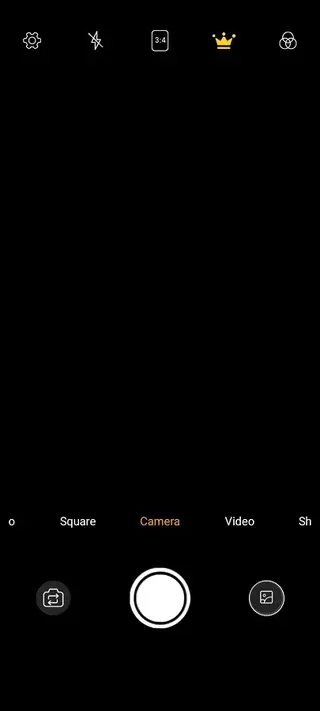
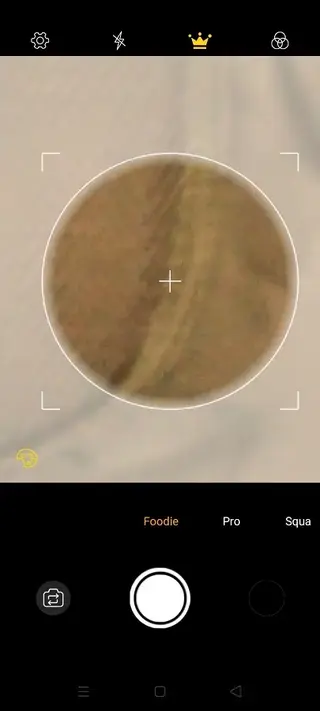
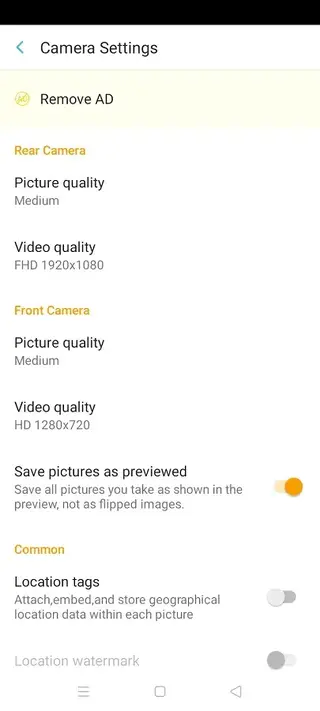
Camera modes and shooting options
Camera For iPhone 12 offers several shooting modes so you can adapt the camera to your scene. Standard video and short video modes are suitable for quick clips, stories, or social posts. Square mode is optimized for platforms that favor 1:1 images, helping you frame exactly what will appear in the final crop.
The pro mode adds extra control, allowing you to fine tune parameters on supported devices for more precise exposure and focus. A foodie mode is designed for close up shots of dishes and small objects, helping colors look more appealing. These modes, combined with built in filters, cover most everyday scenarios without requiring multiple camera apps.
Editing tools, stickers and filters
Beyond simple capture, Camera For iPhone 12 includes a light editing layer. You can manage stickers to decorate photos, apply filters for mood and color shifts, and use timestamp and datestamp options to mark when images were taken.
Location tags can be added to your media so you remember where each photo was captured. These tools are especially useful for social media users who want to share styled content quickly without sending every image through a separate editor.
Permissions and privacy considerations
Like most camera apps, Camera For iPhone 12 needs access to your device camera and microphone for capturing photos and videos. It may also request storage permission to save media, and location permission if you choose to add location tags to your images.
You can manage these permissions from your Android system settings at any time. If you prefer not to use certain functions, you can deny the related permissions and still use the core camera features that do not rely on them.
FAQs
Pros
- Simple iPhone style camera interface that is easy to navigate
- Multiple shooting modes for photos and videos in everyday use
- Real time filters and stickers reduce the need for heavy editing
- Supports front and rear cameras with Full HD capture on many devices
- Offers practical tools like grid lines, face detection and timestamps
Cons
- Contains in app ads that may distract some users
- May not match the image processing quality of real iPhone hardware
- Performance and quality can vary between different Android devices
- Advanced manual controls are limited compared to professional camera apps
Conclusion
Camera For iPhone 12 is a practical choice if you want an iOS style camera feel on an Android phone with simple controls, multiple modes, and built in filters. You can download the latest official APK from our website and start using it as a straightforward everyday camera companion.




Comments
No approved comments yet.