

Drama Live
Drama Live is a flexible IPTV player and web video caster that lets you stream live TV, movies, series, and radio by adding your own playlists and server details. It focuses on giving you full control over how and what you watch.
Instead of bundling built-in channels, the app works as a powerful media player for M3U, Xtream, and other IPTV link formats. You decide which playlists to add, manage, and organize, and the player handles smooth playback with smart controls.
You can download the original Drama Live APK directly from our website and install it on your Android phone, tablet, or TV box to start using your existing IPTV subscriptions and playlists in one clean, easy interface.
Rate this app
App details
- App name
- Drama Live
- Category
- Entertainment
- Version
- v13.0.3
- Size
- 14.34 MB
- Requirements
- 4.1 and Above
- Package name
- com.sneig.livedrama
- Publisher
- Sneig
- Price
- Free
- Mod
- No
- Downloads
- 941,783
- Rating
- 4.2 / 5
- Rating count
- 7,151
- Play Store
- No
- Requires root
- No
- Offline support
- No
- Contains ads
- Yes
- In-app purchases
- Yes
- Updated
- May 19, 2026
- Age rating
- Rated for 3+
Table of contents
What is Drama Live APK?
Drama Live is an Android IPTV and streaming player that lets you play live TV, VOD, and web videos using your own links and subscriptions. The app does not provide channels or movies by default. Instead, it works as a feature-rich media player where you add content from M3U playlists, Xtream codes, and similar sources.
The player supports multiple stream formats, including common IPTV protocols and flash video formats such as FLV, along with adaptive quality options. It is designed for phones, tablets, and Android TV devices, and includes options like background playback, audio-only mode on compatible devices, and auto-reconnect for unstable live streams.
Drama Live is developed by Sneig and is available on Google Play for users who prefer the store version. You can also get the official APK file from our website and install it manually on any supported Android device running Android 4.1 or higher.
If you are having a problem with adding these links, then don’t worry about it. You guys can try MXL TV and Mucho Play, these apps provide entertainment services without links. So, you can have fun without any problem here.
Why download Drama Live for Android?
Many IPTV apps lock you into predefined channel lists or limited controls. Drama Live focuses instead on flexibility and playback quality. You choose the playlists, and the app gives you tools to manage and enjoy them comfortably.
With support for multiple playlist formats, web casting, and live chat, it becomes a central hub for your online TV and VOD. Whether you mainly watch live sports, international TV channels, series, or listen to radio streams, you can plug your sources into a single player and use familiar controls across all of them.
Downloading Drama Live APK from our website lets you install the latest available version directly, without waiting for staged rollouts. Once installed, you only need to add your IPTV details once and keep using the same setup across your Android devices.
How Drama Live is useful?
Drama Live is useful for anyone who already has IPTV subscriptions, free playlists, or web video links and wants a single, capable player to handle all of them. Instead of juggling several basic apps, you can manage live channels, VOD, and radio streams from one interface.
The app offers advanced playback options such as background audio, automatic stream reconnection, and customizable default quality. It also supports casting to external displays where available, which makes it convenient for living room setups with Android TV boxes or cast-enabled TVs.
For active viewers who frequently switch between devices, the simple layout and playlist structure help you quickly access your favorite channels and categories. Public and private chat options in supported streams can also make live events more engaging.
How to download and install Drama Live APK?
You can download the official Drama Live APK file directly from our website and install it on any compatible Android device. Follow these steps to get started:
Scroll to the download section on this page and tap the Drama Live APK download button.
Wait for the APK file to finish downloading to your device.
On Android, open your Downloads folder and tap the APK file.
If asked, allow installation from this source in your device settings.
Tap Install and wait for the process to complete.
Open Drama Live, grant the necessary permissions, and add your IPTV playlists or server details.
After installation, you can update the app later by returning to this page and downloading the newer APK version from our website.
Features
Flexible IPTV player
Play live TV, movies, series, and radio from your own M3U playlists, Xtream codes, and other IPTV links instead of fixed built-in channels.
Multiple playlist formats
Add and manage different link types including M3U, Xtream, and FG Code to organize channels and VOD from various providers.
Advanced video player tools
Use smart on-screen controls to change quality, audio track, and other playback settings without interrupting the stream.
Web video caster
Cast compatible web videos and streams to supported devices, so you can watch online content on a larger screen where available.
Default quality and channel options
Set default video quality and quickly access TV categories so common channels load the way you prefer each time.
Flash and common video format support
Supports several video formats including flash video formats like FLV alongside typical IPTV streaming formats.
Background playback
Keep audio playing in the background while you use other apps, ideal for radio, music channels, or talk shows.
Automatic stream reconnection
If a live stream drops due to network issues, the player can attempt to reconnect automatically to maintain playback.
Screenshots
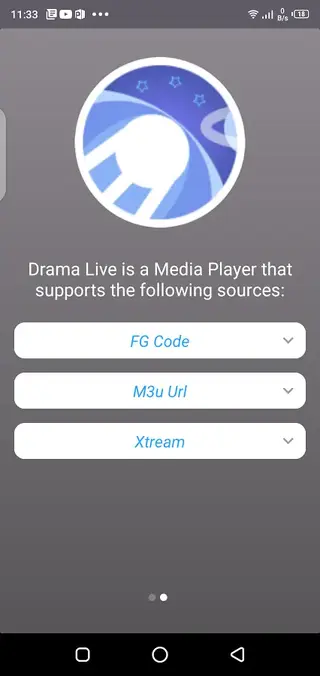
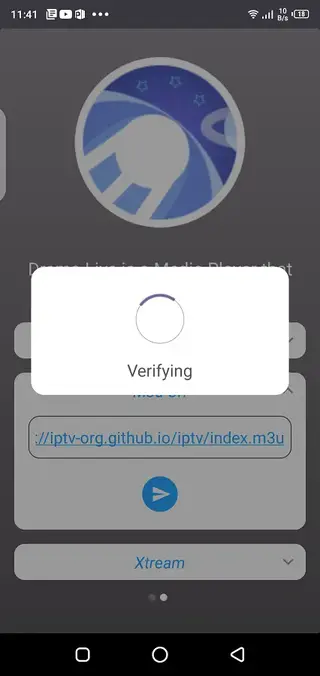
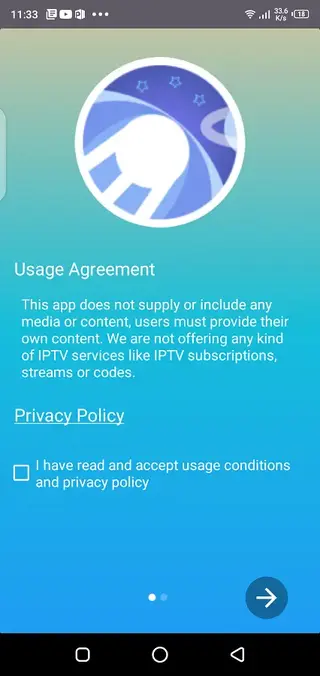
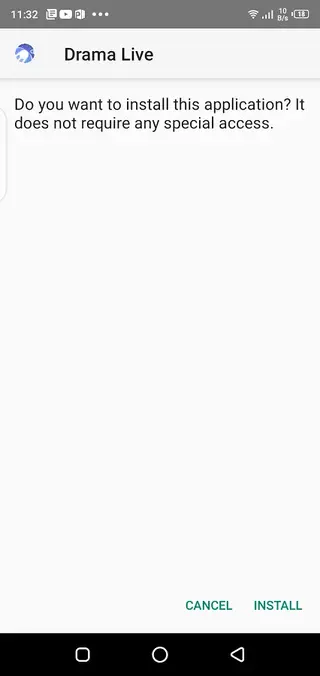
Supported devices and system requirements
Drama Live works on a wide range of Android devices, including smartphones, tablets, and many Android TV boxes. The minimum requirement is Android 4.1 or higher, so even older devices can usually run the app without problems.
For the best streaming experience, it is recommended to use a device with stable Wi-Fi or wired internet, especially if you plan to watch HD or higher quality channels. Hardware performance also matters for heavy channel lists and high bit-rate streams.
Tips for setting up playlists in Drama Live
To get the most out of Drama Live, organize your IPTV playlists before adding them to the app. If your provider offers separate links for live TV, movies, and series, consider adding them as different playlists or categories.
Inside the app, you can:
Group channels into categories such as sports, news, kids, and movies.
Set a default stream quality to match your internet speed.
Remove streams or playlists you no longer use to keep the interface clean.
This setup helps you reach your favorite content faster and keeps long channel lists manageable.
Streaming quality and performance notes
Drama Live can handle different quality levels depending on the stream and your network. If you experience buffering, reducing the resolution or switching to a different server from your playlist may improve stability.
Because it supports automatic live stream reconnection, temporary drops in your connection may only pause playback briefly instead of forcing you to restart the stream manually.
FAQs
Pros
- Flexible IPTV player that works with multiple playlist formats
- Gives users full control over which channels and content to add
- Advanced playback features such as background mode and auto reconnect
- Supports phones, tablets, and Android TV devices
- Simple, clean interface that is easy to navigate even for beginners
Cons
- Does not include built-in channels or media by default
- Requires stable internet for smooth live streaming
- May show ads and optional in-app purchases in the Play Store version
Conclusion
Drama Live is a capable IPTV and web casting player for users who already have playlists or IPTV accounts and want better control over playback on Android. By downloading the APK from our website, you can quickly install the app, add your own links, and turn your device into a customizable live TV and VOD hub.




Comments
No approved comments yet.