

Duplex IPTV
Duplex IPTV is an advanced IPTV player for Android that lets you load your own playlists and stream live TV, series, and VOD with a powerful built-in player. It does not include any channels by default, so you stay in full control of what you watch.
The app focuses on smooth playback, simple playlist management, and support for popular IPTV formats. You can quickly import links or files from your IPTV provider and start watching on your phone, tablet, or compatible TV device.
You can download the official Duplex IPTV APK directly from our website and install the latest available version on supported Android devices without needing any extra tools.
If you don’t like the methods of adding URLs, then don’t worry about it. We have additional applications, which provide in-app networks for the users. So, get MXL TV and zBox MM2, both of these are quite popular available IPTV Apps.
Rate this app
App details
- App name
- Duplex IPTV
- Category
- Entertainment
- Version
- v3.0.8
- Size
- 34.36 MB
- Requirements
- 5.0 and Above
- Package name
- com.duplexiptv
- Publisher
- Duplex
- Price
- Free
- Mod
- No
- Downloads
- 159,233
- Rating
- 4.6 / 5
- Rating count
- 12,541
- Play Store
- No
- Requires root
- No
- Offline support
- No
- Contains ads
- No
- In-app purchases
- Yes
- Updated
- May 8, 2026
- Age rating
- Rated for 12+
Table of contents
What is Duplex IPTV
Duplex IPTV is an Android IPTV player designed to stream live channels, movies, and series using playlists from your own IPTV provider. It works as a client or player, not as a content distributor, so it does not offer built-in channels or any kind of preloaded TV list.
Instead, you add your own M3U or similar playlist URLs or files, and Duplex IPTV organizes them into an easy-to-browse interface. The app focuses on stable playback, quick zapping between channels, and compatibility with a wide range of IPTV sources.
Once your playlist is loaded, you can manage categories, mark favorites, and remove channels you do not need. Combined with features like Picture-in-Picture and casting support on compatible platforms, Duplex IPTV turns your Android device into a flexible streaming hub.
Why download Duplex IPTV for Android
Users download Duplex IPTV because it gives them control over their IPTV experience. Rather than being locked into a fixed list of channels, you can bring your own playlist from any compatible IPTV provider and watch it through a modern, responsive player.
The app is simple enough for beginners but still offers enough playback options for more advanced users. It supports different playlist formats, provides quick channel switching, and offers convenient navigation for large lists.
By downloading the Duplex IPTV APK directly from our website, you can install the current Android version on devices that may not have access to Google Play or where you prefer manual installation.
How Duplex IPTV is useful
Duplex IPTV is useful for anyone who already has access to IPTV playlists and wants a clean, reliable way to watch them on Android. It separates playback from content, so you can change providers or lists without changing your main app.
The app helps you:
Centralize live TV, movies, and series from your IPTV provider in one interface.
Fine-tune your viewing with options like subtitles, audio tracks, and aspect ratio where supported.
Manage large playlists by editing, sorting, and favoriting channels.
Continue watching while multitasking using Picture-in-Picture on supported devices.
This flexibility makes Duplex IPTV a practical choice for users who want to build their own streaming setup instead of relying on fixed channel apps.
How to download and install Duplex IPTV APK
You can download the official Duplex IPTV APK file directly from our website and install it on your Android device. Follow these steps to get started:
Scroll to the download area on this page and tap the Duplex IPTV APK download button.
Confirm the download in your browser and wait until the APK file is fully saved on your device.
On Android, open your Settings and allow installation from your browser or file manager if this is your first manual APK install.
Open your file manager, navigate to the Downloads folder, and tap the Duplex IPTV APK file.
Tap Install and wait for the installation process to complete.
Launch Duplex IPTV, add your IPTV playlist or URL, and start watching your channels.
After installation, you can keep the APK on your device for backup or delete it and revisit our website whenever you want to download the latest available version.
Features
Advanced IPTV player
Streams IPTV playlists from your own provider with a focus on smooth playback and quick channel zapping.
No built-in channels
The app does not include any channels or playlists, giving you full control over the content you add.
Playlist import and management
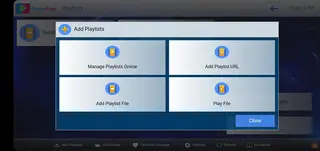
Add IPTV playlists using URLs or files, then organize, edit, and remove channels as needed.
Favorites and categories
Group channels into categories and mark favorites to access your most-watched streams quickly.
Built-in media player
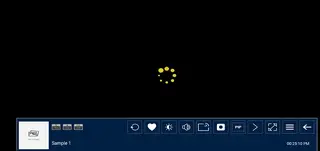
Uses an integrated player with options like play, pause, seek, and supported audio or subtitle tracks.
Picture in Picture support
Keep watching a channel in a small floating window while using other apps on supported Android versions.
Casting support on compatible devices
Supports casting or sending streams to larger screens on platforms where the feature is available.
User-friendly interface
Clean layout and straightforward navigation make it easy to browse channels and switch between sections.
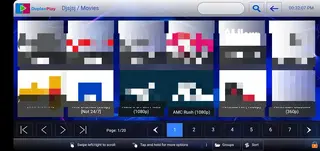
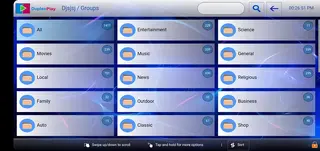
Screenshots

Device compatibility and requirements
Duplex IPTV is designed for modern Android devices, including phones, tablets, and certain TV boxes or TV sticks that support Android or Android TV. The app typically requires at least Android 5.0 or higher to run reliably, and performance can improve on newer hardware.
Because IPTV streaming uses real-time video, a stable broadband connection is important. For SD content, a lower speed can work, but for HD or higher quality streams, a faster and more stable connection is recommended to avoid buffering and interruptions.
Tips for better streaming performance
To get the most out of Duplex IPTV, pay attention to both your network and your playlist quality. Using a wired connection on supported TV boxes or staying close to your Wi-Fi router can help reduce buffering. Closing heavy background apps on your device can also improve stability during long viewing sessions.
In addition, organizing your playlist by removing broken or duplicate channels and keeping only the sources you actually watch can make navigation faster and more pleasant.
Safety and responsible use
Duplex IPTV works as a media player and does not control the content included in your playlists. Always make sure you have the right to access and stream the channels you add. Respect copyright laws in your region and follow your IPTV provider's terms of service.
When installing updates, prefer the fresh APK file from our website so you know you are using the same source as before and can keep your app up to date with the latest available version.
FAQs
Pros
- Lets you load your own IPTV playlists instead of forcing preset channels
- Clean and simple interface that is easy to navigate
- Supports advanced features like Picture in Picture on compatible devices
- Built-in media player is optimized for IPTV streams
- Flexible playlist management with options to add, edit, and remove channels
Cons
- Does not provide any channels or playlists by default
- Requires a stable internet connection for smooth streaming
- Some advanced features may depend on your IPTV provider and playlist quality
- May involve a learning curve for users new to IPTV concepts
Conclusion
Duplex IPTV is a capable IPTV player for Android users who already have their own playlists and want a clean, flexible way to watch them. Download the APK from our website, install it on your device, add your IPTV sources, and customize the channel experience to fit your viewing habits.




Comments
No approved comments yet.