

Filmr
Filmr is a vertical video editor designed for quick, polished edits on Android. It combines a clean timeline, creative effects, and music tools in a simple interface that suits beginners and content creators.
With Filmr you can cut, trim, reorder clips, add filters, adjust speed, and mix music in minutes. The official APK file is available on our website, so you can download the latest Android version directly and start editing right away.
Whether you post to Instagram, TikTok, YouTube Shorts, or stories, Filmr helps you turn everyday moments into smooth, shareable videos without learning complex desktop software.
Saving memories is quite easy in this digital era. People can easily capture any movement in their lives, that they share on social media platforms. Video editor apps such as Montage Pro and Story Bit are quite popular. However, learn about the newly available editor with advanced-level services.
Rate this app
App details
- App name
- Filmr
- Category
- Video Players & Editors
- Version
- v1.89.1
- Size
- 57.72 MB
- Requirements
- 5.0 and Above
- Package name
- com.filmrapp.videoeditor
- Publisher
- Digital Purchases
- Price
- Free
- Mod
- No
- Downloads
- 107,207
- Rating
- 4.6 / 5
- Rating count
- 51,008
- Play Store
- Yes
- Requires root
- No
- Offline support
- Yes
- Contains ads
- Yes
- In-app purchases
- Yes
- Updated
- May 19, 2026
- Age rating
- Rated for 7+
Table of contents
What is Filmr Android App
Filmr is a video editing app for Android that focuses on fast, vertical editing for social media. It offers a simple drag-and-drop timeline, professional-looking filters, text, transitions, and music controls so you can turn photos and clips into short, engaging videos.
The app is built around an intuitive full-screen interface. You can import clips from your camera roll, arrange them in any order, trim edges, control playback speed, and export in formats suitable for major social platforms. The learning curve is low, so even if you have never used a video editor before, you can still get clean, smooth results.
Filmr is free to download and use with core features available at no cost. It also offers optional premium tools and upgrades such as removing watermarks, unlocking extra filters and effects, and limiting ads for a more focused editing experience.
Why Download Filmr APK from Our Website
Downloading the Filmr APK directly from our website lets you get the official Android installer without going through extra steps. You can obtain the current version, transfer it to any compatible phone or tablet, and install it manually whenever you need.
This is especially useful if the Play Store is not available on your device, you want to keep a backup of the installer, or you manage multiple devices and prefer installing apps via APK files. Our download page provides the Filmr APK in a single tap so you can focus on editing instead of searching around.
Once installed, you can immediately access Filmr's free editing tools, explore its interface, and decide later if you want to unlock any premium options inside the app.
How Filmr Is Useful for Creators and Everyday Users
Filmr helps a wide range of users, from casual smartphone owners to aspiring creators, make better-looking videos without technical friction.
For social media creators: Vertical design, quick trimming, transitions, and music control make it ideal for Instagram Reels, TikTok clips, and YouTube Shorts.
For personal memories: You can combine photos and videos from trips, events, and family moments, apply filters, and export a single highlight reel.
For small businesses: Simple text overlays, filters, and fast sharing options help you create product or service clips for online promotion with minimal cost.
Because the interface is clean and the tools are clearly labeled, Filmr reduces the usual complexity of editing. You spend more time choosing the right shots and less time trying to understand the software.
How to Download and Install Filmr APK
You can download the official Filmr APK file directly from our website and install it manually on your Android device. Follow these basic steps to get started:
Scroll to the download area on this page and tap the Filmr APK download button.
Wait for the APK file to finish downloading to your Android phone or tablet.
Open your device settings and allow installation from unknown or external sources if it is not already enabled.
Locate the downloaded APK file in your downloads folder and tap it.
Confirm the installation prompts to install Filmr on your device.
Once installed, open Filmr, grant the required permissions, and start editing your videos.
After installation you can access all available free features immediately and later decide if you want to subscribe or unlock any premium options inside the app.
Features
Vertical-friendly editing interface
The app is designed around a clean vertical layout that feels natural on phones, with easy access to the timeline and tools.
Simple drag-and-drop timeline
Reorder clips, trim ends, and split scenes on a straightforward timeline suitable for beginners.
Advanced filters and color adjustment
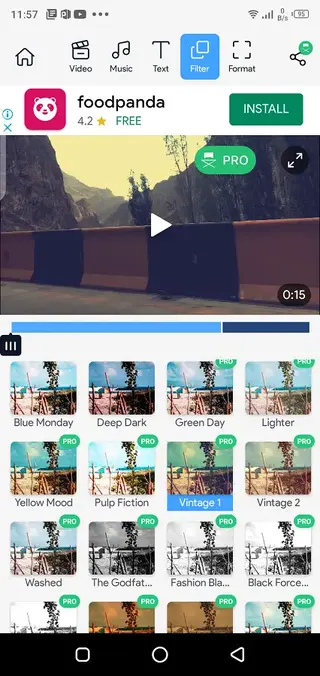
Apply filters and color tweaks to give your videos consistent tones and more attractive visuals.
Speed control and motion effects
Use slow motion or fast motion to highlight key moments or create dynamic transitions between scenes.
Basic editing tools
Crop, cut, split, reverse, and adjust individual clips to refine the flow of your video.
Music and audio controls
Add background tracks, control music volume, and align audio with your video timing.
Text, transitions and effects
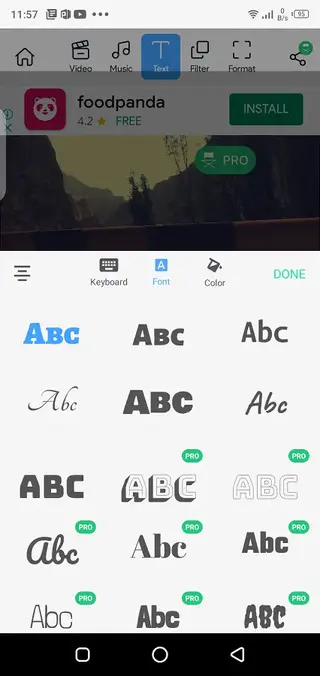
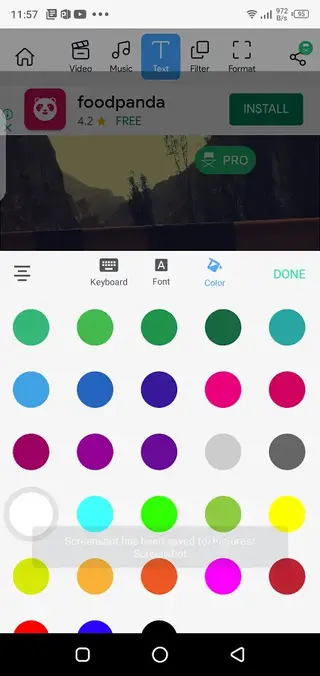
Insert titles, captions, transitions, and other visual effects to make your videos feel more polished.
Quick social media export
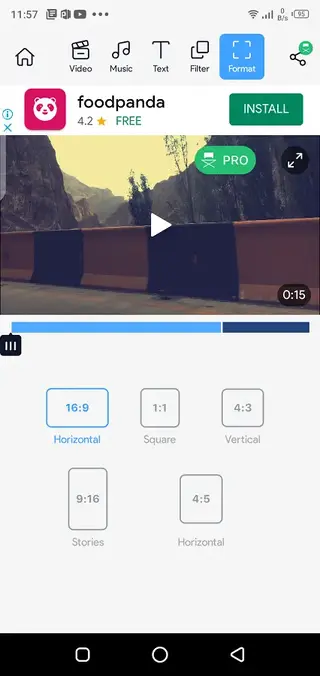
Export videos in formats suitable for major social platforms and share them directly from the app.
Screenshots
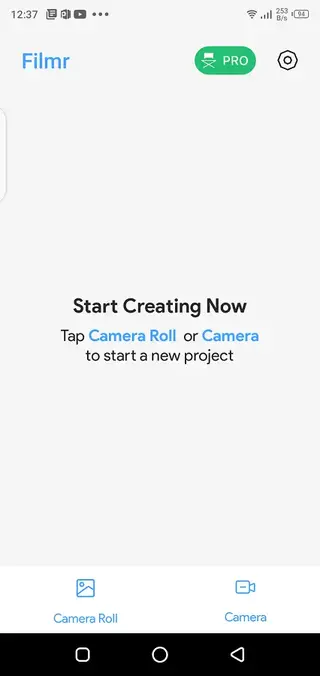
Compatibility and System Requirements
Filmr is designed for Android phones and tablets running Android 5.0 or higher. The app targets users who shoot and edit primarily on mobile devices, so it focuses on performance within that environment.
For the smoothest experience, it is better to have enough free storage, a stable operating system, and a reasonably recent device. Heavy projects with many clips, filters, and transitions will run more comfortably on mid-range or flagship phones.
Editing Workflow Overview
Filmr keeps the editing workflow straightforward. You start by importing videos or photos, then arrange them on the vertical timeline. From there you can:
Trim the start and end of clips to remove unwanted parts.
Split longer segments into smaller pieces to rearrange or delete sections.
Adjust playback speed to create slow-motion or fast-motion effects.
Apply filters and color adjustments to keep a consistent look.
Add music, adjust volumes, and balance audio levels.
Insert text and transitions between clips for a smoother flow.
When you are satisfied, you export the final video and share it on your preferred social platforms directly from the app.
FAQs
Pros
- Beginner-friendly interface suited to vertical screens
- Good mix of basic and advanced editing tools for short videos
- Speed control, filters, and text make social content look more polished
- Direct social sharing options streamline posting workflow
- Free version lets you try core features before paying
Cons
- Free tier includes ads and watermarks on exports
- Some advanced filters and tools require in-app purchases
- May not replace full desktop editors for complex projects
- Performance can vary on low-end or older Android devices
Conclusion
Filmr offers a straightforward way to edit vertical videos on Android, combining essential tools, creative effects, and quick sharing. Download the APK from our website, test the free features, and decide if its workflow suits your everyday editing or social media needs.




Comments
No approved comments yet.