

FleetFinder
FleetFinder is a GPS-based vehicle tracking app that helps you monitor cars, bikes, buses and other vehicles from your Android phone in real time. It focuses on location accuracy and key status information so you always know where your vehicles are and how they are running.
With a quick registration and simple interface, you can add multiple vehicles and see them all on a single map. The app shows live position, engine and battery status, fuel level, AC status and more, which is especially useful for personal cars, family vehicles or small fleets.
As you know most people have multiple types of vehicles available, which they use randomly. Some car apps such as Tesla and Muliatrack offer tracking services. But getting complete information about the ride is quite important for the owner to know all the information about it. So, we are here with the app for you all to get control.
You can download the official FleetFinder APK directly from our website and install it on any compatible Android mobile or tablet to start tracking your vehicles within minutes.
Rate this app
App details
- App name
- FleetFinder
- Category
- Travel & Local
- Version
- v1.0.7
- Size
- 5.30 MB
- Requirements
- 5.0 and Above
- Package name
- com.cockatoo.fleetfinder
- Publisher
- cockatoo infotech
- Price
- Free
- Mod
- No
- Downloads
- 88,721
- Rating
- 4.8 / 5
- Rating count
- 28,022
- Play Store
- No
- Requires root
- No
- Offline support
- No
- Contains ads
- No
- In-app purchases
- No
- Updated
- May 15, 2026
- Age rating
- Rated for 7+
Table of contents
What is FleetFinder App
FleetFinder is an Android Travel and Local application designed for real-time vehicle tracking and basic telematics. Once you create an account with your email and mobile number, you can add one or more vehicles and view their live location on an interactive map.
The app is built for everyday users as well as small fleet owners who need quick access to information such as current position, engine status, battery health, fuel level and AC status. Instead of checking each vehicle manually, you can open FleetFinder and see everything in one place.
FleetFinder works with supported tracking hardware or an existing tracking service account. After linking your vehicles, the app shows them as markers on the map and updates their status in real time, helping you keep an eye on movement and condition wherever you are.
Why download FleetFinder for Android
Installing FleetFinder on your Android device gives you an easy way to monitor one or many vehicles from a single screen. If you lend your car to friends or family, manage drivers, or simply want more control over your own vehicle, the app brings all essential details together.
The combination of live GPS tracking and status indicators makes it more than a simple map app. You can quickly check whether the engine is running, how much fuel is left or whether the AC is on, which can help you manage usage, improve safety and reduce unnecessary costs.
Because the official APK is available directly on our website, you can download and install FleetFinder even if you cannot find it on Google Play, and keep it ready as your main vehicle monitoring tool.
How FleetFinder is useful for drivers and owners
FleetFinder is especially useful if you own multiple vehicles or share a vehicle with others. Live tracking lets you see where each car, bike or bus is at any moment, which can improve coordination, reduce waiting times and provide peace of mind when someone else is driving.
The additional vehicle information helps you understand how your vehicles are being used. Seeing engine status, fuel level, AC status and battery health in one view can support better maintenance planning and avoid surprises such as a drained battery or an empty fuel tank.
For small business fleets, the app can support basic operations by showing active vehicles on the map and their working condition. For personal users, it simply makes it easier to look after an expensive asset and stay informed about its location and status.
How to download and install FleetFinder APK
You can get the official FleetFinder APK directly from our website and install it on your Android device in a few simple steps.
Follow these instructions:
Scroll to the download area on this page and tap the FleetFinder APK download button.
Wait for the APK or XAPK file to finish downloading on your Android phone or tablet.
Open your device settings and enable installation from unknown sources for your browser or file manager, if it is not already allowed.
Locate the downloaded file in your Downloads folder and tap it to start the installation.
Follow the on-screen prompts to complete installation and then open FleetFinder from your app drawer.
Sign up or log in, add your vehicles and start tracking them in real time.
Whenever a newer version becomes available on our website, you can repeat these steps to update the app manually.
Features
Real-time GPS tracking
View the live location of your vehicles on an interactive map with accurate positioning and smooth updates.
Multi-vehicle support
Add and manage multiple vehicles such as cars, bikes, buses and more under a single account.
Engine status monitoring
Check whether the engine is on or off to understand current vehicle usage and activity.
Fuel level insights
See the approximate fuel level to plan refuelling and avoid unexpected low-fuel situations.
AC status display
Monitor whether the vehicle AC is currently running, which can help control comfort and fuel usage.
Battery status information
Track battery condition indicators to reduce the risk of sudden breakdowns or starting problems.
Simple registration
Create an account quickly using basic details like email address and mobile number.
Clean, user-friendly interface
Use straightforward menus and clear icons designed for easy daily use, even for new users.
Screenshots
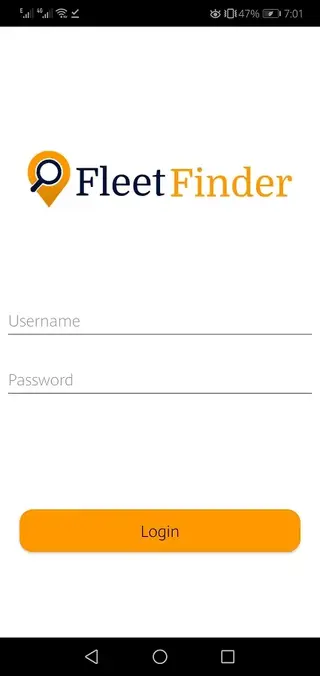
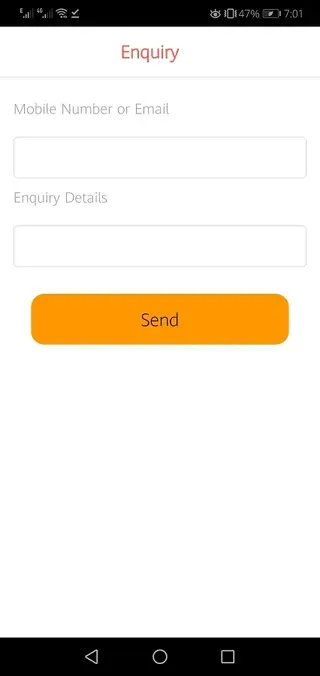
Getting started with registration and setup
After installing FleetFinder, you first need to create an account or sign in. The app usually asks for basic details such as your email address, mobile number and a secure password. This account keeps your vehicle list and tracking data tied to you.
Once registration is complete, you can begin adding vehicles. Depending on the tracking solution you use, this may involve entering an ID, IMEI, license plate or similar identifier so the app can associate the physical tracker with your account. After successful linking, the vehicle appears on the map with live updates.
Using the live map and status views
The main screen in FleetFinder is typically a map view where each vehicle appears as a marker. Tapping a marker shows more details such as name, last update time and status indicators. You can zoom in and out, move around the map and switch between vehicles quickly.
The status section gives you extra context beyond location. Indicators for engine state, AC, fuel level and battery help you understand how the vehicle is being used at that moment. This is particularly helpful when monitoring drivers, checking arrival times or ensuring a parked vehicle remains where it should be.
Tips for safer and smarter vehicle monitoring
To get the most from FleetFinder, keep your login details private and enable a lock screen on your device so only trusted people can access vehicle data. Review your vehicles periodically and remove any entries you no longer use.
Use the information shown in the app to support better driving habits and maintenance. For example, watching fuel and battery status can help you plan servicing and reduce breakdown risk, while tracking frequent engine-on idling with AC running can highlight opportunities to save fuel.
FAQs
Pros
- Provides real-time GPS tracking for multiple vehicles in one app
- Shows extra details such as engine, fuel, AC and battery status
- Simple registration and clean interface make it easy to use
- Useful for both personal vehicle owners and small fleets
- Official APK file is directly available on our website
Cons
- Requires an internet connection for live tracking and updates
- Depends on compatible tracking hardware or service integration
- Not available on Google Play at the time of writing
- Some advanced fleet management features may be limited
Conclusion
FleetFinder is a practical Android tool for anyone who wants live visibility over their vehicles along with key status data. By combining GPS tracking with engine, fuel, AC and battery information, it offers a clear picture of how and where your vehicles are being used. If you manage family cars or a small fleet, downloading the official FleetFinder APK from our website can help you keep everything under control from your phone.




Comments
No approved comments yet.